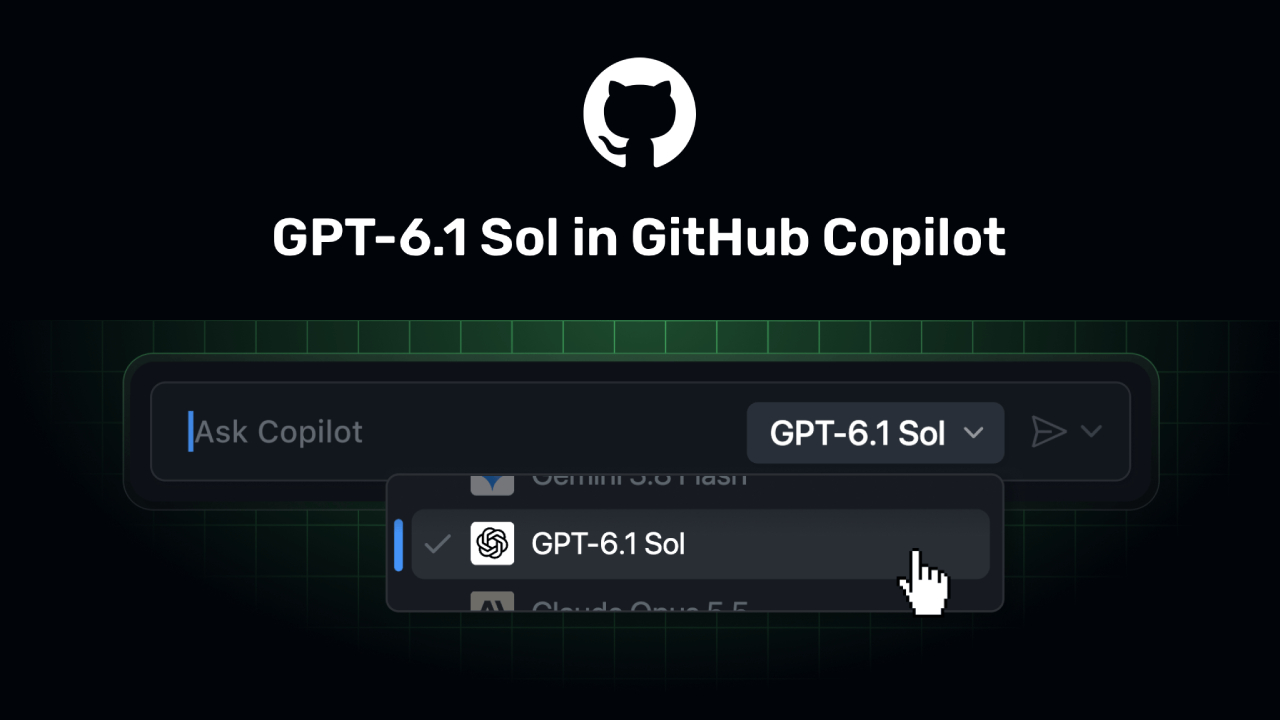
GitHub has launched "GPT-6.1 Sol" within GitHub Copilot—a new model from OpenAI integrated into GitHub’s AI-powered software development platform. Generally available as of September 29, 2026, the model is designed to support agentic coding and terminal workflows, focusing on the efficient handling of complex, multi-step coding tasks.
GPT-6.1 Sol is not positioned merely as another code completion model; rather, it is designed to assist developers in managing tasks that require planning, multi-step execution, result verification, and integration with development tools.
What Is GPT-6.1 Sol in GitHub Copilot?
GPT-6.1 Sol in GitHub Copilot is the latest OpenAI model added to GitHub Copilot. According to GitHub, early testing showed that the model could reliably complete tasks while using noticeably fewer tokens and steps than earlier models in the GPT-6 and GPT-5.6 families.
This distinction is important because modern AI-assisted development increasingly involves more than generating a single function.
A developer might ask an AI coding agent to:
- Understand an existing codebase.
- Identify the relevant files.
- Modify several components.
- Run commands or Tests
- Investigate Errors
- Make additional changes
- Validate the final result
For this type of workflow, the number of steps the AI requires to complete the task may be just as important as the quality of the generated code.
Why Multistep Coding Matters?
Traditional code assistants are often used for relatively focused activities, such as completing a function, explaining a piece of code, or generating a small code snippet.
Agentic coding changes the workflow.
Instead of asking for individual pieces of code, developers can give an AI agent a higher-level objective. The agent can then reason through the task and perform multiple actions to move toward the desired result.
This makes model efficiency increasingly important.
A model that can accomplish a task with fewer unnecessary steps may reduce the amount of interaction required from the developer. It can also make longer coding sessions easier to manage.
GitHub specifically describes GPT-6.1 Sol as having strong multistep coding performance and efficient token use.
GPT-6.1 Sol and Agentic Coding
One of the key areas for GPT-6.1 Sol in GitHub Copilot is Agentic Coding.
Agentic coding refers to development workflows where an AI system can perform a sequence of actions rather than simply returning an answer.
For example, a developer could have an agent investigate a failing test. Instead of only explaining the error, the agent may need to inspect the project, identify the source of the problem, modify the relevant code, and run tests to verify the solution.
This type of workflow requires the ability to maintain context and understand what occurs at each stage.
GPT-6.1 Sol is therefore relevant to developers who increasingly use GitHub Copilot as an active development assistant rather than only as an autocomplete tool.
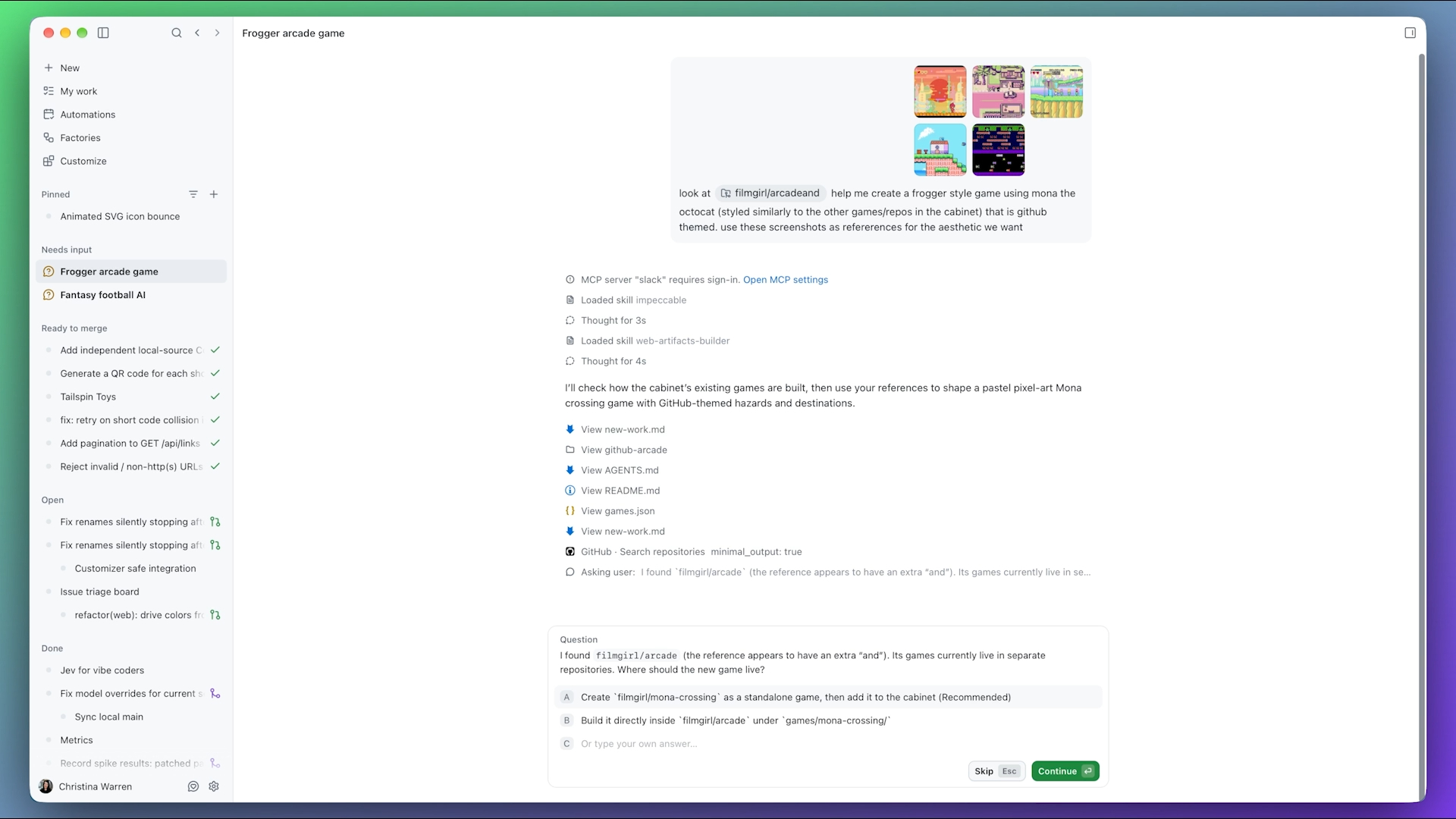
Terminal Workflows Are Another Key Use Case
GitHub also highlights terminal workflows as an area where GPT-6.1 Sol can be used.
Terminal-based development often requires a sequence of commands and decisions. A task might involve inspecting files, installing dependencies, running tests, checking logs, or investigating build failures.
An AI model working in this environment needs to understand the results of previous actions before deciding what to do next.
This makes efficient multistep reasoning particularly useful for software development workflows where the final answer is not simply a block of generated code.
Efficient Token Usage
Another notable aspect of GPT-6.1 Sol is its reported token efficiency.
GitHub says that during early testing, GPT-6.1 Sol completed tasks while using noticeably fewer tokens and steps than earlier models in the GPT-6 and GPT-5.6 families.
Token efficiency matters because AI coding agents can generate substantial amounts of context during longer tasks.
Every additional explanation, command, tool interaction, and generated response can contribute to overall usage.
However, fewer tokens should not automatically be interpreted as better in every situation. Development tasks vary significantly, and the quality of the final implementation, reasoning, testing, and validation remains important.
For developers, the more useful question is whether the model can complete a task effectively with less unnecessary work.
Where Can Developers Use GPT-6.1 Sol?
GitHub says GPT-6.1 Sol is available to Copilot Pro+, Max, Business, and Enterprise users. The model can be selected through the model picker across several GitHub Copilot environments, including:
- Visual Studio Code
- Visual Studio
- Copilot CLI
- GitHub Copilot Coding Agent
- GitHub Copilot App
- GitHub.com
- GitHub Mobile
- JetBrains IDEs
- Xcode
- Eclipse
The rollout is gradual, so availability may differ between users and environments during the rollout period.
How GPT-6.1 Sol Fits Into the Growing Copilot Model Selection?
GPT-6.1 Sol arrives during a period of rapid expansion in the number of models available through GitHub Copilot.
Earlier in September, GitHub added GPT-6 Sol and GPT-6 Luna. GitHub described GPT-6 Sol as a balanced model for interactive and agentic coding, while GPT-6 Luna was positioned as a lightweight and cost-efficient option for smaller and faster tasks.
This means developers increasingly have a choice of models rather than relying on one AI model for every development task.
The practical approach is to select a model based on the type of work being performed. A quick code question may not require the same capabilities as a large refactoring task or an autonomous debugging workflow.
What About Cost?
GPT-6.1 Sol uses usage-based billing at the provider list price, according to GitHub.
This is worth considering for teams adopting AI agents at scale.
For individual developers, model selection may primarily be about capability and workflow efficiency. For organizations, however, usage can become an important part of managing AI development costs.
Teams should therefore evaluate both productivity and usage when determining which models are appropriate for different workflows.
Administrators Can Manage Model Access
Organizations using GitHub Copilot Business or Enterprise can manage access to GPT-6.1 Sol through Copilot's model policies.
GitHub states that under default model enablement, new models are automatically enabled unless an administrator has disabled the global default or explicitly disabled the individual model.
This provides organizations with a way to control which AI models are available to their developers.
For larger development teams, model governance can become increasingly important as more AI capabilities are introduced into software development environments.
What GPT-6.1 Sol Means for Developers?
The arrival of GPT-6.1 Sol illustrates a broader shift in AI-assisted software development.
The focus is no longer solely on writing code; it is shifting toward facilitating the completion of the entire software development process.
This means developers might use AI to identify the root cause of an issue, modify multiple files, execute development commands, test changes, and iteratively refine the solution.
At the same time, developers remain responsible for reviewing generated changes and determining whether the resulting implementation meets their project's requirements.
Recent updates to GitHub Copilot clearly reflect a shift toward agentic workflows, encompassing areas such as agent development, code review, model selection, and development environments.
Conclusion
GPT-6.1 Sol in GitHub Copilot represents another step toward more capable agentic software development.
The key advantage lies not merely in generating more code; GitHub prioritizes the ability to manage multi-step coding and terminal workflows, utilizing tokens and streamlined processes that demonstrated greater efficiency during initial testing.
For developers, the most compelling opportunity lies in applying the model to tasks that involve multiple steps and require iterative problem-solving.
As AI coding tools continue to evolve, model efficiency, agent capabilities, governance, and developer oversight will increasingly become critical components of the software development workflow.