Data is the backbone of every modern business. From customer records and financial information to business applications and virtual machines, organizations depend on data to operate every day. But what happens if that data suddenly becomes unavailable?
Imagine arriving at the office on a Monday morning only to discover that your servers have been encrypted by ransomware or your critical business data has disappeared. Could your business continue operating? More importantly, how long would it take to recover?
Azure Backup and Recovery is more than a solution for creating copies of your data. It is a comprehensive Business Continuity solution designed to help organizations recover quickly, minimize downtime, and maintain operations when unexpected incidents occur. Whether the cause is a cyberattack, accidental deletion, or infrastructure failure, having a reliable backup and recovery strategy can make the difference between a temporary disruption and a major business crisis.
Why Every Minute of Downtime Matters
Many organizations underestimate the impact of losing access to business data until it happens.
System downtime doesn't just affect the IT department; it also impacts employees, customers, revenue, and the organization's image.
The sales team may not be able to access customer information, the finance department may not be able to process transactions, and many employees may be unable to continue working at all.
Ransomware attacks are on the rise, while accidental data deletion and hardware damage remain daily risks. Even organizations using modern cloud systems cannot avoid the risk of data loss.
So, instead of asking:
"Will data be lost?"
The organization should ask:
"If all the data were lost today, how quickly could we recover it?"
The speed of system recovery is a key factor in determining whether an event is just a minor disruption or becomes a major business loss.
What is Azure Backup and Recovery?
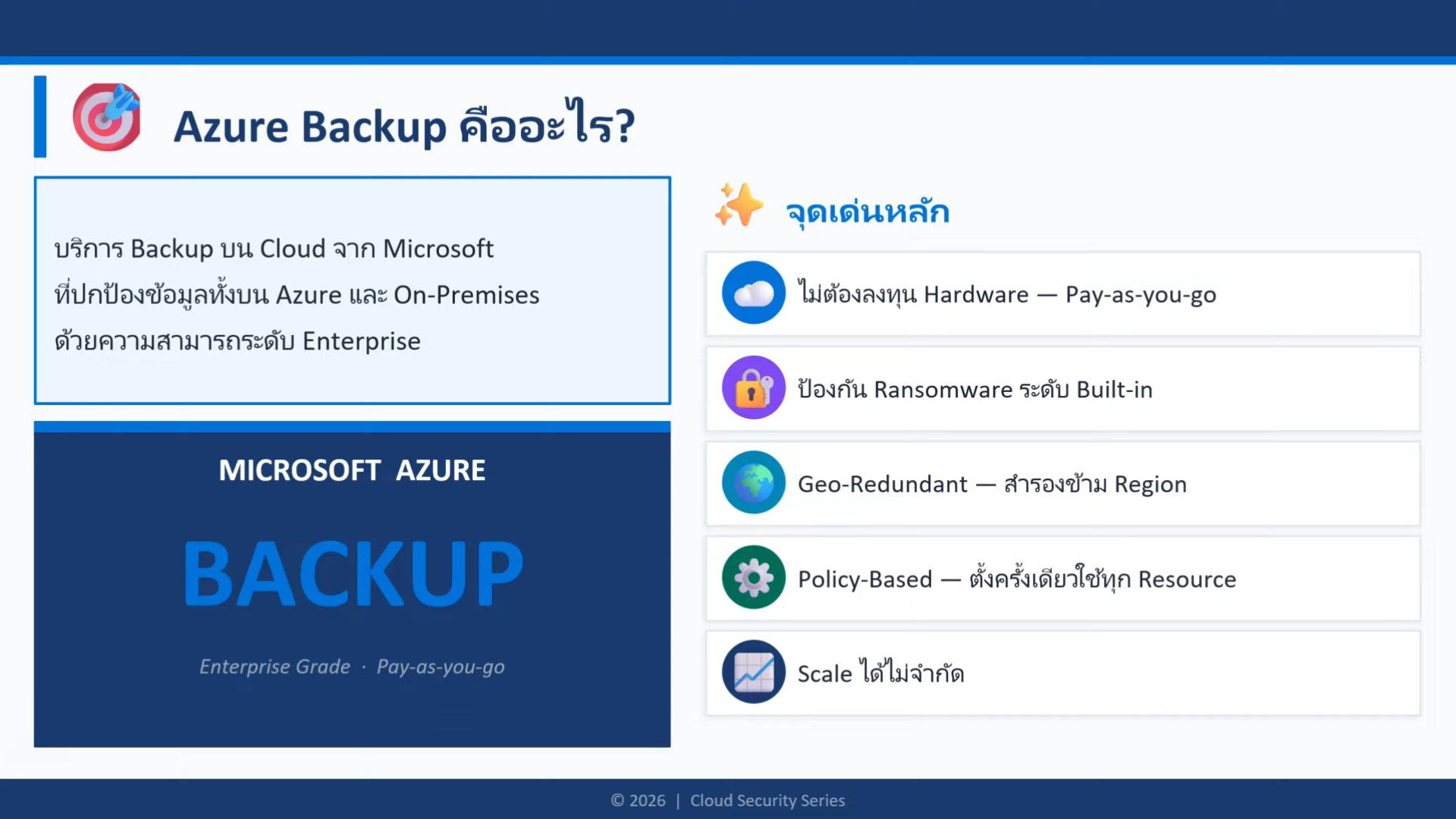
Azure Backup and Recovery is a cloud-native data backup and recovery solution from Microsoft that enables organizations to securely back up and recover data from workloads running on Microsoft Azure and hybrid environments.
Supports a wide variety of workloads, such as:
- Azure Virtual Machines
- Azure Files
- SQL Server
- SAP HANA
- VMware Virtual Machines
- Hyper-V Virtual Machines
- Windows Server และ Linux Server ภายในองค์กร
Because it's a fully managed service from Microsoft, organizations no longer need to invest in backup servers or maintain complex infrastructure. All backup data is securely stored on Azure and can be managed centrally.
Importantly, Azure Backup is not just focused on storing backups, but also on restoring systems to enable business operations to resume quickly.
6 most common causes of data loss
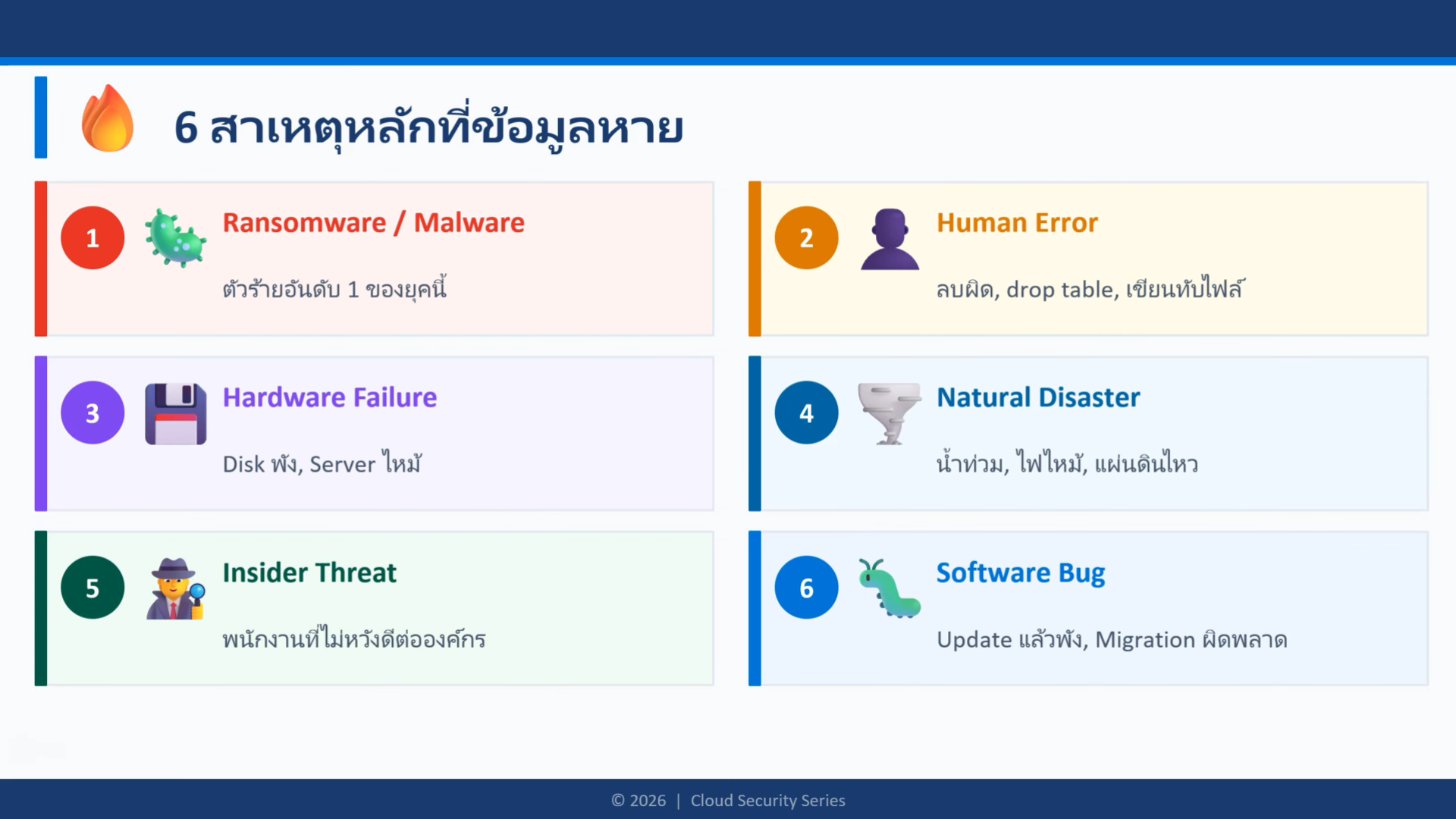
Data can be lost for many reasons, and not all cases are due to cyberattacks.
Understanding these risks will help organizations develop appropriate data protection strategies.
- Ransomware and cyberattacks
Ransomware remains one of the most serious threats today. Attackers encrypt an organization's data and demand a ransom. Without secure backups, organizations may face prolonged downtime or permanent data loss.
- Human error
Accidental file deletion, overwriting important documents, or incorrect system settings are all common causes of data loss. Even experienced system administrators can make mistakes.
- Hardware damage
Servers, storage devices, and hard drives all have a lifespan. Unexpected damage can result in significant data loss if a proper backup system is not in place.
- natural disasters
Floods, fires, earthquakes, and other disasters can damage systems installed within an organization.
Cloud backup ensures that data for recovery remains safe even if the internal infrastructure is damaged.
- Insider Threats
Whether intentional or accidental, actions by employees or contractors within an organization can lead to the damage or loss of important data.
Having a secure backup system is another layer of protection.
- Software and Data Corruption problems
Application errors, failed updates, corrupted databases, or data synchronization issues may render important data unavailable.
Having a complete recovery point allows you to revert to data before the problem occurred.
Regardless of the cause, the ability to recover quickly is what allows businesses to move forward.
More than just data backup
Traditional backup solutions primarily function to store copies of data.
But modern businesses demand more than that.
Azure Backup and Recovery enables organizations to...
- Automatic scheduled backup.
- Protect your backup data with enterprise-level security.
- Recover all files, applications, databases, or workloads.
- Supports long-term data storage.
- Manage backups on Azure and hybrid environments from a central location.
- Supporting business continuity in the event of unforeseen circumstances.
The goal is not just to preserve data, but to get the business back up and running as quickly as possible.
The core capabilities of Azure Backup and Recovery
Fully Managed Cloud Backup
Azure Backup reduces the burden of purchasing and maintaining backup servers or storage infrastructure.
Microsoft manages the entire platform, allowing IT teams to focus on tasks that create value for the business.
Enterprise-Grade Security
Azure Backup has security measures in place at every step.
Key protections include:
- Encryption during transmission and storage
- Soft Delete Protection
- Role-Based Access Control (RBAC)
- Multi-User Authorization
- Immutable backup support for supported workloads
These features help protect backup data from accidental deletion and malicious attacks.
Flexible Recovery Options
Organizations can restore:
- Individual files
- Entire virtual machines
- Databases
- Business applications
- Specific recovery points
This flexibility reduces downtime by restoring only what is needed.
Scalable and Cost-Effective
Azure Backup uses Pay-as-you-go
Organizations pay only for the resources they actually use, and as data increases, the system can automatically expand storage capacity without requiring investment in additional hardware.
How does Azure Backup differ from Azure Site Recovery?
Although Azure Backup and Azure Site Recovery both contribute to business continuity, they serve different purposes.
Azure Backup | Azure Site Recovery |
Protect data and workloads | Maintain the operation of all systems in the event of a disaster. |
Suitable for recovering deleted, damaged, or encrypted data | Ideal for maintaining system availability during an incident. |
Focus on Backup and Restore | Focus on Disaster Recovery and Business Continuity. |
Lower initial cost | Higher investment is required for continuous replication. |
Suitable for dealing with ransomware and hardware failures | Suitable for datacenter or infrastructure failure scenarios. |
The two services are not competing with each other, but can work together.
Many organizations choose Azure Backup to protect their data and use Azure Site Recovery for critical systems that cannot afford downtime.
The 3-2-1-1-0 Backup Rule
Having a good backup system doesn't just mean backing up data.
One of the globally accepted approaches is the 3-2-1-1-0
- There are at least 3 sets of data.
- Stored on 2 different media.
- There is one set of data located offsite.
- There is one set that is immutable or offline, meaning it cannot be modified by an attacker.
- Ensure there are 0 errors by performing recovery tests regularly.
This approach enhances the ability to cope with ransomware, accidental data deletion, hardware damage, and natural disasters.
Azure Backup supports these principles through secure cloud storage, immutable backup capabilities, and a cross-regional infrastructure.
Benefits for Businesses
Minimize Downtime
Fast recovery enables employees to resume work quickly after an incident.
Improve Business Continuity
Reliable backup ensures critical business operations can continue even after unexpected disruptions.
Strengthen Cyber Resilience
Built-in security features help organizations recover from ransomware without relying on attackers.
Reduce Infrastructure Costs
Eliminating physical backup hardware lowers maintenance costs while simplifying IT operations.
Support Compliance Requirements
Flexible retention policies help organizations meet regulatory and governance requirements for data protection.
Summary
Business data is constantly exposed to risks, including ransomware, user error, hardware damage, and natural disasters. While organizations cannot prevent all of these events, they can prepare to mitigate them.
Azure Backup and Recovery is more than just a data backup solution; it's a comprehensive data recovery strategy that protects critical workloads, reduces downtime, and enhances business continuity.
With enterprise-grade security, flexible recovery options, and established best practices such as the 3-2-1-1-0 rule, organizations can confidently recover their systems in the event of unforeseen incidents.
Today, the question isn't "Will data be lost?" but "If data is lost, how quickly can your organization recover it?" Organizations that prepare today are the ones that can resume business operations fastest tomorrow.