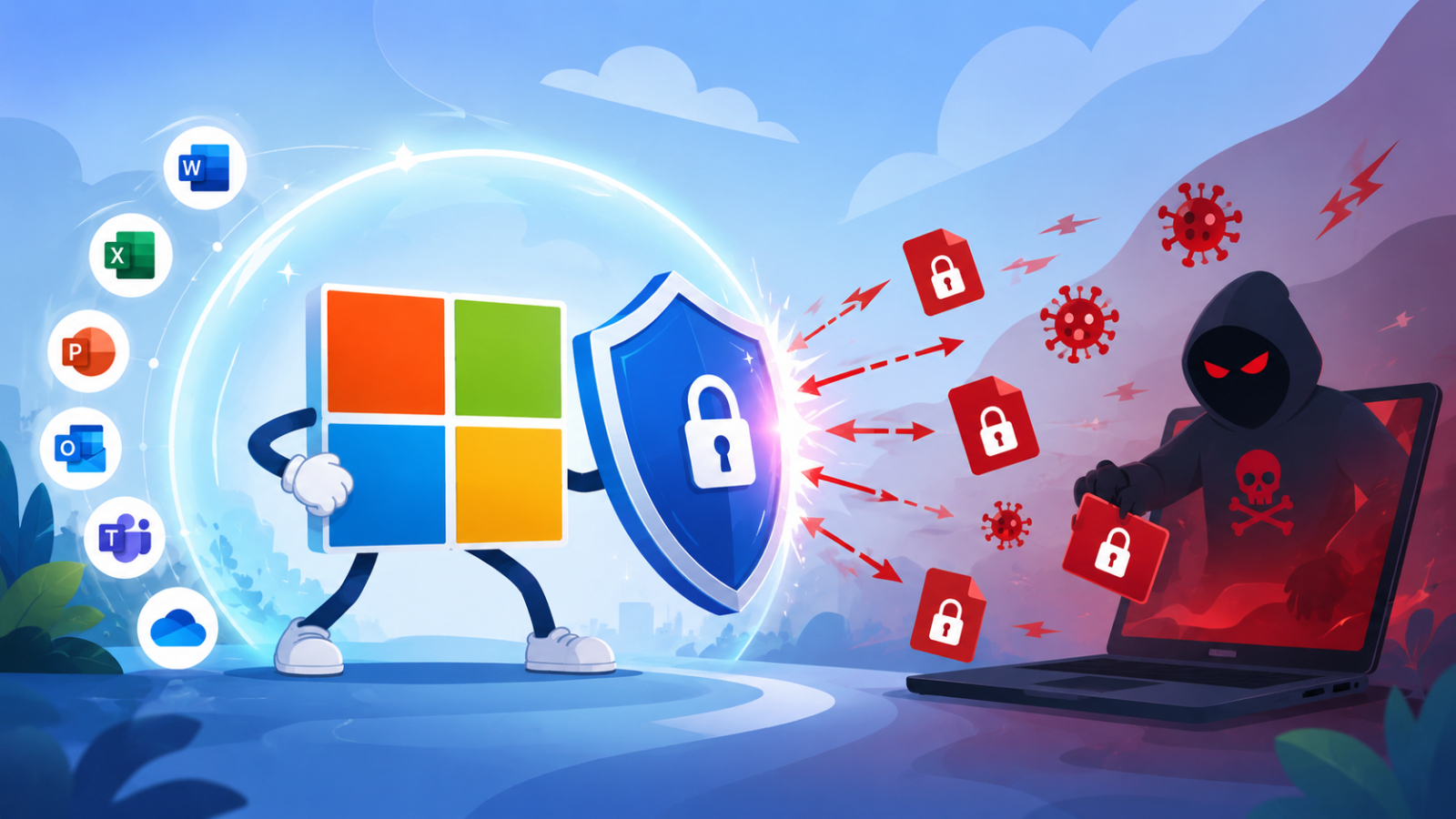
Cybersecurity is no longer a concern only for large enterprises. Small and medium-sized businesses (SMBs and SMEs) have become frequent targets of cybercriminals because they often have fewer security resources and less sophisticated defenses. Among the many cyber threats organizations face today, Ransomware remains one of the most damaging.
Understanding the Risks of ransomware is the first step in protecting your business. While no security solution can prevent threats 100%, Microsoft 365 provides multiple layers of security to reduce the likelihood of attacks and minimize the impact of unforeseen events.
What is Ransomware?
Ransomware is a type of malware that encrypts files or blocks access to a user's system. The attackers then demand a ransom in exchange for unlocking the data or restoring access.
Nowadays, ransomware attacks are no longer limited to file encryption. Many attackers first steal critical organizational data, then encrypt the system, and threaten to release confidential information if the organization does not pay a ransom.
This type of attack can happen to any organization, whether it's a small business or a multinational corporation.
Why every business should take ransomware seriously?
Many business owners may think that hackers only target large organizations, but in reality, small businesses are also an attractive target because they often lack dedicated cybersecurity teams or adequate safeguards.
A successful ransomware attack can result in:
- Business operations coming to a complete halt
- Loss of important customer and financial data
- Extended downtime
- Financial losses from interrupted operations
- Damage to customer trust and company reputation
- Regulatory or compliance issues if sensitive information is exposed
For many organizations, the cost of downtime is far greater than the ransom itself.
The Most Common Entry Points for Ransomware
Attackers continuously develop new techniques, but most ransomware infections begin with one of several common attack methods.
Phishing Emails
Email remains the most common delivery method for ransomware.
Users may receive emails that appear to be from a company, business partner, or colleague. By opening the attachment or clicking the fake link, malware can be immediately installed on the machine.
Compromised User Credentials
Weak passwords or stolen login credentials allow attackers to access business accounts without needing to exploit software vulnerabilities.
Once inside an organization's environment, attackers may move laterally before deploying ransomware.
Unpatched Software
Applications and operating systems that have not been updated may contain known security vulnerabilities that attackers can exploit.
Keeping software up to date significantly reduces this risk.
Unsafe File Sharing
Downloading files from untrusted websites or sharing documents through unsecured channels can introduce malicious software into an organization's environment.
Human Error
Many ransomware attacks are caused by small mistakes, such as:
- Click on a suspicious link
- Enable a malicious macro
- Downloading files from unreliable sources
Therefore, raising safety awareness among employees is one of the most important preventive measures.
The Business Impact of Ransomware
The impact of ransomware is not limited to file encryption only.
Operational Disruption
Employees may lose access to email, documents, financial systems, and business applications, preventing normal operations.
Financial Loss
The organization may have to bear the burden from
- Lost revenu
- System recovery costs
- legal costs
- regulatory penalties
- The ransom demanded by the attackers.
Reputational Damage
Customers expect organizations to be able to protect their data in the event of an attack. A decline in customer trust could impact long-term business relationships.
Data Loss
แม้ผู้โจมตีจะสัญญาว่าจะคืนข้อมูลหลังได้รับค่าไถ่ ก็ไม่มีหลักประกันว่าข้อมูลทั้งหมดจะถูกกู้คืน หรือข้อมูลที่ถูกขโมยจะไม่ถูกเผยแพร่
How Microsoft 365 Helps Protect Against Ransomware
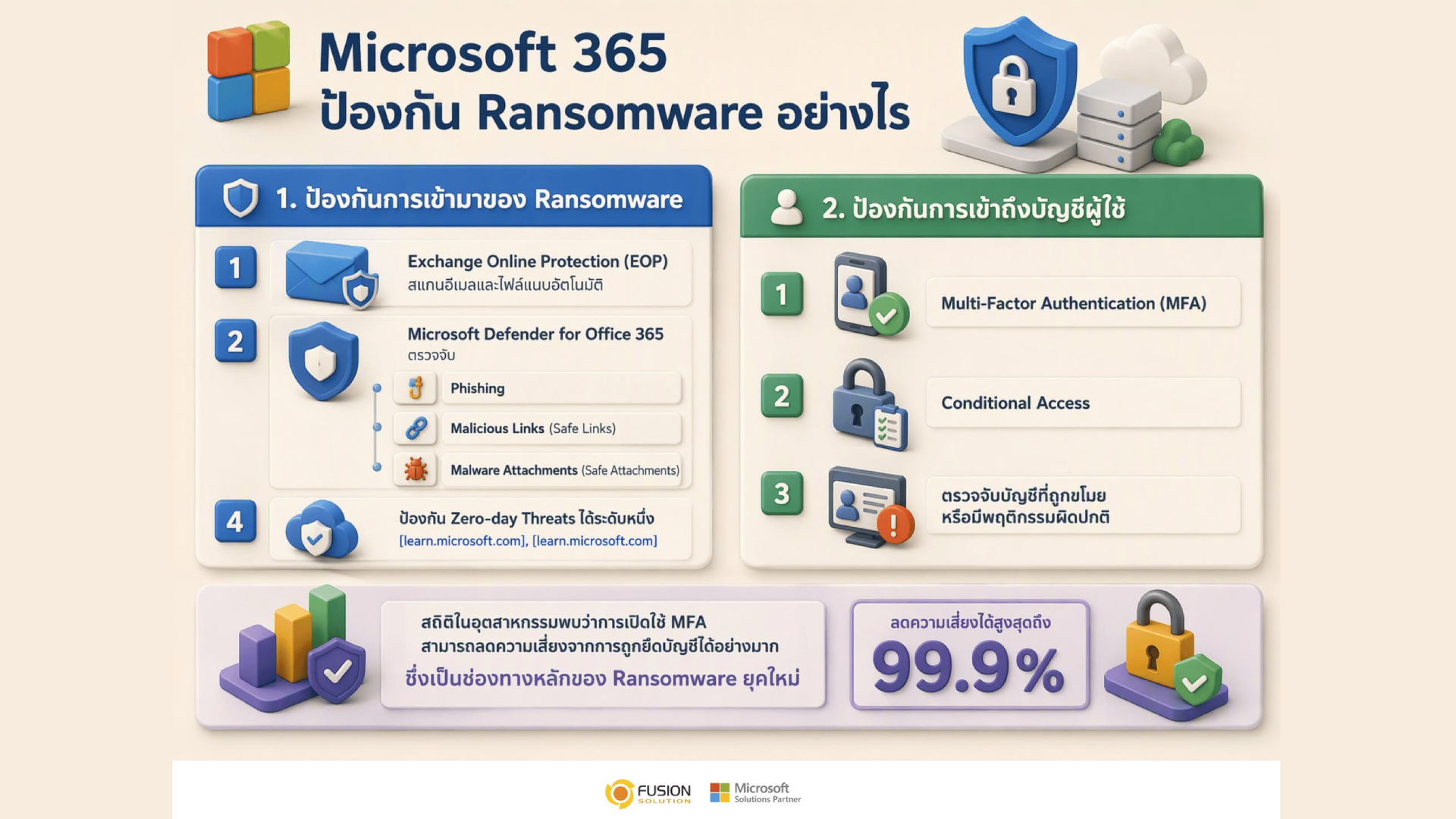
Microsoft 365 includes multiple security capabilities that work together to help organizations reduce cyber risks. Rather than relying on a single security feature, it applies a layered security approach across identities, email, collaboration tools, devices, and data.
Advanced Email Protection
Microsoft Defender for Office 365 helps detect and block malicious emails before they reach users.
It can identify:
- Phishing emails
- Malicious attachments
- Harmful links
- Business email compromise attempts
Reducing email-based threats significantly lowers the chances of ransomware entering an organization.
Multi-Factor Authentication (MFA)
Compromised passwords remain one of the leading causes of security breaches.
Microsoft Entra ID supports multi-factor authentication (MFA), requiring users to verify their identity using additional methods besides a password.
Even if passwords are stolen, it becomes significantly more difficult for attackers to access accounts.
Safe Collaboration in Microsoft Teams and OneDrive
Employees frequently share files through Teams and OneDrive.
Microsoft 365 continuously scans shared content for suspicious activity while providing secure file storage and collaboration capabilities.
Version history in OneDrive and SharePoint can also help recover files that were accidentally modified or encrypted.
Endpoint Protection
Organizations using Microsoft Defender for Business or Microsoft Defender for Endpoint receive advanced protection against malware and ransomware running on Windows devices.
Security capabilities include:
- Real-time threat detection
- Behavioral analysis
- Automatic attack investigation
- Ransomware detection
- Device isolation during active attacks
These features help stop threats before they spread across the organization.
Identity Protection
Microsoft continuously monitors sign-in behavior for suspicious activity.
If unusual login attempts or impossible travel scenarios are detected, administrators can investigate and take action before attackers gain access to sensitive resources.
Secure Data Backup and Recovery
While prevention is critical, organizations should also prepare for recovery.
Solutions such as Microsoft 365 Backup and Azure Backup help businesses restore important business data after accidental deletion, ransomware attacks, or other incidents, reducing downtime and supporting business continuity.
Best Practices to Reduce the Risks of Ransomware
Technology alone cannot eliminate cyber threats. Organizations should combine security solutions with strong security practices.
Train Employees Regularly
Security awareness training helps employees recognize phishing emails and suspicious online behavior.
Enable Multi-Factor Authentication
Protect all business accounts with MFA to reduce the risk of credential-based attacks.
Keep Systems Updated
Regularly install security updates for operating systems, applications, and business software.
Back Up Critical Data
Maintain secure, tested backups so important business information can be restored if an incident occurs.
Implement Least Privilege Access
Give employees access only to the data and systems required for their roles, reducing the potential impact of compromised accounts.
Develop an Incident Response Plan
Every business should know who to contact, what systems to isolate, and how to recover operations if a cyberattack occurs.
Why Microsoft 365 Is a Smart Choice for SMBs and SMEs
Many smaller organizations struggle to build enterprise-level cybersecurity using separate security products.
Microsoft 365 combines productivity tools with built-in security capabilities, making it easier for businesses to protect users without deploying multiple independent solutions.
By integrating identity security, email protection, endpoint defense, collaboration security, and backup capabilities, Microsoft 365 provides a practical and scalable security foundation for growing organizations.
Summary
Risks of ransomware continue to grow as cybercriminals target businesses of every size. A single successful attack can interrupt operations, expose sensitive information, and result in significant financial and reputational damage.
Microsoft 365 helps organizations strengthen their defenses through a Layered Security approach that protects identities, email, endpoints, collaboration tools, and business data. Combined with employee awareness, regular backups, and proactive security practices, these capabilities enable SMBs and SMEs to reduce cyber risks and recover more quickly when unexpected incidents occur.