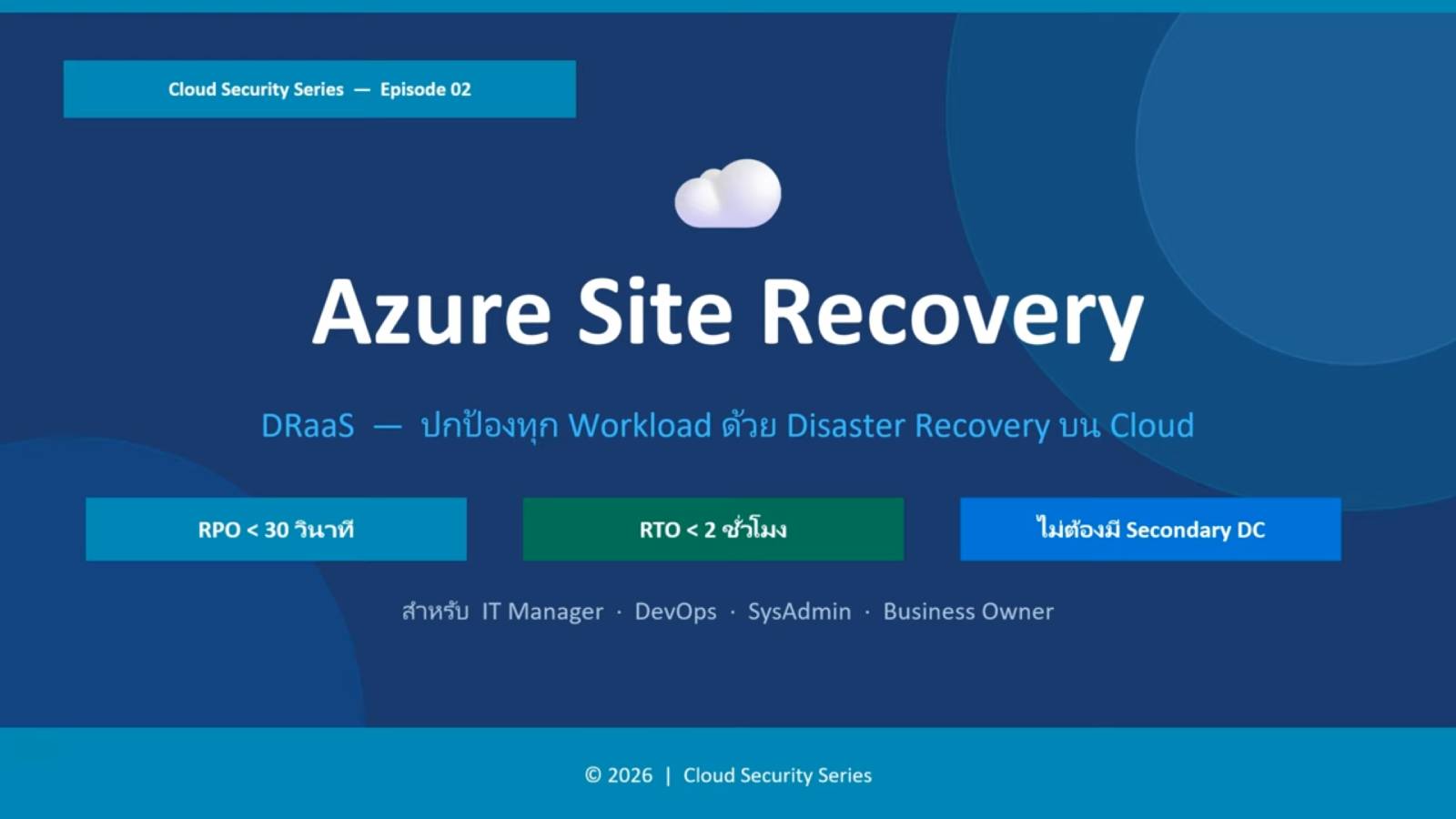
Systems can shut down unexpectedly at any moment, and every minute of downtime can impact an organization's operations, customers, and revenue. That's why businesses need more than just backups; they need Disaster Recovery (DR) to help critical systems recover quickly in the event of unforeseen incidents.
Azure Site Recovery enables organizations to replicate workloads, automate failover, and rapidly recover applications. It supports Azure Virtual Machines, VMware, Hyper-V, Physical Servers, and Azure Stack HCI, eliminating the need for expensive secondary datacenter investments.
This article explains how Azure Site Recovery works and why this solution is a suitable choice for building business resilience in both cloud and hybrid environments.
Understanding Disaster Recovery: Backup vs. Recovery
Many organizations believe that having a backup system alone is sufficient for protecting their business, but in reality, backup is only one part of a Business Continuity plan.
Backup is the process of creating a backup copy of files so that they can be recovered if lost, damaged, or accidentally deleted.
while Disaster Recovery (DR) focuses on restoring the entire system, including servers, virtual machines, applications, networks, and services, so that organizations can resume business operations after a major incident.
For example, if an organization is attacked by ransomware and its entire production system is encrypted, recovering files from backups alone could take days. However, Disaster Recovery allows the organization to quickly relaunch replicated systems in another location, minimizing downtime while the primary systems are being repaired.
In short,
- Backup protects your data.
- Disaster Recovery protects your business operations.
Both are essential, but Disaster Recovery ensures that employees and customers can continue using critical business applications even during major outages.
What is Azure Site Recovery?
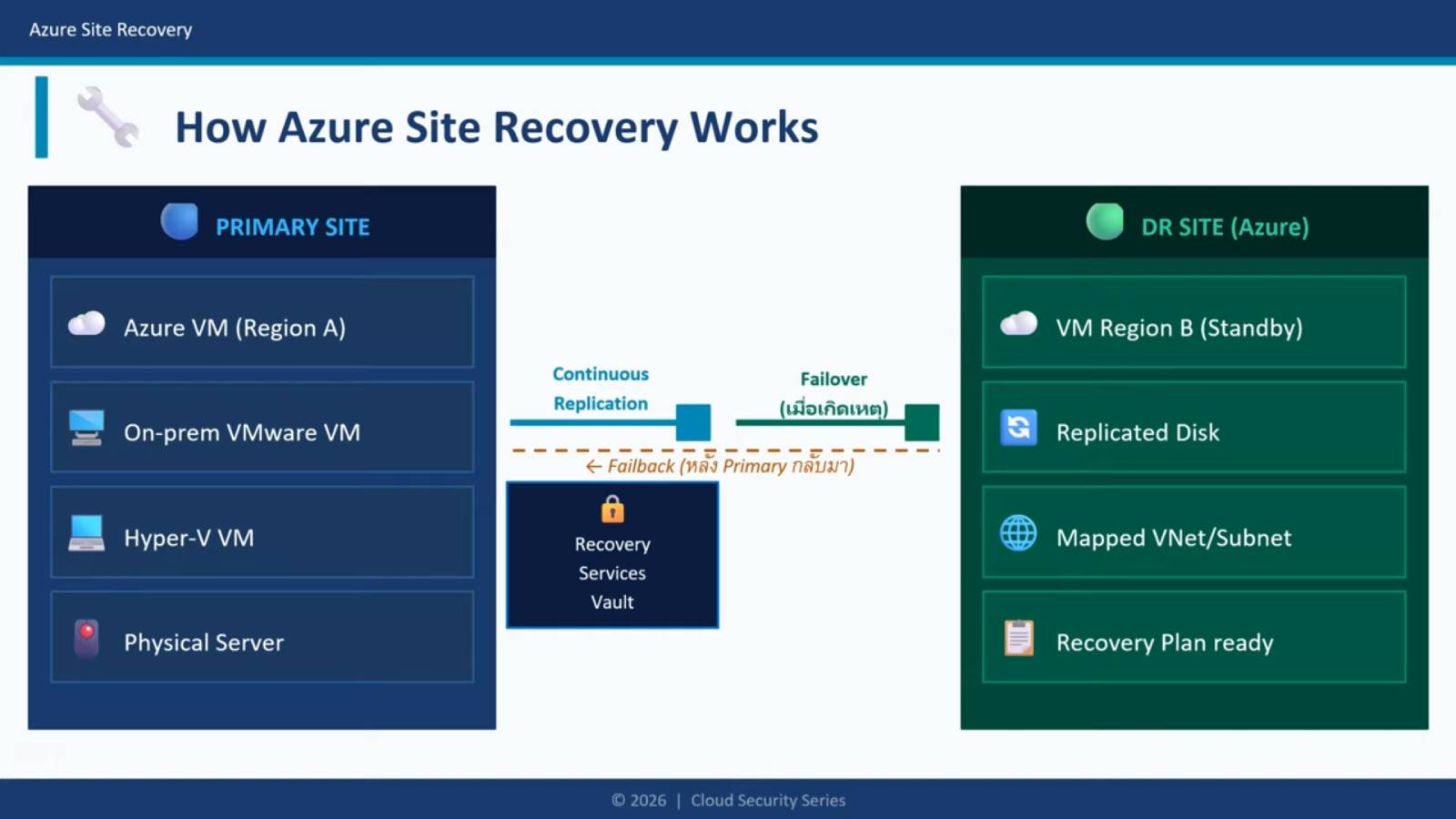
Azure Site Recovery is Microsoft's cloud-based disaster recovery service that enables organizations to replicate workload data from a primary environment to a backup environment, allowing for rapid system recovery in the event of a failure or if the primary site becomes unavailable.
This service continuously replicates virtual machines and workloads, instead of waiting for an event to occur and then restoring from a backup. This allows for the deployment of a backup system within minutes, reducing downtime and ensuring business continuity.
Supports disaster recovery for a variety of environments, including:
- Azure region to another Azure region
- VMware virtual machines to Azure
- Hyper-V virtual machines to Azure
- Physical Windows and Linux servers to Azure
- Azure Stack HCI to Azure
- On-premises datacenters to Azure
With automated replication and failover, organizations can effectively reduce the impact of outages, maintain business continuity, and increase system availability without needing to invest in building additional backup data centers.
How Azure Site Recovery Reduces Downtime
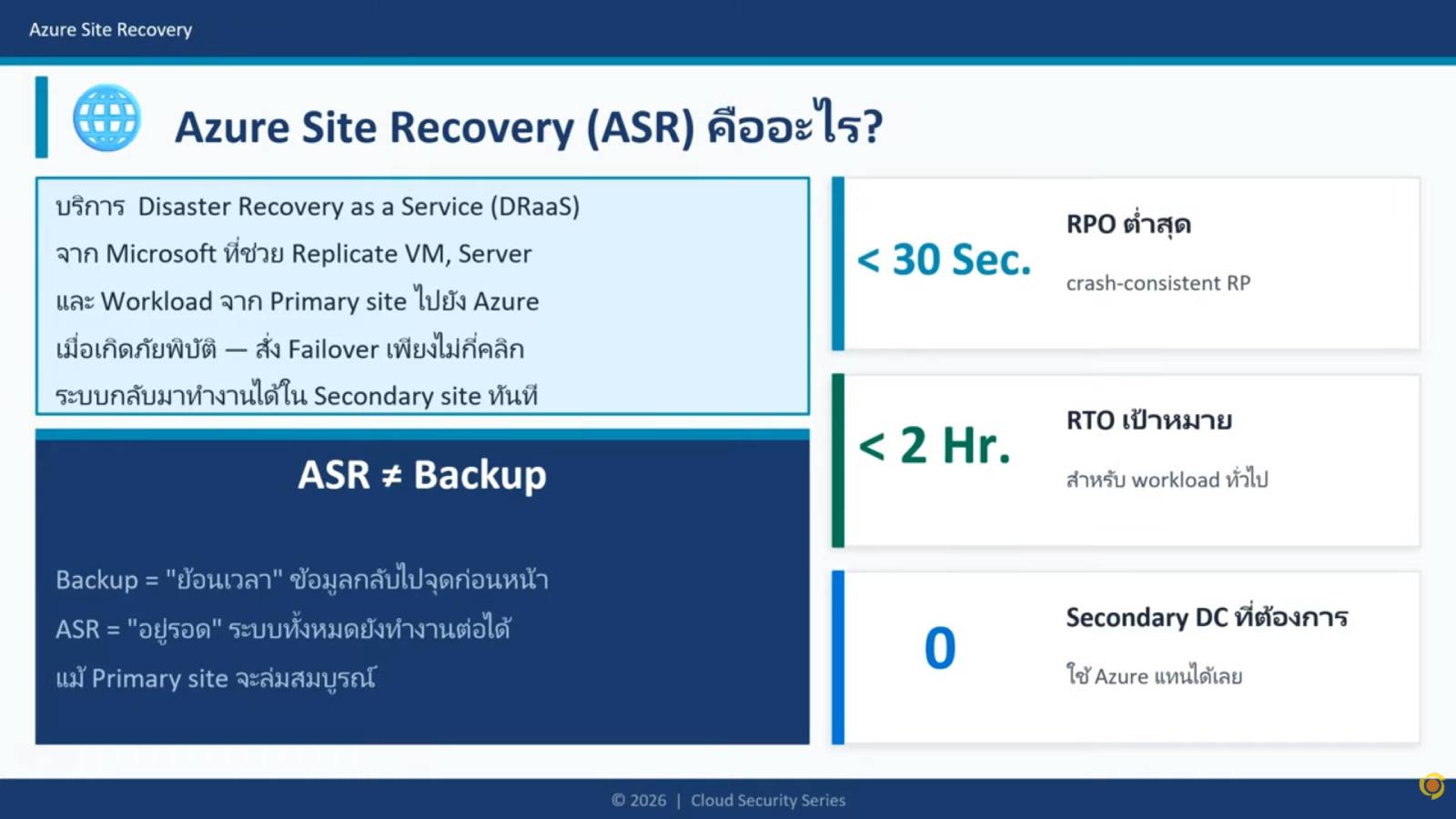
The primary goal of Azure Site Recovery is to minimize downtime and quickly get critical business applications back online in the event of unforeseen incidents.
Instead of waiting for an incident to occur and then restoring from a backup, this service continuously replicates workloads to a backup Azure or Azure Region. When the primary site is unavailable, organizations can immediately perform failover to power on the replicated virtual machines, significantly reducing recovery steps and manual operations.
With automation and continuous data replication, organizations can reduce their Recovery Time Objective (RTO), minimize business impact, and maintain service continuity even in crisis situations.
Key features
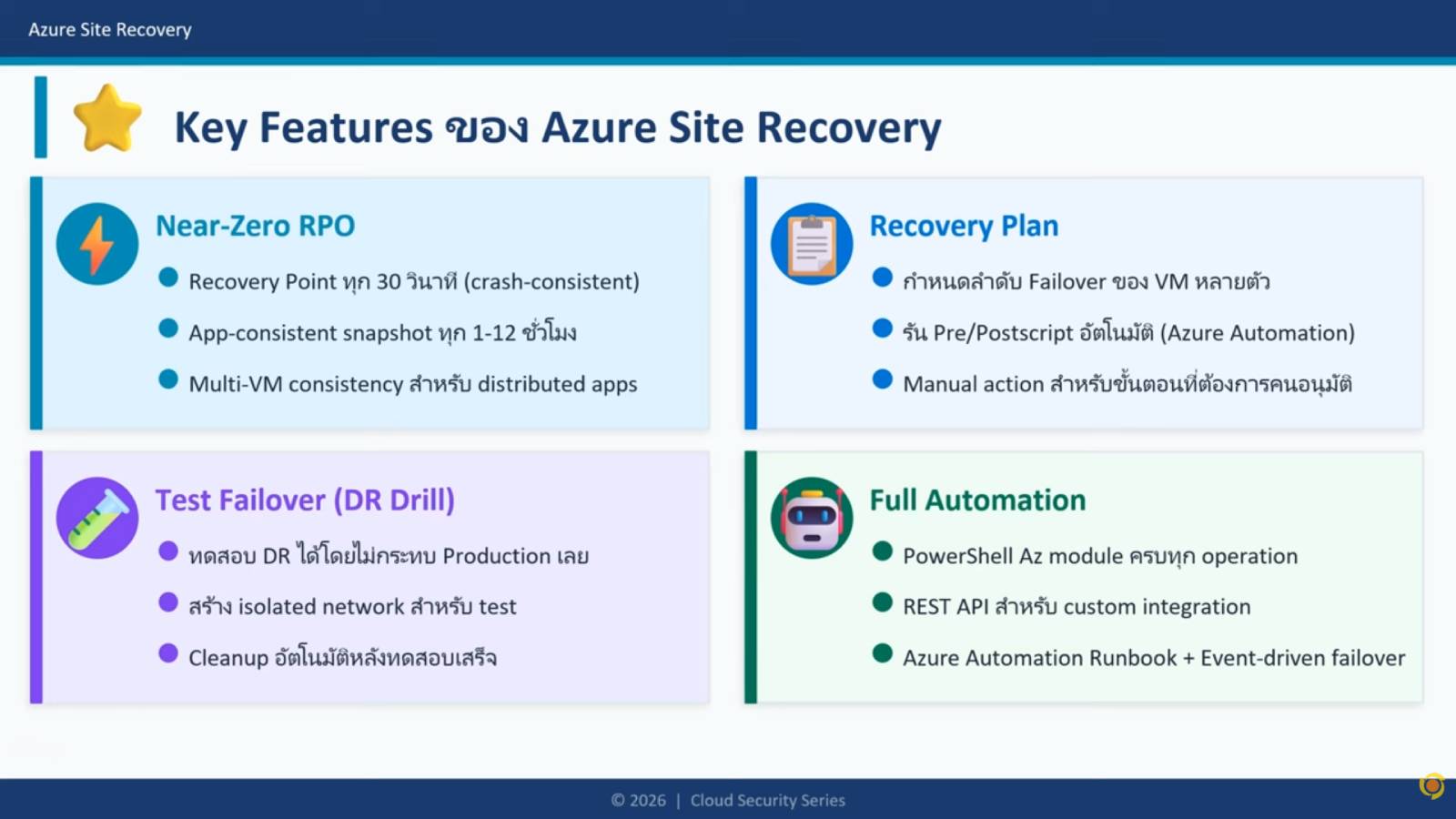
- Continuous Replication – Continuously replicate workload data to ensure that data is always ready for recovery.
- Near-Zero Recovery Time Objective (RTO) – Helps to restore systems and applications in a short time, reducing the duration of service downtime.
- Recovery Points Every 30 Seconds – Frequently captures changes and retains multiple recovery points for flexible restoration.
- Recovery Plans – Defines the order in which Virtual Machines are launched, manages application relationships, and supports automation during the Failover process.
- Multi-VM Consistency – Restore related Virtual Machines at the same point in time to maintain system accuracy and integrity.
- Test Failover – Test disaster recovery plans without impacting production systems, giving organizations confidence that the recovery plan is practical and usable.
With these capabilities, organizations can recover quickly, minimize the impact of outages, and effectively maintain business continuity, while increasing confidence that critical systems can be restored in the event of an emergency.
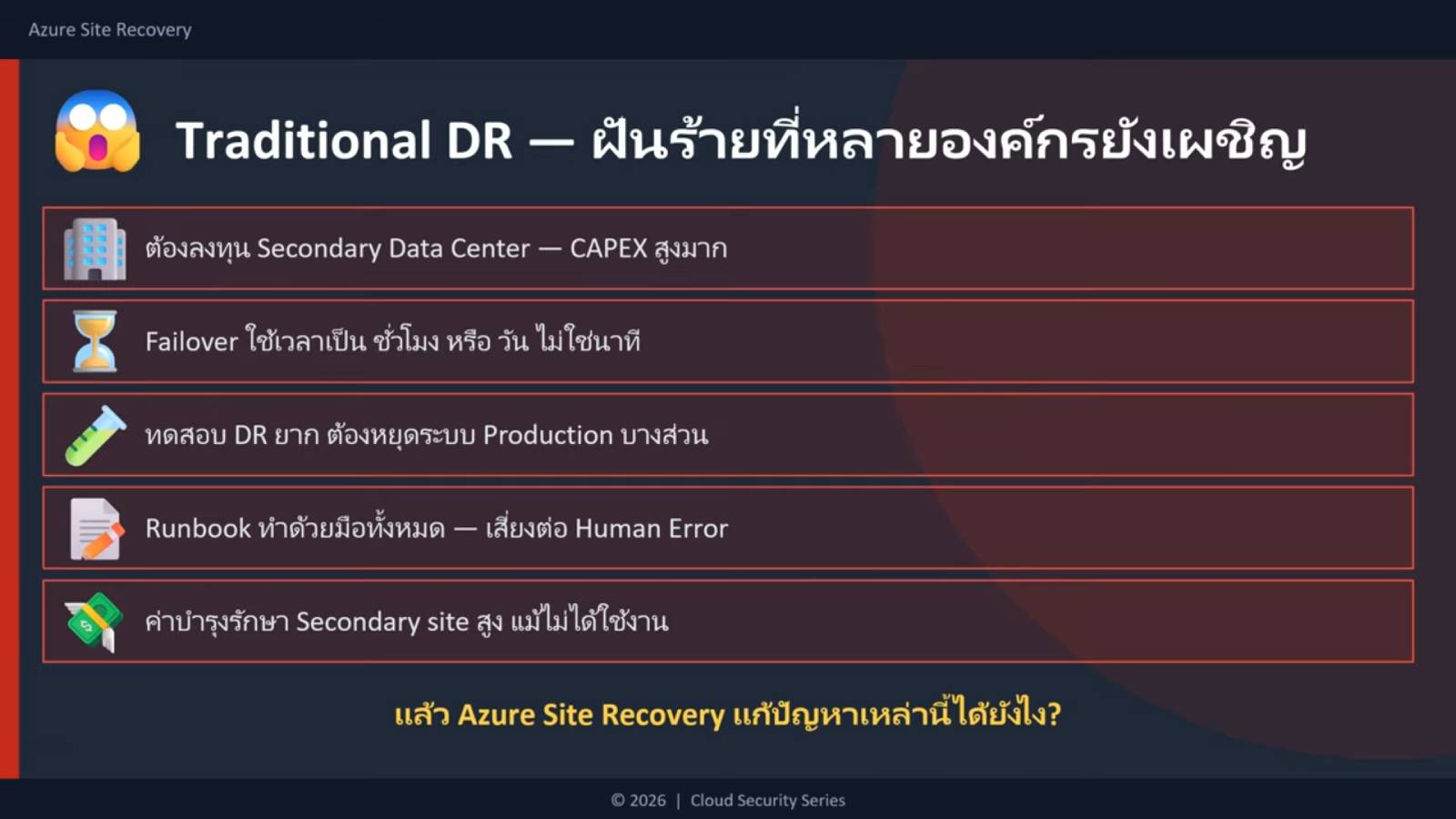
Azure Site Recovery vs Traditional Hardware-Based Disaster Recovery
Feature | Azure Site Recovery | Traditional DR Infrastructure |
Secondary Datacenter | ไม่จำเป็น | Required |
Infrastructure Cost | Lower | High |
Automated Failover | Supported | Often Manual |
Test Failover | Non-disruptive | Often Complex |
Automation | Extensive | Limit |
Cloud Integration | Directly supported | Limit |
Scalability | High | Hardware Dependent |
For many organizations, Azure Site Recovery provides a more flexible and cost-effective approach to Disaster Recovery.
Disaster Recovery for IaaS vs. PaaS
When planning disaster recovery on Azure, it's crucial to understand the difference between Infrastructure as a Service (IaaS) and Platform as a Service (PaaS) , as the two models employ different recovery approaches.
Disaster Recovery for IaaS
IaaS workloads include Azure Virtual Machines, VMware Virtual Machines, Hyper-V, and Physical Servers that have been migrated to Azure.
Because organizations maintain their own operating systems and applications, they are responsible for planning disaster recovery.
Azure Site Recovery is designed for these scenarios, continuously replicating virtual machines to allow failover to another Azure or Azure Region when the primary system is unavailable.
Examples of workloads include:
- Azure Virtual Machines
- VMware Virtual Machines
- Hyper-V Virtual Machines
- Azure Stack HCI
- Physical Windows และ Linux Servers
Disaster Recovery for PaaS
PaaS services such as Azure SQL Database, Azure App Service, Azure Storage, and Azure Cosmos DB have their infrastructure managed by Microsoft. Even with built-in High Availability, customers still need to plan for data protection and application recovery.
Disaster Recovery for PaaS often uses features such as:
- Geo-replication
- Zone Redundancy
- Built-in Backup and Restore
- Cross-region Replication
- Failover Groups
Instead of replicating virtual machines, organizations configure these services to automatically maintain data availability across multiple regions.
Most organizations use both IaaS and PaaS approaches together to create a Business Continuity plan that covers all workloads.
Why Businesses Choose Azure Site Recovery
Many organizations choose this solution to enhance their disaster recovery and business continuity readiness because it can...
- Protect Azure workloads across regions
- Replicate VMware, Hyper-V, and physical servers to Azure
- Reduce the Recovery Time Objective (RTO) value.
- Automate failover and failback
- Test Disaster Recovery without disrupting production
- Lower infrastructure costs
- Improve business continuity
- Support hybrid cloud environments
Whether running entirely in Azure or maintaining a hybrid infrastructure, Azure Site Recovery provides a scalable Disaster Recovery solution that grows with the business.
Summary
An effective disaster recovery strategy aims not only at restoring systems after an incident, but also at enabling organizations to continue doing business even in the face of unforeseen events.
This solution includes Continuous Replication, Recovery Plans, Test Failover, and Fast Failover capabilities to protect workloads running on Azure, VMware, Hyper-V, physical servers, and Azure Stack HCI, enabling rapid and systematic system recovery.
Planning for disaster recovery in advance helps organizations reduce downtime, recover applications faster, and confidently enhance business continuity in both cloud and hybrid environments. If your business is looking for a modern, cost-effective, and growth-oriented disaster recovery solution, investing in the right systems today will help your organization confidently face any future challenges.