As organizations expand their use of Microsoft 365, Copilot, and AI agents, managing multiple Microsoft 365 environments becomes increasingly complicated. Businesses operating across subsidiaries, departments, regions, or customer organizations often need to manage several tenants with different configurations, security policies, and administrative requirements.
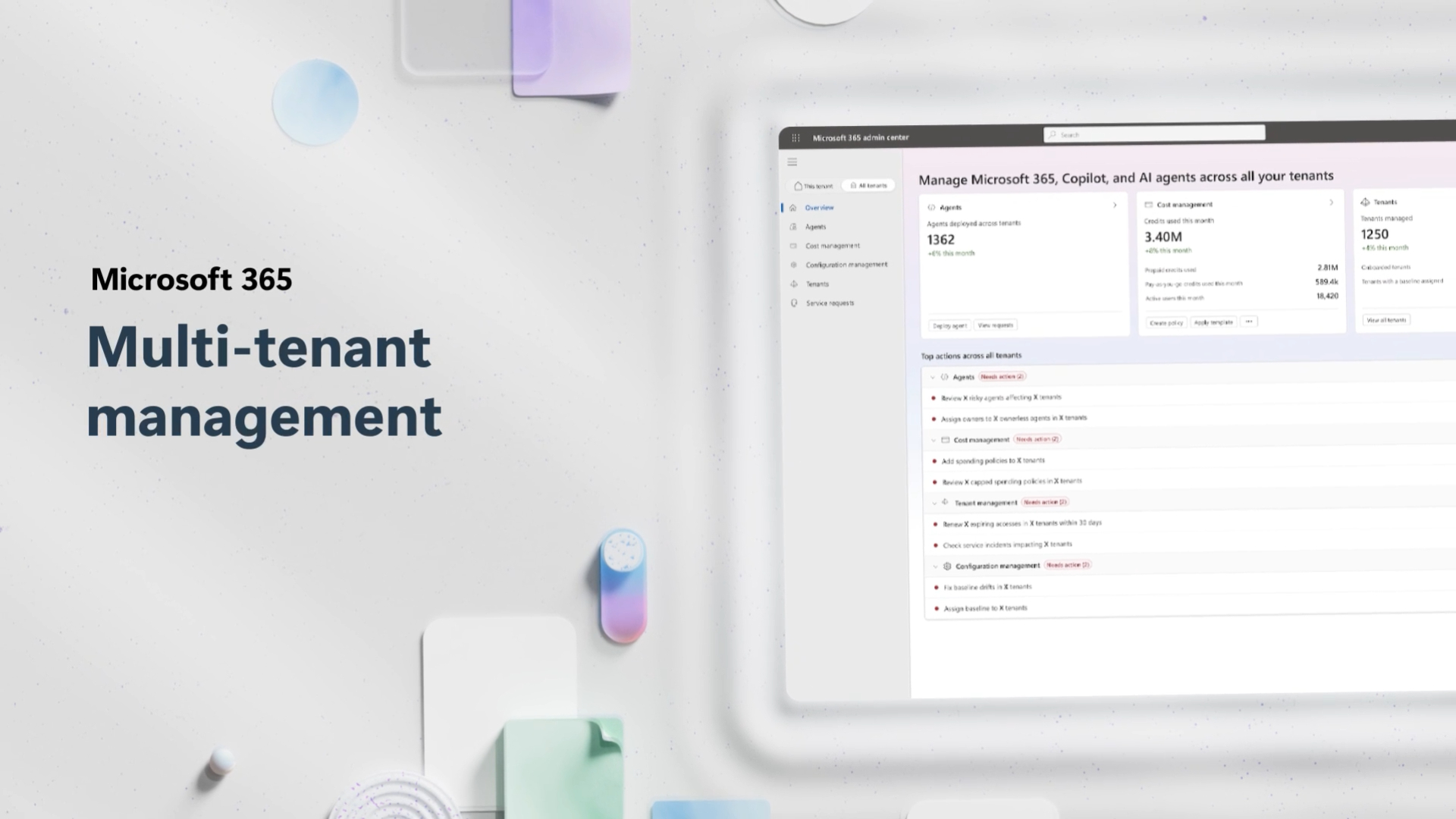
Multi-tenant management helps simplify this challenge by bringing administration, AI agent governance, configuration management, and AI spending visibility into one centralized experience. Microsoft is introducing these capabilities in the Microsoft 365 admin center to help IT teams and administrators manage multiple tenants more efficiently.
Why Managing Multiple Microsoft 365 Tenants Is Challenging
A Microsoft 365 tenant represents an organization's dedicated environment for managing users, applications, data, and services.
For organizations with multiple tenants, administrators traditionally need to switch between environments and repeat many administrative tasks.
This creates several challenges:
- Administrative complexity: Managing users, configurations, and services across multiple tenants requires repeated actions.
- Inconsistent security settings: Different administrators may apply different configurations, creating security and compliance gaps.
- AI governance challenges: As Copilot and AI agents become more widely adopted, organizations need visibility into which agents are deployed and who can access them.
- Limited cost visibility: Monitoring AI consumption and spending across multiple environments becomes increasingly difficult.
Microsoft's multi-tenant management capabilities aim to address these challenges through centralized visibility and administration while maintaining the boundaries of individual tenants.
What Is Multi-tenant Management in Microsoft 365?
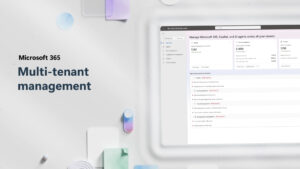
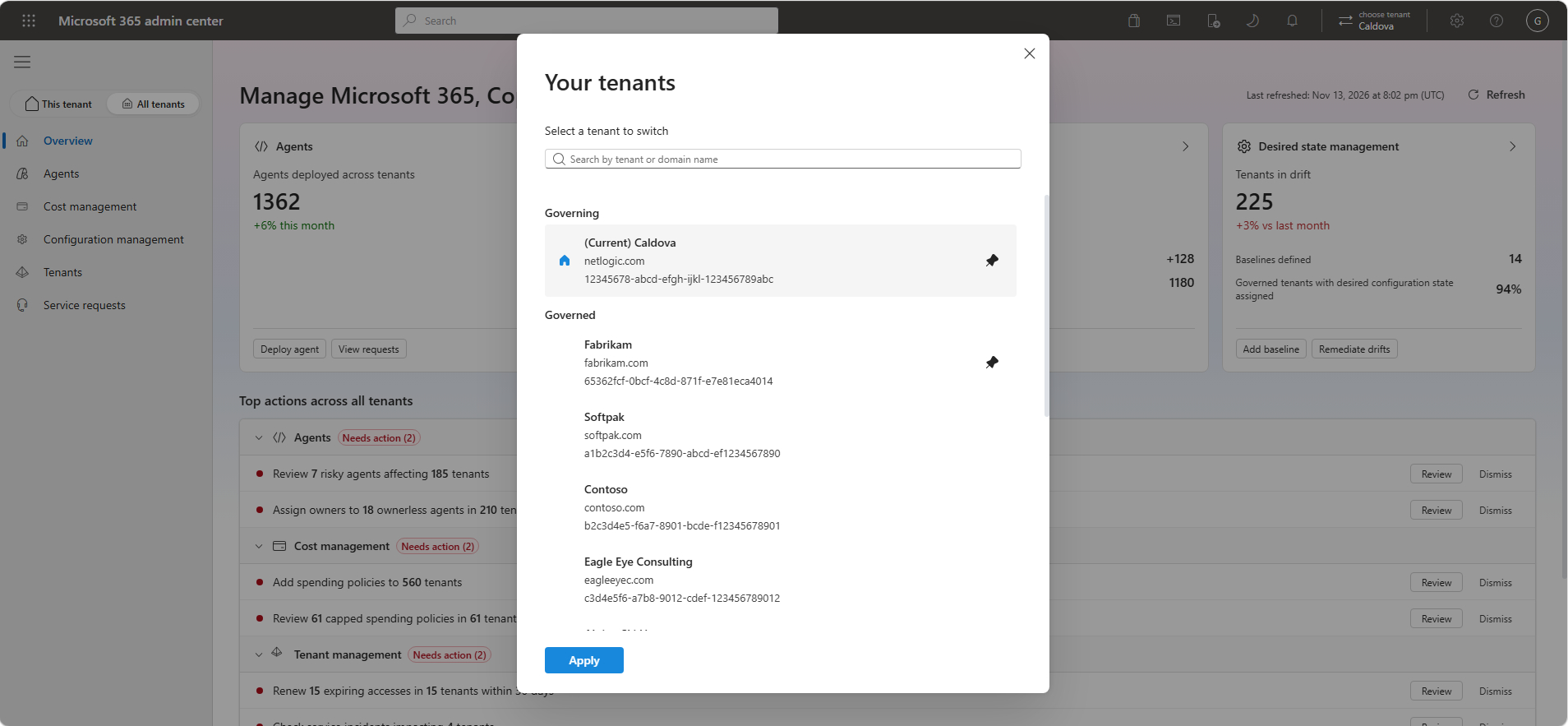
Microsoft has introduced multi-tenant management capabilities in the Microsoft 365 admin center, accessible through the All tenants experience.
It provides authorized administrators with a centralized place to manage connected Microsoft 365 environments.
Rather than treating every tenant as a completely separate administrative responsibility, IT teams can access supported cross-tenant management capabilities from one location.
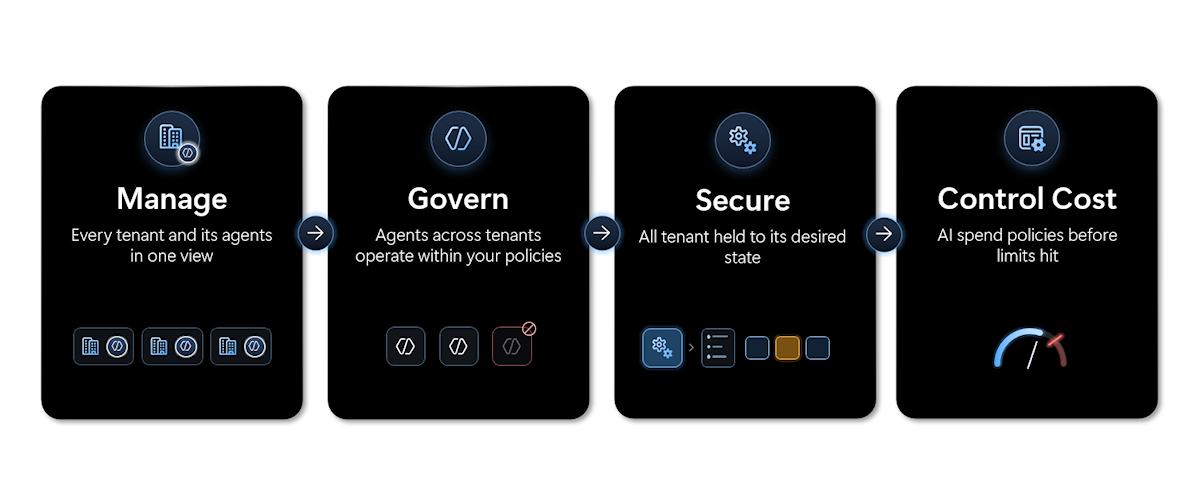
The solution focuses on four important areas:
Simplify Tenant Administration: Reduce the complexity of managing tenants
Administrators can view connected tenants and switch between authorized environments without repeatedly signing out and signing back in.
This is particularly useful for managed service providers (MSPs) supporting multiple customers and enterprises managing separate environments for different business units.
Importantly, centralized management does not mean removing tenant boundaries. Access remains controlled through delegated administrative permissions and governance relationships.
For partners, Granular Delegated Admin Privileges (GDAP) through Partner Center help control access to customer tenants.
Manage and Govern AI Agents Across Tenants
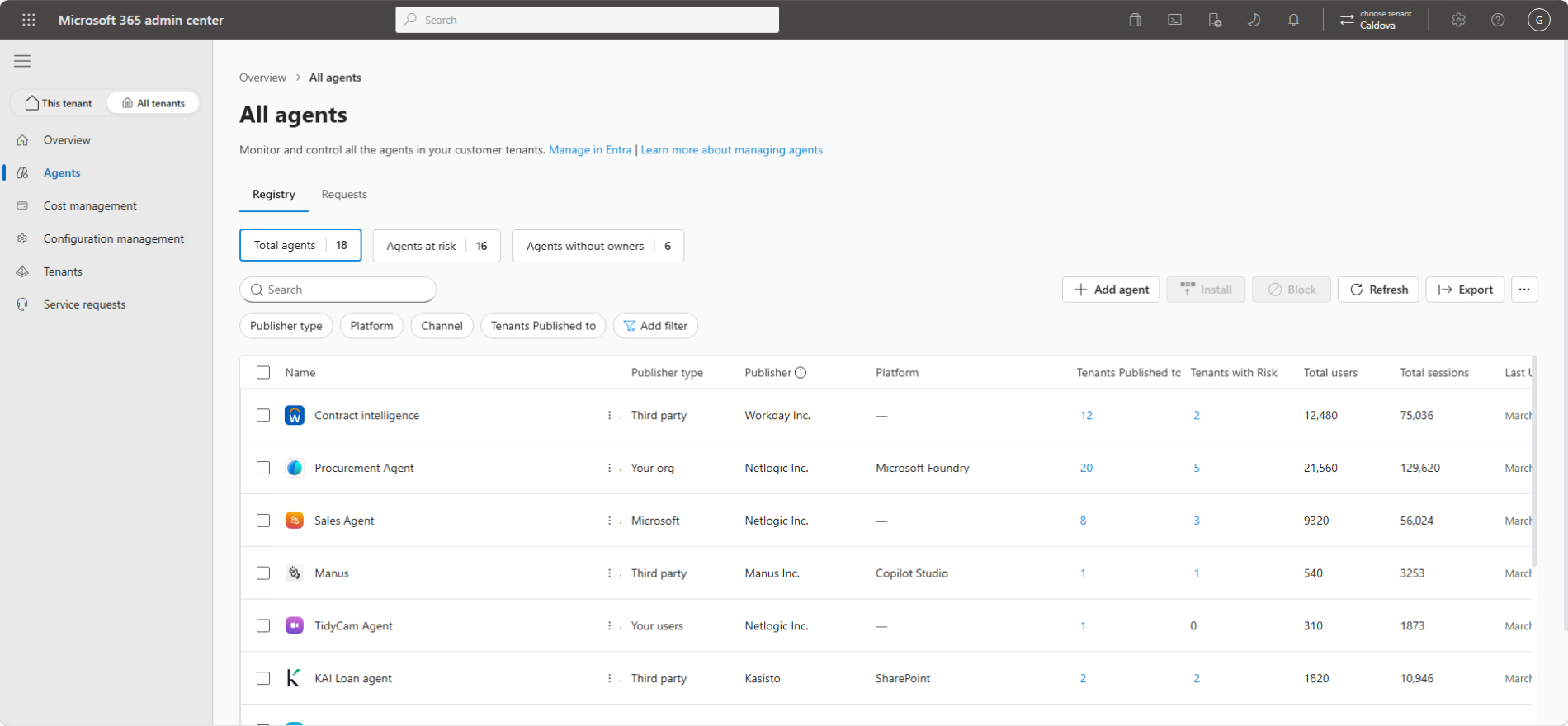
As businesses adopt Microsoft Copilot and AI agents, administrators need to understand which agents are available, where they are deployed, and how they access organizational resources.
Multi-tenant agent management provides cross-tenant visibility and administrative controls.
Administrators can:
- View an inventory of supported AI agents across connected tenants.
- Install approved agents in selected tenants.
- Manage agent availability, settings, and permissions.
- Block agents when necessary.
- Review agent risk and activity information through Microsoft Agent 365.
These capabilities help organizations expand AI adoption while maintaining appropriate oversight and governance.
For business managers, this means AI tools can be introduced more consistently without losing control over which agents employees can use.
Standardize Configuration and Security
When multiple teams manage separate tenants, configurations can gradually become inconsistent.
For example, one business unit may apply stronger security settings than another, while different administrators may change configurations without following common standards.
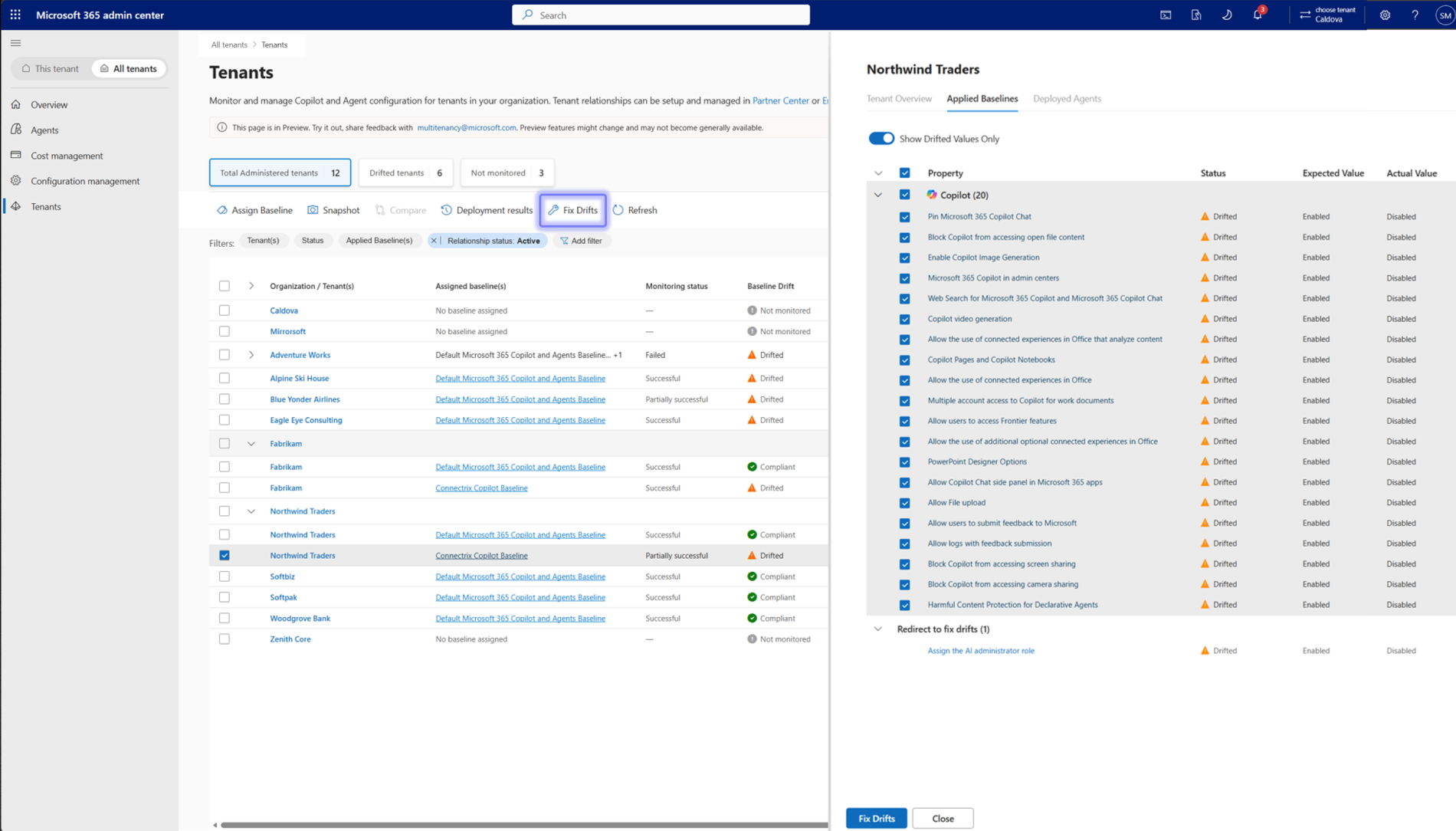
Microsoft's desired-state configuration capability helps organizations establish configuration baselines and monitor differences across eligible tenants.
Administrators can use Microsoft-recommended baselines or define their own standards, assign them to selected tenants, and identify configuration drift.
This helps IT teams maintain more consistent security, compliance, and operational practices while still accommodating necessary differences between business units.
Monitor and Control AI Spending
As organizations use Copilot and AI agents, consumption-based billing introduces another financial consideration.
Without centralized visibility, finance and IT teams may struggle to understand how much AI is being used across different tenants.
Microsoft's AI cost management capability aims to simplify this process.
Administrators can:
- View AI consumption across supported tenants.
- Review spending information for individual tenants.
- Apply reusable spending-policy templates.
- Monitor policy limits and credit requests.
- Identify potential cost concerns earlier.
For business owners and managers, this provides better visibility into AI spending and supports more responsible investment in AI technologies.
Who Benefits from Multi-tenant Management?
These capabilities are particularly valuable for organizations responsible for multiple Microsoft 365 environments.
Business Owners and Executives
Gain better visibility into AI consumption and operational management across different business units or subsidiaries. Centralized cost information can support more informed decisions about AI investments.
IT Managers and Administrators
Reduce repetitive administrative work, monitor configuration consistency, manage AI agents, and maintain governance across connected tenants.
Managed Service Providers
Manage multiple customer environments more efficiently, standardize service delivery, and reduce the effort required to perform repetitive administrative tasks across customer portfolios.
Frontier Workers and Business Teams
Benefit indirectly from more consistent access to approved AI tools, better-managed Microsoft 365 environments, and fewer disruptions caused by inconsistent configurations or governance processes.
How to Get Started with Microsoft 365 Multi-tenant Management
Organizations can access multi-tenant management through All tenants in the Microsoft 365 admin center.
Before using these capabilities, administrators should review several requirements:
- Confirm that the required tenant relationships are established.
- Review delegated administrative roles and permissions.
- Ensure the appropriate licensing and eligibility requirements are met.
- Identify which tenants should be included in centralized management.
- Establish governance standards for AI agents, security configurations, and AI spending.
Additionally, it is important to understand the availability status of each feature. According to a Microsoft announcement on November 17, 2026, the "Tenant Switching" feature is now "Generally Available," while "AI Agent Management," "AI Cost Management," and "Desired-state Configuration" remain in "Public Preview."
Availability may vary based on licenses, administrator roles, region, organizational features, and Microsoft’s phased rollout status.
Summary
Managing a multi-tenant Microsoft 365 environment no longer needs to become increasingly complex as the number of tenants within an organization grows. Microsoft’s multi-tenant management capabilities consolidate tenant administration, AI agent governance, system configuration management, and AI cost tracking into a more centralized user experience.
For business owners, managers, and IT administrators, this is an opportunity to reduce workloads, strengthen governance, and gain better control over operations as the organization expands its use of AI.
As businesses increasingly adopt Microsoft 365 Copilot and AI agents, centralized management across multiple tenants will become a key component in building an efficient, scalable, and properly governed digital workplace.