AI Capabilities in Dynamics 365: Understanding Copilot and AI Agents
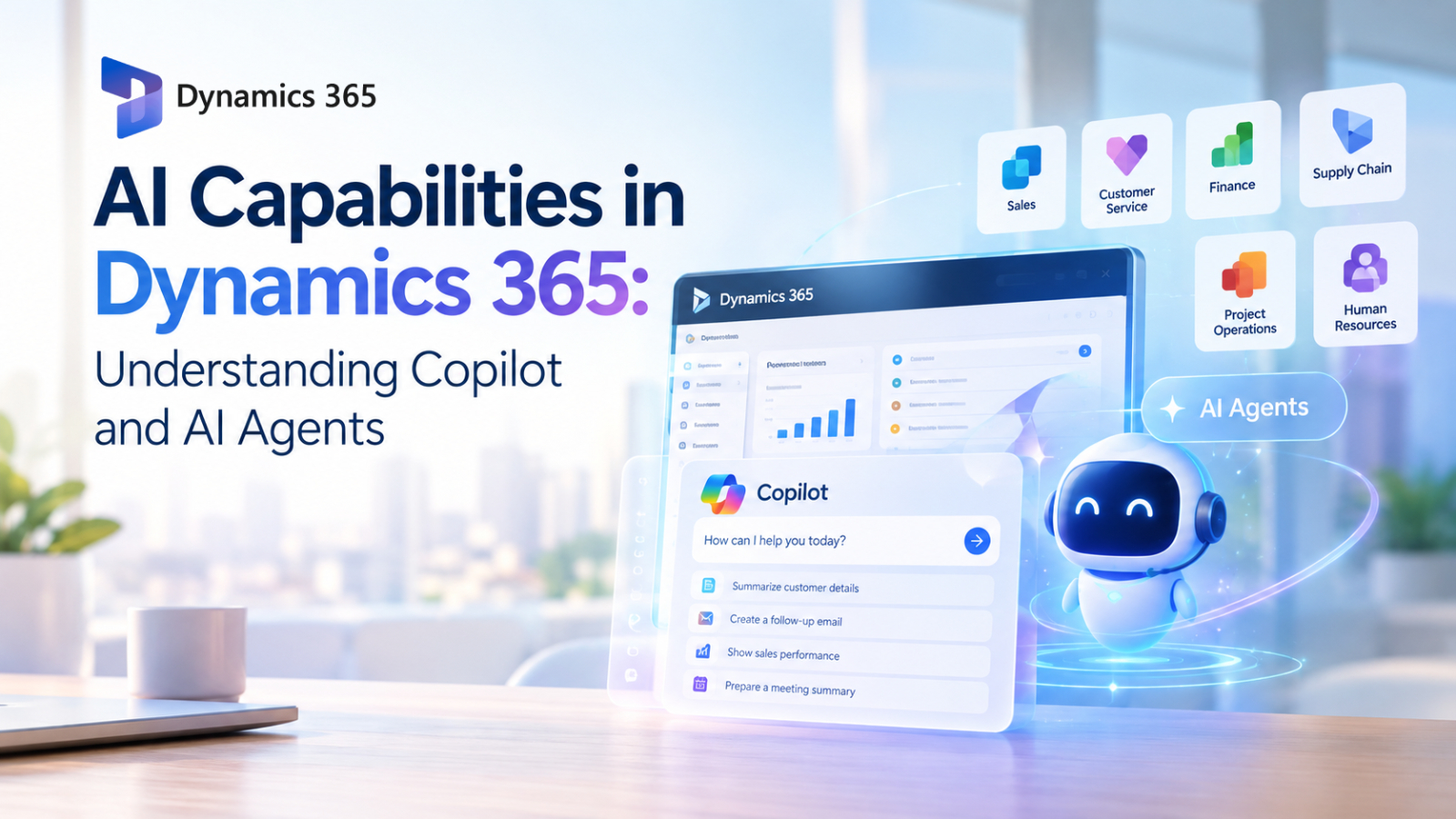
AI Capabilities in Dynamics 365 are becoming an important part of how businesses manage sales, customer service, finance, supply chain, projects, and other operations. Rather than treating artificial intelligence as a separate tool, Microsoft is integrating AI directly into Dynamics 365 applications through built-in AI features, Copilot experiences, and AI agents.
These capabilities can help employees understand business information, automate repetitive work, find insights, and complete tasks using natural language. However, the role of AI differs depending on the Dynamics 365 application and the business process involved.
What are the AI capabilities in Dynamics 365?
At a high level, AI Capabilities in Dynamics 365 refer to the collection of AI-powered features integrated into Dynamics 365 ERP and CRM applications.
Microsoft describes three important areas:
- Built-in AI capabilities that help analyze information, summarize records, generate content, or assist with specific tasks.
- Copilot experiences that allow users to interact with business data and applications using natural language.
- AI agents that can perform sequences of tasks and support business processes with greater autonomy.
This means AI in Dynamics 365 is not limited to a chatbot. Different capabilities are designed for different levels of assistance, from helping a user understand information to automating parts of a business workflow.
Copilot: AI Assistance Inside Business Applications
Copilot is one of the most visible ways employees can interact with AI in Dynamics 365.
Instead of navigating through multiple screens or manually searching through records, users can use natural-language prompts to ask questions, summarize information, generate content, or receive suggestions.
For example, Dynamics 365 Sales includes Copilot capabilities for summarizing leads, opportunities, and accounts, preparing for meetings, assisting with emails, identifying recent record changes, and finding information from connected content.
The important point is that Copilot is designed to work within the business application.
Rather than copying business information into a separate AI tool, users can access AI assistance in the context of the records and processes they are already working with.
AI Agents Go Beyond Simple Assistance
AI agents represent another layer of Microsoft's AI strategy for Dynamics 365.
A conventional Copilot interaction might answer a question or generate a summary. An AI agent can be designed to work through a process involving multiple steps.
For example, in Dynamics 365 Sales, the Sales Qualification Agent can help research leads, determine whether they are suitable for further engagement, and support outreach activities. The Sales Opportunity Agent can research opportunities, identify risks, and highlight promising opportunities.
This creates a different model of AI-assisted work:
User asks → AI understands → Agent performs tasks → User reviews or takes action
The objective is not necessarily to remove people from the process. Instead, agents can take care of repetitive or time-consuming activities while employees remain responsible for important decisions.
AI Capabilities Across Dynamics 365 Apps
One of the strengths of the Dynamics 365 approach is that AI is applied to different business functions rather than being limited to one application.
Dynamics 365 Sales
Sales teams can use AI to reduce the time spent reviewing records and preparing for customer interactions.
For example:
- Record Summaries
- Opportunity and lead insights
- Meeting Preparation
- Email Assistance
- Recent Record Updates
- Customer and Prospect news
- Information Assistance
AI agents can also support lead qualification and opportunity management.
This allows sales professionals to spend less time collecting information and more time using that information in customer conversations.
Dynamics 365 Customer Insights
Customer Insights applies AI to customer data and marketing activities.
Users can interact with customer information using natural language, create segments, build journeys, generate email content, and improve marketing messages.
For example, users can describe the audience they want to target without necessarily knowing the underlying data structure. Copilot can help translate those requirements into customer segments and marketing activities.
This demonstrates an important role for AI in business applications: making complex data and configuration tasks more accessible to everyday users.
Dynamics 365 Customer Service
Customer service employees often need to process large amounts of information while responding to customers.
Dynamics 365 Customer Service provides Copilot experiences that can answer questions, suggest prompts, and provide contextual assistance based on cases and conversations.
AI can therefore help service representatives find relevant information faster instead of manually searching through multiple records or knowledge sources.
Dynamics 365 Business Central
Business Central brings AI assistance into common ERP activities.
Its Copilot capabilities include record summarization, data analysis, autofill assistance, business-data conversations, bank reconciliation, sales-document suggestions, and e-document processing.
Business Central also includes AI agents such as the Sales Order Agent and Payables Agent. The Sales Order Agent can help process customer requests received through email, while the Payables Agent can analyze incoming vendor invoices and prepare invoice drafts for review.
These examples show how AI can move from simply providing information to assisting with operational processes.
AI in Finance and Operations
Dynamics 365 finance and operations applications provide another important area for AI.
Users can interact with Copilot for generative help and guidance, workflow history summaries, and questions about finance and operations data.
Microsoft also describes an ERP Model Context Protocol (MCP) server that provides a framework for agents to interact with finance and operations data and business logic. This allows developers to build agents capable of performing functions available through the application interface.
This direction is particularly significant for enterprise systems because AI agents need access to business context to perform useful work.
An agent that understands only general language has limited value in an ERP environment. An agent that can work with authorized business data and application logic has the potential to assist with actual operational processes.
AI for Supply Chain Management
Supply chain operations generate large volumes of operational data, making them another area where AI can provide practical assistance.
Dynamics 365 Supply Chain Management includes Copilot capabilities for generating summaries, analyzing demand plans, and providing warehouse workload insights. AI can help users identify trends, anomalies, and other information that may otherwise require significant manual analysis.
There are also AI-agent scenarios. For example, the Supplier Communications Agent is designed to automate repetitive procurement-related activities such as vendor communication, purchase-order updates, and change requests.
The potential benefit is not simply faster data analysis. AI can also help reduce the amount of repetitive coordination required to keep supply chain processes moving.
From AI Assistance to AI-Powered Workflows
Looking across Dynamics 365, a clear progression can be seen.
Traditional Software:
Employees manually search for information and perform processes.
AI-Assisted Software:
Employees use Copilot to find information, generate content, summarize records, and receive recommendations.
Agent-Enabled Software:
AI agents can perform multiple steps within defined business processes, with people supervising and making decisions where appropriate.
This progression is one of the most important concepts to understand when evaluating AI in business software.
The value of AI does not necessarily come from having the most sophisticated chatbot. It comes from connecting AI to the data, processes, and workflows that employees use every day.
Why Business Context Matters
AI becomes significantly more useful when it has access to relevant business context.
Consider a simple question such as:
"Which customers need my attention today?"
A general AI assistant may provide a generic answer. An AI capability integrated into a CRM system can potentially use authorized customer records, sales activities, opportunities, and recent changes to provide a much more relevant response.
The same principle applies to finance, supply chain, customer service, and project management.
This is why Dynamics 365's integration with platforms such as Microsoft Dataverse and finance and operations applications is important. Microsoft states that several Dynamics 365 model-driven applications share a Power Apps and Dataverse foundation, allowing applicable Copilot and AI capabilities to be inherited across those applications.
Human oversight remains important
The increasing use of AI agents does not mean every business decision should be delegated to AI.
Business users still need to review important information, validate recommendations, and maintain appropriate controls over automated processes.
This is particularly important when AI handles financial transactions, customer information, purchasing processes, or other business-critical data.
Microsoft's documentation also describes supervision mechanisms in some agent scenarios. For example, the Agent Feed can provide visibility into agent activity, while certain agent experiences include human review before actions are finalized.
The practical goal is therefore not simply "more automation."
It is responsible automation with appropriate human oversight.
How Businesses Should Think About Dynamics 365 AI
Organizations evaluating AI in Dynamics 365 should start with business problems rather than individual AI features.
A useful approach is to ask:
- Which tasks consume significant employee time?
- Which processes involve repetitive data entry or searching?
- Where do employees need better access to business information?
- Which decisions could benefit from faster analysis?
- Which activities could safely be assisted or automated by an AI agent?
- Where should human approval remain mandatory?
This helps organizations identify practical AI opportunities instead of adopting AI simply because it is available.
For example, summarizing customer records may be a useful starting point for a sales team. Automating invoice processing may provide value to finance teams. Supply chain teams may benefit from AI-generated demand insights, while project teams may use agents to reduce administrative work.
The Future of AI in Dynamics 365
The development of AI in Dynamics 365 is moving toward a more integrated model of business software.
AI is becoming part of the application experience rather than an external tool that employees have to switch to.
Copilot can help employees understand and interact with business information. AI capabilities can automate specific tasks and generate insights. Agents can take on increasingly complex sequences of work.
Together, these technologies point toward business applications where people and AI work alongside each other.
The key question for organizations is therefore no longer simply whether they should use AI. It is where AI can create meaningful value while maintaining accuracy, governance, security, and human control.
Conclusion
AI Capabilities in Dynamics 365 cover a broad range of functionality, from simple AI-generated summaries and natural-language assistance to Copilot experiences and increasingly capable AI agents.
Across Sales, Customer Service, Business Central, Customer Insights, Finance, Supply Chain Management, Project Operations, and other Dynamics 365 applications, Microsoft is integrating AI into real business processes rather than treating it as a standalone technology.
For businesses, understanding the difference between AI capabilities, Copilot, and AI agents is important when planning an AI strategy. The greatest opportunity may not come from replacing existing workflows, but from making those workflows more intelligent, easier to manage, and less dependent on repetitive manual work.
Interested in Microsoft products and services? Send us a message here.
Explore our digital tools
If you are interested in implementing a knowledge management system in your organization, contact SeedKM for more information on enterprise knowledge management systems, or explore other products such as Jarviz for online timekeeping, OPTIMISTIC for workforce management. HRM-Payroll, Veracity for digital document signing, and CloudAccount for online accounting.
Read more articles about knowledge management systems and other management tools at Fusionsol Blog, IP Phone Blog, Chat Framework Blog, and OpenAI Blog.
New Gemini Tools For Educators: Empowering Teaching with AI
If you want to stay up-to-date with the latest technology and AI news, check out this website It's updated daily!
Fusionsol Blog in Vietnamese
- What is Microsoft 365?
- What is Copilot?What is Copilot?
- Sell Goods AI
- What is Power BI?
- What is Chatbot?
- What is cloud storage?
Related Articles
- What is Microsoft 365?
- What is OCR software?
- What is a Data Warehouse?
- What is Microsoft Fabric?
- GPT-6.1 Sol in GitHub Copilot: What Developers Need to Know
- Centralized Management System: Manage your business with Microsoft Dynamics 365
- Introducing the new Copilot experience with Home, Code, and Autopilot
Frequently Asked Questions (FAQ)
What is an ERP system?
ERP systems connect and automate core processes such as finance, procurement, production, and supply chain. Modern ERP platforms today utilize AI-powered agents to optimize data, uncover insights, and trigger automated workflows, enabling organizations to centralize operations, make easier decisions, and respond more quickly to change.
Why should I switch to the cloud?
Moving to the cloud provides built-in security, scalability, and flexibility, along with added benefits beyond the existing Business Central infrastructure. Business Central enables always-on AI agents to automate accounts payable, track orders, and flag issues in real-time, helping teams reduce manual workloads and fostering growth. Business Central also features full Microsoft stack integration and thousands of AppSource add-ons.
Why should I use Business Central?
Business Central is part of the Microsoft ecosystem, a collaborative and scalable solution that grows as your business thrives. Gain real-time, cloud-based data access connected to Microsoft 365 (Outlook, Excel, and Teams) and Microsoft Copilot. Address unique business challenges with low-code apps from Microsoft Power Platform and built-in industry solutions available on AppSource.
How do Outlook, Excel, and Teams work with Business Central?
Business Central integrates with Microsoft Teams, Outlook, and Excel, enabling employees to collaborate and access information without switching applications. You can also share Business Central information, such as product details, with colleagues who have Teams licenses at no additional cost. See how Business Central and Microsoft 365 connect data with various work tools.
How can I try out Business Central?
Get started today with a free 30-day trial of Business Central, or learn how to get started quickly with a short introductory video. See why over 45,000 small and medium-sized businesses choose Business Central to adapt faster, work smarter, and work better.