Modern automation systems have advanced far beyond the "if this, then that" principle. Today's organizations demand systems that can understand commands, make decisions, retrieve information, and automate multi-step processes. This is the crucial role of AI agents, which are transforming the future of workflow automation.
One of the most popular platforms for building intelligent automation is n8n By integrating Workflow Automation with Large Language Models (LLMs), users can create n8n AI Agent Workflow that can perform multi-step processes across different applications with minimal human intervention.
What does n8n mean?
n8n is an open-source workflow automation platform that can connect to hundreds of application APIs and services through a visual interface that supports both no-code and low-code approaches.
Instead of writing code to create complex connections, users can build workflows by connecting various nodes to exchange data and automate business processes. n8n supports both cloud and self-hosted deployments, making it suitable for both individual users and enterprises.
With the addition of AI capabilities, n8n is no longer just a workflow automation tool, but has become a platform for creating AI agents that can work intelligently.
What is n8n AI Agent Workflow?
n8n AI Agent Workflow is an automated workflow that integrates AI reasoning capabilities with business automation systems.
Unlike traditional workflows that follow predefined rules, AI Agent Workflows can interpret natural language, analyze data, make decisions, and select the next step on their own before proceeding.
In other words, AI is not just an intermediary for transmitting data from one system to another, but has become an assistant that plays a role in thinking, analyzing, and making decisions within the workflow.
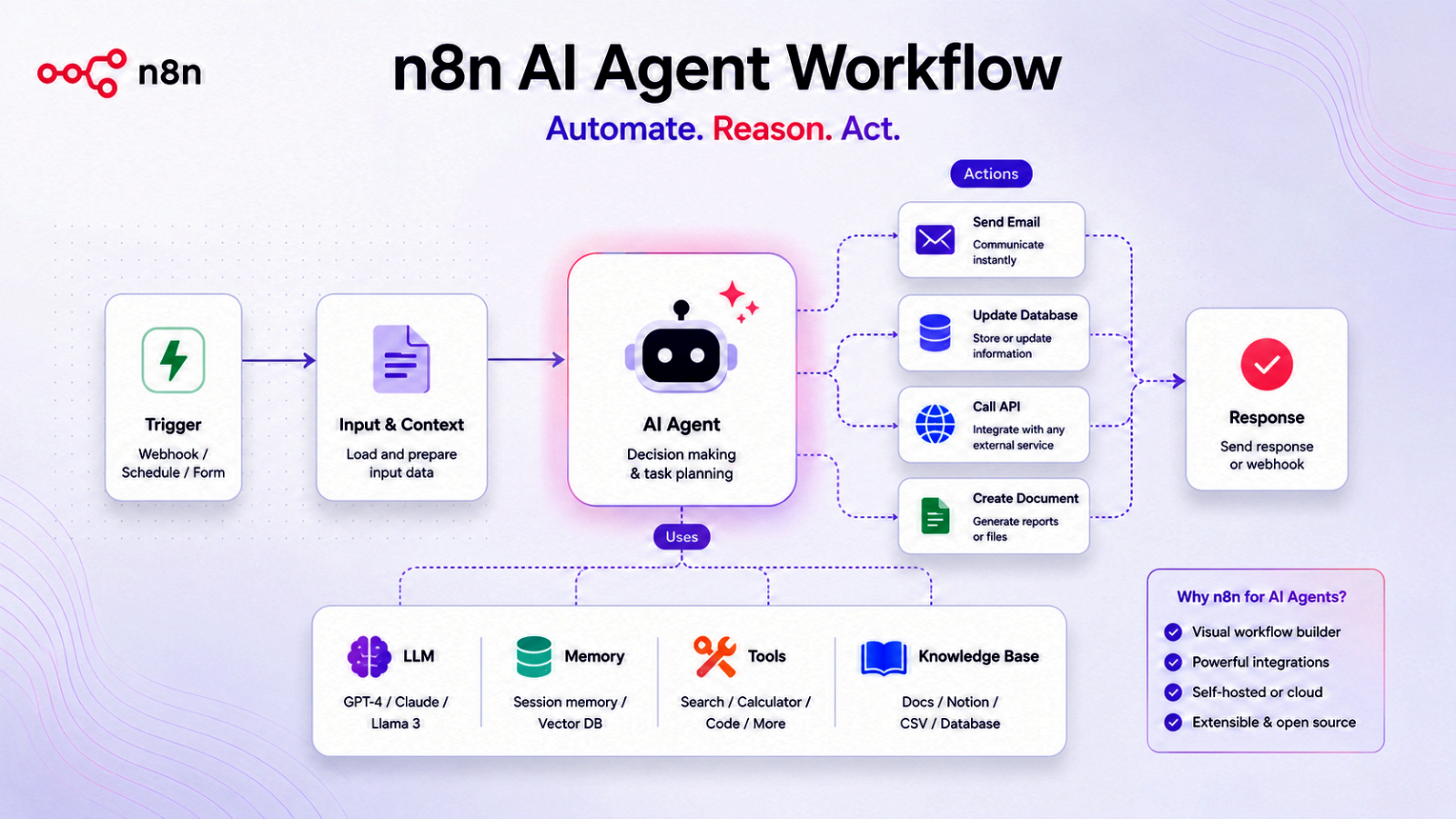
Key components of the n8n AI Agent Workflow
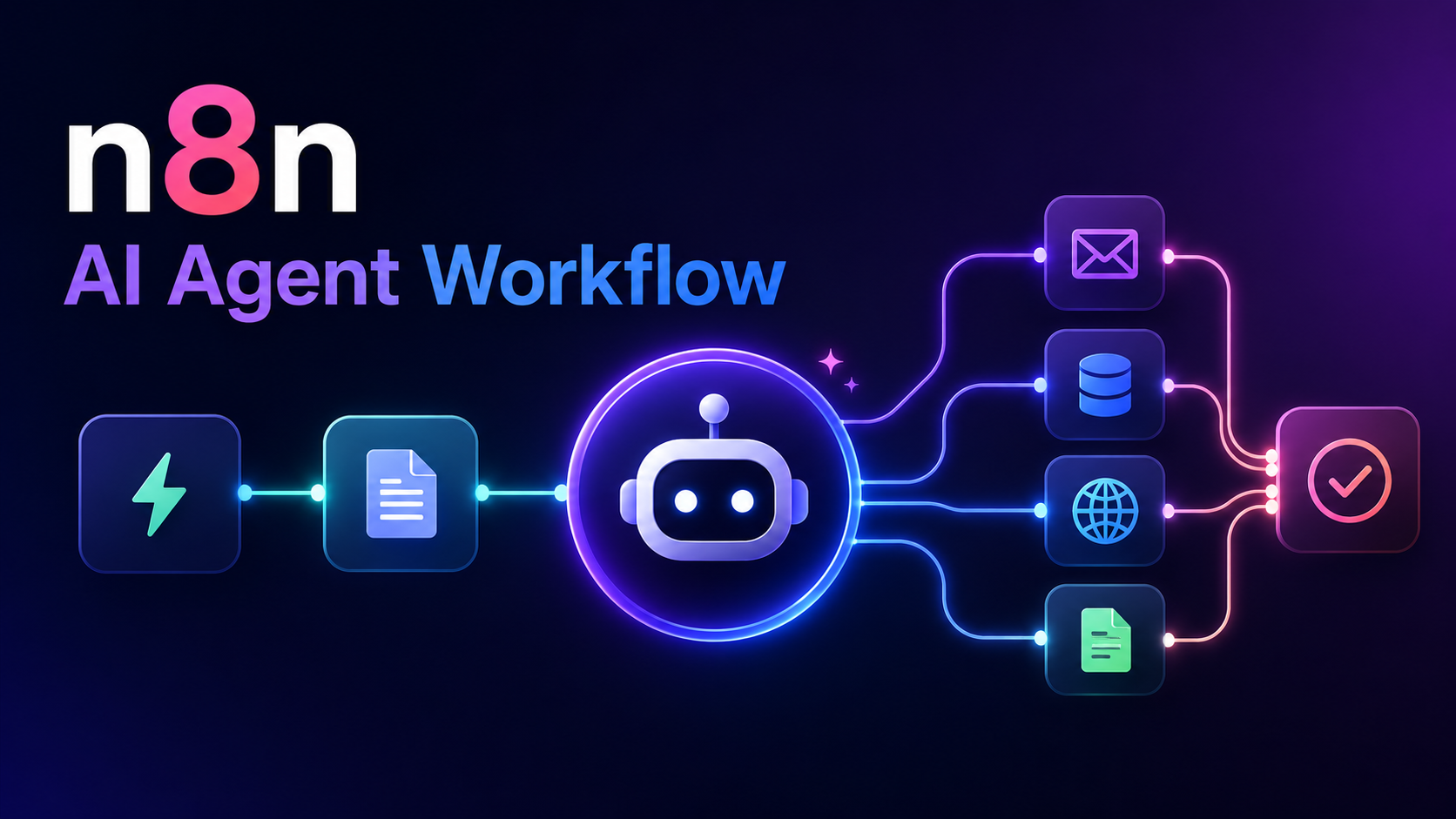
A complete workflow generally consists of the following main components:
- Trigger – The start of the workflow when a specified event occurs.
- AI Agent – Responsible for understanding instructions, analyzing tasks, and deciding on the next course of action.
- Tools - Connect to APIs, databases, and external business systems.
- Memory - Store conversation history or contextual information so that AI can respond more intelligently.
- Output – Send results via email, chat program, document, or other connected services.
When all the elements work together, an AI-driven workflow can adapt to various situations, instead of simply following a fixed sequence of steps.
How to install n8n
One of the key advantages of n8n is its installation flexibility. Whether you're an individual developer or an organization, you can choose the installation method that best suits your needs.
n8n Cloud
The easiest way to get started is with n8n Cloud Simply sign up for an account and the system is ready to use immediately without worrying about servers, updates, or maintenance. It's ideal for those who want to quickly start building workflows.
Docker
Docker is the most popular method for self-hosted n8n deployments. It can be installed on a local computer, a virtual machine, or a cloud server.
Docker also simplifies system upgrades and allows for secure and continuous storage of workflow data.
Installation via npm
For developers, n8n can be installed via Node.js and npm using the following commands.
npm install n8n -g
Once installed, you can start using the command:
n8n
This method is suitable for development, testing, or those who want to manage systems directly through Node.js.
Self-hosted installation on a server
For real-world production use, many organizations choose to deploy n8n on a cloud platform such as Microsoft Azure
Self-hosted installations provide organizations with greater control over security, data privacy, and connectivity, while also allowing for future scalability to support more complex workflows.
Regardless of the installation method chosen, the setup process is straightforward. Once the n8n is ready, users can access the web-based editor, connect applications, configure AI models, and start creating intelligent workflows in just a few minutes.
How does the n8n AI Agent Workflow work?
The AI Agent Workflow generally operates in the following sequence:
It starts with a Trigger which is an event used to initiate a workflow, such as receiving an email, submitting a form, receiving a message from a chat, or performing a task at a specified time.
The AI model then analyzes the request, understands the user's intent, and decides what action to take next.
Once the AI has finished analyzing, the workflow can retrieve data from the database, call external APIs, connect to business systems, create documents, or send notifications as appropriate.
Finally, the workflow will send the results back to the user or continue with other automated steps until the entire task is complete.
The ability to integrate AI reasoning with automation systems makes AI Agent Workflows more flexible and intelligent than traditional workflows that operate solely based on predefined rules.
Examples of applications
Many organizations are currently applying n8n AI Agent Workflow to a variety of business processes, such as:
- Customer Support Automation
- Knowledge Base Assistant
- Document Processing
- Lead Qualification
- Categorizing and automatically responding to emails.
- Updating information in the CRM system.
- Automatic report generation
- Data analysis
- Internal IT support system
- AI-powered business assistant
Because n8n supports connectivity with hundreds of services and applications, these workflows can be easily integrated into an organization's legacy systems.
Benefits of using n8n AI Agent Workflow
Creating AI-driven workflows through n8n offers several advantages.
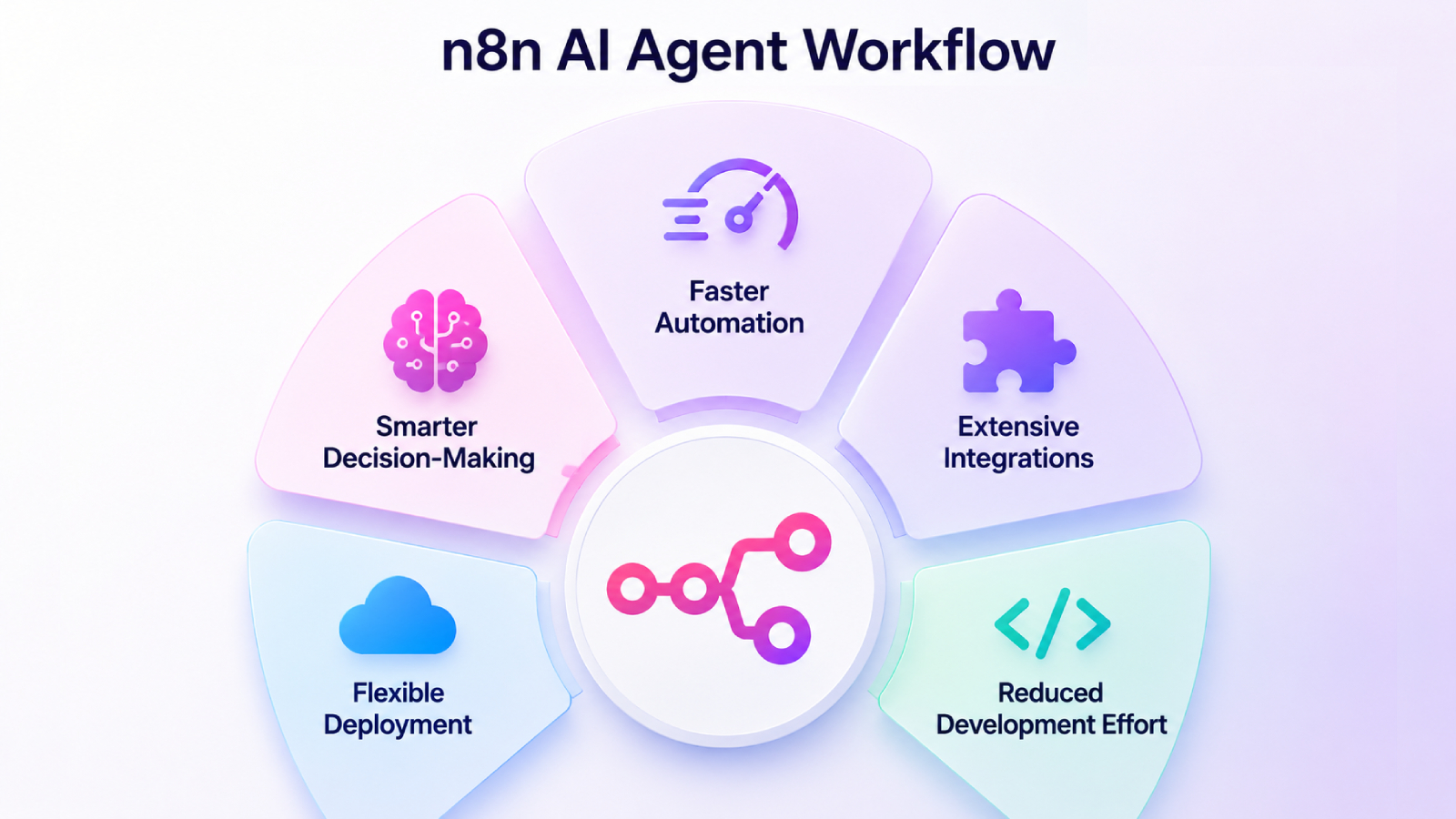
- Automated work can be done more quickly
AI agents can automate multiple sequential tasks, reducing repetitive work and accelerating business processes. - Make wise decisions
Unlike automation systems that rely on fixed rules, AI agents can understand context, analyze data, and adapt their responses based on the given situation. - Connects to a variety of systems
The n8n supports connectivity with hundreds of services, including cloud services, databases, communication platforms, and various enterprise systems, enabling the creation of flexible and comprehensive workflows. - Choose your preferred installation method
Organizations can choose to deploy via the n8n Cloud or opt for a Self-Hosted installation to meet security, compliance, and infrastructure requirements. - Reduce the burden of development
With visual workflow design tools, users can create complex automation systems without needing extensive programming knowledge.
Best practices for building an AI Agent Workflow
To ensure a workflow is efficient and reliable, consider the following guidelines:
- Clearly define the objectives of the AI Agent.
- Allow AI access only to the necessary tools and data.
- Test the workflow with a variety of scenarios.
- Add a human approval process for high-risk jobs.
- Monitor workflow performance and continuously improve prompts and logic.
Integrating AI capabilities with appropriate governance will help make automated systems more accurate, secure, and reliable.
Summary
n8n AI Agent Workflow combines the flexibility of workflow automation with the reasoning capabilities of modern AI models. Instead of simply working according to predefined rules, the AI Agent can analyze requests, make decisions, and automate multi-step processes across connected applications.
Whether it's customer service, document processing, internal task management, or creating business workflows, n8n provides a powerful platform for developing intelligent automation systems, improving efficiency and reducing manual tasks. As AI technology continues to advance, AI Agent Workflow will inevitably become a key component of the digital workplace of the future.