Modern software development is shifting from using AI to assist in writing code task by task to full collaboration with intelligent agents. As AI models can handle complex and time-consuming tasks, developers need better tools to command, control, and collaborate with multiple agents simultaneously.
Codex app for macOS is OpenAI's answer to this challenge. It's a powerful desktop command center designed to help developers manage multiple AI agents, run jobs in parallel, and collaborate with agents throughout the software lifecycle.
A new type of command center for AI agents
Since Codex launched in 2025, developers have moved beyond using AI just for short code snippets. Now, agents can design, develop, test, deploy, and maintain software on a long-term, sustainable basis.
The Codex app is built specifically for this new workflow. Instead of relying solely on an IDE or terminal tools, developers get an environment designed to control and collaborate with multiple agents on a scale.
With the Codex app, developers can:
- Run multiple agents simultaneously in different tasks or projects.
- Assign time-consuming tasks without losing context.
- Effectively review, provide feedback, and improve agent performance.
Operate in parallel without losing control
One of the key strengths of the Codex app for macOS is its ability to seamlessly handle agent workflows in parallel.
Each agent runs in its own thread and is grouped by project. Developers can switch between tasks instantly, inspect differences, comment out changes, or open changes directly in the editor. Built-in Git worktree support allows multiple agents to work on the same repository without conflicts, enabling experimentation with new ideas without impacting the core code.
In addition, the app syncs session history and settings from the Codex CLI and IDE extensions, allowing developers to get started immediately without changing their existing workflow.
Transcending coding with Skills
The Codex is no longer limited to creating code; it's about using code to get real-world results.
Through the Skills feature, developers can extend Codex's capabilities to support complex workflows, such as:
- Convert your Figma design into a ready-to-use UI.
- Manage release issues and team workloads.
- Deploy applications to popular cloud platforms.
- Create and edit images for products or UI.
- Read, create, and edit documents such as PDFs and spreadsheets.
Skills integrate commands, scripts, and resources, allowing Codex to consistently interact with tools and follow team-specific processes. These skills are reusable across desktop apps, the CLI, and the IDE, and can be shared with other teams via repositories.
Automation for repetitive tasks
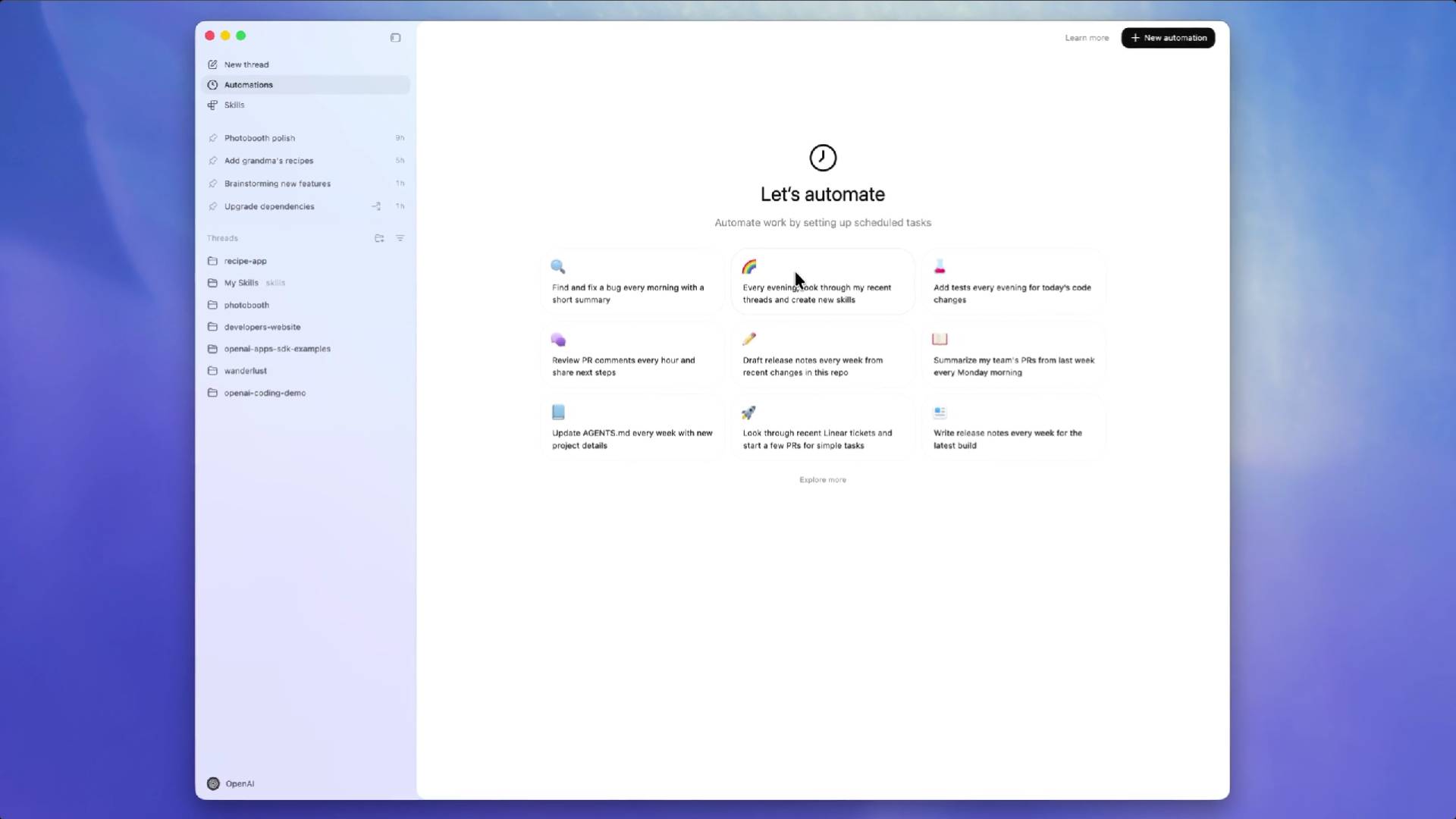
The Codex app also comes with Automations, which allows agents to work in the background according to a set schedule.
Automation can handle repetitive but important tasks, such as:
- Daily issue sorting.
- Analysis of CI failure.
- Summary of the release report.
- Periodic system verification and confirmation.
Once a task is complete, the results are sent to a review queue, allowing developers to intervene only when necessary, saving time and enabling them to focus on higher-value tasks.
Designed for developers, with security built in
Each developer has a different working style, so Codex supports customizable interaction patterns, from concise and command-based to conversational and detailed, without compromising technical capabilities.
In terms of security, Codex is designed with platform-level protection. It uses operating system sandboxing, restricts file access by default, and requires explicit permissions for privilege-based actions such as network access. Teams can set rules to speed up trusted workflows while maintaining strong security measures.
Availability and upcoming events
The Codex app is available today on macOS and integrates seamlessly with ChatGPT Plus, Pro, Business, Enterprise, and Education plans. For a limited time, it's also included in ChatGPT Free and Go plans, with increased usage limits on paid plans.
In the future, OpenAI plans to further expand Codex, including bringing applications to Windows, improving multi-agent workflows, enabling cloud-triggered automations, and continuously enhancing model performance.
Why is the Codex app for macOS important?
As AI agents play an increasingly significant role in software development, the real challenge lies in coordination, control, and collaboration. The Codex app for macOS bridges the gap between the powerful capabilities of AI and the real-world, everyday workflows of developers.
By providing a dedicated command center for agents, the AI Codex enables developers to build software faster, collaborate deeper, and open up truly new software development experiences.