Recording in Microsoft Copilot: Summarize real-life conversations
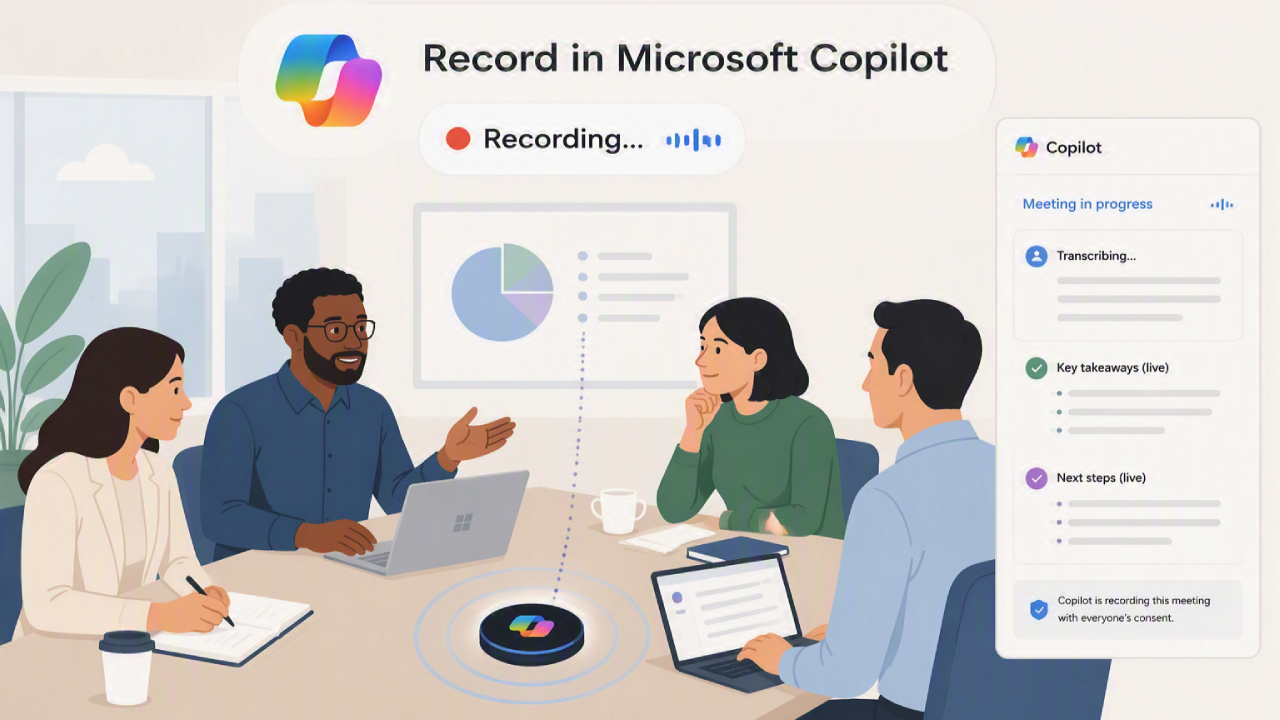
Meetings, interviews, brainstorming sessions, client discussions, and everyday conversations often contain a wealth of valuable information, but remembering every detail or taking notes manually can be time-consuming.
Record in Microsoft Copilot simplifies this process by allowing users to record audio of real-world conversations and use Copilot to transform the recorded voices into useful information.
Instead of having to take notes throughout the conversation, users can focus on the conversation and return later to review the AI-generated summary.
What is "Record" in Microsoft Copilot?
Record in Microsoft Copilot is a feature that allows you to record conversations and audio through the Microsoft Copilot app on your mobile device. This feature can transcribe recorded audio files and create a summary using AI, which will then be displayed in Copilot Chat.
Unlike traditional meeting recording tools primarily designed for pre-scheduled online meetings, Record focuses on real-world situations where conversations occur outside of Microsoft Teams, such as face-to-face discussions, client meetings, in-work discussions, fieldwork, or even personal recordings. It then quickly transforms that audio into searchable and usable information.
How does Record work in Copilot?
Basic usage is quite simple.
Start by enabling recording in Copilot during a conversation or discussion. Once the recording is complete, Copilot can process the recorded audio and help understand the information from the conversation.
Instead of having to listen to the entire audio file manually, users can use the processed information to quickly identify key points of the conversation.
The process can be summarized as follows:
Record → Process → Summarize → Verify → Execute
This method makes it easier to transform recorded conversations into usable business information.
What can it be used for?
- Meeting Summary
Long conversations can cover many topics. Recording the conversation helps create a summary, making it easier to review what was discussed later.
- interview
Interviewers can focus on asking questions and engaging in conversation, rather than constantly taking notes, and the audio recordings can be reviewed and summarized later.
- Brainstorming
Ideas can come to mind quickly during brainstorming sessions; recording them helps capture those ideas so they can be reviewed later.
- Talking to customers
Sales teams and teams that interact with customers can use voice recordings to help remember the needs, questions, and key points discussed with customers.
- Improve personal productivity
Users can also use voice recording for personal notes, setting reminders, research discussions, or situations where writing everything down manually is inconvenient.
Safety and compliance benefits
For organizations adopting AI, security remains paramount. Microsoft therefore designed Record with enterprise-level requirements in mind.
According to Microsoft, the audio files, transcripts, and summaries created will remain within the organization's Microsoft 365 environment. Record will upload the audio files to OneDrive for transcription and processing, ensuring that recorded data meets organizational security and compliance standards.
This approach gives organizations greater confidence when recording business-related conversations, compared to using generic consumer voice recording applications.
Terms of Use for Record
To use Record in Copilot, an organization must meet certain requirements, including:
- Have a Microsoft 365 Copilot license
- Use the latest version of the Copilot app on your iPhone, iPad, or Android device.
- Enable microphone access permissions
- Working internet connection.
Microsoft also stated that administrators can disable this feature for organizations, which may affect end-user experience.
Things to consider before recording audio
Recording real-life conversations isn't solely about technology.
Before recording someone else's voice, ensure that the recording complies with applicable laws, organizational policies, and consent requirements.
It should also be considered where the audio recordings and the data generated from them will be stored, and who will have access to that data.
For use within an organization, clear guidelines should be established regarding:
- When will it be possible to record audio?
- Who can record the conversation?
- How to handle log files?
- Who has access to the log files?
- The recommended duration for data storage.
- What types of important or sensitive information should not be recorded?
Responsible use is especially important when conversations involve confidential business information or personal data.
Recording in copilot versus traditional note-taking
Traditional note-taking requires someone to continuously record information during a conversation.
With Record in Copilot users can pay more attention to the conversation and use AI to process the recorded audio for later use.
| Traditional note-taking | Record in Copilot |
| Take personal notes. | Record data via voice. |
| Some information might be missing. | Please record the details from the conversation. |
| Information needs to be written down during the conversation. | It helps me concentrate better on the conversation. |
| You need to organize the data yourself. | AI helps summarize the information. |
| The verification process took quite a while. | It's easier to check the key issues. |
The goal of Record isn't necessarily to replace human note-taking entirely, but rather to provide an alternative for recording and organizing information more efficiently.
Summary
Record in Copilot is a feature that allows users to record audio of real-world conversations and uses AI to transform the conversation into useful information.
Whether it's attending meetings, interviews, brainstorming sessions, or client discussions, recording audio can reduce the need for manual note-taking and make it easier to review important information later.
Like other AI features that process real-life conversations, responsible use, privacy protection, obtaining consent, and human verification remain crucial.
Interested in Microsoft products and services? Send us a message here.
Explore our digital tools
If you are interested in implementing a knowledge management system in your organization, contact SeedKM for more information on enterprise knowledge management systems, or explore other products such as Jarviz for online timekeeping, OPTIMISTIC for workforce management. HRM-Payroll, Veracity for digital document signing, and CloudAccount for online accounting.
Read more articles about knowledge management systems and other management tools at Fusionsol Blog, IP Phone Blog, Chat Framework Blog, and OpenAI Blog.
New Gemini Tools For Educators: Empowering Teaching with AI
If you want to stay up-to-date with the latest technology and AI news, check out this website It's updated daily!
Fusionsol Blog in Vietnamese
- What is Microsoft 365?
- What is Copilot?What is Copilot?
- Sell Goods AI
- What is Power BI?
- What is Chatbot?
- What is cloud storage?
Related Articles
Frequently Asked Questions (FAQ)
What is Microsoft Copilot?
Microsoft Copilot is an AI-powered assistant feature that helps you work within Microsoft 365 apps like Word, Excel, PowerPoint, Outlook, and Teams by summarizing, writing, analyzing, and organizing information.
Which apps does Copilot work with?
Copilot currently supports Microsoft Word, Excel, PowerPoint, Outlook, Teams, OneNote, and others in the Microsoft 365 family.
Do I need an internet connection to use Copilot?
An internet connection is required as Copilot works with cloud-based AI models to provide accurate and up-to-date results.
How can I use Copilot to help me write documents or emails?
Users can type commands like “summarize report in one paragraph” or “write formal email response to client” and Copilot will generate the message accordingly.
Is Copilot safe for personal data?
Yes, Copilot is designed with security and privacy in mind. User data is never used to train AI models, and access rights are strictly controlled.