
GitHub Copilot is an AI-powered code completion tool developed by GitHub and OpenAI. It acts as a virtual assistant for developers by providing intelligent, real-time code suggestions. By integrating with popular code editors such as Visual Studio Code, JetBrains IDEs, and Neovim, it helps developers write code faster and reduce errors.
This AI tool is trained on billions of lines of public code from open-source repositories. It understands coding patterns, recognizes syntax, and can even suggest entire functions from simple natural-language prompts. Whether you’re a beginner or a professional, it can significantly boost your coding productivity.
How is GitHub Copilot changing how you code?
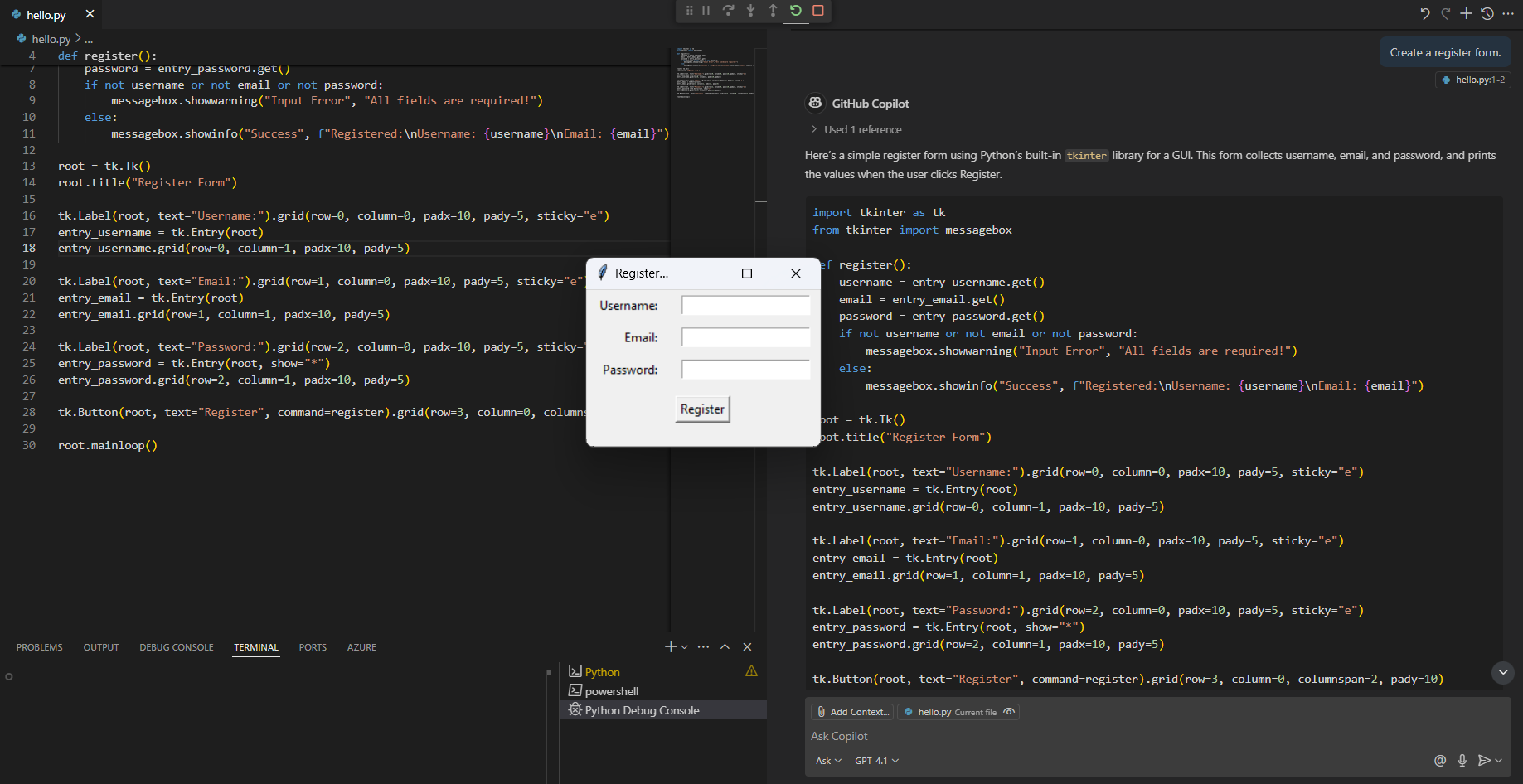
It's changing the way developers view programming. In the past, developers often relied on documentation, Stack Overflow, and online tutorials to solve coding problems. But with Copilot, this process becomes easier and faster.
When writing code, AI analyzes the context and suggests relevant code, reducing the need to type each line of code manually. For example, if you start writing a function to sort an array, it can automatically generate the entire function using best practices.
Furthermore, Copilot isn't limited to just code completion; it can also provide:
- Functional suggestions from comments or incomplete code.
- Multiple code options are available to help developers choose the best method.
- Automated documentation for easier reading and improved maintenance.
Why is this a change for developers?
The impact of Copilot is particularly important for developers of all levels.
For beginners
- They act as coding mentors, helping them learn syntax, functions, and best practices.
- Reduce the frustration of debugging common errors.
- Help them understand coding patterns by providing practical examples.
For professional developers
- Accelerate the development process by automating repetitive tasks in coding.
- It helps developers focus on logic and architecture, instead of just adding syntax details.
- Increase productivity by introducing appropriate code.
For teams and companies
- Improve collaboration by maintaining consistent coding practices.
- Reduce the time spent writing repetitive code.
- Assist the internship process for new developers by providing relevant guidance.
Its main features and benefits.
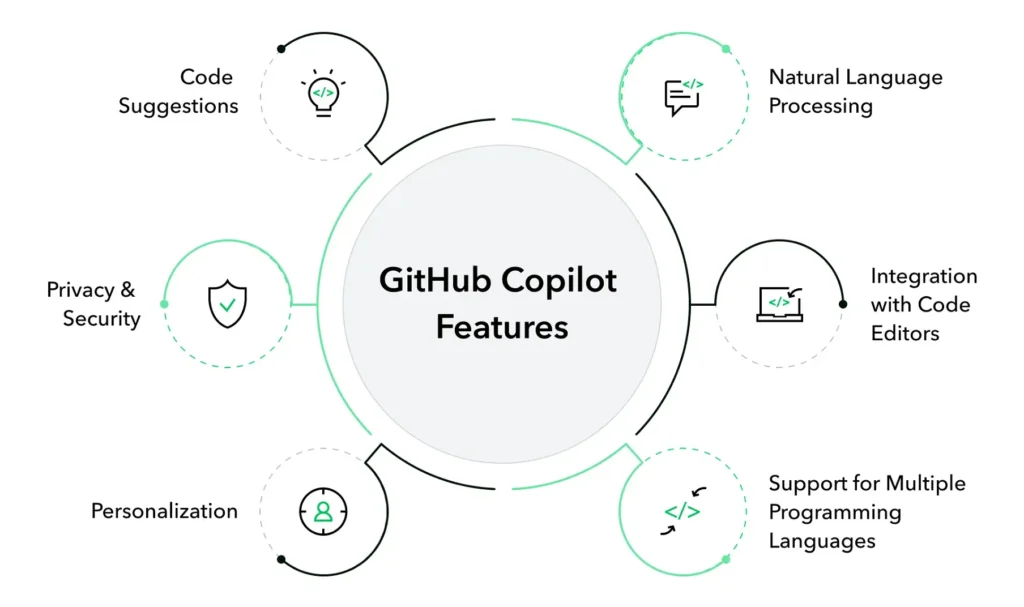
- AI-powered code completion.
It suggests entire lines or blocks of code based on context, understanding the structure of the programming language and providing relevant suggestions. - Supports multiple writing languagesprogram
Tools that support popular languages include:
Python
JavaScript
TypeScript
Go
Ruby
Java
C++ and others
This flexibility makes it useful in web development, software engineering, and even data science. - Seamless integration with IDEs.
It integrates directly with popular code editors, allowing developers to receive real-time feedback without switching between applications. It currently supports:
Visual Studio Code
JetBrains IDEs
Neovim
GitHub Codespaces - Reduce debugging time.
By introducing correct grammar and logical problem-solving methods, Copilot reduces coding errors and helps developers discover potential problems in real-time. - Increase efficiency andable to work
Developers won't have to constantly search for grammatical rules or best practices. Copilot provides immediate guidance, allowing developers to focus on building robust applications.
How can GitHub Copilot help organizations?
GitHub Copilot can help organizations improve developer productivity by reducing the time spent on repetitive coding, debugging, testing, documentation, and code maintenance. It also fosters greater team consistency and allows new developers to learn and get started faster with context-appropriate assistance. When combined with sound governance practices, security policies, and human oversight, organizations can leverage GitHub Copilot to accelerate the software development process while freeing up developers to focus on complex issues, innovation, and business needs.
How to start using it
It's very easy to use:
- Install Extension – If you are using Visual Studio Code, download the extension from the Marketplace.
- Log in with GitHub. – You need an active GitHub account.
- Enable hints – Start coding and it will provide real-time suggestions.
- Accept or modify the suggestion. – You can choose to accept, reject, or modify the code suggested by the AI.
Pricing and availability of GitHub Copilot.

It is a paid, subscription-based service. Although there is a free trial, users will need to subscribe to continue accessing the service. GitHub also offers a free plan for students and those working with open-source code.
GitHub Copilot for Individuals (Individual Plans)
| Feature | Free | Pro | Pro+ | Max |
|---|---|---|---|---|
| Price | Free | $10/month or $100/year | $39/เดือน | $100/เดือน |
| Suitable for | Copilot for Beginners | Developers who write code regularly | Advanced AI users | High volume of AI users |
| Introducing code with AI | ✅ Yes | ✅ Unlimited | ✅ Unlimited | ✅ Unlimited |
| Copilot Chat | ✅ Usage restrictions apply. | ✅ Yes | ✅ Yes | ✅ Yes |
| Next Edit Suggestions | ✅ Limited | ✅ Unlimited | ✅ Unlimited | ✅ Unlimited |
| Agent Mode | ✅ Limited | ✅ Yes | ✅ Yes | ✅ Yes |
| Cloud Agent | ❌ No | ✅ Yes | ✅ Yes | ✅ Yes |
| Automatic Code Review | ❌ No | ✅ Yes | ✅ Yes | ✅ Yes |
| Selecting an AI model | Limit | ✅ Choose a model | ✅ Access advanced models | ✅ Access advanced models with priority rights. |
| GitHub AI Credits | Limit | $15 credits/month | $70 credits/month | $200 credits/month |
| Supports agents from other providers (e.g., Claude, Codex). | ❌ No | ✅ Yes | ✅ Yes | ✅ Yes |
| Compatible with VS Code, Visual Studio, JetBrains, Xcode, and more. | ✅ | ✅ | ✅ | ✅ |
| Centralized user management | ❌ No | ❌ No | ❌ No | ❌ No |
| Supports SSO | ❌ No | ❌ No | ❌ No | ❌ No |
| Suitable for organizations | ❌ | ❌ | ❌ | ❌ |
GitHub Copilot for Organizations (Organization Plans)
| Feature | Business | Enterprise |
|---|---|---|
| Price | $19/user/month | $39/user/month |
| Suitable for | Development team and general organization | Large organizations that use GitHub Enterprise Cloud |
| Introducing code with AI | ✅ Unlimited | ✅ Unlimited |
| Copilot Chat | ✅ Yes | ✅ Yes |
| Agent Mode | ✅ Yes | ✅ Yes |
| Cloud Agent | ✅ Yes | ✅ Yes |
| Automatic Code Review | ✅ Yes | ✅ Yes |
| Compatible with VS Code, Visual Studio, JetBrains, and other IDEs. | ✅ | ✅ |
| Connecting to a GitHub organization. | ✅ Yes | ✅ Advanced |
| Centralized user management | ✅ Yes | ✅ Yes |
| Setting usage policies. | ✅ Yes | ✅ Yes |
| Public Code Filtering | ✅ Administrator can specify | ✅ According to organizational policy |
| Rights and license management | ✅ Yes | ✅ Yes |
| Supports SSO and Identity Management systems. | ✅ Yes | ✅ Advanced |
| Audit Logs | ✅ Yes | ✅ Yes |
| Data control and privacy. | ✅ Business level | ✅ Organizational level |
| GitHub AI Credits | 1,900 credits/user/month | 3,900 credits/user/month |
| Context derived from the organization's codebase. | ❌ No | ✅ Yes |
| Enterprise Customization | ❌ No | ✅ Yes |
| Safety and Compliance | ✅ Business level | ✅ Advanced Enterprise Level |
| GitHub Enterprise Cloud is required | ❌ Not necessary | ✅ Essential |
- Copilot Individual Ideal for independent developers who need quick assistance from AI.
- Copilot Business Supports teams and organizations that require security and user management.
- Copilot Enterprise (Coming soon) Enhanced capabilities for controlling policies and data at the enterprise level.
- Free Access Plan Supporting the student community and open source at no cost.
Summary
Overall, it is an indispensable tool for contemporary developers who use AI to optimize code writing and reduce errors. It integrates with popular code editors and provides real-time suggestions to improve workflows.
If you're a developer looking to improve efficiency, this is a great tool. It accelerates the coding process, reduces debugging time, and provides invaluable assistance to both beginners and experts.
You can learn more at GitHub Copilot Documentation - Official documentation from GitHub.