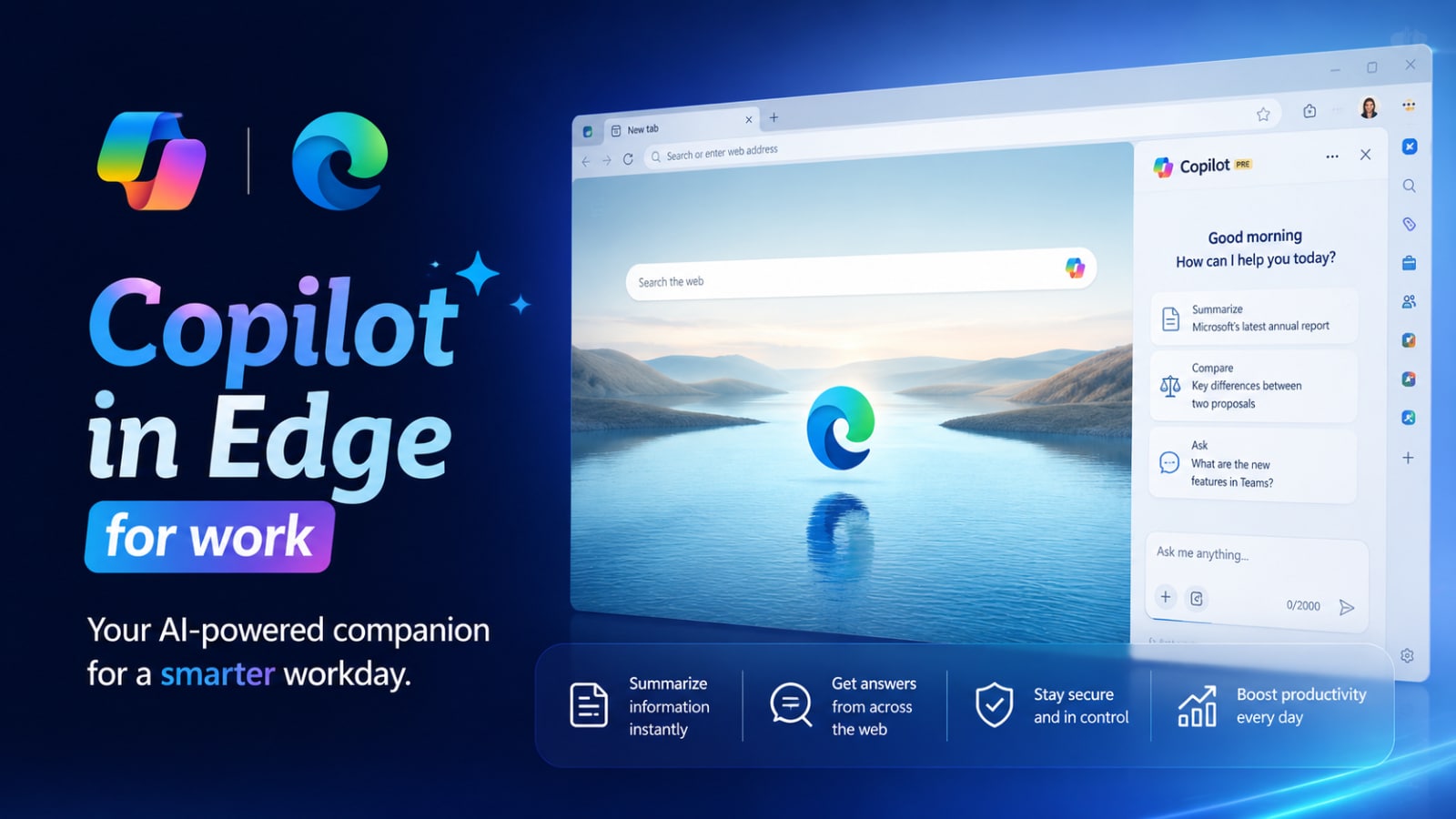
Artificial intelligence is rapidly transforming how we work online, and Microsoft continues to push the use of AI deeper into daily workflows through the latest update to Copilot in Edge, which integrates directly into Microsoft Edge. This new experience is designed to help users research, summarize, analyze, and perform tasks faster without leaving their browser.
Instead of functioning as a standalone chatbot, Microsoft Copilot in Edge is developed as an intelligent assistant for work that operates directly within the browser experience. This latest Microsoft feature focuses on productivity, contextual understanding, enterprise-grade security, and AI-powered workflows for the modern workplace.
What is Copilot in Edge?
Copilot in Edge is Microsoft's AI assistant integrated directly into the Edge browser, allowing users to interact with websites, documents, videos, and other online content using AI capabilities while working within the browser.
The latest version adds smarter contextual AI features to help users work more efficiently, such as summarizing documents, analyzing multiple tabs simultaneously, generating insights quickly, and assisting with online workflow management.
Because Copilot is built directly into Edge, users can access AI capabilities immediately without needing to install an additional app or configure extra system settings.
Get Through Work Faster
One of the biggest advantages of Copilot in Edge is its ability to reduce repetitive tasks during the workday.
Users can quickly:
- Summarize Long Documents
- Draft email
- Analyze webpages
- Generate quick insights
- Ask contextual questions
- Simplify complex information
Instead of switching between tabs, AI tools, and productivity applications, users can complete many common tasks directly inside the browser.
This creates a faster and more streamlined workflow for professionals managing large amounts of information daily.
Copilot New Tab Page
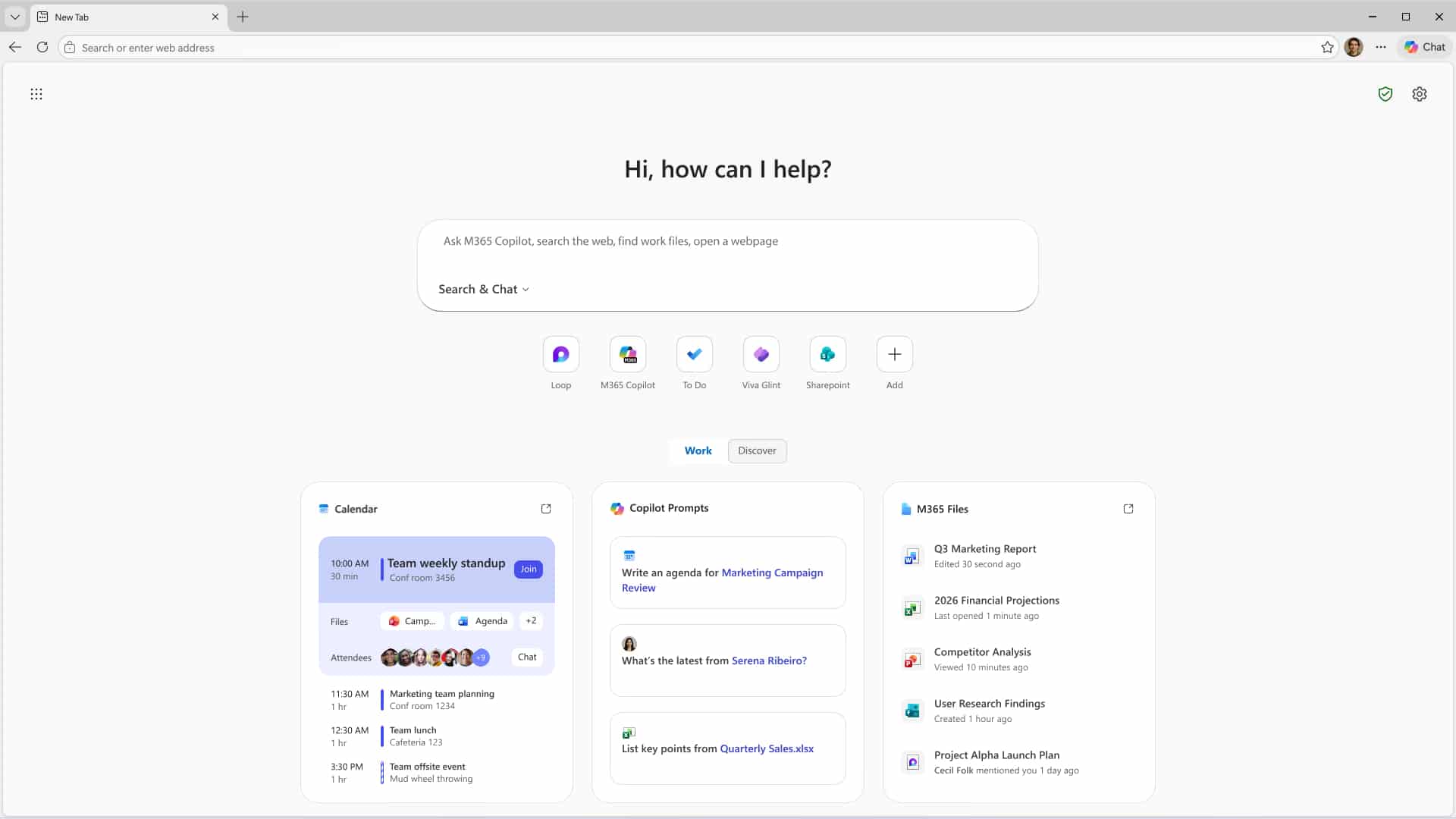
Microsoft is also introducing a redesigned Copilot new tab page that brings together multiple productivity tools into a single workspace.
The new experience combines:
- AI Chat
- Search
- Calendar access
- Recent files
- Suggested Prompts
- Work-related insights
The system also introduces intelligent work cards that surface important information such as upcoming meetings, recently opened files, and recommended AI prompts based on ongoing work activities.
This transforms the browser’s new tab experience into a more centralized productivity hub rather than a simple search page.
Microsoft also emphasized enterprise privacy protections, stating that when users sign in with a work account, organizational data remains protected within the company tenant environment.
Multi-Tab Reasoning
One of the most impressive new features in Copilot in Edge is multi-tab reasoning.
Modern work often involves managing many tabs simultaneously while comparing information across multiple sources. Instead of manually switching between tabs, Copilot can now analyze content across several open pages at once.
The AI can:
- Compare information across tabs
- Summarize multiple webpages
- Identify important insights
- Answer contextual questions
- Surface key takeaways faster
This feature can significantly improve research workflows for analysts, project managers, marketers, students, and business professionals.
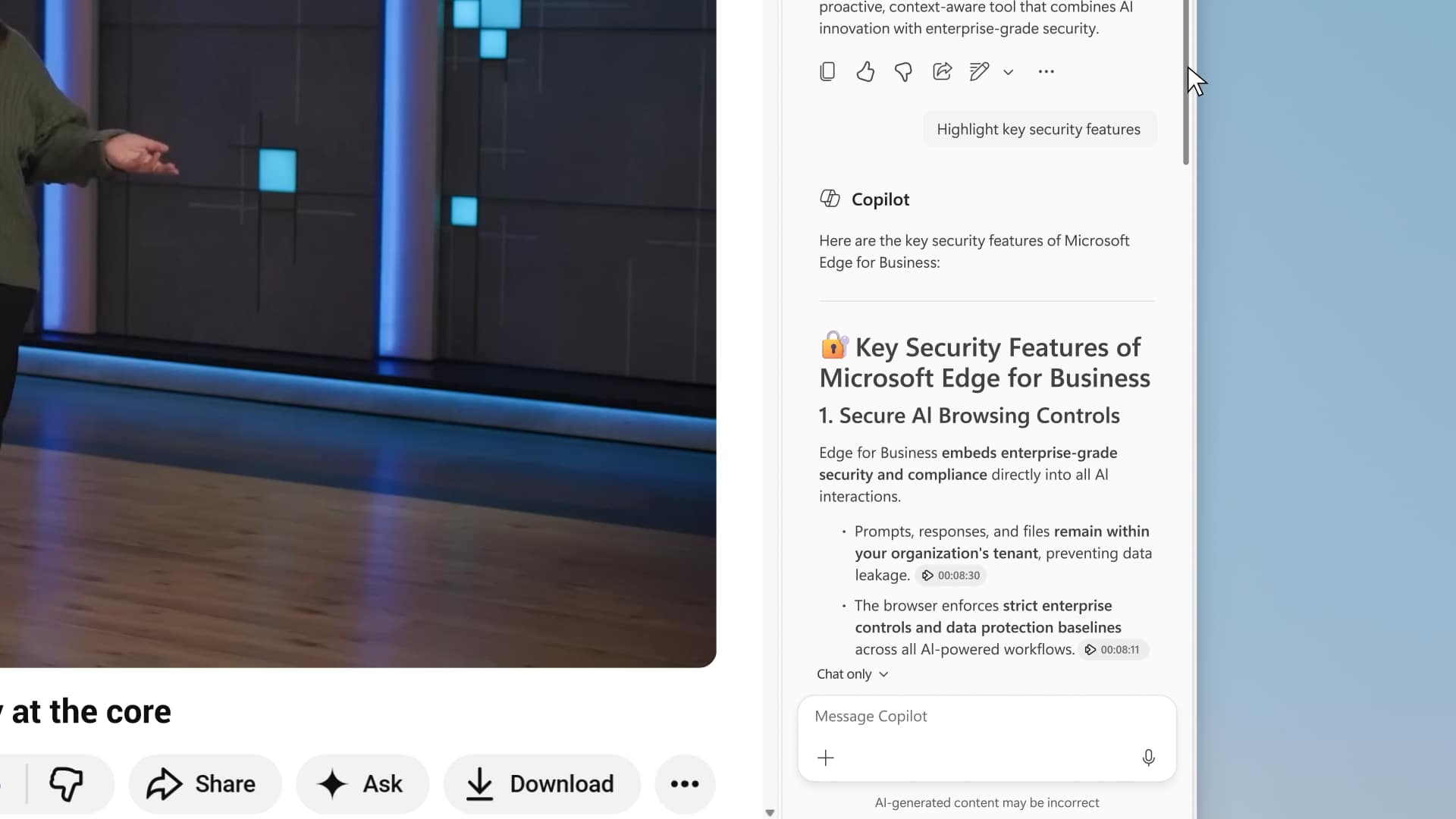
YouTube Video Summaries
Microsoft is also expanding Copilot’s media understanding capabilities with YouTube video summarization.
With Copilot in Edge, users can quickly generate summaries and key takeaways from YouTube videos without manually watching entire videos from start to finish.
The AI can help users:
- Understand video highlights
- Extract important information
- Ask questions about content
- Save research time
This feature is especially useful for educational content, tutorials, webinars, product reviews, and business presentations.
Enterprise Security and Privacy
One of Microsoft’s biggest priorities for Copilot in Edge is enterprise-grade security and privacy.
According to Microsoft, when users sign in with a work account, prompts and responses are protected under the same security, compliance, and governance standards used across Microsoft 365 applications.
This helps organizations adopt AI tools more confidently while maintaining control over:
Security Area | Benefit |
Organizational data protection | Improved privacy |
Enterprise Governance | Better compliance |
Secure AI Workflows | Reduced Risk |
Tenant-based Protection | Controlled access |
This enterprise-focused approach helps differentiate Microsoft’s AI strategy from many consumer-focused AI tools.
Browse with Copilot at Work (Coming Soon)
Microsoft is also expanding browser automation capabilities inside Edge.
With user permission, Copilot in Edge can assist with tasks such as:
- Clicking through webpages
- Entering text
- Navigating websites
- Assisting with repetitive workflows
This creates a more interactive AI browsing experience where Copilot actively helps users complete tasks rather than simply answering questions.
This feature may require a Microsoft 365 Copilot license.
Why Copilot in Edge Matters
The latest updates show Microsoft’s broader vision for AI-powered work environments where the browser becomes an intelligent productivity platform instead of just a tool for viewing webpages.
By combining contextual AI assistance, multi-tab reasoning, enterprise security, workflow automation, and integrated productivity tools, Copilot in Edge is evolving into a central workspace for modern professionals.
As AI continues becoming part of daily business operations, browsers may increasingly function as intelligent digital work environments powered by contextual AI assistance.
Summary
With its latest AI features, Copilot in Edge is becoming much more than a traditional browser assistant. Microsoft is transforming Edge into an AI-powered productivity workspace designed for research, collaboration, workflow automation, and enterprise work.
Features like multi-tab reasoning, YouTube summarization, integrated workspaces, and enterprise-grade security demonstrate Microsoft’s growing focus on AI-assisted productivity directly inside the browser experience.
As organizations continue adopting AI tools for daily work, Copilot in Edge may become an increasingly important part of how professionals browse, research, analyze information, and complete tasks more efficiently.