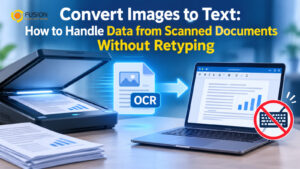
Converting Images to Text: How to Handle Data from Scanned Documents Without Retyping
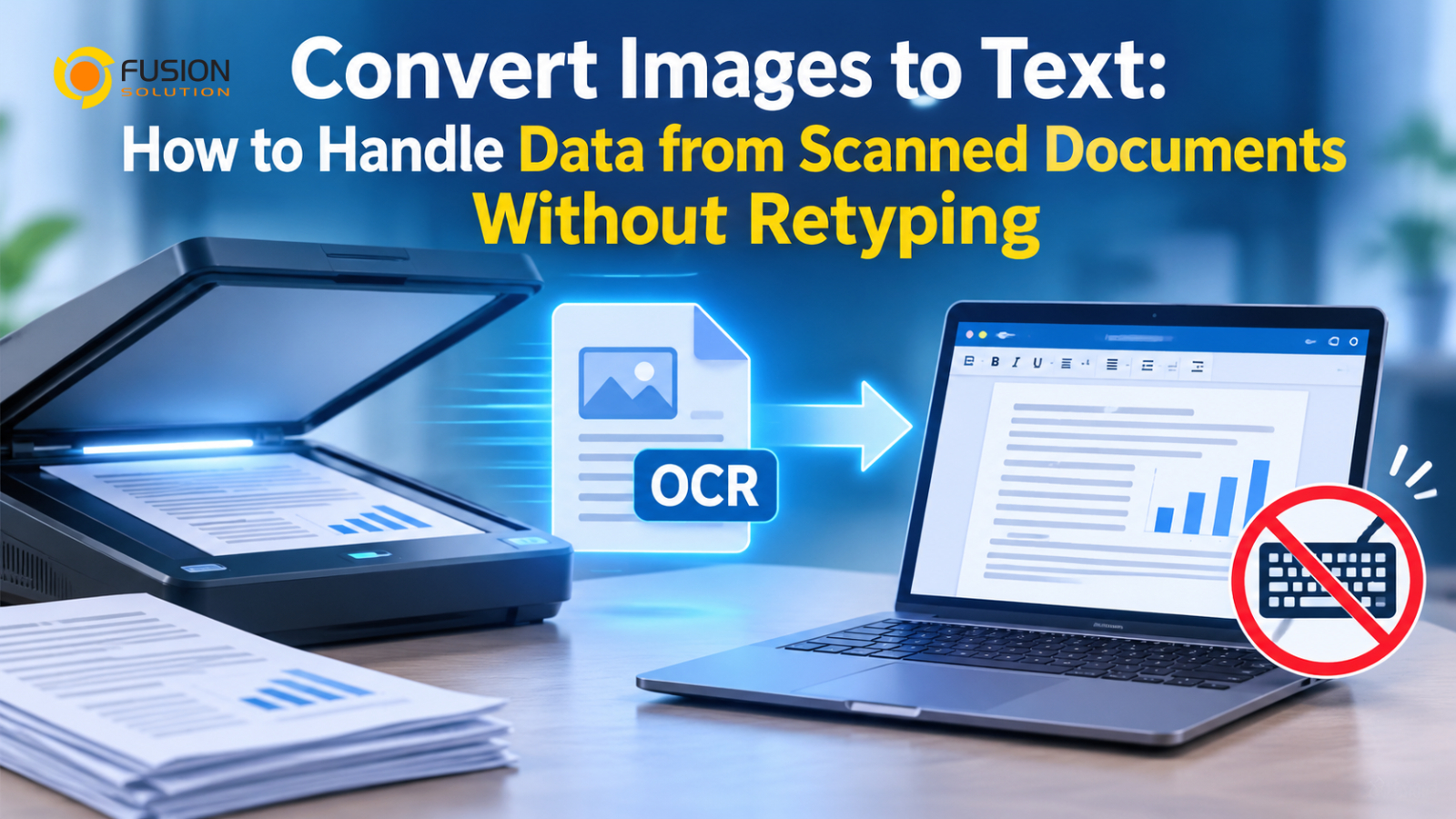
Every day, businesses must manage vast amounts of data—much of which remains trapped in scanned documents, image-based PDFs, invoices, receipts, and paper records. When employees need to locate specific information, copy details into a spreadsheet, or input data into a business system, they are often forced to manually read through the documents and type everything in by hand. Learning how to convert images into text allows organizations to overcome this challenge by transforming document images into digital data that can be easily searched, copied, edited, and processed further.
For businesses in Thailand that handle documents in both Thai and English, this capability is highly beneficial. Instead of viewing scanned documents merely as uneditable images, organizations can leverage Optical Character Recognition (OCR) technology to extract text, transforming previously inaccessible information into a more usable format.
This article explains how to convert images into text, the underlying technologies, examples of business applications, and strategies that organizations can adopt to create more efficient document management processes.
Why do scanned documents create problems for businesses?
Scanning paper documents is a popular method for preserving information and reducing the need to store physical records. However, scanning a document does not mean that its content automatically becomes digital data ready for immediate use.
For example, a scanned invoice might look like a standard digital document when viewed on a computer; employees can open the file, zoom in, and read the text as usual. In reality, however, the document may be stored as an image rather than as searchable text.
This creates problems in several areas of operation.
- It is difficult to find information.
Employees may be unable to use the search function to locate customer names, invoice numbers, transaction dates, or contract terms contained within PDF files that consist of images; consequently, they must open multiple files and manually examine the content on each page.
- Copying and editing the data is difficult.
When employees need to enter invoice amounts into accounting software or copy customer information into a CRM system, they cannot simply select and copy the text; instead, they must retype all of that data from scratch.
- Manual data entry increases the risk of errors.
Re-entering data increases the risk of errors—such as incorrect numerical entries, misspellings, omitted fields, or transposed digits—which can negatively impact financial records, reports, and administrative workflows.
- More time is required to process the documents.
Organizations that need to handle hundreds or thousands of documents may end up dedicating a significant amount of employee time to reviewing and entering data. As the volume of documents grows, traditional workflows become increasingly difficult to manage.
- Old documents remain difficult to use.
Many organizations still hold legacy documents stored as scanned images. Although these documents have been converted into digital files, their content often remains difficult to search, analyze, or integrate with modern business systems.
A key issue is that digitizing a document—converting it into a digital format—is a completely different matter from making the information within that document truly usable.
Examples of using image-to-text technology in business
The ability to extract text from images can be leveraged across various departments—especially in organizations that receive documents from customers, suppliers, employees, government agencies, or business partners.
- Invoice and receipt processing
The finance and accounting department receives invoices and receipts in various formats; some are digital PDF files, while others are scanned documents or photographs.
OCR technology can read text and important information, such as:
- Invoice Number
- Supplier name
- Invoice date
- Taxpayer Identification Number
- Total before tax
- Value-Added Tax (VAT) Information
- Net Total
- Payment Details
Instead of having to manually enter data into every field, employees can use the information extracted by the system for accounting and financial processes.
For organizations that need to handle a large volume of invoices, this technology significantly reduces repetitive data entry tasks.
- Contract and Legal Document Management
Businesses often store contracts, agreements, purchase orders, and other legal documents as scanned files.
OCR makes the text within these documents searchable, allowing employees to locate contract numbers, customer names, specific terms, dates, and other key information without having to manually read through every single page.
This capability is particularly useful for organizations that need to manage legacy contracts or locate specific information during audits and contract reviews.
- Human Resources Data and Employee Records Management
The HR department must handle various types of documents, such as job applications, identification documents, certificates, employment contracts, and other administrative paperwork.
Extracting text from scanned documents reduces manual data entry and makes organizing employee information easier.
For example, an OCR system can read text and detect various pieces of information, such as names, identification numbers, dates, and other relevant data. In such cases, it is essential to implement verification procedures and establish appropriate access controls for the data.
- Customer Forms and Registration Documents
Businesses that collect customer registration forms, service application forms, or feedback forms can use OCR to convert handwritten or printed information on these documents into digital text.
Forms printed with OCR-readable characters can facilitate the capture of text and customer details, allowing this information to be imported into a CRM system or an internal organizational database.
However, handwriting recognition may require additional technology and generally necessitates more rigorous verification than the recognition of printed text.
- Archiving of historical paper documents
Organizations that have accumulated paper documents over many years can scan them and use OCR to make their content searchable.
Employees can therefore access historical data more efficiently, without needing to open physical document files or view image files one by one.
Furthermore, it enables organizations to create a centralized digital document repository, allowing for the systematic storage and retrieval of information.
OCR vs. Manual Data Entry: Which Method Is More Efficient?
Both manual data entry and OCR can be used to transfer data from documents into business systems; however, the two methods differ significantly in terms of their workflows, capacity to handle workloads, and the resources required.
Comparison Topic | Manual data entry | OCR Technology |
Data retrieval | Data entry clerk | Software recognizes text from images |
Processing speed | Depends on employee availability | Can process documents automatically |
Required labor | High for repetitive tasks | Lower for routine extraction |
Searchability | Requires manual transcription | Makes recognized text searchable |
Error Handling | Depends on manual checking | Requires recognition validation |
Workload capacity | Difficult as document volume increases | Can support larger processing volumes |
Integration | Often requires manual transfer | Can connect with applications through supported workflows and APIs |
OCR can improve efficiency, but it does not mean that every extracted result will be correct.
For important business information, organizations should implement validation procedures, especially for financial amounts, tax information, identification numbers, and contractual details.
In many cases, the most effective approach—for data requiring a high level of accuracy—is to combine an automated recognition system with human verification.
Beyond Basic OCR: Turning Extracted Text into Business Data
Basic OCR solves an important problem: it converts image-based content into readable digital text.
However, businesses often need more than a block of extracted text.
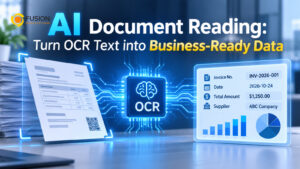
Consider a scanned invoice containing the following information:
- Supplier: ABC Trading Co., Ltd.
- Invoice Number: INV-2026-00125
- Invoice Date: 15 October 2026
- Subtotal: 10,000 THB
- VAT: 700 THB
- Total: 10,700 THB
A basic OCR solution may extract all these words and numbers. Employees can search and copy the information, but they may still need to identify which value belongs to which field.
This is where AI-powered document processing becomes useful.
Instead of simply recognizing characters, intelligent document processing technologies can analyze document structure, identify relevant fields, and organize information into a structured format.
For example, the extracted information could be represented as:
Field | Extracted Value |
Seller's name | ABC Trading Co., Ltd. |
Invoice Number | INV-2026-00125 |
Invoice date | 15 October 2026 |
Total before tax | 10,000 baht |
Value Added Tax (VAT) | 700 baht |
Net Total | 10,700 baht |
Structured information is much easier to transfer into accounting systems, ERP applications, databases, and other business platforms.
Depending on the solution, additional capabilities may include document classification, field extraction, data validation, and automated workflow integration.
This distinction is important: OCR helps businesses read documents, while AI-powered document processing helps businesses use the information contained within them.
What Should Businesses Consider Before Choosing an OCR Solution?
Not every OCR solution is suitable for every organization. Before implementing document recognition technology, businesses should evaluate several important factors.
Thai and multilingual recognition
Organizations working with Thai documents should select technology that supports Thai character recognition. If documents contain both Thai and English, the solution should handle multilingual content effectively.
Document quality and format
Consider the types of documents being processed, including scanned PDFs, photographs, invoices, forms, and multi-page documents. Recognition performance may vary depending on image quality and document structure.
Accuracy and data verification.
OCR accuracy should be evaluated using actual business documents rather than relying only on product demonstrations. Organizations should test different document layouts and identify fields that require additional validation.
Integration with existing systems
Extracted information becomes more valuable when it can move into existing business applications. Consider whether the OCR solution supports APIs, automation tools, or integration with ERP, CRM, accounting, and document management systems.
Security and data protection
Documents may contain financial information, customer records, employee details, or confidential business agreements. Organizations should review data storage, access permissions, encryption, retention policies, and compliance requirements before selecting a solution.
Processing volume and scalability
A solution that works well for a small number of documents may not be suitable for thousands of documents per month. Consider processing capacity, automation options, and future business requirements.
Build a More Efficient Document Workflow with AI OCR
Converting document images into text is an important step toward reducing manual work and improving information accessibility. However, businesses should think beyond simply extracting characters from scanned files.
An effective document processing workflow should connect several capabilities: document capture, OCR recognition, information extraction, validation, storage, and integration with business applications.
For example, an organization could establish a workflow in which employees upload scanned invoices, the OCR system recognizes the text, AI extracts relevant financial fields, and the validated information is transferred into an accounting application.
This approach helps reduce repetitive tasks while creating a more organized and consistent way to manage business information.
Explore AI OCR Solutions with Fusion Solution
For organizations looking to reduce manual document processing, Fusion Solution provides AI OCR solutions that help businesses extract and organize information from documents more efficiently.
Whether your organization works with scanned invoices, receipts, forms, contracts, or other document images, implementing the right OCR technology can be a practical starting point for digital transformation.
If you are interested in exploring how AI OCR can support your document workflows, you can contact Fusion Solution to discuss a suitable approach for your organization.
Summary
Scanned documents should not become information that businesses can only read but cannot easily use. By applying OCR technology, organizations can convert image-based content into searchable and editable text, reduce repetitive data entry, and make historical records more accessible.
For businesses handling large volumes of documents, the next step is to move beyond basic text recognition toward structured data extraction and automated workflows.
With the right combination of OCR, AI, validation, and system integration, document images can become valuable digital information that supports everyday business operations.
Interested in Microsoft products and services? Send us a message here.
Explore our digital tools
If you are interested in implementing a knowledge management system in your organization, contact SeedKM for more information on enterprise knowledge management systems, or explore other products such as Jarviz for online timekeeping, OPTIMISTIC for workforce management. HRM-Payroll, Veracity for digital document signing, and CloudAccount for online accounting.
Read more articles about knowledge management systems and other management tools at Fusionsol Blog, IP Phone Blog, Chat Framework Blog, and OpenAI Blog.
New Gemini Tools For Educators: Empowering Teaching with AI
If you want to stay up-to-date with the latest technology and AI news, check out this website It's updated daily!
Fusionsol Blog in Vietnamese
- What is Microsoft 365?
- What is Copilot?What is Copilot?
- Sell Goods AI
- What is Power BI?
- What is Chatbot?
- What is cloud storage?
Related Articles
Frequently Asked Questions (FAQ)
What types of documents does DOVA OCR support?
DOVA OCR can assist in processing business documents—such as invoices, receipts, forms, and scanned files—making data management more convenient and efficient.
How does DOVA OCR help reduce the steps in employees' workflows?
A system that reads text and extracts key information from documents, reducing the need for manual data entry and allowing employees to dedicate more time to verifying data and performing tasks that require decision-making.
How accurate is the data read by the system?
Accuracy depends on the quality of the documents, the font styles, and the complexity of the information. You should verify the results before use, especially when dealing with financial data or critical organizational information.
Can DOVA OCR be integrated with an organization's existing systems?
DOVA OCR offers features such as data export to CSV, database storage, and a RESTful API, which can be used to integrate with other systems depending on the specific deployment requirements.
How should a business prepare before starting to use DOVA OCR?
You should begin by identifying the types of documents to be processed, preparing actual document samples, and testing the accuracy of data extraction. Additionally, evaluate security requirements and system integration needs to ensure the chosen solution is well-suited to your organization.