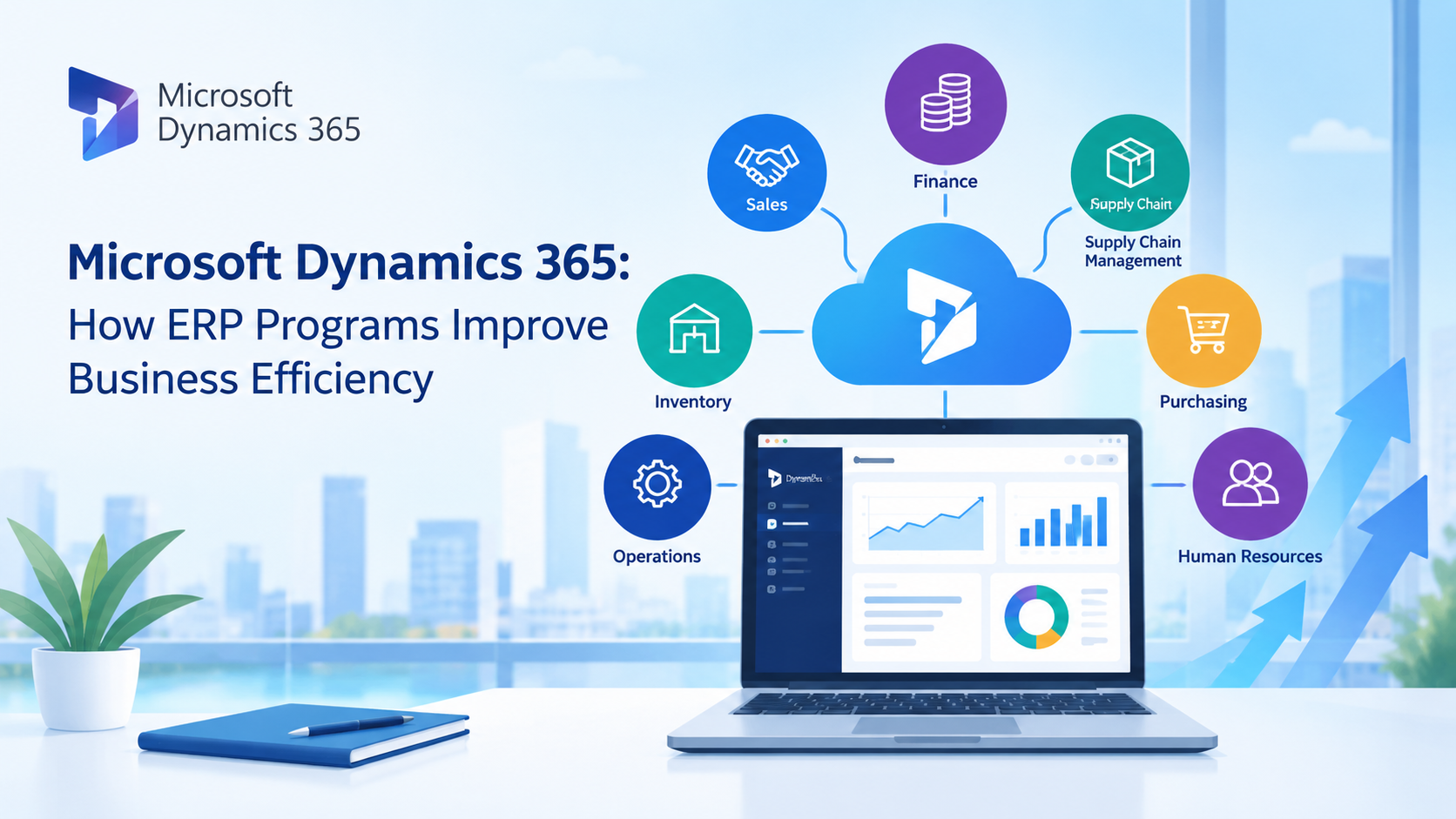
As a business grows, managing finance, sales, inventory, purchasing, and operations through separate systems can become increasingly complex. Different teams may rely on disparate sets of data, leading to redundant tasks and wasted time spent searching for the information they need.
ERP software can help address these challenges by integrating key business processes and data into a single system. Microsoft Dynamics 365 offers ERP solutions designed to help organizations manage operations, enhance visibility, and support more effective business decision-making.
What is ERP software?
ERP, or Enterprise Resource Planning, is software that integrates the operations of various business functions through a platform that shares common data.
Instead of storing financial, inventory, purchasing, and operational data in separate systems, ERP enables these processes to work together.
For example, when a customer places an order, the order data can be integrated with inventory, sales, finance, and fulfillment processes, eliminating the need for employees to repeatedly enter the same information across multiple systems.
The result is a more interconnected model for the business's daily operations management.
How does Microsoft Dynamics 365 support ERP operations?
Microsoft Dynamics 365 comprises various business applications designed to meet the diverse needs of organizations.
For companies seeking an ERP platform, solutions such as Dynamics 365 Business Central and Dynamics 365 Finance can help manage core business processes.
Business Central is designed for small and medium-sized businesses, while Dynamics 365 Finance supports the more complex finance and operations needs of large enterprises.
Both solutions can serve as a foundation for connecting key business data and processes.
ERP software helps centralize business data
One of the major challenges for businesses is data scattered across multiple systems.
For example, the Finance team might have one set of data, the Sales team stores customer information in a separate system, and the Operations team uses a separate spreadsheet to manage inventory.
ERP software helps create a shared source of business data.
With Dynamics 365, employees can work with data from connected business processes instead of relying on multiple disconnected systems.
It enhances data visibility and reduces the risk associated with making decisions based on outdated or inconsistent data.
Automate repetitive workflows
Tasks that must be performed manually can consume a significant amount of employees' time.
Tasks such as creating financial records, updating inventory, managing purchase orders, and preparing reports may require repetitive data entry across multiple steps.
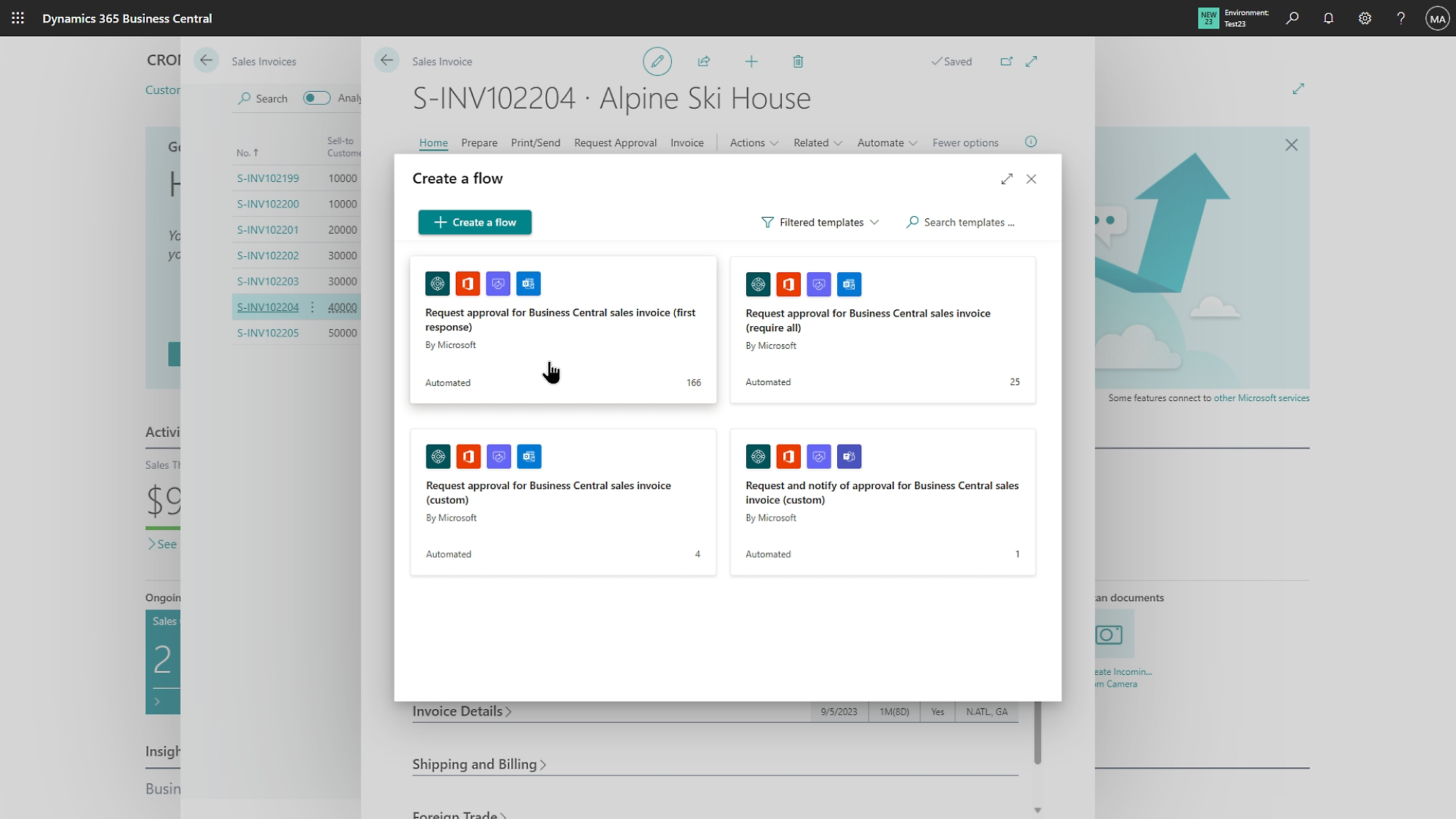
Dynamics 365 can help automate business processes and workflows in various ways.
For example, data recorded during one process can be reused in another, eliminating the need for employees to manually re-enter the same information.
Automation helps reduce administrative tasks, allowing employees to dedicate their time to work that requires analysis, decision-making, and greater expertise.
Enhance financial management efficiency
Financial management is one of the key functions of an ERP system.
Businesses need accurate information regarding revenue, expenses, cash flow, budgets, and financial performance.
Dynamics 365 offers tools for managing financial processes and can link this data with other parts of the organization.
When Finance integrates with Sales, Purchasing, Inventory, and Operations, the finance team gains greater visibility into overall business performance.
Up-to-date information also enables executives to make decisions more effectively.
Gain better visibility into inventory and the supply chain
Inventory issues can impact both customer satisfaction and business costs.
Excessive inventory can tie up capital in stock, whereas insufficient inventory may lead to delays and missed sales opportunities.
A connected ERP system enables businesses to gain better visibility into inventory, purchasing, sales, and supply chain activities.
When this data resides in the same environment, businesses can track stock levels, understand demand, and plan purchasing more effectively.
This is particularly useful for companies that need to manage multiple product types across various locations, suppliers, or warehouses.
Connect all departments through a single system
A key benefit of ERP is enabling departments to work together using interconnected data.
Sales staff can access customer data and order information.
The Finance department can utilize sales and purchasing data to manage financial processes.
Operations can access the data necessary for managing orders and inventory.
Management can utilize data from across the organization to gain an overview of business performance.
Instead of departments working in isolation, ERP software helps create a business environment that better connects data and workflows across teams.
Use data to make better decisions
Business efficiency does not merely mean completing tasks faster; it also means being able to make better decisions.
When data is scattered across disconnected spreadsheets and applications, executives may spend a significant amount of time gathering and verifying information before making decisions.
Dynamics 365 helps consolidate business data and offers reporting and analytics capabilities, enabling organizations to gain a better understanding of their performance.
Executives can leverage data to identify trends, monitor key business areas, and respond to issues more rapidly.
Connect ERP with Microsoft Tools
Another advantage of Microsoft Dynamics 365 is its ability to integrate with the broader Microsoft ecosystem.
Organizations can connect Dynamics 365 with tools such as Microsoft 365, Power BI, Power Automate, and other Microsoft services.
For example, Power BI can help visualize business data, while Power Automate can help automate various workflows.
This enables the company to create a digital workplace that encompasses the ERP system, rather than viewing the ERP merely as a standalone application.
Who benefits from an ERP program?
ERP is not just for large organizations.
Growing businesses can also benefit from ERP systems as transaction volumes and business complexity increase to the point where spreadsheets and disparate applications become difficult to manage.
Businesses might start considering an ERP system when encountering problems such as:
- Data is spread across too many systems.
- You have to enter the information yourself repeatedly.
- It is difficult to track inventory or financial data.
- Reporting and decision-making take a long time.
- Insufficient visibility of data across departments.
- Business processes are non-standardized and difficult to manage.
The appropriate ERP solution depends on the organization's size, industry, business processes, and future growth plans.
How does Microsoft Dynamics 365 help increase business efficiency?
The core value of Dynamics 365 lies not in simply adding another business application, but in its ability to connect processes, information, people, and automation.
Connecting core business activities helps reduce unnecessary manual work, increases data visibility, and ensures greater consistency across workflows.
For growing businesses or those facing increasingly complex operations, ERP software can serve as a vital foundation that enables the organization to manage these complexities more effectively.
Conclusion
Business efficiency depends on having accurate, readily available data when needed, as well as the ability of teams to collaborate effectively.
Microsoft Dynamics 365 offers ERP solutions that integrate finance, sales, operations, inventory, and other business processes within a unified digital environment.
For organizations seeking to reduce manual tasks, enhance data visibility, and improve decision-making, implementing ERP software can be a significant step toward building a more connected and efficient business.