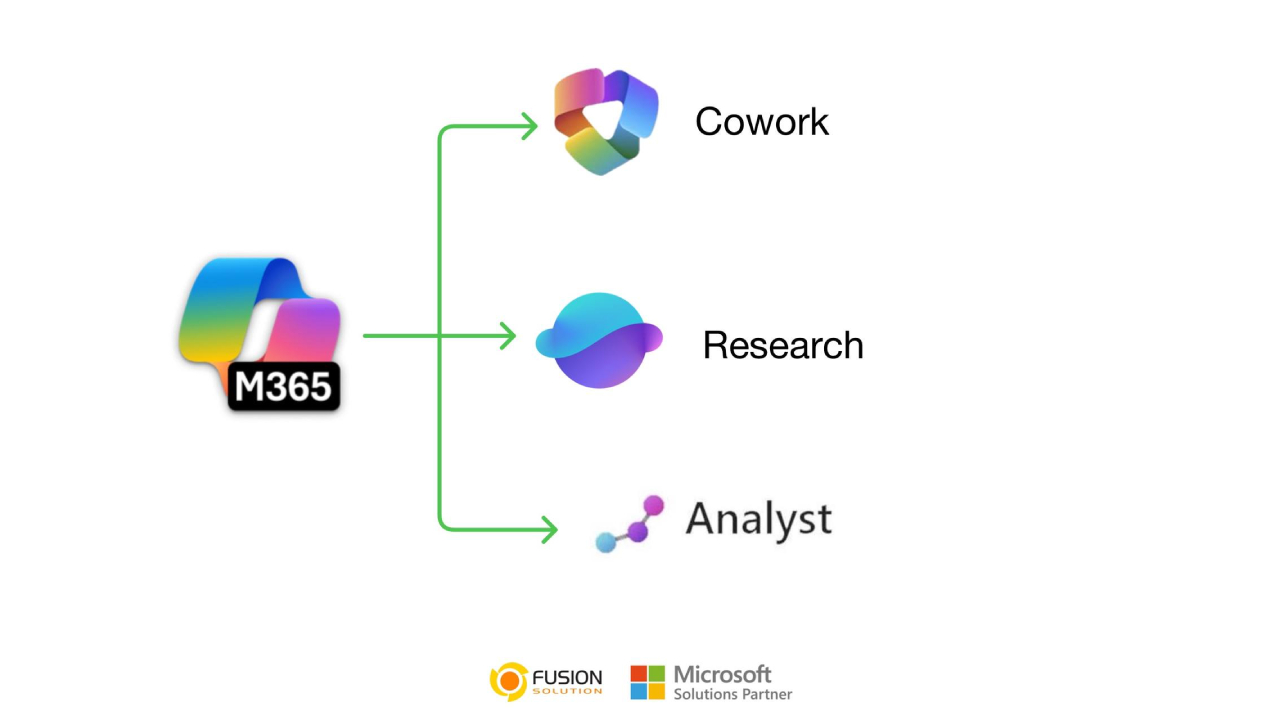
Most conversations about AI today revolve around a single question: Which model is the smartest? But Microsoft is looking at the future of AI from a completely different perspective. Instead of relying on a single, all-purpose assistant, Microsoft is building an internal system, Microsoft 365 Copilot, consisting of three Core Agents, each designed to handle different real-world tasks.
This approach isn't just focused on creating a better chat experience, but on redefines how workflows are structured, implemented, and scaled in the long term.
Understanding the concept of 3 Core Agents.
The concept of 3 Core Agents is based on the simple observation that "each type of task is different," and therefore AI should not treat all tasks the same way. Microsoft thus divides tasks into three main categories: execution, understanding, and numerical analysis, and assigns AI specializing in each category.
In this way, AI will transform from a general assistant into a “digital workforce” where each agent has a clear role, instead of a single system doing everything. Each agent will be tailored to specific tasks, leading to more accurate and practical results.
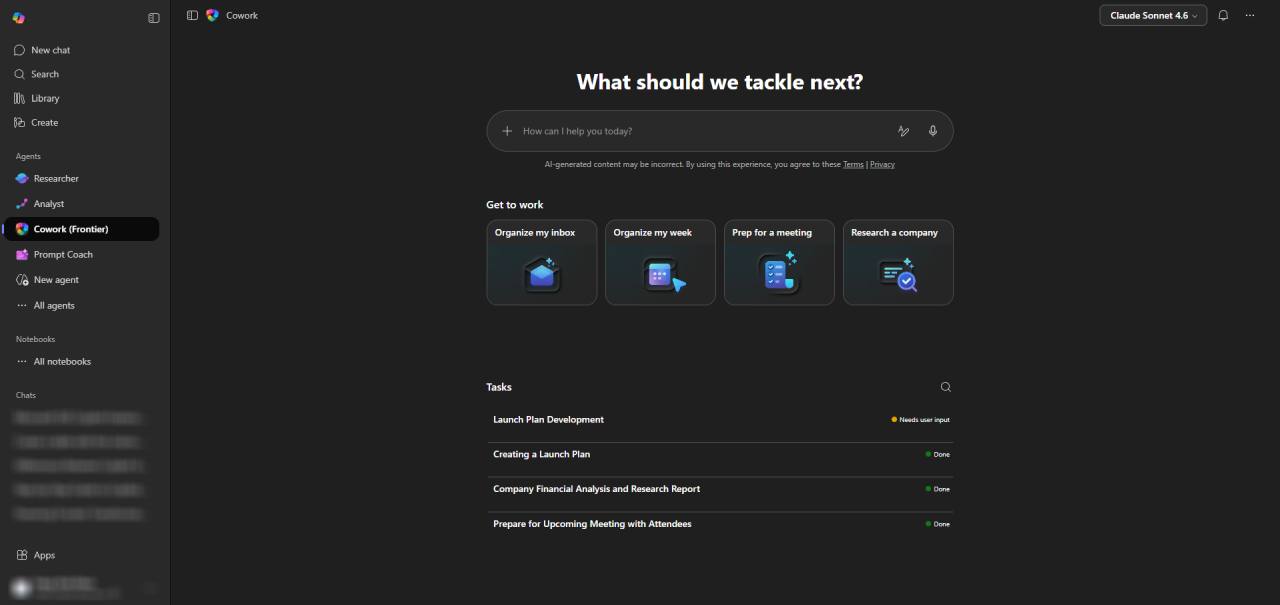
Cowork Copilot: Manages your daily tasks for you
The first agent, Cowork Copilot, focuses on hands-on work and is designed to handle day-to-day operations without requiring complex commands. Users can provide short, results-oriented commands, and the system handles the entire process in the background.
With the ability to understand context from emails, calendars, documents, and data within Microsoft 365, it enables efficient tasks such as drafting email replies, scheduling meetings, summarizing documents, and organizing workflows. The experience shifts from “using the tool” to “assigning tasks” to this capable assistant.
Who should use a Cowork Copilot?
Cowork Copilot is ideal for users and teams who need to manage repetitive daily tasks, such as coordination, communication, and document management. The groups that benefit most are enterprise users, project managers, and administrative staff, as it reduces manual work and allows them to focus on higher-value tasks.
Research Assistant: Transforming data into understanding
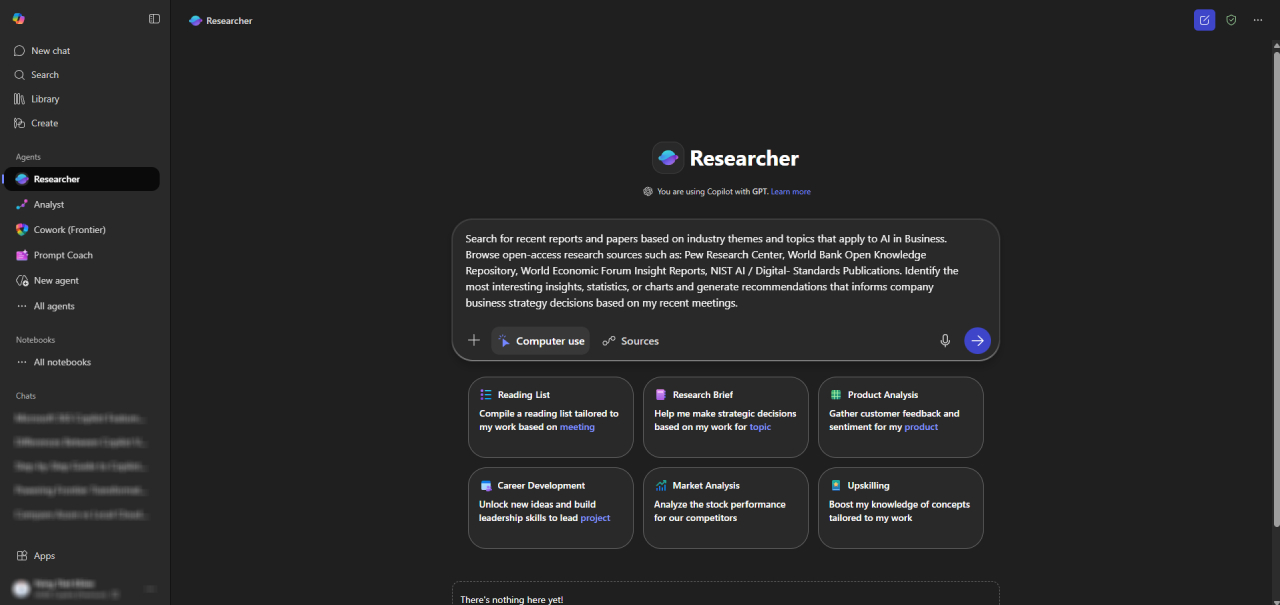
The second agent, Research Assistant, focuses on understanding. It's designed for situations where quick answers aren't enough and in-depth analysis is needed, rather than just providing results. The system shows how the conclusions were drawn, making the research process more transparent and reliable.
This agent is invaluable in contexts where decision-making requires clear and verifiable reasoning. By providing structured analysis, and potentially visualizing the analysis process, it helps users move beyond simply "searching for information" to achieving "true understanding."
Who should use Research Assistant?
A Research Assistant is ideal for roles that rely on analysis and decision-making, such as strategy teams, consultants, marketers, and business analysts. They can be used to confidently evaluate markets, analyze competitors, and generate insights. They are also suitable for learning and exploring data where understanding the reasoning behind the information is just as important as the answer itself.
Analyst Copilot: Analyzing data at the enterprise level.
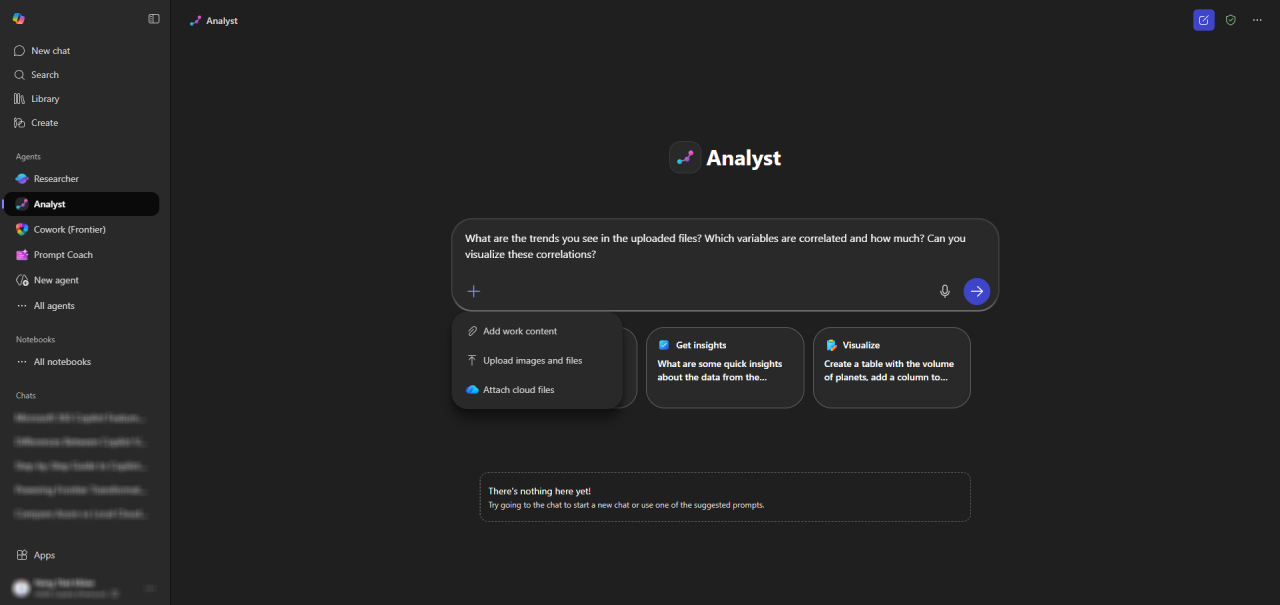
The third agent, Analyst Copilot, focuses on numerical analysis. It's designed to work with structured data, handle large datasets, and find patterns, trends, and relationships within the data.
Unlike typical AI tools that often have limitations when faced with complexity, this agent is built to work directly in complex environments. It can process large amounts of data, perform in-depth analysis, and deliver insights that support business decision-making.
Who should use an Analyst Copilot?
Analyst Copilot is ideal for data-driven roles requiring high accuracy, such as financial analysts, data analysts, operations teams, and managers. It can be used to analyze complex datasets and uncover insights that would normally require significant time and resources, especially in large organizations where accuracy and reliability are paramount.
Why is this change more important than it seems?
Many people overlook the importance of the 3 Core Agents model because it's not flashy. These agents aren't designed for spectacular demonstrations, but rather focus on solving real-world work problems such as email management, data analysis, and research.
However, these are the most time-consuming tasks in a real-world work environment. By Microsoft developing in this area, they are elevating the "foundation of productivity," not just creating superficial innovations.
Who can use Microsoft 365 Copilot Agents?
Microsoft uses the same access rules for all three Agents. Free users cannot use Cowork, Research Assistant, or Analyst, while paid Microsoft 365 Copilot users have full access; there are no restricted or partial access versions available at the free level.
Free users will be in the Copilot Chat group, sometimes called Copilot Basic, which provides secure AI chat capabilities, based on web-based information, and basic features such as writing assistance, summarization, and brainstorming. While some aspects of Copilot Chat may appear in Microsoft 365 apps, this experience will have increased limitations after April 15, 2026.
What free users “don’t get” is equally significant: they lack access to the full organizational data graph, preventing Copilot from automatically synchronizeing data from emails, files, meetings, or calendars. Furthermore, they can’t use Agents for in-depth research, advanced numerical analysis, or cross-app automation. Microsoft is explicitly limiting the capabilities of the free version to place real-world, task-related AI under a paid license.
From AI tools to operational systems
In the short term, AI tools often compete in the following areas:
- speed
- Intelligence
- Creativity
But the long-term success of AI will not be judged by who answers faster or seems smarter.
But it will be judged based on:
- Who owns the cloud infrastructure?
- Who can integrate themselves into daily workflows?
- Who controls the ecosystem?
- Who can build trust at the organizational level?
And this is where Microsoft has a significant advantage, thanks to its extensive experience in enterprise environments.
Comparison: The capabilities of Microsoft 365 Copilot - Free vs. Paid versions
Ability | Free Copilot (Chat / Basic) | Paid Microsoft 365 Copilot |
Secure AI chat | ✅ Yes | ✅ Yes |
Web-grounded answers | ✅ Yes | ✅ Yes |
Writing & summarization | ✅ Yes | ✅ Yes |
Access to emails & files | ❌ No | ✅ Yes |
Cowork agent (task execution) | ❌ No | ✅ Yes |
Research Assistant | ❌ No | ✅ Yes |
Analyst (100k+ records) | ❌ No | ✅ Yes |
Multi-app automation | ❌ No | ✅ Yes |
Enterprise data protection | ✅ Partial | ✅ Full |
Designed for real work | ❌ Limited | ✅ Yes |
Strategic signals
This clearly answers the key question in your article:
👉 These agents are not tools for the average consumer.
👉 But it is "the role of labor in the organization".
Microsoft is not competing in this area:
"Who has the smartest chatbot?"
But they are competing in this area:
- Who is in charge of the operation?
- Who controls business data?
- Who can build an economy around AI?
All of this is only possible in a managed and paid environment.
Conclusion
Most importantly, these Agents are not just new features in the product, but distinct “roles” in the digital workforce. Cowork Copilot handles the action, Research Assistant builds understanding, and Analyst Copilot focuses on data analysis. Combined, these three Agents create an AI approach that reflects the workflow of real teams.
If this approach continues to evolve, Microsoft 365 Copilot will not just be another AI solution, but will become part of the work infrastructure, which is where real long-term competitiveness is created.