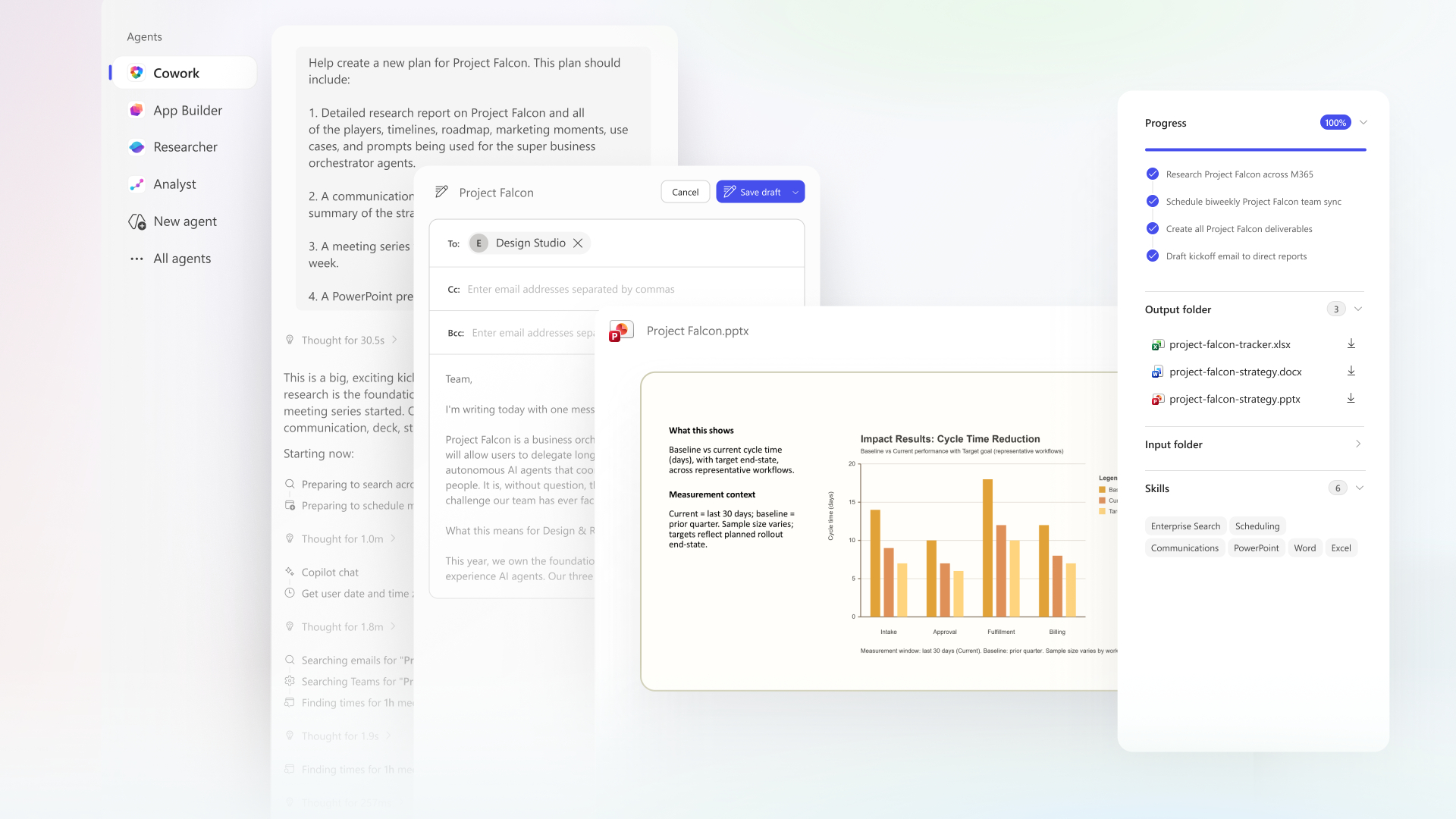
The modern world of work is changing rapidly, and artificial intelligence (AI) is becoming an integral part of organizational work. Copilot Cowork introduces a new concept that transforms AI from a tool into a "colleague" that can work alongside you at every stage, from routine tasks and workflows to decision-making.
Instead of switching between multiple apps, coordinating manually, or wasting time on repetitive tasks, Copilot Cowork allows users to delegate complex tasks to AI while maintaining full control over the outcome. It integrates reasoning, automation, and tool connectivity to help create faster and more efficient workflows.
What is Copilot Cowork?
Understanding Copilot Cowork in Daily Work
Microsoft's Copilot Cowork is designed to go beyond a typical AI assistant, acting like a "digital colleague" that understands your work context, can take action, and support you throughout your workflow.
Unlike traditional AI tools that respond one command at a time, Copilot Cowork can work seamlessly, maintaining the context of multiple tasks. It can manage multi-stage workflows and integrate smoothly with various apps and documents. Importantly, it can collaborate with users in real-time, making AI an integral part of daily work, not a separate tool that needs to be switched between.
This change alters the way you work; instead of tasking step-by-step, you can now focus more on the "results" while AI handles the backend processes.
Cleaning Up Your Calendar
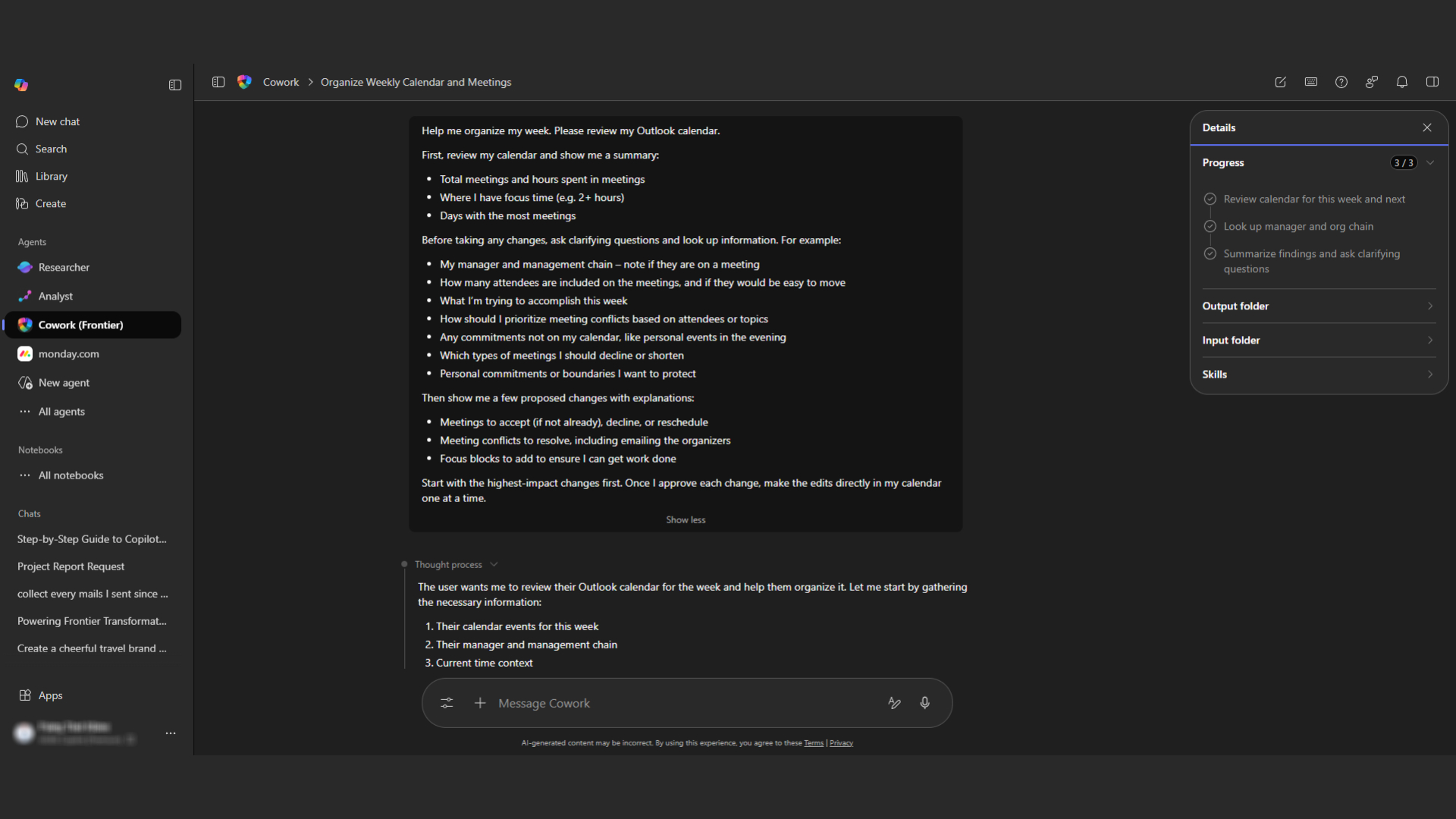
Managing a tight schedule often involves adjusting appointments, resolving conflicting schedules, and trying to find time for focused work, which is time-consuming. Copilot Cowork significantly simplifies this process. Simply prioritize your tasks, and the system automatically reschedules, adjusts conflicting times, and allocates more time for you to focus on important work. This results in a more continuous workflow and significantly reduces distractions.
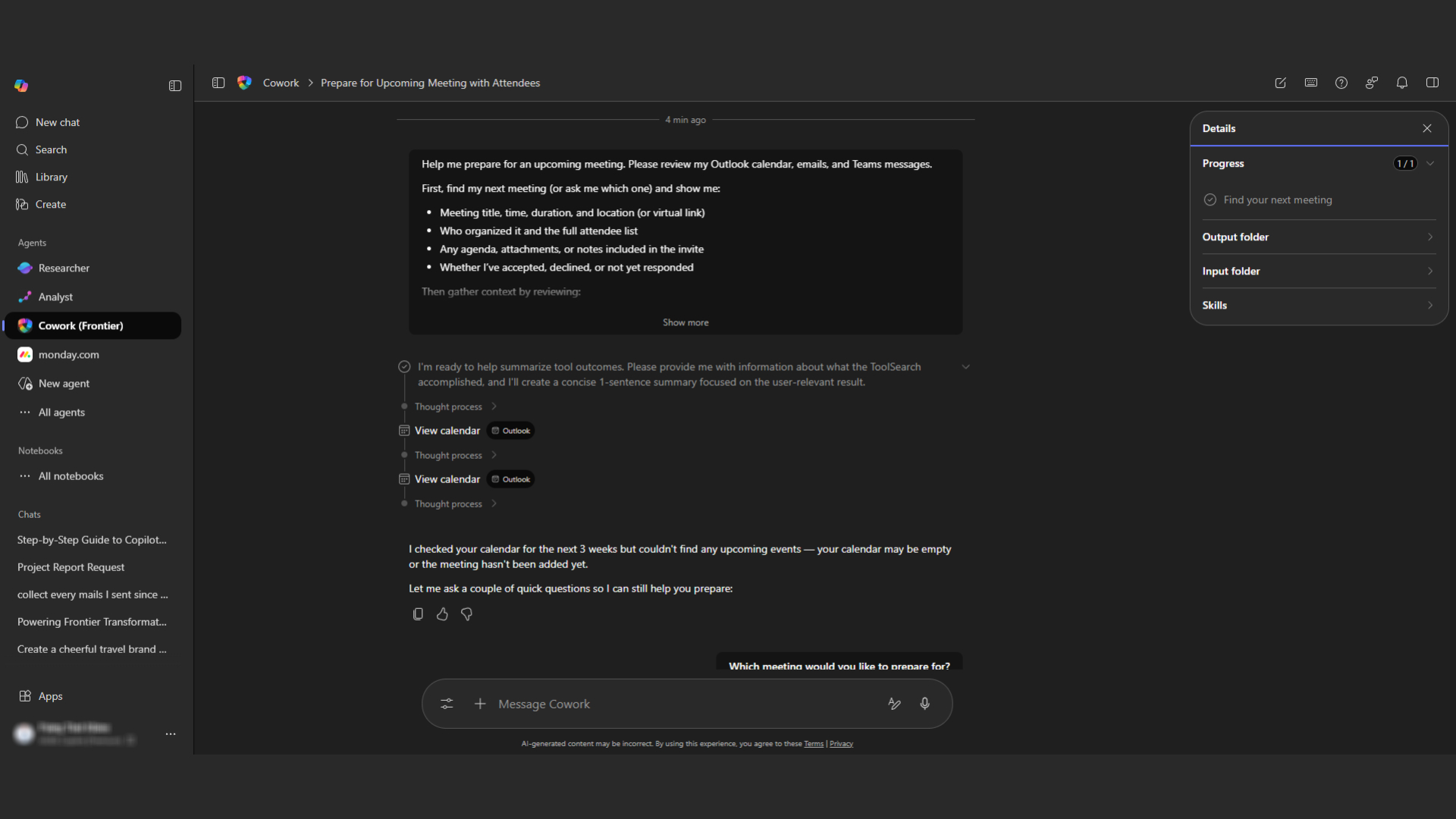
Building Meeting Materials and Aligning the Team
Preparing for a typical meeting often involves gathering information from multiple sources, creating slides, and ensuring everyone understands – a time-consuming and repetitive process. Copilot Cowork reduces this burden by systematically gathering relevant information, creating presentation slides, and preparing supporting documentation, while also summarizing key points for discussion. It also prepares follow-up tasks, allowing the team to resume work immediately without wasting extra time. The result is a more structured and efficient meeting.
Researching a Company Quickly
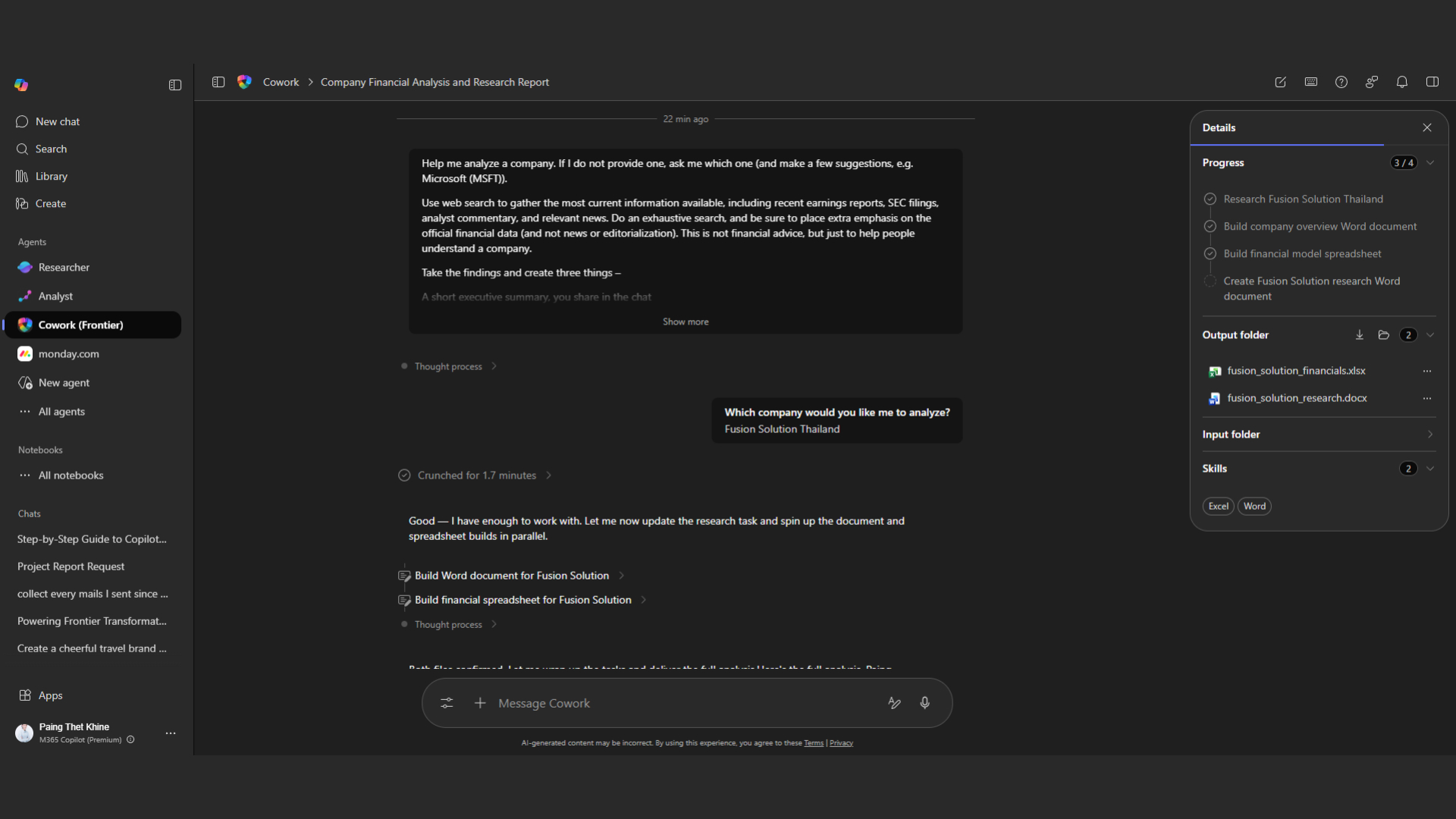
Business research often involves gathering information from multiple sources and analyzing it for valuable results, a time-consuming and labor-intensive task. Copilot Cowork speeds up this process by collecting relevant data, analyzing performance and trends, and creating reports in a systematic and easy-to-understand format. All data is clearly organized, allowing you to use or share it immediately without having to spend time reorganizing it yourself.
Creating a Launch Plan
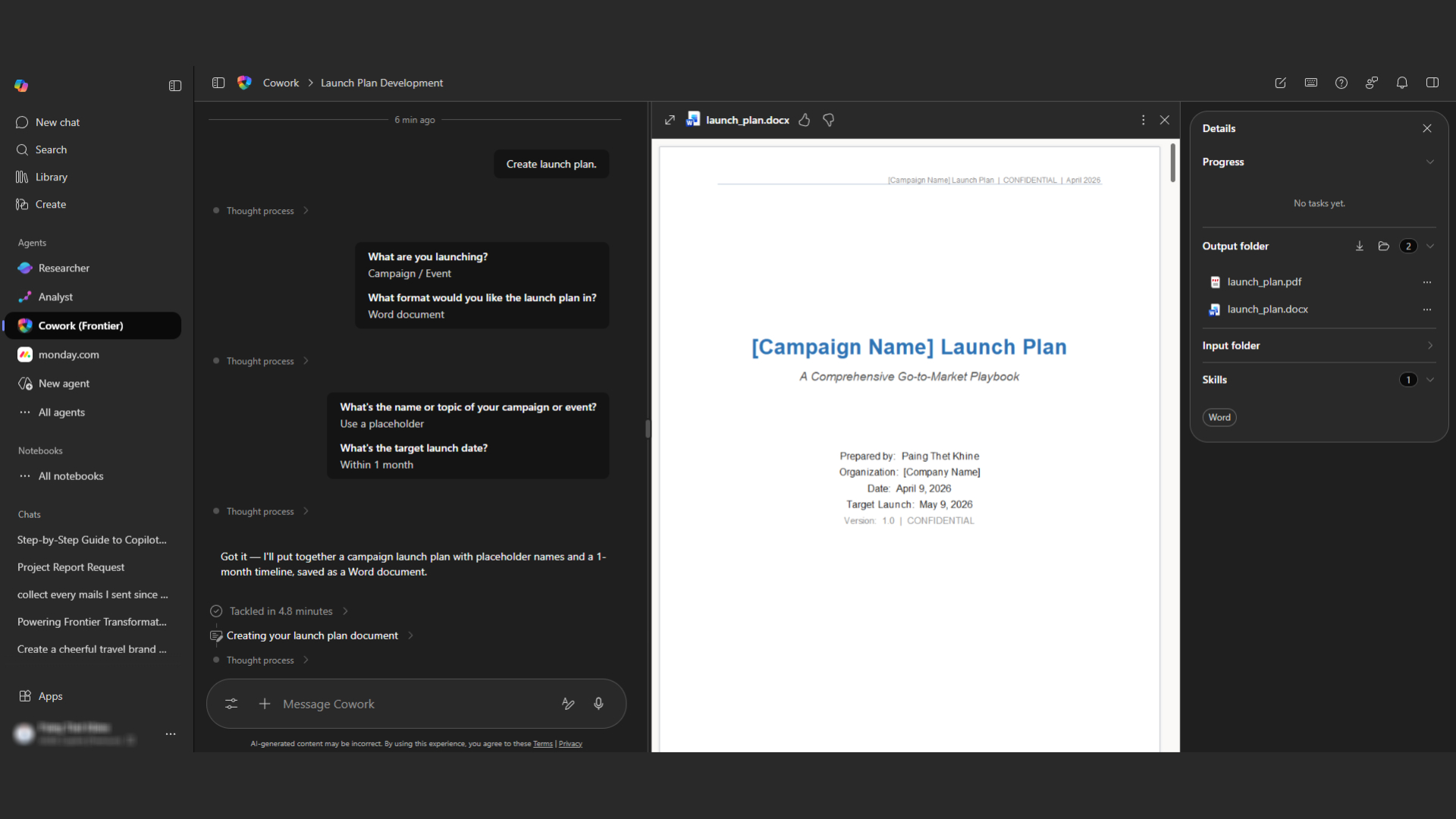
Planning a product launch or campaign is a multi-faceted, coordinated process involving numerous tasks. Without the right tools, complexity and delays can occur. Copilot Cowork simplifies planning by allowing for the gathering of competitive data, structuring the plan, defining a timeline, and creating all necessary launch materials and media. Every element of the plan is systematically interconnected, leading to smoother operations.
A More Natural Way to Work
What truly sets Copilot Cowork apart isn't just its speed, but its ability to seamlessly integrate into the user's workflow. AI isn't just a tool called in occasionally; it becomes an integral part of your workflow, enabling smooth transitions between tasks, eliminating unnecessary steps, and improving overall quality. This is a true shift from using tools to collaborating with AI.
The main benefits of Copilot Cowork
Benefit | Result |
Automation in workflow | Reduce redundant work |
Understanding the context | The workflow was smooth and continuous |
Working speed | Reduce the time spent on complex tasks |
Collaboration | The team is working more cohesively |
Better Decisions | Gained insightful and structured information |
Organizations can increase efficiency without compromising the quality of their work.
Copilot Cowork Terms of Use
To use Copilot Cowork to its full potential, the following components are required:
- Microsoft 365 Subscription
You must already be using Microsoft 365, such as:
- Microsoft 365 Business Standard
- Microsoft 365 Business Premium
- Microsoft 365 E3 / E5
This will give you access to core apps such as:
- Microsoft Word
- Microsoft Excel
- Microsoft PowerPoint
- Microsoft Outlook
- Microsoft Teams
Without it, Copilot Cowork cannot be used.
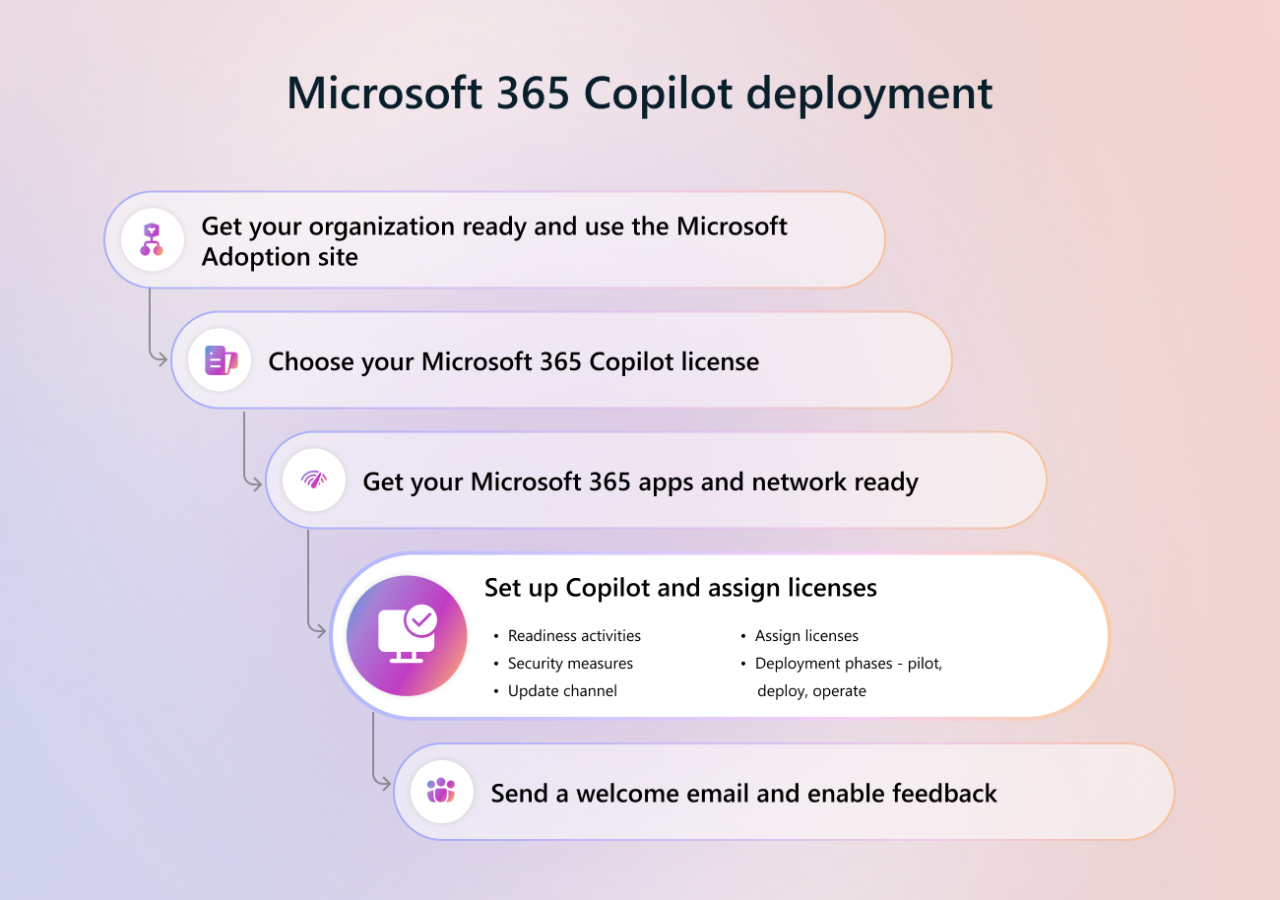
After understanding the subscription concept, the next step is to choose the right partner for purchasing and installing the system. In Thailand, Fusion Solution is a certified Microsoft partner, helping organizations select the appropriate package, configure the system, and enable Copilot seamlessly, along with guidance tailored to their business needs.

- Copilot Add-on License
Copilot Cowork is not automatically included in Microsoft 365 and requires a separate purchase as an add-on called Copilot for Microsoft 365. The business pricing is generally around $30 per user per month, but this may vary depending on the region and license agreement. Once this add-on is activated, users will have access to Copilot's capabilities across supported apps, enabling them to fully utilize AI features to enhance daily work efficiency.
- Business or Work Account
To use Copilot Cowork effectively, you need to log in with an organizational account, such as a company email connected to a managed Microsoft 365 tenant. This is because the system relies on organizational context and internal data to function correctly and accurately. Personal accounts, such as the free Outlook or Gmail, will not fully support Copilot Cowork's features because they lack the necessary data and structure for organizational-level operation.
- The information is available in Microsoft 365
Copilot Cowork works best when an organization continuously uses various Microsoft 365 services, such as Microsoft OneDrive, Microsoft SharePoint, Microsoft Outlook, and Microsoft Teams. This is because the system uses existing data—documents, emails, conversations, and files—to create insights, summarize information, and help perform tasks accurately. The more internal data is stored and linked within the system, the more efficient and accurate Copilot will be.
- Administrator Setup
At the organizational level, using Copilot Cowork requires proper configuration by an IT administrator. This includes assigning Copilot access rights to individual users, enabling enterprise-level features, and configuring data access according to policies. Without these settings, users may not be able to access or use Copilot, even if they have purchased a license. Therefore, correct configuration is a crucial step in ensuring smooth and secure operation.
How to use Copilot Cowork
How to use Copilot Cowork
Once you have everything set up, using Copilot Cowork is straightforward and you can start right away.
Step 1: Open Microsoft 365 Copilot
- Go to https://m365.cloud.microsoft
- Sign in with your Microsoft 365 account for your work
- Open Microsoft 365 Copilot.
Copilot Cowork is available on browsers, Outlook, Teams, and as a desktop Copilot app for Windows and Mac.
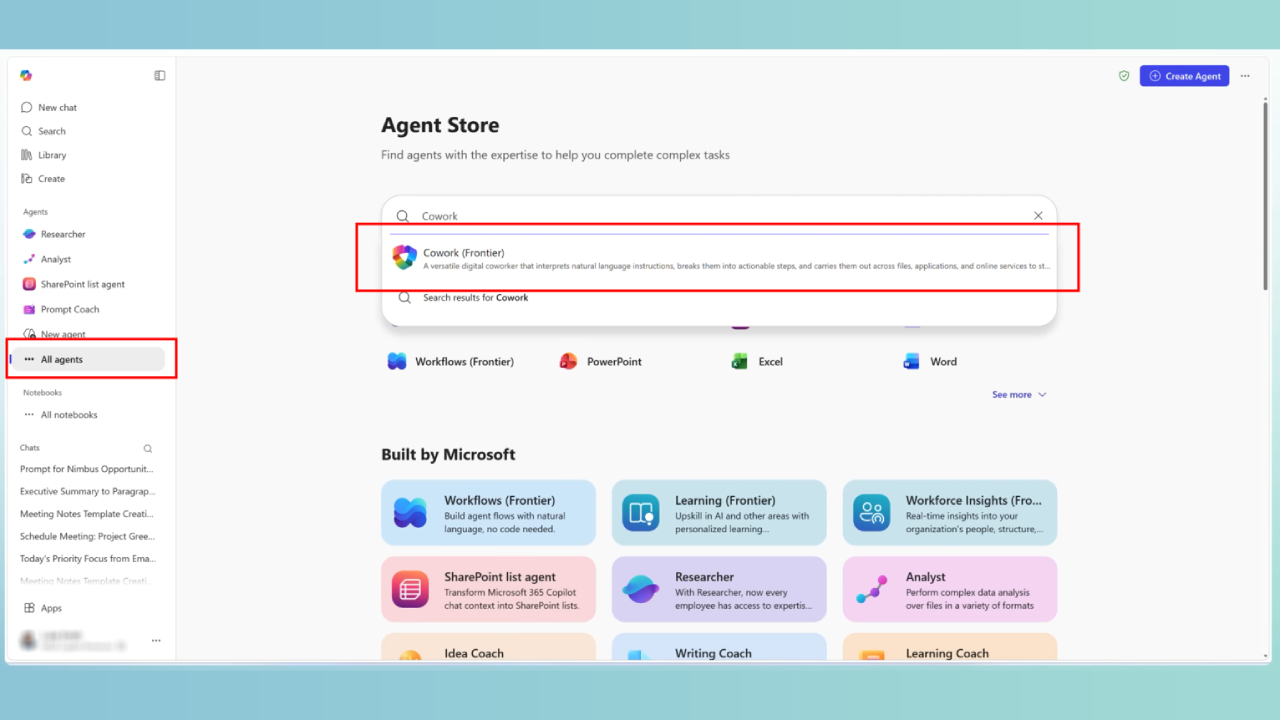
Step 2: Add or select a Cowork Agent
- In the left-hand menu bar, select Agents
- Select All agents if you still don't find Cowork
- Search for Copilot Cowork
- Select Add (for first-time use)
- Click Cowork to activate it
Once added, Cowork will appear in the Agents section for subsequent logins
Step 3: Let the copilot do the work for you
When you give a command, Copilot will start handling the task for you within Microsoft 365. It will read the content, understand the context of the request, and process the data to quickly generate results. Instead of doing it step-by-step yourself, you can have Copilot create a complete first draft, whether it's a document, analysis, data summary, or presentation slides, saving you considerable time and effort.
For example:
- In Word → Draft a complete document
- In Excel → Insight and Graphs
- In PowerPoint → Ready-to-use slides
Step 4: Review and Approve before Proceeding
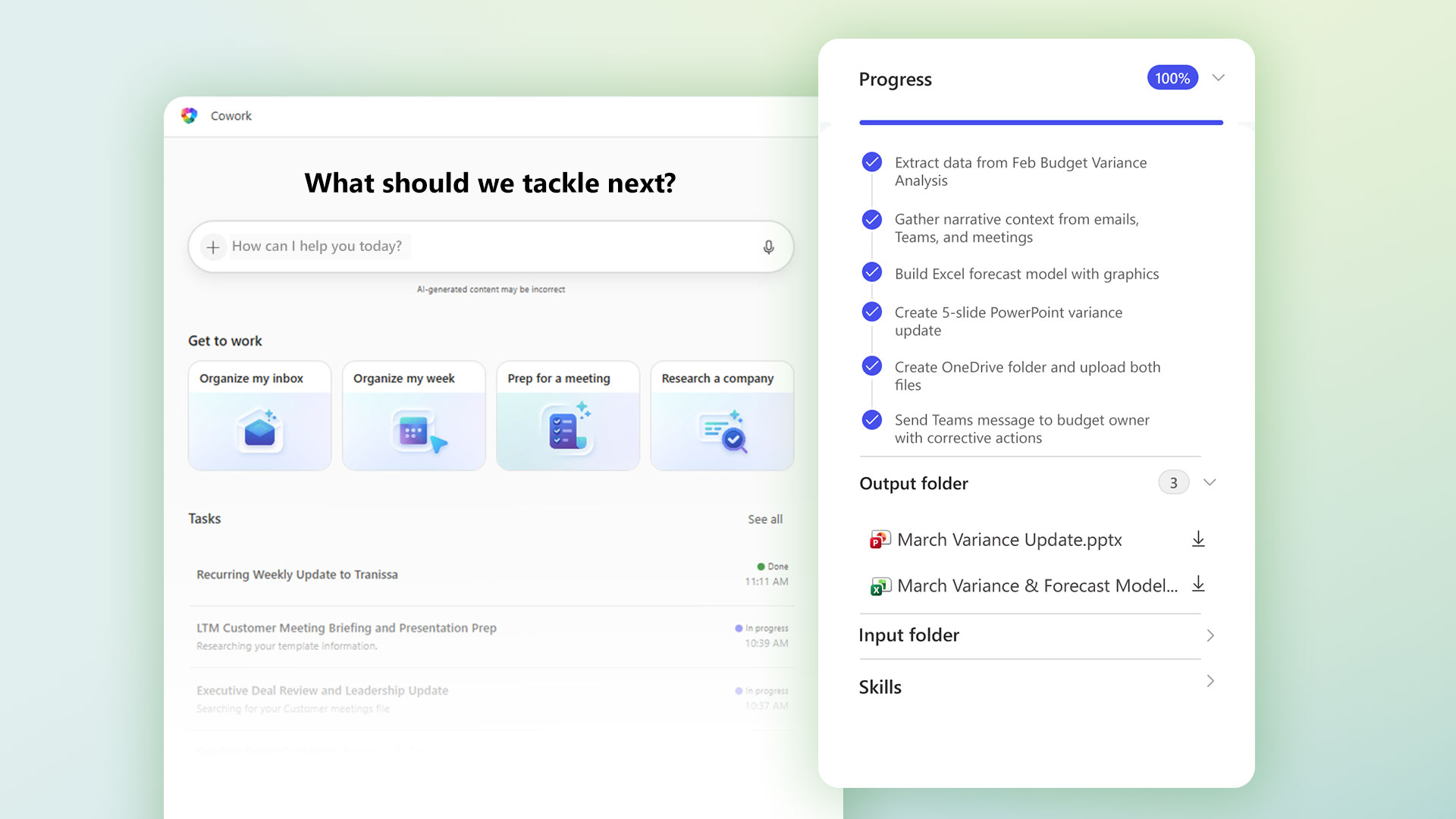
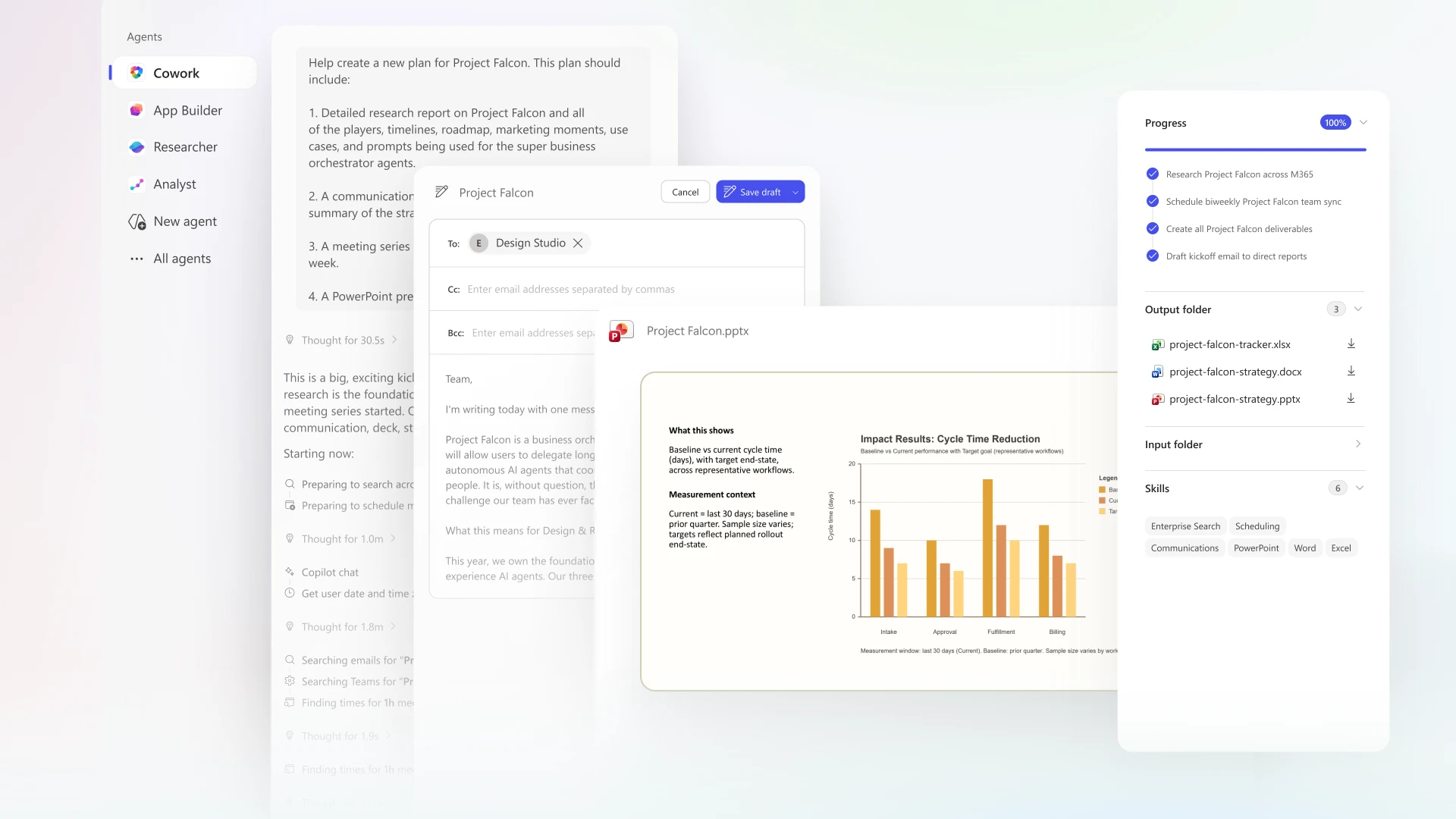
After you send a Copilot Cowork command, it will begin breaking down the task into clear steps and managing them one by one. You can view real-time progress through a sidebar that clearly displays all the work being done. This transparency allows you to be aware of what is happening at all times, instead of just waiting for the final result.
While the system is running, you can still add new commands, redirect, or add additional tasks without starting over, making the user experience feel more like collaborating with teammates than using traditional tools.
For critical actions, such as sending emails, posting messages in Microsoft Teams, or scheduling appointments, Copilot Cowork adds an extra layer of control. It temporarily pauses the action, displays a risk indicator, and requests your approval before proceeding to ensure that no information is sent or disclosed without your consent.
Step 5: Verify and implement the results
When a task is complete, Copilot Cowork will generate the result in a variety of formats as requested. This could be an email (both draft and ready to send), a Word document, an Excel file, a PowerPoint slide, a PDF file, a Teams message, or even a calendar update. All results are created within the work context, making them ready for immediate use.
You can review the results directly within Copilot, download the file, or launch it in the relevant Microsoft 365 app for further editing. If the results aren't satisfactory, you can request Copilot to improve, expand, or correct them immediately. This approach helps you achieve the desired results while maintaining speed and efficiency in your work.
Best Approach to Using Copilot Cowork
- Focus on the results of the work, rather than issuing instructions one by one
- Provide context and attach files when possible
- Let the coworker work its entire process from start to finish, and then make adjustments afterward
- Used for multi-stage tasks such as research → document creation → sending emails → preparing for meetings
Copilot Cowork is designed to handle actual tasks within Microsoft 365, not just creating text
Summary
The workplace is entering a new era where AI is no longer just an assistant, but a true part of the work itself. With its ability to understand context, execute workflows, and collaborate with users at multiple stages, Copilot Cowork offers a more efficient and intelligent way of working.
Organizations that adapt and adopt this approach will benefit from faster workflows, improved collaboration, and the ability to focus more on high-value work. As AI continues to evolve, collaborating with intelligent systems will become the new standard of work life in the modern era.