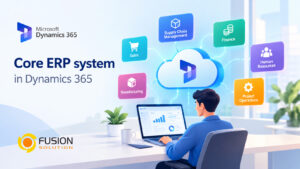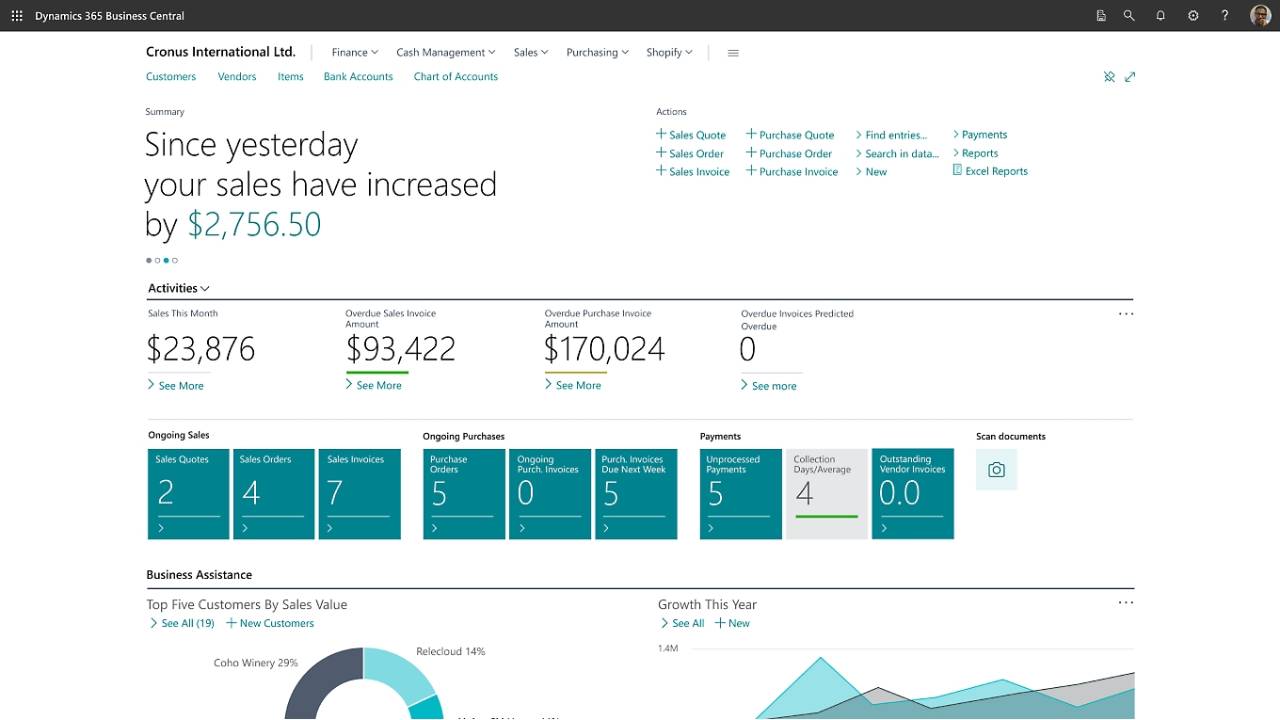
In today’s competitive business environment, organizations need integrated systems to manage operations efficiently. Dynamics 365 Business Central is Microsoft’s all-in-one ERP solution designed specifically for small to medium-sized businesses (SMBs) to streamline processes, improve visibility, and support growth.
This guide covers everything you need to know—from core modules and features to pricing and implementation.
What is Dynamics 365 Business Central?
Dynamics 365 Business Central is a cloud-based ERP solution from Microsoft that connects finance, sales, service, and operations into a single platform.
It enables businesses to:
- Manage financials in real time
- Automate workflows
- Improve operational efficiency
- Gain insights through built-in analytics
What are the 6 Main Modules of Business Central?
Business Central is structured around 6 core modules:
Module | Details |
Financial Management | Accounting, budgeting, and financial reporting |
Sales & Customer Management | CRM (Customer Relationship Management) for sales tracking and invoicing |
Purchasing & Vendor Management | Supplier management and purchasing |
Inventory Management | Control stock and manage warehouse operations |
Project Management | Project cost calculation and resource planning |
Supply Chain Management | Integrated logistics and process management |
These modules work together to create a centralized business management system.
New features in Dynamics 365 Business Central
Microsoft is continuously developing Business Central with new capabilities.
Key Recent Enhancements
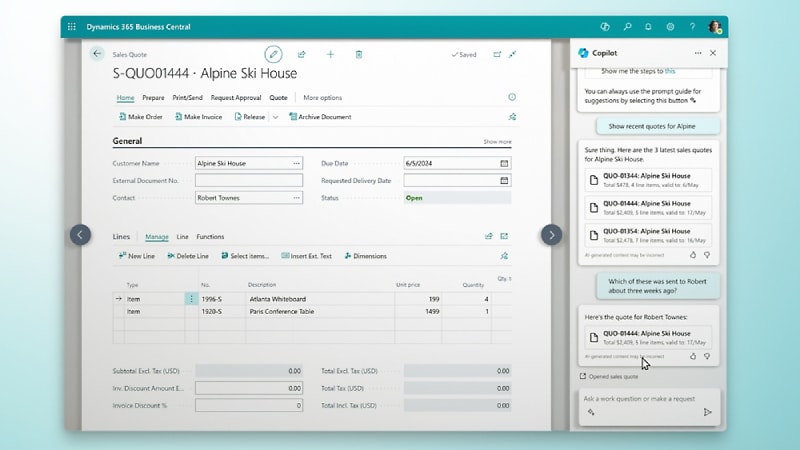
- AI-Powered Insights
Integration with Copilot for smarter decision-making - Improved Reporting & Analytics
Real-time dashboards and Power BI integration - Automation & Workflow
Reduce manual processes with automated approvals - Cloud Accessibility
Access from anywhere with secure cloud infrastructure - Integration กับ Microsoft Ecosystem
Seamless connection with Microsoft 365, Teams, and Power Platform
These updates make Business Central more intelligent, connected, and scalable.
Comparing Dynamics 365 Business Central with Dynamics 365 Finance & Operations
Understanding the differences between these two systems is important.
Feature | Business Central | Finance & Operations |
Target business size | SMBs | Large organizations |
Complexity | moderate | High |
Installation | Cloud-first | Cloud and Hybrid |
expenses | Lower | Higher |
Customization | Resilient | Advanced coverage |
Key conclusion
- Choose Business Central if you want a system that is easy to use and quick to set up.
- Choose Finance & Operations for large, highly complex organizations.
Implementing a Practical System
Steps for Successful Implementation
- Assess Business Needs
Identify processes to improve - Choose the Right Partner
Work with certified Microsoft partners - Data Migration
Move existing data into the system - Customization & Integration
Tailor workflows and connect tools - User Training
To enable the team to use the system efficiently - Go Live & Optimize
Monitor performance and refine processes
A well-planned implementation ensures maximum ROI.
Who is Dynamics 365 Business Central Suitable For?
Business Central is ideal for:
- Small to medium-sized businesses (SMBs)
- Companies transitioning from manual or legacy systems
- Organizations needing integrated finance and operations
- Businesses planning to scale efficiently
Industries That Benefit Most
- Retail
- Manufacturing
- Professional services
- Distribution
Dynamics 365 Business Central Pricing and Cost
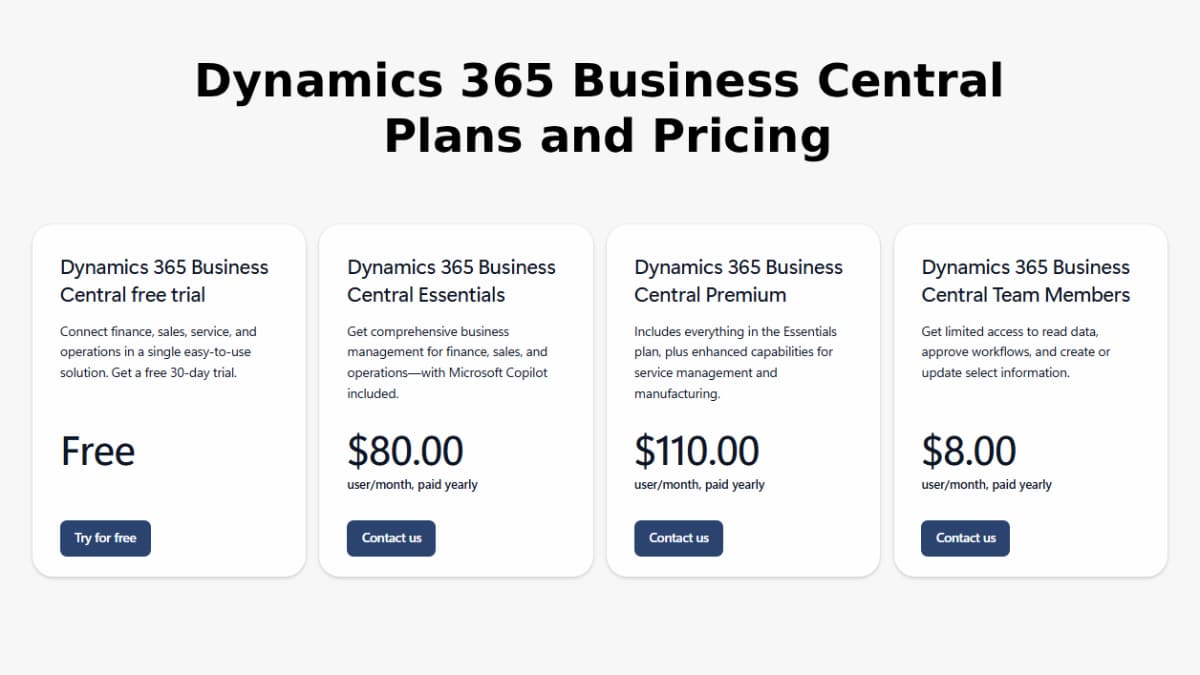
According to the official Microsoft pricing page, Business Central follows a subscription-based model per user/month.
Pricing Plans
Plan | Features | Price (Approx.) |
Free Trial | Full access for 30 days | Free |
Essentials | Core ERP features (finance, sales, operations) | ~$70–$80/user/month |
Premium | Includes manufacturing & service management | ~$100–$110/user/month |
Team Members | Limited access (read, approve, basic updates) | ~$8/user/month |
Note:
- Prices are billed annually
- Actual costs vary by region and partner agreements
What’s Included in Pricing?
- Core ERP functionality
- Cloud hosting
- Integration capabilities
- Microsoft Copilot (AI features)
Additional Cost Factors
Beyond subscription fees, businesses should consider:
- Implementation and consulting services
- Customization and integrations
- Data migration
- User Training
- Add-ons and Third-party apps
In many cases, implementation costs can exceed licensing costs initially, depending on complexity.
Summary
Dynamics 365 Business Central is a powerful yet accessible ERP solution that helps businesses unify operations, improve efficiency, and scale with confidence. With its cloud-first approach, deep integration with Microsoft tools, and continuous innovation, it provides everything modern businesses need to succeed.
For organizations looking to move beyond disconnected systems and manual processes, Dynamics 365 Business Central is a strategic investment in long-term growth and digital transformation.