Veeam Data Cloud for Microsoft 365 is a SaaS-based Backup as a Service (BaaS) that helps back up and restore Microsoft 365 data, such as:
- Exchange Online
- SharePoint Online
- OneDrive for Business
- Microsoft Teams
- And it supports Entra ID (formerly Azure AD) in some packages. [helpcenter.veeam.com], [veeam.com]
The main selling points are: Preventing accidental deletion, Ransomware. Mistakes caused by people and unforeseen events. ready Granular restore quickly
Veeam offers several plans based on user needs:
- Express
- Advanced
- Premium
(Some older documents used names like Flex / Foundation / Advanced, etc., but the concept is a gradual progression from "complete basics" → "enhanced Security/Identity" → "very fast + large scale + enterprise-level DR.") [helpcenter.veeam.com], [https://he…plans.html], [schneider.im], [article.uptech.today]
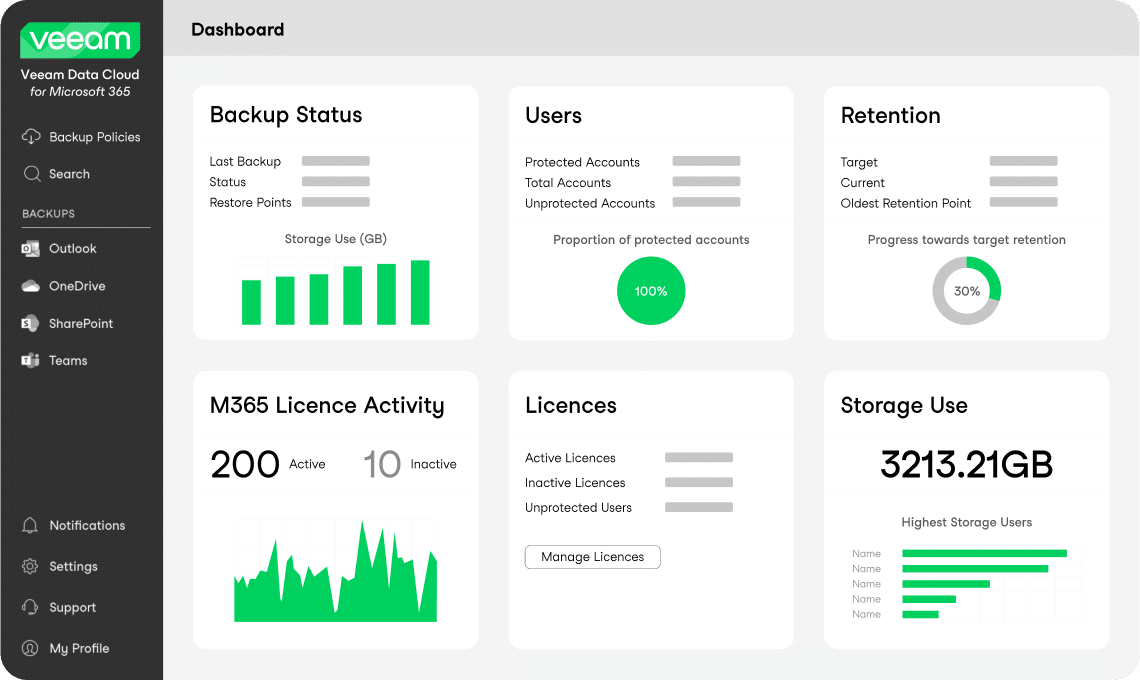
1) Veeam Data Cloud for Microsoft 365 Express
Focus: Microsoft 365 SaaS backup solution that's easy to use and affordable, ideal for customers who want to start implementing proper and standardized backups.
Key features (concept)
Generally, Express provides these core capabilities:
- Backup & Restore for:
- Exchange Online
- SharePoint Online
- OneDrive for Business
- Microsoft Teams [helpcenter.veeam.com], [marketplac…rosoft.com]
- It's a complete SaaS service, so you don't need to invest in your own hardware/storage.
- Granular recovery: at the level of email, files, sites, Teams channels, etc.
- Suitable for customers who want:
- Initial Compliance (Collecting data according to policy)
- Initial Compliance (Collecting data according to policy)
In terms of positioning: It's viewed as an "entry plan that offers comprehensive coverage for most corporate clients."
Key value For Express
- Reduce the risk of data loss from accidental deletion, ransomware, and user error.
- No need to buy additional hardware/storage – pay per user, annually, like SaaS.
- Easy to get started, ideal for companies that are just beginning to "get serious about Data Protection on M365".
2) Veeam Data Cloud for Microsoft 365 Advanced
Focus: Add a story. Security & Identity Resilience Especially protecting Entra ID (Azure AD) And it allows organizations to have more granular control over usage rights.
Veeam's documentation states that Advanced will combine the capabilities of the Basic plan and add... Entra ID protection + granular RBAC come in [https://he…plans.html], [schneider.im]
Key features (over Express)
Everything available in Express and more:
- Entra ID (Azure AD) Protection:
- ปกป้อง Users, Groups, Policies, Logs
- Supports granular Entra ID recovery (e.g., restoring specific user accounts, groups, and policies). [https://he…plans.html], [veeam.com]
- Advanced Security / RBAC:
- Granular Role-Based Access Control – Defines who can see/recover which data. [https://he…plans.html]
- Suitable for organizations that Identity & Security Risks High such as:
- Bank / Insurance
- Healthcare
- Enterprises with strict IT governance.
Key value of Advanced
- increase Identity Resilience – It doesn't just protect files/emails, but also user accounts and permission structures.
- Reduce downtime resulting from security incidents involving Entra ID.
- Responding to the needs of organizations that have Compliance, Audit, Internal Control intense
3) Veeam Data Cloud for Microsoft 365 Premium
Focus: “Everything + Speed at Scale”
It combines the capabilities of Advanced and adds... Express backup policies highlighted Speed and Restore large quantity By using Microsoft 365 Backup Storage. [helpcenter.veeam.com], [marketplac…rosoft.com]
Veeam's documentation states that:
- Premium = Advanced capabilities บวก Fast backup/restore speeds for large volumes (via Microsoft 365 Backup Storage). [helpcenter.veeam.com], [marketplac…rosoft.com], [virtualiza…review.com]
Key Features (Above Advanced)
- Everything in Advanced (including Entra ID + RBAC)
- increase:
- Express backup policies - A backup policy focused on "speed & scale".
- Fast backup for large tenants and massive datasets, such as multi-geo and multi-site environments. [helpcenter.veeam.com], [veeam.com], [virtualiza…review.com]
- Bulk restore at scale – Allows for rapid restoration of large quantities of data (e.g., entire mailbox, site collection, or entire team/channel). [helpcenter.veeam.com], [marketplac…rosoft.com]
- Designed for Large organization / M365 tenant Tens of thousands to hundreds of thousands of users Looking for a short RTO/RPO ratio.
Key value Premium items
- emphasize “Speed to Recover” The selling point is, "You don't have to choose between paying the ransom and wasting weeks trying to recover." [virtualiza…review.com]
- Answer the question Organizations at M365 It is a mission-critical system. (For example, Sales, Operations, Plant, and Call Center are all integrated with Teams/SharePoint/OneDrive.)
- Suitable for customers with stringent RPO/RTO requirements in accordance with ISO and NIST standards.
Sales comparison summary (simplified for use with customers)
- Express
- Customer Focus: Typical organizations that "want a secure and cost-effective M365 backup system."
- Message: "Start backing up your M365 correctly, easily, and cost-effectively."
- Advanced
- Customer Focus: Organizations that prioritize Security / Identity / Compliance.
- Message: "It protects not only data, but also your identity (Entra ID) and provides granular control over recovery permissions."
- Premium
- Customer Focus: Enterprise / Large Organizations requiring such services. DR level speed
- Message: "When a one-hour disruption equals a huge amount of money – you need a backup that is both fast and can support enterprise-wide recovery."