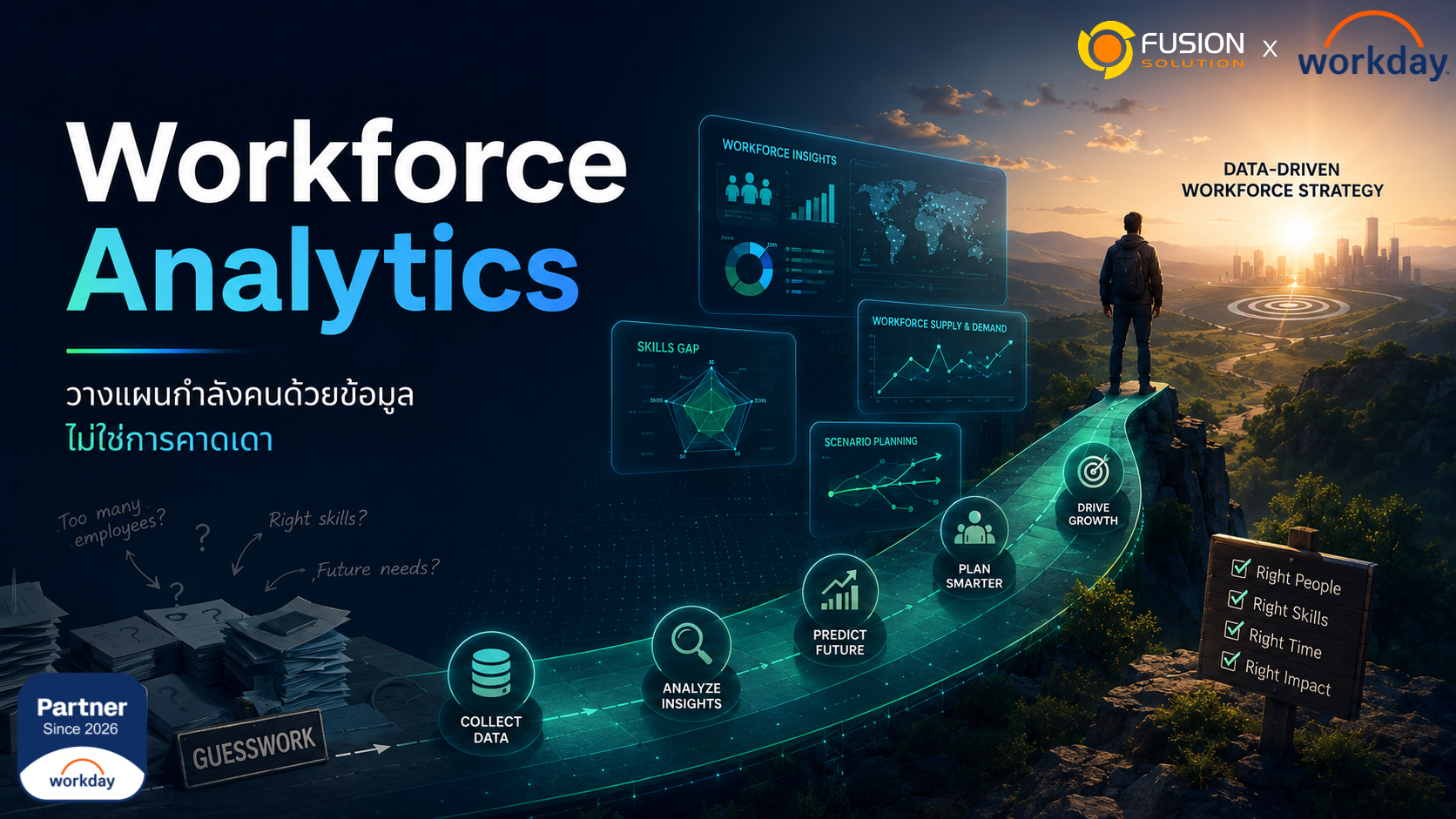
Many organizations still plan their workforce using multiple Excel files, data from various departments, and forecasts based on managerial or HR experience, rather than using systematically linked data.
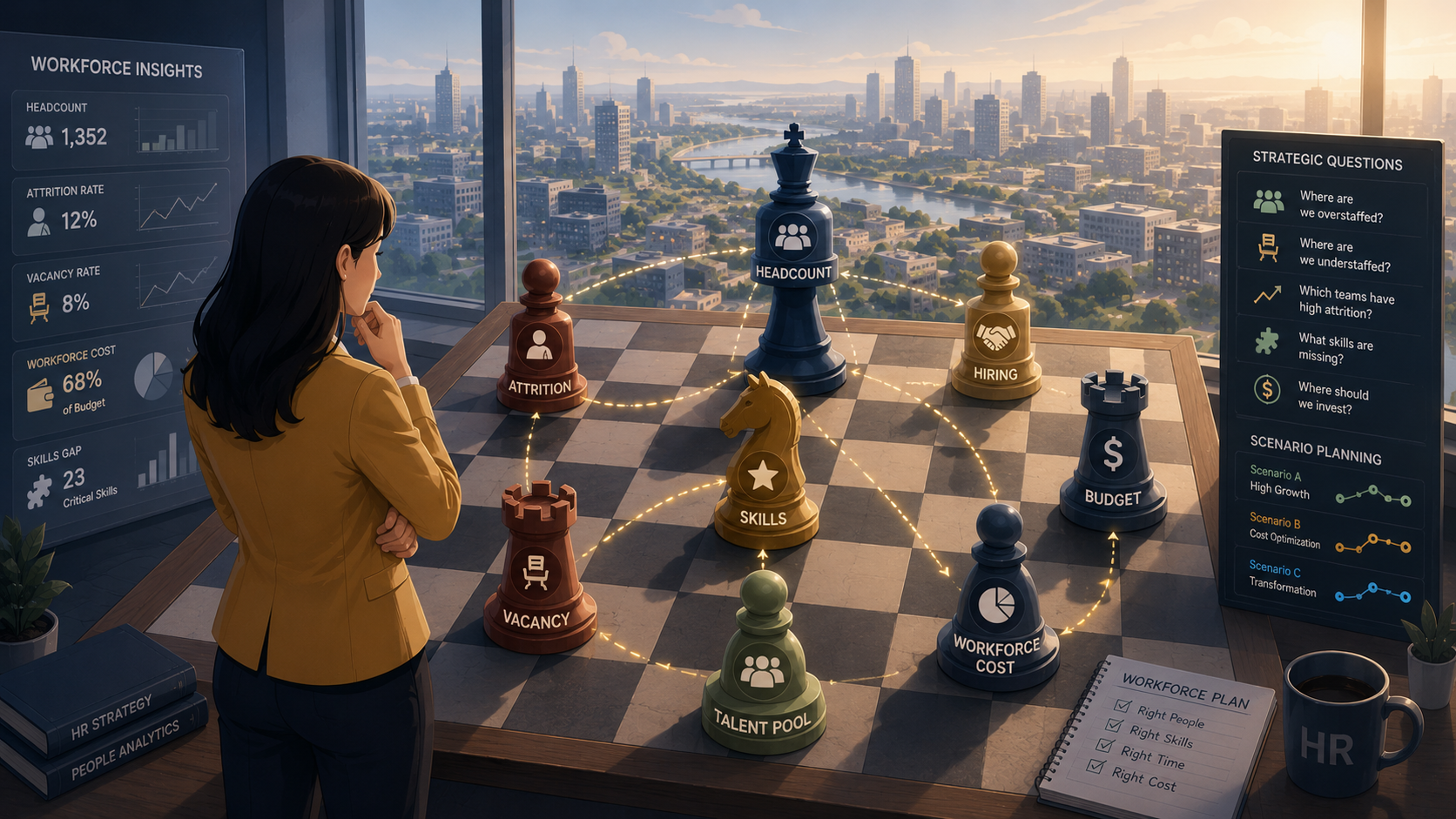
As businesses change more rapidly, executives need more than just the number of employees; they need to know if the organization has enough people, which teams are short-staffed, which positions have high vacancy rates, and whether future hiring aligns with the budget.
If data on Headcount, Hiring, Attrition, Skills, and Workforce Cost are scattered, an organization may make workforce decisions based on incomplete information. This can result in a Hiring Plan that is outdated, budget discrepancies, or an inability to respond to employee turnover in a timely manner.
Workforce Analytics helps transform workforce planning from guesswork to data-driven decision-making, providing organizations with a clearer picture of their workforce and enabling more systematic planning of Headcount, Attrition, Skills, and Workforce Cost.
What is Workforce Analytics?
Workforce analytics is the use of workforce data to analyze trends, problems, and opportunities related to employees in order to support HR and management decision-making.
- Headcount
- Hiring
- Attrition
- Turnover
- Vacancy
- Workforce Cost
- Performance
- Skills
- Internal Mobility
- Organization Structure
The goal of Workforce Analytics is not just to generate employee count reports, but to transform workforce data into insights that help answer business questions, such as:
- Does the organization have enough people to support its business plan?
- Which team is short on manpower?
- Which position has a high vacancy rate?
- In which team or group did attrition occur?
- Is the workforce cost aligned with the budget?
- Where should we hire more first?
- What skills represent a significant gap within organizations?
When HR effectively utilizes Workforce Analytics, its role extends beyond simply reporting historical data. It can help management identify trends, risks, and opportunities for better workforce planning.
How does Workforce Analytics differ from Workforce Planning?
Issue | Workforce Analytics | Workforce Planning |
Focus | Analyze workforce data. | Planning for the future workforce. |
Main question | What is happening to the workforce now? | How many people, what skills will be needed in the future, and what are the costs? |
Information used | Headcount, Attrition, Hiring, Skills, Cost | Business Plan, Budget, Hiring Plan, Scenario |
Result | Insight, Dashboard, Trend | Workforce Plan, Forecast, Scenario |
User | HR, People Analytics, Business Leaders | HR, Finance, Operations, Executives |
Workforce Analytics analyzes real-world data to understand situations and trends, while Workforce Planning uses that data to plan for the future workforce.
Simply put, Workforce Analytics helps organizations know "what's happening now," while Workforce Planning helps organizations answer the question, "How should we plan our workforce going forward?"
Both should work together. If an organization has analytics but no planning, the data may end up on the dashboard without any action. But if there is planning without analytics, the workforce plan may still be based more on guesswork than actual data.
Why is workforce planning using Excel insufficient?
1. There is a mismatch between the headcount of HR and Finance.
When HR and Finance use different sets of data, discrepancies can occur between the actual number of employees, the number of approved positions, and the allocated budget. As a result, management may be unsure which figures are accurate, and decisions regarding hiring, demotion, or budget adjustments may be delayed.
2. Real-time vacancy information is not visible.
Vacancies can directly impact team performance, but if vacancies aren't linked to the hiring plan or workforce plan, management might notice the problem too late. For example, the sales team might have many vacancies, but the business plan still targets the same growth.
3. Attrition: Analysis is too slow.
Many organizations only realize that attrition problems arise several months after employees have left, making solutions slow. If organizations identify the attrition pattern earlier, HR will have a better chance to plan retention strategies or address the root cause of the problem.
4. Workforce Cost is not linked to Budget.
Hiring more people, restructuring teams, or having vacancies all impact workforce costs. If workforce data is not aligned with the budget, an organization may be unable to plan its workforce accurately.
5. The Hiring Plan does not align with the Business Plan.
Businesses may need to expand their teams, open new branches, or increase capacity, but if their hiring plan isn't aligned with business goals, recruitment may not keep up with actual needs. Workforce Analytics helps HR identify which positions should be prioritized for hiring.
6. Lack of Scenario Planning
Organizations may find it difficult to answer crucial questions, such as how increased attrition, delayed hiring, or budget cuts will impact headcount and workforce costs, without data and scenario planning. Without this, organizations may only be able to plan for a single scenario.
What metrics should Workforce Analytics be looking at?
Organizations don't need to start with a very complex dashboard, but rather with metrics relevant to actual decision-making.
- Total Headcount
- Headcount by Department
- Open Positions
- Vacancy Rate
- Hiring Progress
- Attrition Rate
- Workforce Cost
- Skills Gap
- Internal Mobility
- Performance Distribution
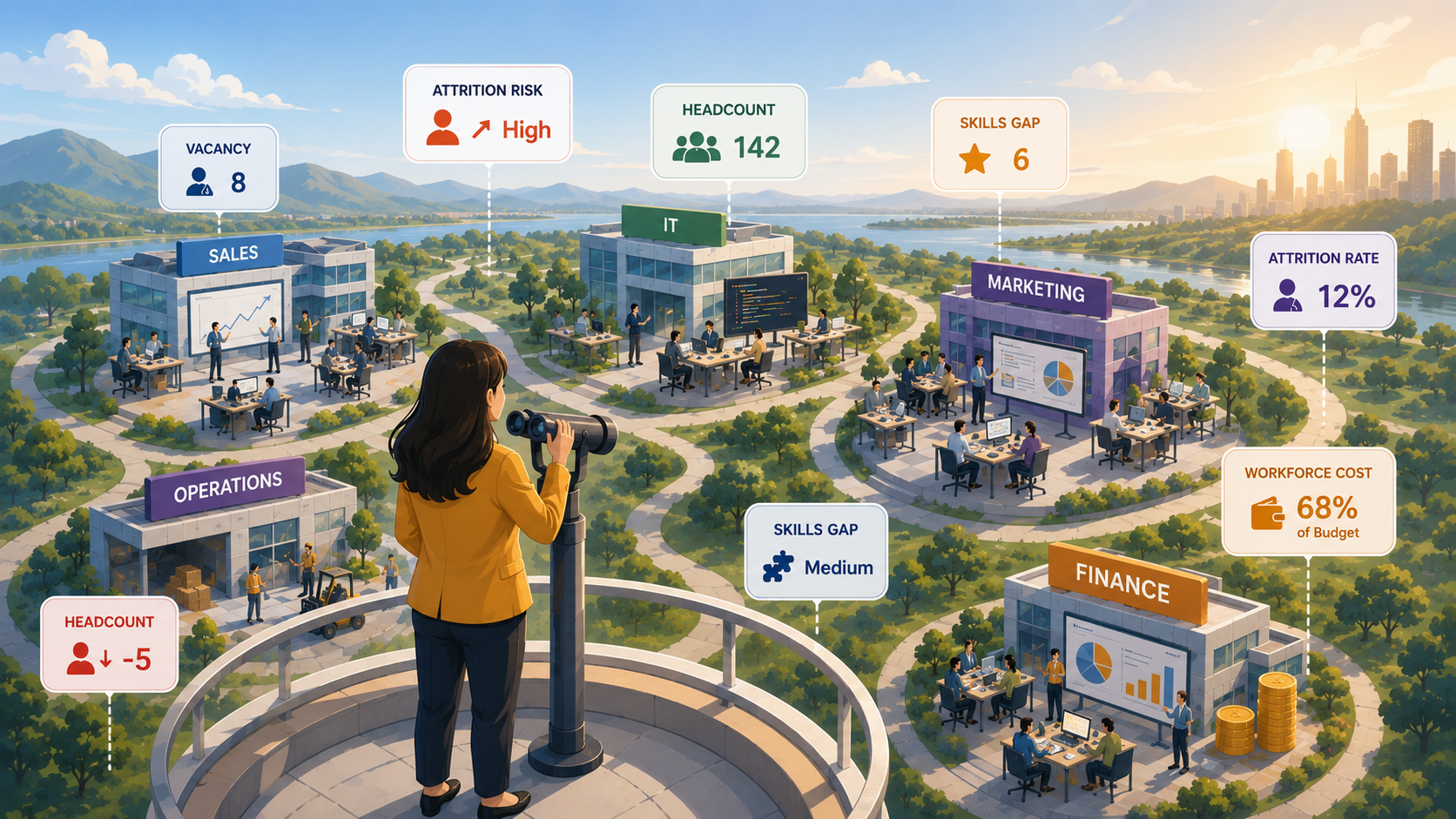
These metrics help organizations see both the current state and trends that should be tracked. However, it is important that the metrics are not just numbers for reporting, but should be linked to business questions, such as whether the headcount is sufficient for the business plan, which teams are most affected by vacancy, in which groups attrition is occurring, whether workforce cost is still within budget, and which skill gaps should be addressed first.
When metrics are linked to real decision-making, Workforce Analytics becomes a strategic tool, not just an HR report.
What is Workforce Planning?
Workforce planning is the process of planning how many people a business needs, what skills they need, which teams they should be in, during what period, and at what cost, in order to align with business goals.
- Does the organization currently have enough staff?
- How many additional positions do we need to hire?
- Which team has the capacity? not enough
- Which position has a high vacancy rate?
- What skills are the major gaps?
- Is the Headcount Plan aligned with the budget?
- If the business plan changes, how should the Workforce Plan be adjusted?
For example, if an organization wants to expand its sales team next year, Workforce Planning should help determine how many additional positions are needed, how long the recruitment process will take, how much it will cost, and whether other support teams such as HR, Finance, or Operations also need to prepare additional manpower.
Or, if an organization finds that attrition in certain positions is higher than normal, Workforce Planning should help visualize the impact on headcount, hiring plan, and replacement costs.
What should Workforce Analytics be connected to?
Core HCM
Core HCM is the primary source of employee data, such as position, department, manager, location, employment status, and organization structure. If this baseline data is inaccurate, Workforce Analytics may provide inaccurate insights.
Talent Acquisition
The Hiring Plan should be linked to the Workforce Plan so that the organization can see if the positions they want to hire, the recruitment status, and the expected start date align with the Business Plan.
Performance Management
Performance data helps organizations see the quality of their workforce, not just the number of people. Teams with sufficient headcount may still have problems if their performance doesn't align with goals.
Learning Management
Skills and learning data helps organizations identify skill gaps and plan upskilling or reskilling programs to meet future needs. If an organization wants to reduce external hiring, internal skill development will be a key part of workforce planning.
Compensation Management
Compensation data and workforce costs help to clearly link workforce planning with budgets and personnel costs. When the Headcount Plan is linked with Compensation and Budget, organizations can plan their workforce more realistically.
How can AI help Workforce Analytics?
AI can help HR and management see trends, risks, and opportunities from workforce data faster, especially when the data is multidimensional, such as headcount, attrition, hiring, skills, and cost.
- Help me find a pattern from the workforce data.
- Please summarize the insights from the Workforce Dashboard.
- Please identify the attrition trend.
- Please prioritize the issues that need to be investigated.
- Helps create a narrative for executives.
- It helps connect data from multiple dimensions to support decision-making.
However, AI should be used to support analysis, not to make decisions on behalf of HR or management, because human data must always take into account governance, privacy, data quality, and the organizational context.
How to get started from Excel to Data-Driven Workforce Planning
- Match the Headcount data.
Start by ensuring that HR and Finance use the same Headcount data, such as the actual number of employees, vacancies, and approved positions. - Synchronize data with Core HCM.
Verify that the position information, including Manager, Location, and Employment Status, is accurate and up-to-date. - Define key workforce metrics.
Select metrics relevant to the actual decision-making process, such as Headcount, Attrition, Vacancy, Hiring Progress, and Workforce Cost. - Link HR with Finance.
A workforce plan should be linked to a budget and financial plan because hiring, resignations, and team restructuring all impact costs. - Continuously analyze attrition and vacancy.
It's important to identify which teams have high attrition rates, which positions have long-standing vacancies, or which departments are at risk of a capacity gap. - Perform Scenario Planning.
Organizations should simulate scenarios, such as how hiring would be delayed, attrition would increase, or budgets would be reduced, and how this would impact headcount and workforce costs. - Link the Hiring Plan with the Business Plan.
Creating new positions should be linked to business goals, not just be a separate item from the organizational plan. - Create a dashboard for executives.
Dashboards should help executives see the data they need to make decisions, such as headcount, vacancy, attrition, hiring progress, and workforce cost.
Good Workforce Analytics isn't just about having a pretty dashboard.
A good dashboard isn't just about having lots of graphs; it must help the organization answer important questions, such as:
- Do we have enough people right now?
- Which team is short on players?
- Which position has been vacant for an unusually long time?
- Where does attrition occur?
- Is the workforce cost still within budget?
- Does the Hiring Plan support the Business Plan?
- Which skill gap should be addressed first?
Good workforce analytics should connect insights with action, not just end with reporting numbers. If a dashboard displays beautiful data but no one uses it to make decisions or adjust workforce plans, that data won't generate business results.
Summary
Workforce Analytics uses workforce data to analyze headcount, hiring, attrition, skills, performance, and workforce cost to support HR and business decision-making.
Planning workforce resources using Excel or scattered data can give organizations a lack of a true overall picture and lead to workforce decisions based on outdated information.
When Workforce Analytics is integrated with Workforce Planning, organizations can plan headcount, hiring, skills, and workforce costs more accurately, reducing guesswork and enabling HR to play a more strategic role.
For organizations that want HR to function as a strategic business partner, shifting from predictive to data-driven workforce planning is a crucial step in digital HR transformation.