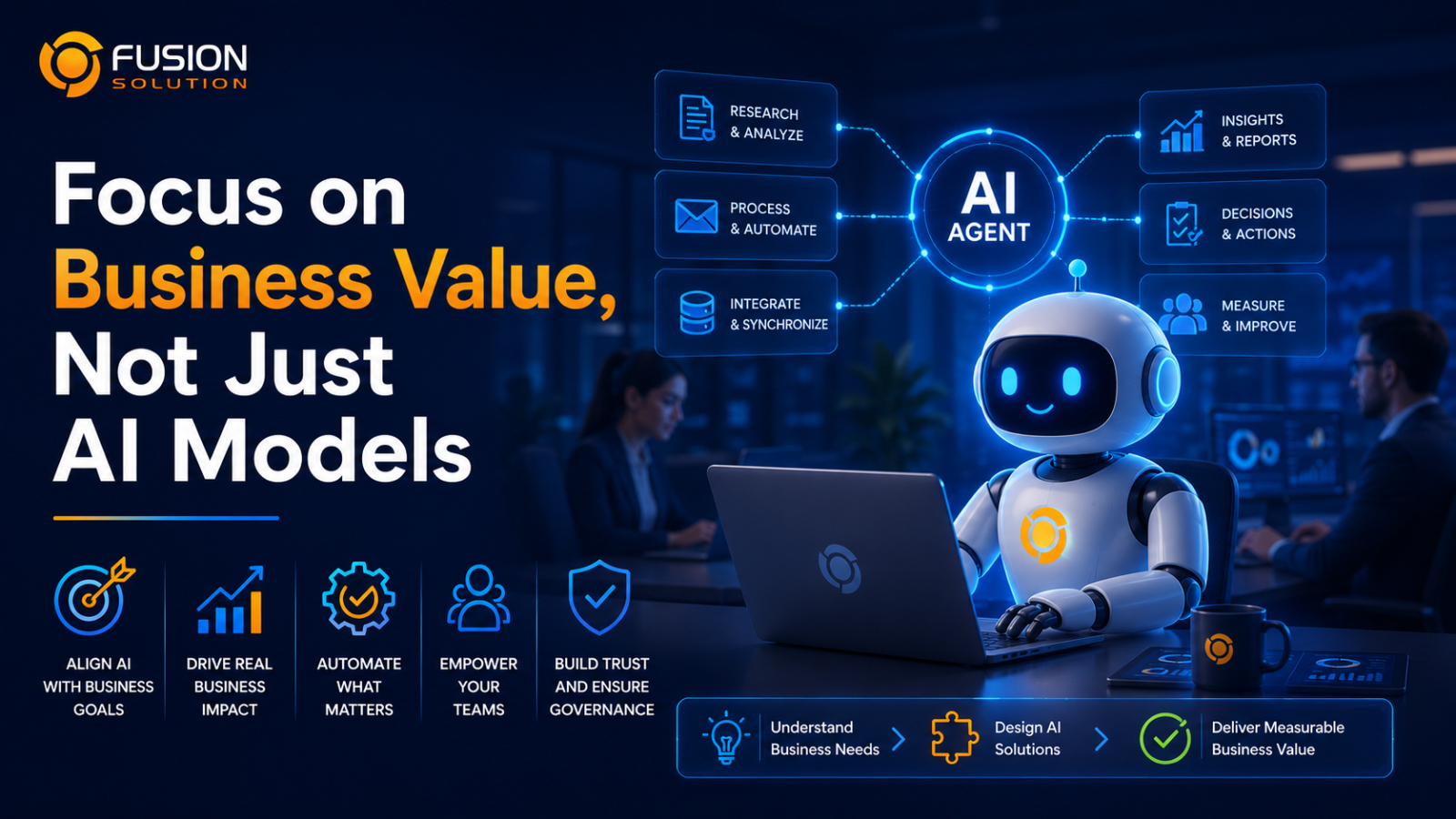
Currently, Artificial Intelligence (AI) is rapidly transforming how organizations work. Many organizations are investing in enterprise-level AI agents to improve efficiency, reduce repetitive tasks, and support employee productivity. However, despite the widespread interest in AI, a significant number of enterprise-level AI projects fail to deliver the expected business value.
A key reason is that organizations often spend too much time choosing which AI model to use, but too little time designing how AI agents will work with the business.
An effective AI agent for organizations is not just an agent who answers questions best, but one that understands the business context, connects with internal systems, adheres to policies, and can collaborate with personnel to achieve real results.
Why do many AI Agent projects fail?
A common mistake is starting with the technology instead of the business problem.
Many projects often begin with the question:
"Should we use Copilot, GPT, Gemini, Claude, or another AI model?"
A better question is:
"What business problem should this AI Agent solve?"
Without a clear objective, an AI Agent often becomes nothing more than a chatbot that answers questions but cannot improve business processes or generate measurable results.
The goal should always be to design an AI Agent that supports real workflows, not simply conversations.
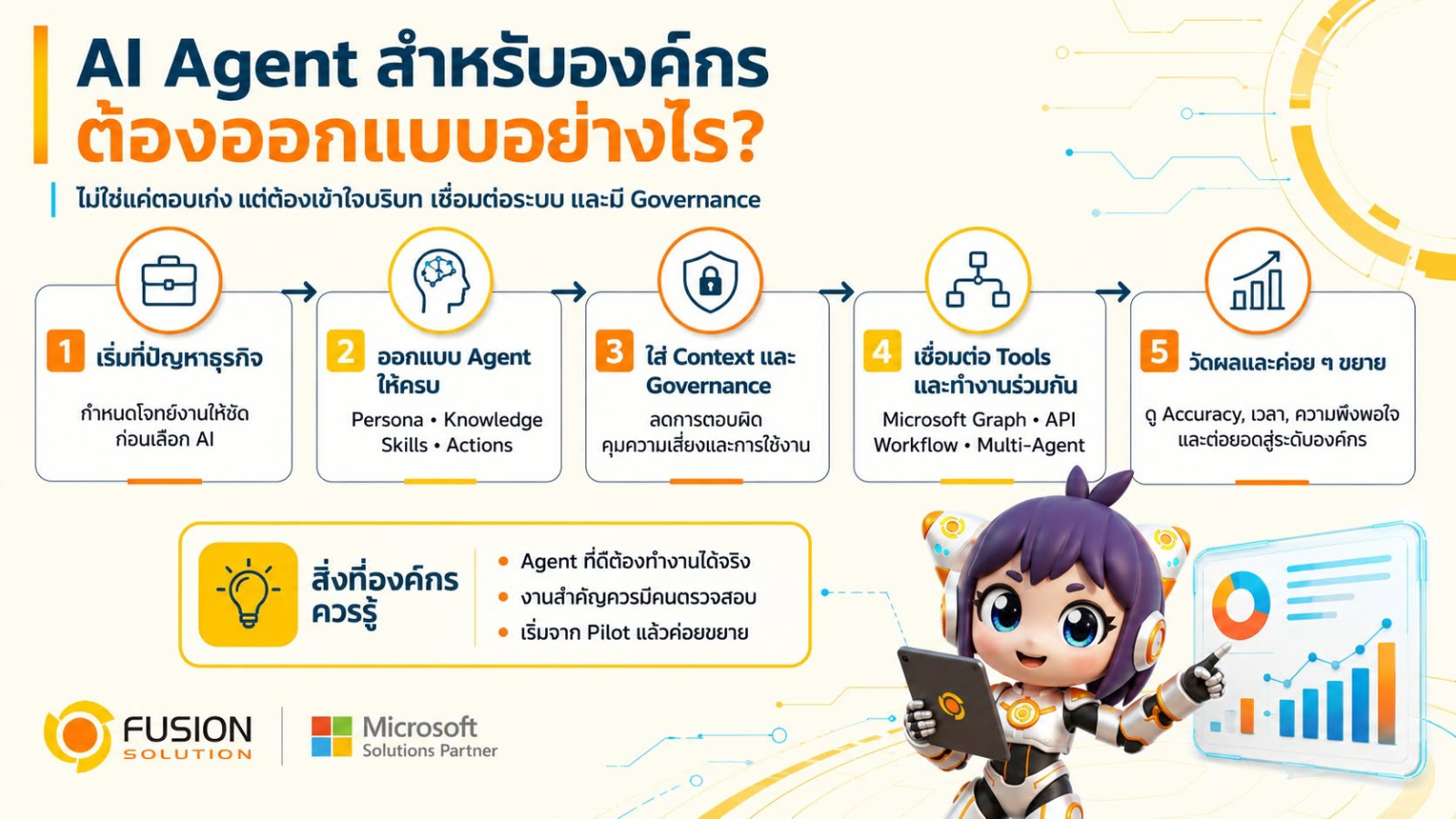
The Building Blocks of an AI Agent for Enterprise
A reliable enterprise AI Agent requires much more than a powerful language model. It should be designed around several core components that enable it to work effectively within the organization.
Persona
Every AI Agent should have a clearly defined role. Whether it acts as an HR assistant, IT support specialist, finance advisor, or customer service representative, its communication style and responsibilities should match its purpose.
Knowledge
Knowledge represents the information an AI Agent can access, such as company policies, SharePoint documents, internal knowledge bases, standard operating procedures, or business databases.
The quality of an agent's answers depends heavily on the quality of the information available to it.
Skills
Skills determine how the AI Agent analyzes information, reasons through problems, and assists users in making decisions.
These capabilities allow the agent to summarize documents, analyze data, recommend actions, or answer complex questions.
Actions
Actions define what the AI Agent can actually do after understanding a request.
For example, an AI Agent may:
- Create support tickets
- Update CRM records
- Retrieve ERP information
- Start Power Automate workflows
- Send email
- Connect with external APIs
Many organizations confuse Knowledge and Actions but they serve different purposes.
Knowledge is the information an agent uses to answer questions.
Actions are the tasks an agent performs after understanding the request.
Why Context Matters More Than the AI Model
Many believe that a better AI model will always produce a better AI agent, but in reality, Context often has a greater impact on the quality of an AI agent.
For example, if an employee asks:
"Where is my purchase order?"
An AI model alone cannot answer this question.
However, effective AI agents for organizations can extract data from ERP systems, understand user roles, reference previous conversations, utilize organizational business rules, and respond with accurate and relevant information for each individual user.
The intelligence of AI, therefore, does not come from the model alone, but also from the context surrounding the question.
Governance is the key to Enterprise AI
As AI agents begin to access various internal organizational systems such as Microsoft Graph, SQL Database, ERP, or Business APIs, governance becomes critically important.
The organization should establish clear guidelines on this matter.
- User access rights
- Security and compliance.
- Data Privacy
- Tracking and monitoring usage
- Responsible AI Practices
Without proper governance, even highly capable AI agents can create unnecessary business risks.
Designing governance from the ground up will help ensure that AI is secure, reliable, and compliant with organizational requirements.
Human-in-the-Loop is still important
Even though AI is constantly improving, it should not make all the decisions for humans.
High-impact projects include:
- Financial approval
- Legal contract
- Employee Procedures
- Compliance decisions
It should always be reviewed and approved by a human.
The ideal approach is for AI to gather data, analyze options, and offer recommendations, while humans consider and approve the final outcome.
แนวคิด Human-in-the-Loop concept helps create a balance between automation and responsible decision-making.
The future lies in multi-agent collaboration
Many organizations start with the attempt to create a single AI agent that can do everything.
However, in practice, Multi-Agent architecture is often more efficient.
Each AI agent can specialize in specific functions, such as:
- Human Resources
- Finance
- Legal
- IT Support
- Sales
- Operations
Each agent is responsible for their own area of work and can collaborate with other agents when necessary.
This approach allows the system to be easily scaled, maintained, and access rights and governance tailored to each role.
Measure Business Value, Not Just Answers
The success of an AI agent should not be measured solely by whether or not it answers questions correctly.
Organizations should evaluate performance using business indicators such as:
- Accuracy of the answer
- Time saved through automation
- User satisfaction
- Business KPI improvements
- Process efficiency
- Error reduction
These measurements provide a clearer picture of the real value AI delivers to the organization.
AI Models Are Important, But They Are Only One Piece
Choosing the right AI model is certainly important, but it is only one part of building a successful enterprise AI solution.
A truly effective AI agent for organizations must integrate AI's reasoning capabilities with business knowledge, system connectivity, contextual understanding, governance, and human oversight.
When all the elements work together, AI will transcend being just an assistant that answers questions and become a Digital Workforce that can truly support the operations of an organization.
Summary
The future of AI in organizations isn't about building chatbots that answer questions smarter, but about designing them. AI Agent for Enterprises Understanding the business context, seamlessly integrating with organizational systems, operating under security principles, and collaborating effectively with personnel.
Organizations that prioritize solving business problems over simply adopting the latest AI models will have the opportunity to fully leverage the value of AI. By viewing AI agents for organizations as a trusted digital workforce rather than merely a question-answering tool, organizations can develop scalable solutions, deliver measurable results, and grow alongside their business in the long term.