Many organizations aim to reduce paper usage, improve document management, and transition toward digital operations. However, one concern often delays this shift: will moving to a paperless environment create an additional workload for employees?
If the process is not designed appropriately, tasks such as scanning documents, organizing digital folders, and entering data into business applications can end up becoming additional responsibilities for employees. Instead of reducing administrative burdens, the transition to digital may simply shift tasks previously performed on paper into a digital format.
Achieving a successful transition to a paperless environment requires more than just storing documents digitally. Organizations need solutions that simplify workflows, automate repetitive tasks, and facilitate easier access to information. By effectively integrating digital forms, document management systems, OCR technology, and workflow automation, an organization can reduce paper usage without increasing the workload for its employees.
Why might the transition to paperless work increase the workload?
Digitizing documents does not automatically lead to greater operational efficiency. If an organization simply converts paper-based workflows into a digital format without improving the underlying processes, employees may end up performing the same tasks in the same way—only the medium has changed.
For example, an employee might need to scan an invoice, rename the file, upload it to a shared folder, enter the details into an accounting program, and send an email to a manager for approval. Even though the document is already in a digital format, most of the manual work required remains the same.
Common issues include redundant data entry, disorganized digital file storage, manual scanning and archiving of documents, and complex approval processes. Furthermore, employees may be required to learn new tools that actually make their daily tasks more cumbersome than before.
The solution is to eliminate unnecessary tasks, rather than simply converting paper documents into digital files.
- Simplify work processes before transitioning to a digital system
Before implementing new technology, it is essential to examine how documents move through various processes within the organization—identifying which documents must be printed, who is responsible for them, where data is recorded, and which stages cause delays.
For example, the procurement approval process might begin with printing a purchase request, having a manager sign it, scanning the approved document, and emailing it to the finance department.
Digital processes can replace these steps with online forms, automated request routing to approvers, and a centralized status-tracking system.
It is best to start with just one or two document-intensive processes, eliminating any unnecessary steps before implementing automation. This approach allows an organization to transition toward digital operations without creating additional administrative burdens.
- Use digital forms instead of scanning every document
One effective way to reduce paper-related work is to prevent documents from becoming paper in the first place.
Organizations can use digital forms for expense reimbursements, leave requests, procurement requests, new employee onboarding, and internal service requests.
Data entered via digital forms can be sent directly to the relevant systems. Mandatory fields help prevent incomplete submissions, while selection menus and data validation rules reduce inconsistencies in the entered information.
For example, employees can submit expense reimbursement requests through an online system without needing to print out forms or scan signed documents; the system can then route the information directly to the manager responsible for approval.
Forms should be designed for ease of use, collecting only the information necessary for operations. The goal is to make digital processes more convenient than using paper-based documentation.
- Use OCR to automate document reading and data entry
Some types of documents cannot be made entirely paperless because they originate from external sources—for example, invoices sent by suppliers, forms scanned and submitted by customers, or business partners who still rely on paper-based workflows.
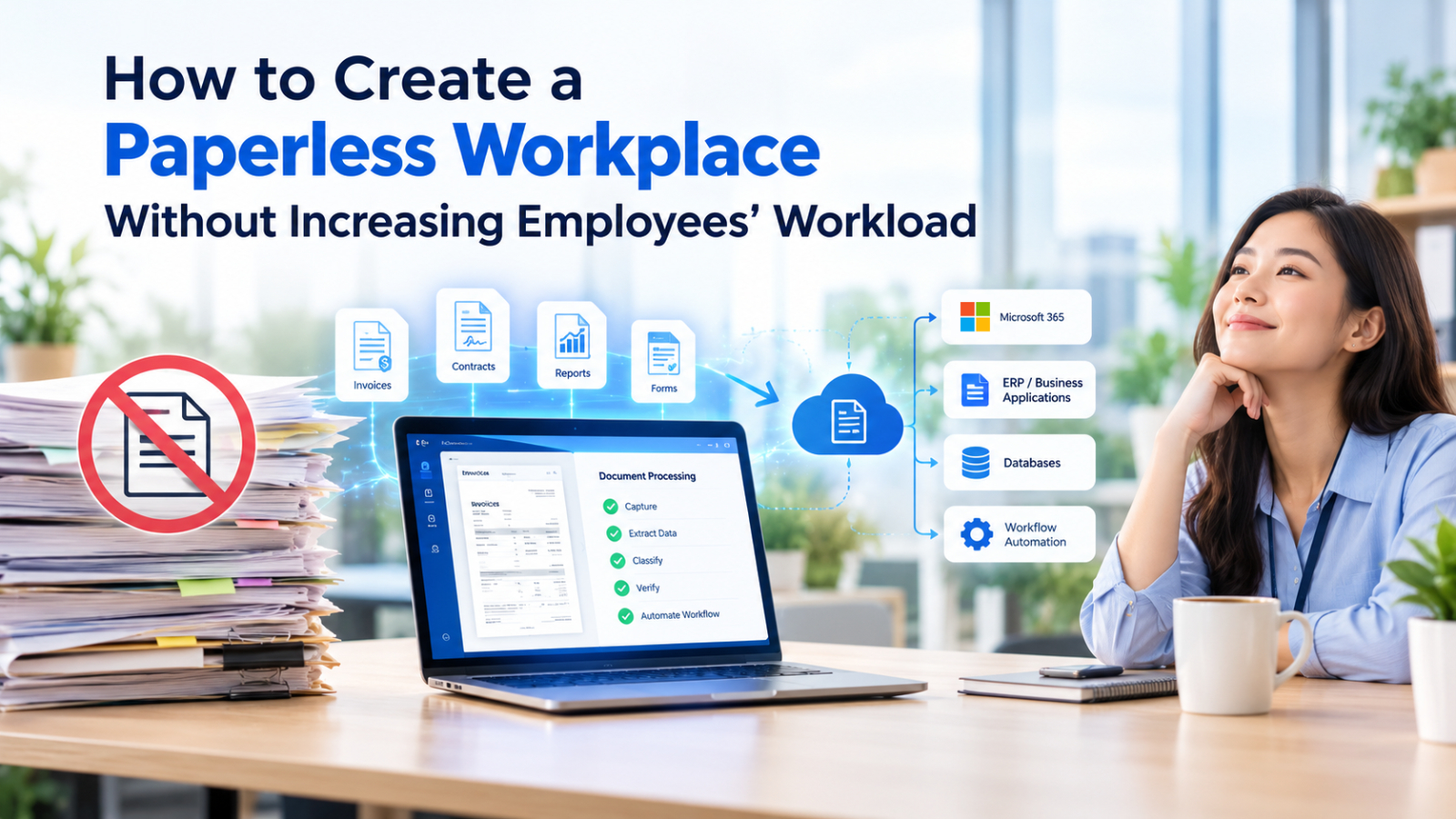
Optical Character Recognition (OCR) reduces the manual workload involved in digitizing these documents by recognizing text within scanned documents, images, and PDF files, and converting it into computer-readable data.
Depending on the solution chosen, document processing technology can also extract specific field data, such as invoice numbers, vendor names, dates, and total amounts.
Consider a finance team that has to process hundreds of invoices each month. Instead of manually reading every single invoice and entering the data into accounting software, an OCR-based process can extract the information, making it ready for review and further processing.
For businesses aiming to go paperless, this distinction is significant: scanning creates digital files, while OCR transforms those files into usable data.
When combined with data validation and integration with business applications, OCR can reduce repetitive data entry, allowing employees to focus on reviewing exceptions rather than having to manually process every single document.
- Centralize document storage and make files searchable
Digital documents are of little use if employees cannot locate them quickly. Storing files on individual computers, as attachments in emails, or across various shared folders can create the same types of problems as storing physical documents in filing cabinets.
A centralized document management system enables employees to access information from a single source. Useful features include full-text search within documents, metadata-based filtering, access permissions, version control, and a history of document management actions.
For example, employees can search for invoices by vendor name or invoice number, without having to open multiple folders to check each file individually.
Organizations should establish clear policies regarding access rights, designated responsibilities, and document retention periods. However, employees should not have to spend excessive time manually organizing individual files; whenever possible, automated systems should be used to assist with document classification, indexing, and the recording of metadata.
- Transform paper-based document approvals into a digital process
Printing documents to obtain signatures can cause delays and create unnecessary administrative work. Employees may need to print a file, take it to a manager, wait for approval, scan the signed document, and then forward it to another department.
A digital approval system enables documents to move electronically between employees. Approvers can review requests, provide comments, grant or deny approvals, and track progress through a centralized system.
For example, a purchase request can be automatically routed from an employee to a department manager and subsequently to the finance department. Notifications help minimize the risk of requests being overlooked, while an approval history provides a clear audit trail of the various stages.
Where permitted by law, the use of electronic or digital signatures can also reduce the need to print documents. The signing method chosen should be appropriate for the legal requirements and security needs of each type of document.
- Integrate document processing with existing business systems
Manual data transfer between applications is another cause of unnecessary redundant work.
Employees might extract data from an invoice and enter it into accounting software, only to then copy the same details into a spreadsheet for task tracking. Even though the entire process is digital, it remains redundant and inefficient.
System integration enables relevant applications to exchange data automatically. Depending on business requirements, document processing tools can be connected to ERP platforms, accounting software, HR systems, databases, and internal organizational applications via APIs or compatible integration tools.
Once the documents have been processed and verified, the extracted data can be forwarded to the relevant systems, eliminating the need for staff to manually re-enter the same information.
Before selecting a solution, you should verify its compatibility with your existing applications, security requirements, and the document formats that need to be supported. It is best to start by automating repetitive data transfers, then gradually expand to more complex processes.
- Begin the transition to a paperless workflow, step by step, and measure the results
Even a well-designed system may fail if it proves difficult for employees to use. Organizations should implement changes gradually, provide practical training, and solicit feedback from those who handle documents on a daily basis.
Start with processes that employees identify as time-consuming, test new workflows, address any operational issues, and scale the solutions once the workflows have stabilized.
Organizations should also measure whether digital transformation actually reduces their workload. Useful metrics include document processing time, the volume of manual data entry, the time required to locate documents, approval turnaround times, and error rates.
For example, reducing printing costs might seem like a success, but if employees end up spending several extra hours scanning and organizing files, the overall process may not have actually improved.
The goal is to reduce the overall administrative workload, not just the number of printed pages.
How to measure the success of a paperless project
Organizations should evaluate paperless initiatives based on improvements to overall workflow efficiency, rather than focusing solely on the reduction in paper volume.
Useful indicators include:
- Document processing time: How long does it take to complete a document-related task before and after implementation?
- Manual data entry: How many fields or records still require employees to type information?
- Document retrieval time: How quickly can employees find the files they need?
- Approval turnaround time: How long do requests remain pending before they are approved or rejected?
- Error and rework rates: How often must employees correct data or repeat a process?
- Employee adoption: Are employees using the new system consistently, and do they find it easier than the previous process?
These measurements help identify whether digitization is actually reducing workload or simply moving administrative tasks from one place to another.
For example, a reduction in printing costs may look positive, but if employees spend additional hours scanning, organizing, and entering information, the overall process may not have improved. Measuring both time savings and error reduction provides a more realistic view of the results.
Simplify Paperless Operations with DOVA OCR
A paperless workplace often requires several technologies, including digital forms, document management, workflow automation, OCR, and integration with business applications.
For organizations processing large volumes of scanned documents, OCR and document intelligence can address one of the biggest sources of repetitive work: manually reading and entering information.
DOVA OCR is an AI-powered document intelligence platform built on Microsoft Azure. It supports Thai and English text recognition, document text and data extraction, external system connections through its External Connector, and human validation to help users review extracted information.
These capabilities can help businesses convert incoming documents into structured information, validate extracted data, and connect document processing with existing business workflows.
Rather than treating scanning as the final step, organizations can use DOVA OCR as part of a broader strategy to reduce manual data entry and improve document handling across finance, HR, and operations.
Summary
Creating a paperless workplace should make employees’ work easier, not add another layer of administrative tasks. Businesses can achieve this by simplifying workflows, using digital forms, automating document reading, centralizing searchable files, and connecting systems to eliminate duplicate data entry.
Start with repetitive, document-heavy processes, involve employees in the transition, and measure improvements in processing time and workload.
With the right technology and workflow design, organizations can reduce paper usage while improving productivity. The objective is not simply to replace paper with digital files, but to create a more efficient way of working.