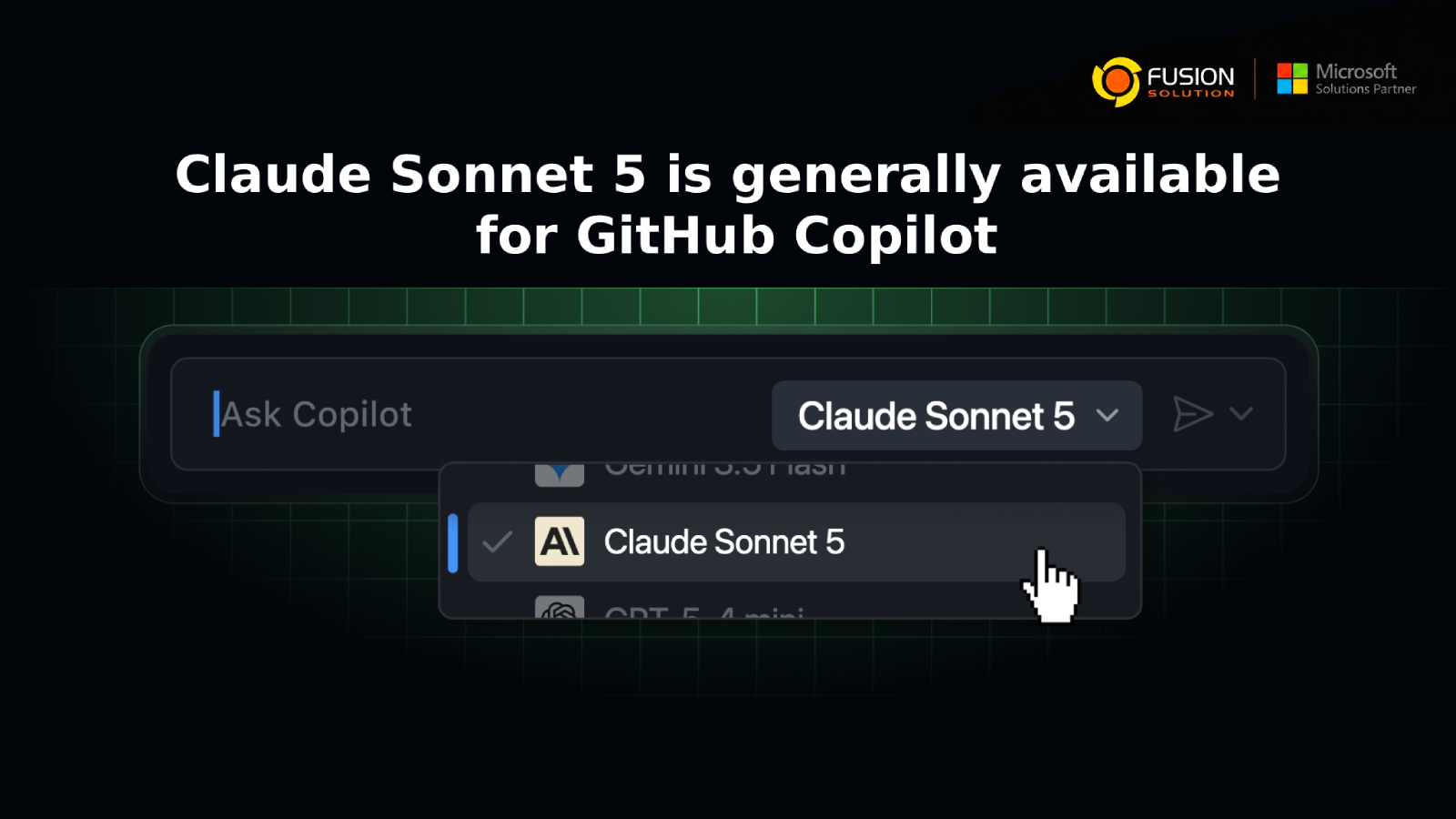
GitHub ยังคงเดินหน้าพัฒนาประสบการณ์การเขียนโค้ดด้วย AI อย่างต่อเนื่อง ด้วยการเพิ่มตัวเลือกโมเดล AI ให้กับนักพัฒนามากขึ้น ล่าสุด Claude Sonnet 5 ได้เปิดให้ใช้งานอย่างเป็นทางการ (General Availability) สำหรับผู้ใช้ที่มีสิทธิ์ใช้งานแล้ว
แทนที่จะต้องใช้งาน AI เพียงโมเดลเดียว นักพัฒนาและองค์กรสามารถเลือกโมเดลที่เหมาะกับรูปแบบการเขียนโค้ด เวิร์กโฟลว์ และความต้องการด้านประสิทธิภาพของตนเองได้มากขึ้น ถือเป็นอีกก้าวสำคัญที่ช่วยให้การพัฒนาซอฟต์แวร์ด้วย AI มีความยืดหยุ่นและสามารถปรับแต่งให้เหมาะกับแต่ละองค์กรได้ดียิ่งขึ้น
Claude Sonnet 5 คืออะไร?
Claude Sonnet 5 คือโมเดล AI รุ่นล่าสุดในตระกูล Sonnet จาก Anthropic ที่พร้อมให้เลือกใช้งานเป็นหนึ่งใน AI Coding Model ภายใน GitHub Copilot
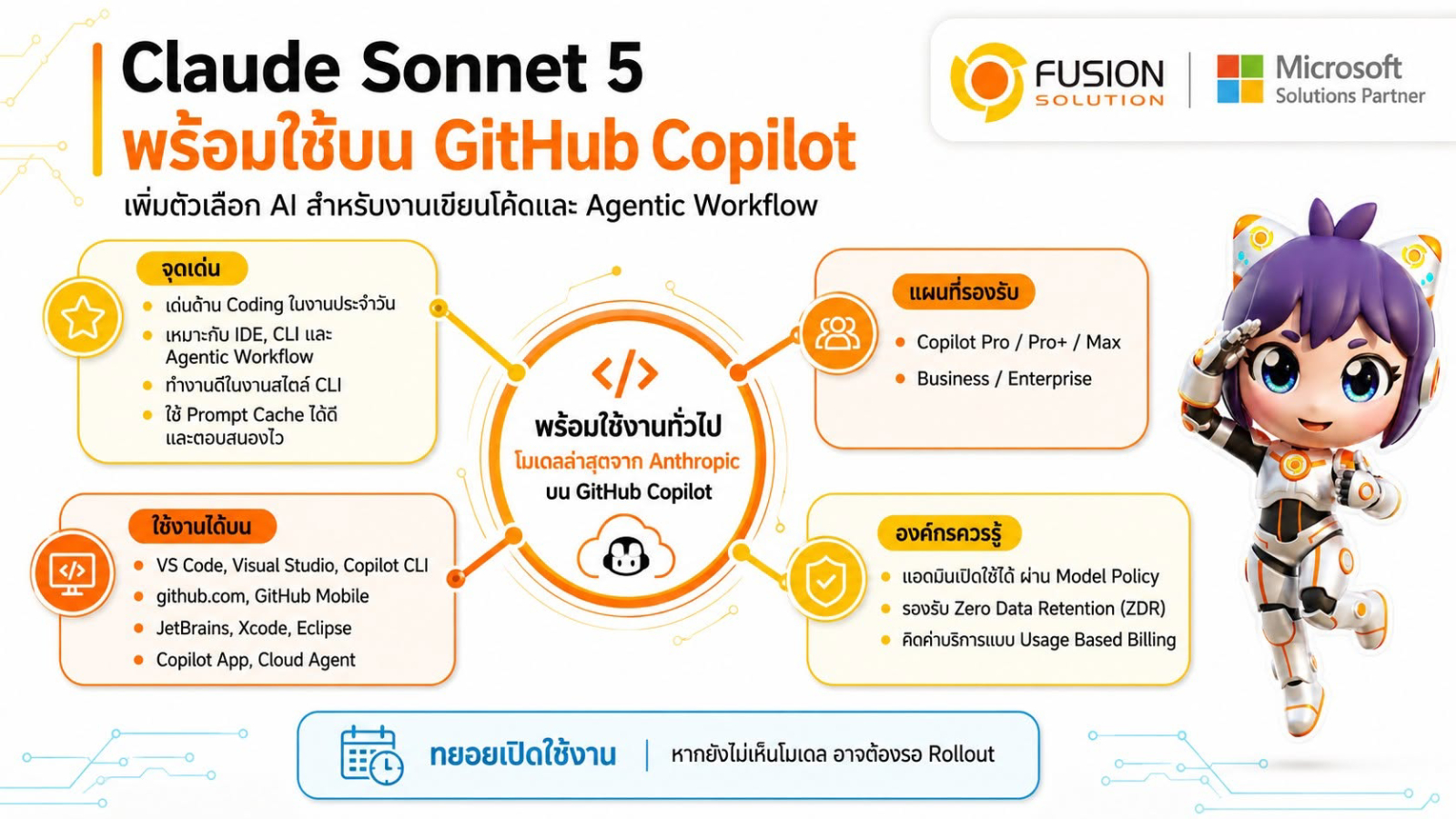
จากข้อมูลของ GitHub ผลการประเมินภายในพบว่า Claude Sonnet 5 มีประสิทธิภาพโดดเด่นสำหรับงานด้านการเขียนโปรแกรม โดยเฉพาะการทำงานผ่าน Command-Line Interface (CLI) พร้อมทั้งมีความเร็วในการตอบสนองที่แข่งขันได้ และรองรับ Prompt Caching อย่างมีประสิทธิภาพ ช่วยให้นักพัฒนามีอีกหนึ่งทางเลือกคุณภาพสูงสำหรับการพัฒนาซอฟต์แวร์
โมเดลนี้ไม่ได้เข้ามาแทนที่โมเดลเดิม แต่เป็นการเพิ่มตัวเลือกใหม่ เพื่อให้ผู้ใช้สามารถเลือกโมเดลที่เหมาะสมกับลักษณะงานของตนเองได้มากที่สุด
สามารถใช้งานได้ที่ไหน?
GitHub กำลังทยอยเปิดให้ใช้งาน Claude Sonnet 5 ผ่าน Model Picker บน GitHub Copilot ในหลายแพลตฟอร์ม ได้แก่
- Visual Studio Code
- Visual Studio
- GitHub Copilot CLI
- GitHub Copilot Cloud Agent
- GitHub Copilot App
- GitHub.com
- GitHub Mobile (iOS และ Android)
- JetBrains IDEs
- Xcode
- Eclipse
ทั้งนี้ GitHub จะทยอยเปิดใช้งานเป็นลำดับ ดังนั้นผู้ใช้บางรายอาจได้รับสิทธิ์ก่อนผู้อื่น
ใครบ้างที่สามารถใช้งาน Claude Sonnet 5 ได้?
โมเดลนี้พร้อมให้บริการสำหรับผู้ใช้งาน GitHub Copilot ในแพ็กเกจต่อไปนี้
- Copilot Pro
- Copilot Pro+
- Copilot Max
- Copilot Business
- Copilot Enterprise
สำหรับองค์กรที่ใช้ Copilot Business หรือ Copilot Enterprise ผู้ดูแลระบบสามารถเปิดใช้งาน Claude Sonnet 5 ผ่านการตั้งค่า Model Policy เพื่อกำหนดว่าโมเดล AI ใดบ้างที่นักพัฒนาภายในองค์กรสามารถใช้งานได้
เหตุใดเรื่องนี้จึงสำคัญสำหรับองค์กร?
การเพิ่ม Claude Sonnet 5 in GitHub Copilot ไม่ได้เป็นเพียงการเพิ่ม AI Model อีกหนึ่งตัวเท่านั้น แต่ยังสะท้อนแนวทางของ GitHub ที่ต้องการสนับสนุนการใช้งาน AI หลายโมเดล เพื่อให้นักพัฒนาสามารถเลือกโมเดลที่เหมาะสมกับแต่ละสถานการณ์ได้
AI แต่ละโมเดลมีจุดเด่นแตกต่างกัน บางโมเดลอาจเหมาะกับการเขียนโค้ด ขณะที่บางโมเดลอาจทำงานได้ดีกว่าในด้านการ Debug การอธิบาย Logic ที่ซับซ้อน หรือการสนับสนุน Agentic Workflows การเปิดโอกาสให้นักพัฒนาเลือกใช้งานโมเดลที่เหมาะสมจึงช่วยเพิ่มประสิทธิภาพในการทำงาน และรองรับความต้องการด้านการพัฒนาซอฟต์แวร์ที่หลากหลายมากขึ้น
Zero Data Retention สำหรับองค์กร
สำหรับองค์กรที่ให้ความสำคัญกับความเป็นส่วนตัวของข้อมูล Claude Sonnet 5 ทำงานภายใต้นโยบาย Zero Data Retention (ZDR) ของ GitHub Copilot เช่นเดียวกับโมเดล Sonnet รุ่นก่อนหน้าที่ให้บริการใน Copilot
นั่นหมายความว่า องค์กรสามารถใช้ AI เพื่อช่วยพัฒนาโค้ดได้ พร้อมทั้งยังคงควบคุมการจัดการข้อมูลได้อย่างเข้มงวด จึงเหมาะสำหรับองค์กรที่มีข้อกำหนดด้านความปลอดภัยและการปฏิบัติตามข้อกำหนด (Compliance) ในระดับสูง
ข้อควรรู้เกี่ยวกับราคา
Claude Sonnet 5 ใช้รูปแบบการคิดค่าบริการแบบ Usage-Based Billing ตาม Provider List Pricing ของ GitHub Copilot
องค์กรควรตรวจสอบรูปแบบการใช้งาน สิทธิ์การใช้งาน (Licensing) นโยบายภายใน และปริมาณการใช้ AI ที่คาดการณ์ไว้ก่อนเปิดใช้งานให้กับทีมพัฒนา รวมถึงติดตามการใช้งานอย่างสม่ำเสมอ เพื่อสร้างสมดุลระหว่างประสิทธิภาพในการทำงานและต้นทุนของ AI
ควรใช้ AI หลายโมเดลหรือไม่?
คำถามที่น่าสนใจจากการเปิดตัวครั้งนี้คือ องค์กรควรกำหนดให้ใช้ AI เพียงโมเดลเดียว หรือเปิดโอกาสให้นักพัฒนาเลือกโมเดลที่เหมาะสมกับแต่ละงาน
การใช้งาน AI หลายโมเดลมีข้อดีหลายประการ เช่น
- เลือกโมเดลให้เหมาะกับประเภทของงานเขียนโค้ด
- เพิ่มประสิทธิภาพการทำงานของนักพัฒนา
- ได้ผลลัพธ์ที่มีคุณภาพเหมาะกับเวิร์กโฟลว์แต่ละรูปแบบ
- รองรับงานพัฒนาซอฟต์แวร์เฉพาะทางได้ดียิ่งขึ้น
อย่างไรก็ตาม องค์กรควรกำหนดแนวทางด้าน Governance นโยบายความปลอดภัย และการบริหารต้นทุนอย่างชัดเจน เพื่อให้การใช้งาน AI เป็นไปอย่างมีมาตรฐานและสอดคล้องกับนโยบายขององค์กร
อนาคตของการพัฒนาซอฟต์แวร์ด้วย AI
วงการพัฒนาซอฟต์แวร์กำลังเปลี่ยนผ่านจากยุคที่ใช้ AI เพียงโมเดลเดียว ไปสู่ระบบนิเวศที่รองรับ AI หลายโมเดล (Multi-Model Ecosystem)
นักพัฒนาจะสามารถเลือกโมเดล AI ที่เหมาะกับประเภทของงาน ความซับซ้อนของโปรเจกต์ รูปแบบการทำงาน หรือข้อกำหนดขององค์กรได้มากขึ้น เมื่อ GitHub Copilot รองรับผู้ให้บริการ AI มากขึ้น องค์กรก็จะสามารถสร้างสภาพแวดล้อมการพัฒนาซอฟต์แวร์ที่ตอบโจทย์ทั้งด้านเทคนิคและธุรกิจได้ดียิ่งกว่าเดิม
Summary
Availability Claude Sonnet 5 in GitHub Copilot อย่างเป็นทางการ ทำให้นักพัฒนามีอีกหนึ่ง AI Coding Model ที่ทรงพลังสำหรับเลือกใช้งาน พร้อมทั้งสะท้อนวิสัยทัศน์ของ GitHub ในการสร้างแพลตฟอร์ม AI แบบ Multi-Model ที่มีความยืดหยุ่นมากขึ้น
สำหรับนักพัฒนาทั่วไป ถือเป็นการเพิ่มอิสระในการเลือกโมเดลที่เหมาะกับรูปแบบการทำงานของตนเอง ส่วนสำหรับองค์กร ก็เป็นโอกาสในการเพิ่มประสิทธิภาพการพัฒนาซอฟต์แวร์ พร้อมรักษามาตรฐานด้าน Governance ความปลอดภัย และการควบคุมต้นทุน เมื่อ AI สำหรับการพัฒนาซอฟต์แวร์เติบโตอย่างต่อเนื่อง การเปิดโอกาสให้ทีมพัฒนาเลือกใช้โมเดล AI ที่เหมาะสมกับแต่ละงาน อาจกลายเป็นข้อได้เปรียบสำคัญขององค์กรในอนาคต