Today's cyber threats are becoming increasingly sophisticated, targeting endpoints, emails, identities, cloud applications, and critical organizational data. Relying on a single security solution is no longer sufficient to combat modern attacks. Microsoft has built a comprehensive security portfolio that protects organizations across multiple attack surfaces. These Microsoft Defender Capabilities work together to detect threats, investigate incidents, and automate responses before attacks can cause significant damage. In this article, we'll explore the core capabilities of Microsoft Defender and how they help organizations strengthen their security posture.
What Are Microsoft Defender Capabilities?
Microsoft Defender Capabilities refer to the collection of security features available across the Microsoft Defender family. Rather than focusing on a single area of protection, Microsoft Defender provides security for endpoints, email, identities, cloud applications, servers, and enterprise workloads through an integrated security ecosystem. Together, these capabilities help organizations prevent attacks, detect suspicious activity, investigate incidents, and respond quickly to security threats.
Endpoint Protection
One of the core Microsoft Defender capabilities is protecting endpoints such as desktops, laptops, mobile devices, and servers.
Microsoft Defender for Endpoint combines next-generation antivirus, Endpoint Detection and Response (EDR), automated investigation, and remediation to help identify and stop cyberattacks before they spread across the organization.
Antivirus and Malware Protection
Microsoft Defender Antivirus provides real-time protection against viruses, ransomware, spyware, and other types of malware.
It continuously scans files and applications, blocks malicious software, alerts users to potential threats, and attempts to remove malware automatically to keep devices protected.
Email and Collaboration Protection
Email remains one of the most common entry points for cyberattacks.
Microsoft Defender for Office 365 helps protect organizations from phishing attacks, malicious links, dangerous attachments, business email compromise (BEC), and other email-based threats. It also extends protection to collaboration tools such as Microsoft Teams and SharePoint.
Identity Threat Detection
Compromised identities are a major target for attackers.
Microsoft Defender for Identity monitors identity-related activities across Active Directory environments to detect suspicious behavior, credential theft, lateral movement, and insider threats. This helps security teams identify compromised accounts before attackers can gain broader access.
Cloud Application and Workload Security
As businesses adopt more cloud services, protecting cloud environments becomes increasingly important.
Microsoft Defender for Cloud Apps provides visibility into SaaS applications, helping organizations monitor cloud usage, detect risky behavior, and protect sensitive business data.
For cloud infrastructure, Microsoft Defender for Cloud extends security to cloud workloads by continuously monitoring resources, detecting threats, and supporting investigation and response.
Vulnerability Management
Reducing cyber risk requires more than detecting attacks—it also means identifying weaknesses before attackers can exploit them.
Microsoft Defender Vulnerability Management continuously discovers devices, assesses vulnerabilities, identifies security misconfigurations, and prioritizes remediation efforts based on risk. This helps IT teams focus on the issues that matter most.
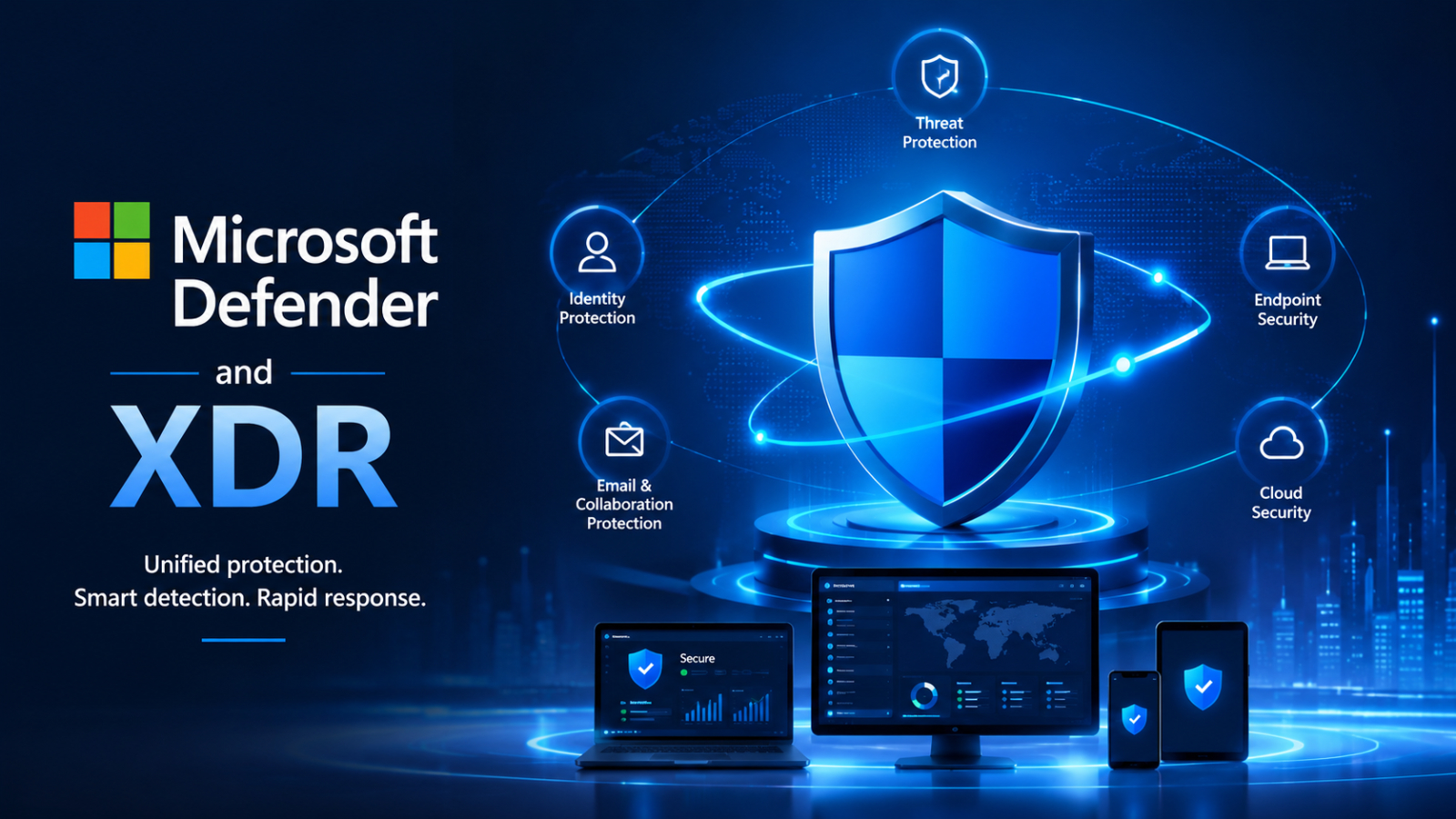
Microsoft Defender XDR Capabilities
Microsoft Defender XDR brings together security signals from endpoints, identities, email, and cloud applications into a single platform.
Core capabilities include:
- Unified incident visibility across the entire environment
- Correlation of related alerts into a single attack story
- Automated investigation and response
- Automatic attack disruption to contain active threats
- Advanced hunting for proactive threat investigation
By connecting data from multiple security layers, Defender XDR enables security teams to investigate incidents faster and respond more effectively.
Web Protection
Microsoft Defender also helps protect users while browsing the internet.
Web Protection checks websites and URLs against Microsoft's threat intelligence to block malicious websites, phishing pages, and dangerous downloads before users are exposed to them.
Identity Theft Monitoring
For individual users in supported regions, Microsoft Defender includes Identity Theft Monitoring
The service monitors selected personal information for potential exposure on the public internet and dark web. If compromised information is detected, users receive alerts and guidance to help reduce the risk of identity theft.
Benefits of Microsoft Defender Capabilities
By combining multiple security technologies into a single ecosystem, Microsoft Defender offers several key benefits:
- Comprehensive protection across endpoints, email, identities, and cloud environments.
- Faster threat detection and incident response.
- Reduced security complexity through centralized management.
- Automated investigation and remediation to reduce manual effort.
- Better visibility into security risks across the organization.
- Improved protection against modern cyber threats such as ransomware, phishing, and credential attacks.
Compared to other Security Solutions
Feature | Microsoft Defender | CrowdStrike Falcon | SentinelOne |
Endpoint Protection | ✅ | ✅ | ✅ |
Antivirus & Anti-malware | ✅ | ✅ | ✅ |
Endpoint Detection & Response (EDR) | ✅ | ✅ | ✅ |
Extended Detection & Response (XDR) | ✅ Native | ✅ Native | ✅ Native |
Identity Protection | ✅ Built-in | Limited (via integrations) | Limited (via integrations) |
Email Security | ✅ Built-in | Via integrations | Via integrations |
Cloud App Security | ✅ | Limit | Limit |
Vulnerability Management | ✅ | ✅ | ✅ |
Automated Investigation & Response | ✅ | ✅ | ✅ |
Suitable for | Microsoft 365 environments | Endpoint-first security | Autonomous endpoint protection |
Summary
Modern cyberattacks rarely target just one part of an organization. Attackers often move across endpoints, identities, email, and cloud services, making unified security more important than ever.
Microsoft Defender Capabilities enables organizations to protect their digital environment from multiple angles while simplifying security operations. Whether it's preventing malware, detecting identity threats, securing cloud applications, or responding to complex attacks with Microsoft Defender XDR , these capabilities work together to help businesses build a stronger and more resilient cybersecurity strategy.