Why is "doing the work" more important than "helping with the work"?
Over the years, AI tools have focused on “assisting” users, such as drafting emails, summarizing documents, or suggesting ideas. While these tools are useful, users still need to perform the final steps themselves, whether it's sending emails, holding meetings, or implementing decisions.
Copilot Cowork introduces a significant shift; instead of simply assisting with tasks, it can truly “do the work for you.” This difference is crucial in the real business world, where the bottleneck isn't creativity, but “execution.” Reducing manual steps allows organizations to work faster, reduce errors, and free up time for high-value work.
This is a transition from AI as a tool to AI as a collaborator.
What is Copilot Cowork?
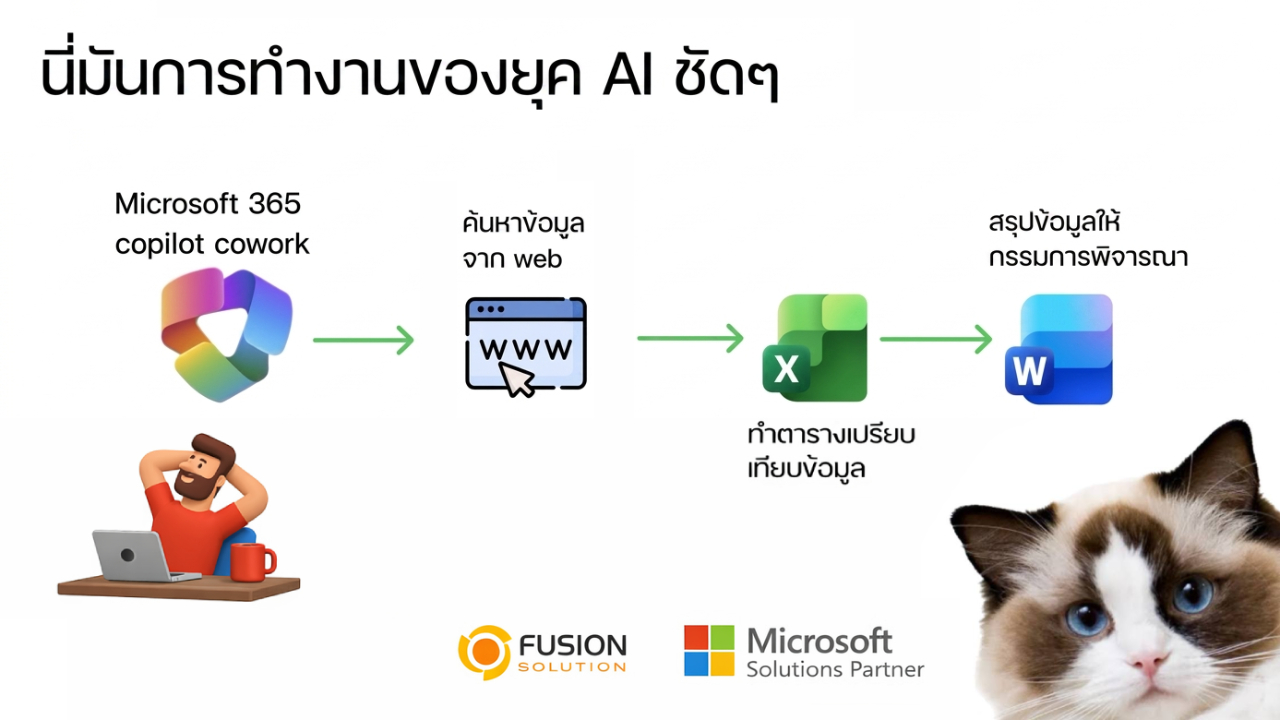
Copilot Cowork is an AI agent within Microsoft 365 that can work across applications such as Outlook, Teams, Word, and Excel. Unlike traditional AI assistants that stop at content creation, Copilot Cowork can perform multi-step workflows based on user intent.
You can view it as a “digital colleague” who understands your goals, plans the approach, gathers the necessary data, and completes the task, while still keeping you in complete control.
Key design principle: From Intent → Plan → Action
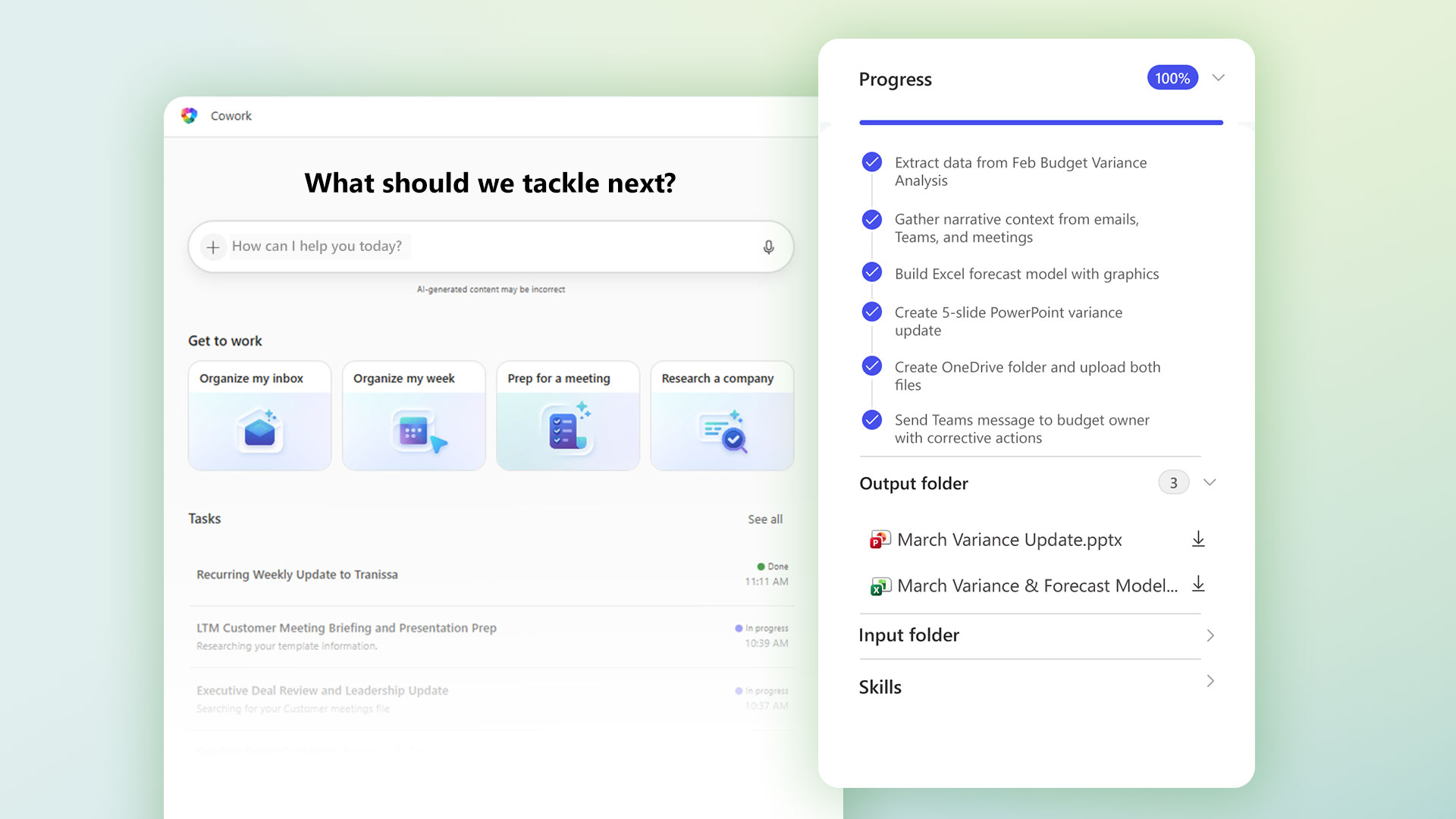
At the heart of Copilot Cowork is a simple yet powerful principle: from intent to plan and to action.
Starting with "Intent," which reflects what the user wants to achieve, instead of focusing on step-by-step instructions, the system prioritizes the desired outcome. This intent is then transformed into a "Plan," a structured action plan, defining the most efficient way to achieve the goal. Finally, there's "Action," where the system seamlessly executes the plan through relevant tools and applications.
This end-to-end approach ensures that tasks are not just automated, but also align with business logic, user expectations, and real-world workflows.
Workflow: How Copilot Cowork works behind the scenes.
You specify the desired result.
Everything starts with natural language. You tell Cowork what you want, such as:
- “Schedule a project kickoff meeting next week”
- “Summarize client feedback and share it with the team”
- “Prepare a weekly sales report”
The focus is on outcomes, not instructions.
Cowork Builds a Work Plan
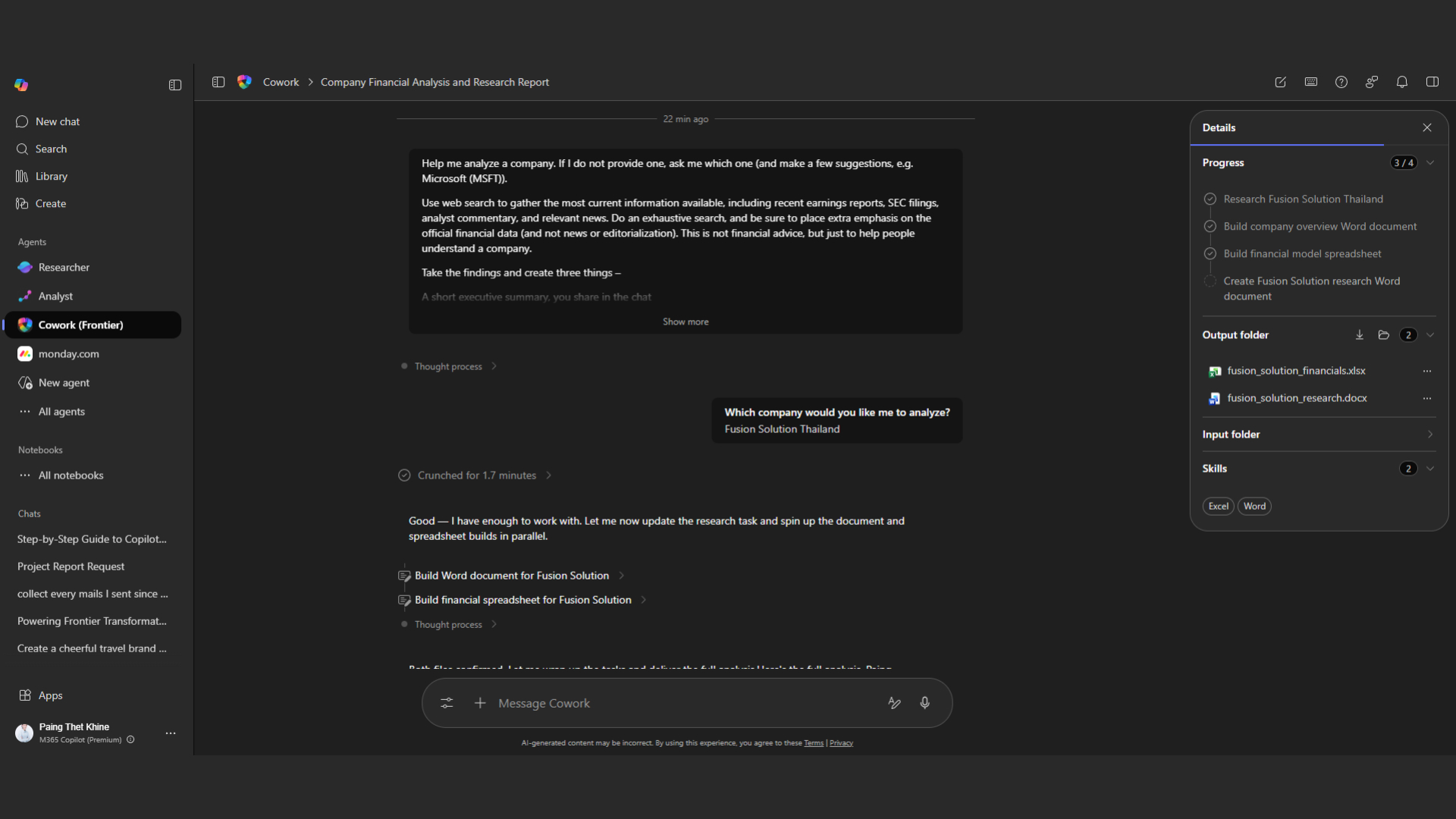
Once the intention is understood, Cowork creates a structured work plan, breaking down the goal into actionable steps. For example, if the goal is to hold a meeting, the system will identify participants, check availability, suggest suitable times, and create and send meeting invitations.
This planning process is what sets Cowork apart from traditional AI, because it doesn't just respond to commands, but can organize and strategize the entire workflow.
Cowork brings together context with Work IQ.
To execute effectively, Cowork needs context. This is where Work IQ comes in.
Work IQ will retrieve relevant information from:
- Emails and conversations
- Calendar events
- Documents and files
- Organizational knowledge
By understanding context, Cowork ensures that actions are accurate and relevant.
Execution Across Microsoft 365 Apps
After planning and gathering all the necessary information, Cowork moves into the implementation phase, enabling collaboration across multiple Microsoft 365 apps. For example, it allows sending emails and drafting messages in Outlook, posting updates and notifications to teams in Teams, creating or editing documents in Word, and analyzing data or creating reports in Excel.
This seamless cross-tool capability is what enables end-to-end automation, eliminating the need for users to switch apps or manually manage individual steps.
Inspection and Control Points (Approval & Control)
Although Copilot Cowork is capable of automation, it is designed with strict control and oversight. The system has approval checkpoints so users can review processes before proceeding.
Operations will strictly adhere to organizational rights and policies, and sensitive actions must always be approved by the user beforehand.
This approach strikes a balance between "automation" and "governance," allowing organizations to improve efficiency without compromising security or compliance.
How does Copilot Cowork align with organizational safety and governance?
Security remains a top priority for enterprise-level AI systems, and Copilot Cowork is designed to closely align with Microsoft's security framework. The system enforces authentication and access control to ensure that only authorized users and actions can be performed.
In addition, it adheres to data protection policies, such as sensitivity labels and compliance rules, and records all actions through audit trails to ensure transparent traceability and meet governance requirements.
By embedding these security measures into the core of the system, Copilot Cowork can automate processes without compromising organizational governance, security, or controls.
Real-world example: The location where co-working is most efficient.
Copilot Cowork delivers the best results in multi-step, repetitive workflows that often consume a significant amount of time in daily tasks.
In terms of meetings, the system can automatically schedule, send invitations, and track participants. For reporting, the system gathers relevant information and instantly generates structured reports. In terms of communication, it can draft and distribute update messages to ensure consistent and timely communication.
In the context of project management, it can also help track progress, manage tasks, and send notifications to ensure everything stays on schedule.
Although these tasks may not be complex, they occur frequently and are time-consuming, making them ideally suited for automation. When Cowork takes on this responsibility, the team can focus more on strategic and high-value tasks.
Why Copilot Cowork reflects the major shift of AI in the workplace.
Copilot Cowork is not just a new feature; it's a sign of a shift in how AI is used in the workplace.
Key changes include:
- From input-driven tools to goal-driven systems.
- From manual work to automated workflows.
- From Assistants to Agents.
This change will redefine “efficiency,” not just by making tasks easier, but by completely “eliminating” certain tasks from the human burden.
Summary: From giving commands to AI to assigning tasks.
Copilot Cowork represents a shift from "interacting with AI" to "assigning tasks to AI."
Instead of relying on AI for assistance and then having to complete the work manually, you can now define the outcomes and let AI handle the entire operation. This reduces complexity, increases efficiency, and allows experts to focus on strategic thinking rather than operational tasks.
As organizations begin to adopt this model, the role of AI will evolve from a useful assistant into a truly valuable member of the team.