Which OCR Solution Is Best? Choosing an OCR System That Truly Meets Your Business Needs
Many businesses use OCR (Optical Character Recognition) to convert scanned documents and images into digital text. It sounds simple: upload a document, let the software recognize the characters, and use the extracted information.
However, businesses often discover that recognizing text is only part of the problem.
For example, an OCR tool may successfully read an invoice containing a supplier name, invoice number, date, and total amount. But employees may still need to identify each field, check the values, and manually enter the information into accounting software.
This raises an important question for business owners and managers: OCR Solution เจ้าไหนดี (Which OCR solution is best for my business)?
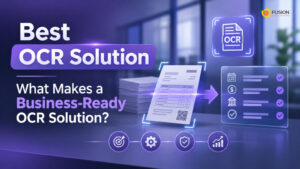
The answer depends on more than recognition accuracy. A business-ready OCR solution should extract structured information, validate results, connect with existing applications, and support automated workflows.
Here are the key capabilities to consider before choosing an OCR solution for your organization.
Accurate Text Recognition Is Only the Starting Point
The first requirement of any OCR solution is its ability to recognize text accurately.
Businesses may need to process different types of documents, including:
- Scanned invoices and receipts.
- Purchase orders and delivery notes.
- Customer registration forms.
- Contracts and Agreements
- Employee application documents.
- Image-based PDF files.
For Thai businesses, Thai and English language recognition is particularly important. Documents may contain Thai text, English company names, numerical values, and tax information within the same file.
However, recognition accuracy alone does not guarantee that the extracted information is ready for business use.
A good OCR solution should also understand how the recognized information relates to the document.
Structured Data Extraction: Turning Text into Business Information
One of the biggest differences between basic OCR and business-ready document processing is structured data extraction.
Imagine uploading a supplier invoice.
A basic OCR system may return all the recognized text in one large block. Employees can read it, but they still need to identify which numbers represent the invoice date, subtotal, VAT, and total amount.
A more advanced OCR solution can extract information into predefined fields.
For example:
Field | Extracted Value |
Supplier Name | ABC Trading Co., Ltd. |
Invoice number | INV-2026-00125 |
Date on invoice | 15 October 2026 |
Total before tax | 10,000 baht |
VAT | 700 baht |
Total Amount | 10,700 baht |
This structured information can be transferred into spreadsheets, databases, accounting applications, or ERP systems.
When evaluating OCR solutions, ask whether they support key-value extraction, table recognition, document classification, and structured output formats such as JSON.
Data Validation and Error Detection
Even advanced OCR technology can make mistakes.
Poor image quality, unusual document layouts, overlapping text, and unclear characters can affect recognition results.
For business operations, incorrect information can create serious problems. An incorrect invoice amount may affect financial reporting, while an incorrect customer identification number may cause administrative issues.
A business-ready OCR solution should provide validation capabilities.
Important features include:
- Confidence scores to identify uncertain recognition results.
- Required-field checks to detect missing information.
- Data format validation for dates, numbers, and identification fields.
- Business rules to check whether extracted values are reasonable.
- Human review for important or uncertain information.
For example, an invoice processing workflow could automatically check whether the subtotal, VAT, and total amount are consistent before sending the document for approval.
The goal is not to eliminate human involvement completely, but to reduce unnecessary manual checking while maintaining reliable business data.
Integration with Existing Business Applications
Extracted information becomes much more valuable when it can move directly into the applications your employees already use.
An OCR solution that operates independently may create another disconnected system rather than improve the existing workflow.
Before choosing a provider, consider whether the solution can integrate with:
- ERP and accounting systems.
- CRM applications
- Microsoft 365 and SharePoint.
- Document Management Systems (DMS).
- Databases and internal applications.
- Business applications through APIs.
For example, when an employee uploads an invoice, OCR can extract the relevant information and send it to an accounting system without requiring the employee to retype every field.
For SMEs already using Microsoft technologies, integration with Microsoft Power Automate can also help connect document processing with existing business workflows.
Workflow Automation: From Document Recognition to Business Action
A truly useful OCR solution should support more than extracting and exporting information.
It should help businesses automate what happens after a document is processed.
Consider a typical supplier invoice workflow:
- An employee uploads an invoice.
- The OCR system recognizes and extracts the information.
- The system validates important fields.
- The extracted data is transferred to the accounting or ERP system.
- An approval request is automatically sent to the responsible manager.
- Once approved, the invoice moves to the next payment process.
This approach reduces repetitive work and makes document processing more consistent.
Businesses should look for solutions that support workflow automation, notifications, approval routing, and integration with other applications.
Scalability, Security, and Cost
An OCR solution should match both current business requirements and future growth.
SMBs and SMEs may initially process a few hundred documents per month, but volumes can increase as the organization expands.
Before selecting a solution, evaluate 3 important areas.
Scalability
Can the system process larger document volumes without requiring a complete redesign? Consider batch processing, processing speed, concurrent requests, and future expansion.
Security
Business documents may contain confidential financial information, customer records, and employee details. Check data encryption, access permissions, storage policies, and compliance with applicable requirements such as Thailand's PDPA.
Total Cost of Ownership
Look beyond the initial subscription or implementation fee. Consider document processing charges, API usage, integration costs, customization, maintenance, and ongoing support.
The best solution is not necessarily the cheapest one. It should provide measurable business value relative to its total cost.
How to Evaluate OCR Solutions Before Choosing One
Instead of relying entirely on product demonstrations, test potential solutions using your organization's actual documents.
A Proof of Concept (PoC) can help evaluate whether an OCR solution meets your business requirements.
Use a representative sample of invoices, receipts, forms, or contracts and evaluate:
Evaluation Criteria | What to Test |
Recognition accuracy | Can it recognize Thai and English text? |
Data retrieval | Can it identify required fields and tables? |
Validation | Can it detect missing or incorrect values? |
Integration | Can it transfer information to existing applications? |
Automation | Can it trigger approval or notification workflows? |
Scalability | Can it handle increasing document volumes? |
Safety | Does it meet organizational data protection requirements? |
Testing real documents helps reveal limitations that may not appear in standard demonstrations.
Conclusion: Which OCR solution is best?
For businesses, the right answer is an OCR solution that does more than recognize characters. It should turn document content into structured information, validate extracted data, integrate with existing applications, and support automated business workflows.
Basic OCR can help reduce the need to retype information. However, combining OCR with AI-powered document processing and workflow automation can deliver much greater operational benefits.
For SMB and SME owners, the best starting point is to identify one document-heavy process, test an OCR solution using real business documents, and measure how much manual work it can actually reduce.
Ultimately, a business-ready OCR solution should not simply help employees read documents faster. It should help the entire organization work smarter with the information inside them.
Interested in Microsoft products and services? Send us a message here.
Explore our digital tools
If you are interested in implementing a knowledge management system in your organization, contact SeedKM for more information on enterprise knowledge management systems, or explore other products such as Jarviz for online timekeeping, OPTIMISTIC for workforce management. HRM-Payroll, Veracity for digital document signing, and CloudAccount for online accounting.
Read more articles about knowledge management systems and other management tools at Fusionsol Blog, IP Phone Blog, Chat Framework Blog, and OpenAI Blog.
New Gemini Tools For Educators: Empowering Teaching with AI
If you want to stay up-to-date with the latest technology and AI news, check out this website It's updated daily!
Fusionsol Blog in Vietnamese
- What is Microsoft 365?
- What is Copilot?What is Copilot?
- Sell Goods AI
- What is Power BI?
- What is Chatbot?
- What is cloud storage?
Related Articles
- What is Microsoft 365?
- What is OCR software?
- What is a Data Warehouse?
- What is Microsoft Fabric?
- How to Choose an OCR Service Provider for Enterprise-Level Operations?
- Beyond Text Recognition: What a Professional AI OCR Development Company Should Deliver
- GPT-6 Cyber: How AI Is Changing the Future of Cybersecurity
Frequently Asked Questions (FAQ)
What types of documents does DOVA OCR support?
DOVA OCR can assist in processing business documents—such as invoices, receipts, forms, and scanned files—making data management more convenient and efficient.
How does DOVA OCR help reduce the steps in employees' workflows?
A system that reads text and extracts key information from documents, reducing the need for manual data entry and allowing employees to dedicate more time to verifying data and performing tasks that require decision-making.
How accurate is the data read by the system?
Accuracy depends on the quality of the documents, the font styles, and the complexity of the information. You should verify the results before use, especially when dealing with financial data or critical organizational information.
Can DOVA OCR be integrated with an organization's existing systems?
DOVA OCR offers features such as data export to CSV, database storage, and a RESTful API, which can be used to integrate with other systems depending on the specific deployment requirements.
How should a business prepare before starting to use DOVA OCR?
You should begin by identifying the types of documents to be processed, preparing actual document samples, and testing the accuracy of data extraction. Additionally, evaluate security requirements and system integration needs to ensure the chosen solution is well-suited to your organization.