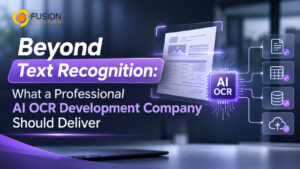
Beyond Text Recognition: What a Professional AI OCR Development Company Should Deliver
Many businesses use OCR (Optical Character Recognition) to convert scanned documents and images into digital text. While this helps reduce manual data entry, basic OCR does not necessarily understand what the information means or how it should be used in business processes.
For example, an OCR tool may recognize all the text on a supplier invoice but fail to identify the invoice number, VAT amount, or individual product details. Employees may still need to organize the information and enter it into accounting or ERP systems manually.
This is why AI-powered document processing plays such a crucial role. Businesses seeking an AI OCR development partner should look beyond mere character recognition accuracy; they should instead seek a partner capable of transforming document content into structured, verified data that is ready for immediate, practical business use.
Why Basic OCR Is Not Enough for Business
Traditional OCR focuses on recognizing characters and converting them into digital text. This is useful for making scanned documents searchable or editable.
However, business documents contain different elements, including headings, tables, labels, columns, and important data fields. Their meaning depends on how these elements relate to one another.
For example, an invoice may contain supplier details, invoice numbers, dates, purchase order references, product quantities, VAT, and total amounts. Basic OCR may recognize these values but not correctly organize them into the fields required by the business.
Without document understanding and structured extraction, employees still have to review, organize, and transfer information manually. This limits the benefits of automation.
6 Capabilities a Professional AI OCR Development Company Should Deliver
- Document Structure Recognition
A professional AI OCR solution should understand how information is organized within a document, not just recognize individual characters.
It should identify headings, paragraphs, tables, labels, and relationships between fields. For example, when processing an invoice, the system should distinguish the supplier name from the invoice date and identify which quantities and prices belong to each product row.
This is especially important when businesses receive documents from multiple suppliers with different layouts.
- Accurate Business Data Extraction
Different departments need different information. Accounting teams may require invoice numbers, VAT amounts, and payment details, while purchasing teams may need supplier information, product codes, and quantities.
A business-ready solution should extract selected information into predefined fields rather than returning one large block of text.
For example, invoice data could be organized as follows:
Field | Extracted Information |
Supplier name | ABC Manufacturing Co., Ltd. |
Invoice Number | INV-2026-00125 |
Invoice date | 15 October 2026 |
Total before tax | 10,000.00 |
VAT | 700.00 |
Net Total | 10,700.00 |
Structured data makes it easier for employees to review information and transfer it to other business applications.
- Supports Thai and Multilingual Documents
Thai businesses often process documents containing both Thai and English, including tax invoices, receipts, purchase orders, and contracts.
The development partner should demonstrate how its solution handles different fonts, text positions, image quality, and document layouts.
It should also be able to process the document formats used by the organization, such as scanned PDFs, digital PDFs, photographs, and email attachments.
If documents contain handwritten information or come from international suppliers, these requirements should be discussed during the initial assessment.
- Data Validation and Error Handling
No OCR system should be assumed to be perfectly accurate in every situation. Poor image quality, unusual layouts, and unclear characters can affect extraction results.
A professional solution should support confidence scores and business validation rules to identify information that may be incorrect or incomplete.
For example, an invoice processing system could check whether the subtotal, VAT, and grand total are consistent. If a required field is missing or a value has low recognition confidence, the system can send the document to an employee for review.
This approach reduces manual checking while maintaining control over important business information.
- Integration and Workflow Automation
An AI OCR system should not become another disconnected application. Its value increases when extracted information can move directly into the systems employees already use.
Common integration requirements include:
- ERP and accounting applications.
- CRM applications
- Microsoft 365 and SharePoint.
- Document Management Systems (DMS)
- Microsoft Power Automate
- Internal databases and applications through APIs
For example, a supplier invoice could be uploaded, processed by AI OCR, validated, and transferred to an ERP system. The workflow could then send the document for review or approval before completing the accounting process.
The development partner should understand the organization's existing systems and design an integration approach that fits its operations.
- Security, Scalability, and Long-Term Support
Business documents may contain confidential financial information, customer records, and employee details. A professional provider should explain how the solution protects documents and extracted data through access permissions, encryption, secure data transfer, and data retention controls.
Thai organizations should also consider applicable requirements, including the Personal Data Protection Act (PDPA), when personal data is involved.
The system should be designed to accommodate increasing document volumes and future requirements. Businesses should also clarify whether the provider offers maintenance, troubleshooting, employee training, documentation, and ongoing customization.
Basic OCR vs Business-Ready AI OCR: What Is the Difference?
The difference between basic OCR and a business-ready AI OCR solution is not simply the technology used. It is the level of document understanding and business process support that the solution provides.
Ability | Basic OCR | Business-Ready AI OCR |
Text recognition | Converts images into text | Recognizes text as part of document processing |
Document understanding | Limited understanding of structure | Identifies document elements and relationships |
Field extraction | May require manual organization | Extracts information into predefined fields |
Field extraction | May produce unstructured text | Organizes line items and table information |
Validation | Often requires manual checking | Supports confidence checks and business rules |
Integration | May require additional development | Can be designed for existing business applications |
Workflow Automation | Usually limited to text extraction | Can support review, approval, and data transfer |
Customization | Depends on product capabilities | Can be adapted to specific business requirements |
Basic OCR remains useful when the main objective is converting scanned text into digital content.
However, businesses that want to automate document-heavy processes should consider a more comprehensive AI OCR solution that connects recognition, extraction, validation, and workflow automation.
How to Evaluate a บริษัทรับพัฒนา AI OCR Before Making a Decision
Before choosing a provider, prepare a collection of real business documents and define exactly what information needs to be extracted.
Then request a Proof of Concept (PoC) using those documents. A useful PoC should demonstrate:
- Recognition of actual document formats.
- Extraction of required fields and tables.
- Support for Thai and English content where needed.
- Validation and handling of uncertain information.
- Integration possibilities with existing applications.
Ask the provider how the solution handles different layouts, what happens when recognition confidence is low, and how extracted information reaches your business systems.
You should also request a clear project scope covering development costs, technology licensing, implementation, integration, maintenance, and future customization.
Testing with real documents helps decision-makers evaluate actual business value rather than relying on software demonstrations alone.
Build a Smarter Document Processing Solution with Fusion Solution
Moving beyond basic text recognition requires AI technology, document processing expertise, and business system integration.
Fusion Solution helps organizations explore Microsoft-based technologies and digital solutions to improve document processing and business workflows.
For SMBs and SMEs looking to automate invoice processing, extract information from business documents, or connect AI OCR with existing applications, Fusion Solution can help identify an implementation approach based on their document types, operational requirements, and business objectives.
Summary
OCR is an important foundation for document digitization, but recognizing text alone does not guarantee an efficient business process.
The right AI OCR solution should understand document structures, extract important fields, validate information, and connect with existing business applications.
For SMB and SME owners and managers, the objective should be more than converting images into text. It should be reducing manual work, improving data quality, and making information available to the people and systems that need it.
Choosing a development partner who understands both AI technology and business operations can help organizations build document workflows that deliver practical value.
Interested in Microsoft products and services? Send us a message here.
Explore our digital tools
If you are interested in implementing a knowledge management system in your organization, contact SeedKM for more information on enterprise knowledge management systems, or explore other products such as Jarviz for online timekeeping, OPTIMISTIC for workforce management. HRM-Payroll, Veracity for digital document signing, and CloudAccount for online accounting.
Read more articles about knowledge management systems and other management tools at Fusionsol Blog, IP Phone Blog, Chat Framework Blog, and OpenAI Blog.
New Gemini Tools For Educators: Empowering Teaching with AI
If you want to stay up-to-date with the latest technology and AI news, check out this website It's updated daily!
Fusionsol Blog in Vietnamese
- What is Microsoft 365?
- What is Copilot?What is Copilot?
- Sell Goods AI
- What is Power BI?
- What is Chatbot?
- What is cloud storage?
Related Articles
- What is Microsoft 365?
- What is OCR software?
- What is a Data Warehouse?
- What is Microsoft Fabric?
- Need a Custom OCR System? How to Find a Development Partner That Understands Your Business
- Looking for OCR implementation Service Company in Thailand? 7 Factors to Consider
- Electronic Document Management System integrated with AI OCR for process automation
Frequently Asked Questions (FAQ)
What types of documents does DOVA OCR support?
DOVA OCR can assist in processing business documents—such as invoices, receipts, forms, and scanned files—making data management more convenient and efficient.
How does DOVA OCR help reduce the steps in employees' workflows?
A system that reads text and extracts key information from documents, reducing the need for manual data entry and allowing employees to dedicate more time to verifying data and performing tasks that require decision-making.
How accurate is the data read by the system?
Accuracy depends on the quality of the documents, the font styles, and the complexity of the information. You should verify the results before use, especially when dealing with financial data or critical organizational information.
Can DOVA OCR be integrated with an organization's existing systems?
DOVA OCR offers features such as data export to CSV, database storage, and a RESTful API, which can be used to integrate with other systems depending on the specific deployment requirements.
How should a business prepare before starting to use DOVA OCR?
You should begin by identifying the types of documents to be processed, preparing actual document samples, and testing the accuracy of data extraction. Additionally, evaluate security requirements and system integration needs to ensure the chosen solution is well-suited to your organization.