อุตสาหกรรมเทคโนโลยีรวมตัวกันอีกครั้งในหนึ่งในงานนวัตกรรมที่ได้รับการรอคอยมากที่สุดของปี นั่นคือ Microsoft Ignite Nov 19 ซึ่งจัดขึ้นในสถานที่สำคัญทั่วซานฟรานซิสโก งานปีนี้เต็มไปด้วยช่วง Keynote กิจกรรม Hands-on Session การพบผู้เชี่ยวชาญ การเจาะลึกผลิตภัณฑ์ รวมถึงโอกาสในการสร้างเครือข่ายตลอดทั้งคืน ออกแบบมาเพื่อเสริมพลังให้กับนักพัฒนา ผู้เชี่ยวชาญด้าน IT ผู้นำธุรกิจ และผู้ที่รักเทคโนโลยีทุกคน
ด้านล่างคือรายละเอียดกิจกรรมตลอดวันที่ 19 พฤศจิกายน อ้างอิงจากกำหนดการอย่างเป็นทางการของงาน
Microsoft Ignite Nov 19: ช่วงเช้า – Keynotes และประกาศสำคัญ
วันงานเริ่มต้นด้วยการนำเสนอครั้งใหญ่เกี่ยวกับความก้าวหน้าล่าสุดของ Microsoft ในด้านคลาวด์ AI ความปลอดภัย แพลตฟอร์มข้อมูล และเทคโนโลยีการทำงานสมัยใหม่ ผู้เข้าร่วมจะได้พบกับการเปิดตัวผลิตภัณฑ์ มุมมองเชิงกลยุทธ์ และข้อมูลเชิงลึกจากผู้บริหารของ Microsoft โดยตรง
12:00 AM – 2:00 AM: Opening Keynote (Chase Center)
พิธีเปิดงานพร้อมการประกาศสำคัญและสาธิตสดของเทคโนโลยีใหม่ๆ
2:45 AM – 3:45 AM: Partner Keynote (Chase Center)
เน้นบทบาทของพันธมิตร Microsoft พร้อมอัปเดตโปรแกรมและโอกาสความร่วมมือใหม่ๆ
Microsoft Ignite Nov 19: Deep Learning, Labs และการพบผู้เชี่ยวชาญ
ช่วงเวลานี้เปิดโอกาสให้ผู้เข้าร่วมงานได้พัฒนาทักษะ พบปะผู้เชี่ยวชาญ และทำกิจกรรมปฏิบัติจริง
2:00 AM – 10:00 AM: Expert Meetups, Microsoft Learn, Certifications & Sessions
จัดขึ้นที่ Hub ของ Moscone Center ประกอบด้วย:
- การเสวนาเชิงเทคนิค
- บูธผู้สนับสนุน
- Theater Sessions
- คำแนะนำด้าน Certification
- กิจกรรมสร้างเครือข่าย
4:00 AM – 11:00 AM: Breakout Sessions & Live Demos
เจาะลึกหัวข้อต่างๆ เช่น Cloud Architecture, Cybersecurity, AI Engineering, การพัฒนา Copilot, Data Analytics และอื่นๆ
อาหาร สิ่งอำนวยความสะดวก และบริการในสถานที่
Microsoft จัดเตรียมสภาพแวดล้อมที่สะดวกสบายและเข้าถึงง่ายสำหรับผู้เข้าร่วมทุกคน
อาหารกลางวัน
- 3:30 AM – 5:30 AM: ผู้เข้าร่วมสาย Technical (Moscone Center)
- 3:45 AM – 5:00 AM: ผู้เข้าร่วมสาย Partner Business (Chase Center)
สิ่งอำนวยความสะดวก (Moscone Center)
เปิดให้บริการ 2:00 AM – 10:00 AM และ 10:00 PM – 9:00 AM:
- Quiet Room
- Meditation Room
- Prayer Rooms
- Lactation Room
ช่วยให้ผู้เข้าร่วมพักผ่อนและดูแลความต้องการส่วนตัวระหว่างวันที่ยาวนาน
ตาราง Shuttle และการเดินทาง
เนื่องจากงานจัดในหลายสถานที่ การเดินทางที่ราบรื่นจึงมีความสำคัญ Microsoft จึงจัด Shuttle ให้ตลอดวัน
ตาราง Shuttle
เวลา (UTC+07) | เส้นทาง |
2:00 AM – 5:30 AM | Chase Center → Moscone Center |
8:00 AM – 11:00 AM | Moscone Center → โรงแรม |
10:00 PM – 1:30 AM | โรงแรม → Moscone Center |
ผู้เข้าร่วมควรวางแผนตามตารางและสถานที่ของ Session ที่จะเข้าร่วม
กิจกรรมช่วงค่ำและโอกาสในการสร้างเครือข่าย
งานยังคงเต็มไปด้วยกิจกรรมหลังจาก Keynotes และ Labs
9:00 AM – 10:00 AM: Microsoft Ignite & AMD Neon Night in the Hub
กิจกรรมโชว์เคสพร้อมเดโม ไฮไลต์ด้านนวัตกรรม และการพบปะพูดคุย
10:00 PM – 9:00 AM: Badge Pickup
เปิดรับบัตรตลอดทั้งคืน เหมาะสำหรับผู้ที่มาถึงช้าหรือมาก่อนเวลา
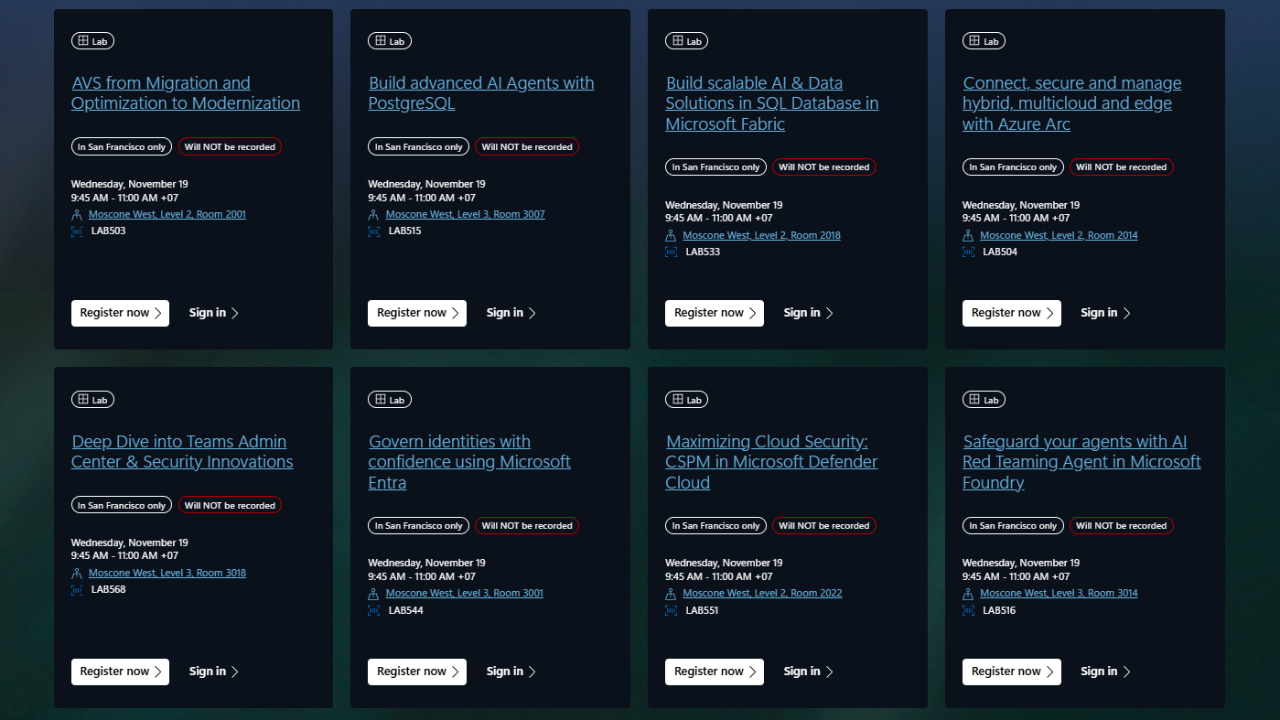
วิธีเข้าร่วม รับชมสด และเข้าถึงเนื้อหาแบบเต็ม
หากต้องการรับชม Session สด เข้าฟัง Keynote หรือเข้าถึงเนื้อหาเฉพาะผู้ลงทะเบียน ต้องลงทะเบียนและลงชื่อเข้าสู่ระบบผ่านแพลตฟอร์มอย่างเป็นทางการ
✅ ลงทะเบียนเข้าร่วมงาน
หากยังไม่ได้ลงทะเบียน คลิกด้านล่างเพื่อเข้าร่วมและดู Keynote & Session แบบสด:
👉 Register here: https://register.ignite.microsoft.com/
✅ ลงชื่อเข้าใช้งานสำหรับผู้ลงทะเบียนแล้ว
เข้าถึง Dashboard, ตารางส่วนตัว, ลิงก์ Session และทรัพยากรอื่นๆ:
👉 Sign in here: https://ignite.microsoft.com/en-US/auth-redirect?dest=/home
ลิงก์เหล่านี้ช่วยให้ไม่พลาดประกาศสำคัญและเนื้อหาพิเศษที่มีเฉพาะผู้เข้าร่วมเท่านั้น
Summary
Microsoft Ignite Nov 19 มอบประสบการณ์เต็มวันของนวัตกรรม การเรียนรู้ และการสร้างชุมชน ตั้งแต่ Keynotes การพบผู้เชี่ยวชาญ Labs แบบลงมือทำ สิ่งอำนวยความสะดวก ไปจนถึงกิจกรรมช่วงค่ำ งานนี้รองรับทั้งการเรียนรู้เชิงเทคนิคและโอกาสในการเชื่อมต่อผู้คน ไม่ว่าคุณจะเป็นนักพัฒนา ผู้เชี่ยวชาญด้าน IT หรือผู้ตัดสินใจด้านธุรกิจ งานนี้จะเติมเต็มแรงบันดาลใจและเปิดโอกาสใหม่ๆ ให้กับคุณอย่างแน่นอน