GitHub Copilot is an AI-powered code completion tool developed by GitHub and OpenAI. It acts as a virtual assistant for developers by providing intelligent, real-time code suggestions. By integrating with popular code editors such as Visual Studio Code, JetBrains IDEs, and Neovim, it helps developers write code faster and reduce errors.
This AI tool is trained on billions of lines of public code from open-source repositories. It understands coding patterns, recognizes syntax, and can even suggest entire functions from simple natural-language prompts. Whether you’re a beginner or a professional, it can significantly boost your coding productivity.
How is GitHub Copilot changing how you code?
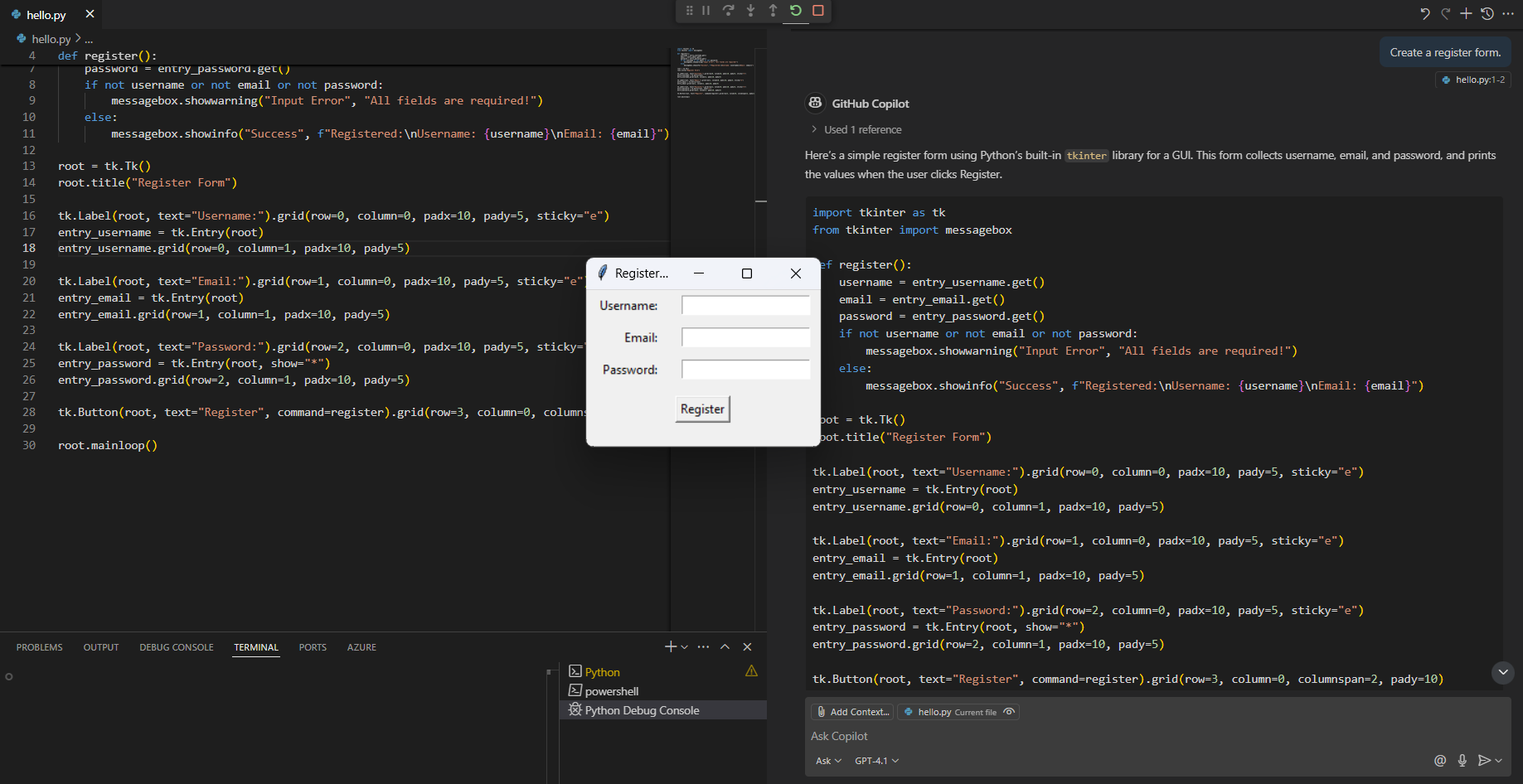
It's changing the way developers view programming. In the past, developers often relied on documentation, Stack Overflow, and online tutorials to solve coding problems. But with Copilot, this process becomes easier and faster.
When writing code, AI analyzes the context and suggests relevant code, reducing the need to type each line of code manually. For example, if you start writing a function to sort an array, it can automatically generate the entire function using best practices.
Furthermore, Copilot isn't limited to just code completion; it can also provide:
- Functional suggestions from comments or incomplete code.
- Multiple code options are available to help developers choose the best method.
- Automated documentation for easier reading and improved maintenance.
Why is this a change for developers?
The impact of Copilot is particularly important for developers of all levels.
For beginners
- They act as coding mentors, helping them learn syntax, functions, and best practices.
- Reduce the frustration of debugging common errors.
- Help them understand coding patterns by providing practical examples.
For professional developers
- Accelerate the development process by automating repetitive tasks in coding.
- It helps developers focus on logic and architecture, instead of just adding syntax details.
- Increase productivity by introducing appropriate code.
For teams and companies
- Improve collaboration by maintaining consistent coding practices.
- Reduce the time spent writing repetitive code.
- Assist the internship process for new developers by providing relevant guidance.
Its main features and benefits.
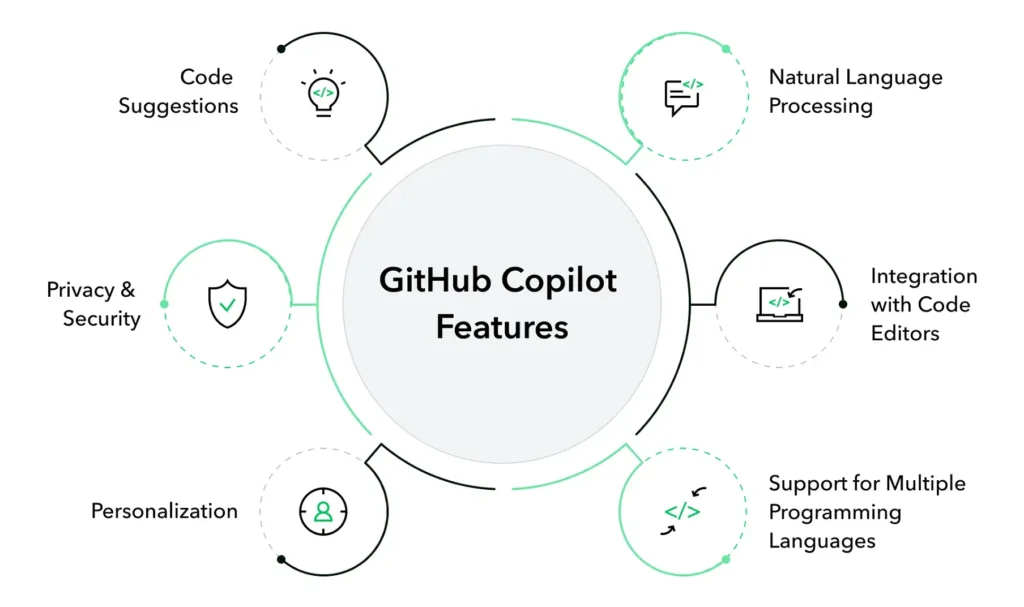
- AI-powered code completion.
It suggests entire lines or blocks of code based on context, understanding the structure of the programming language and providing relevant suggestions. - Supports multiple writing languagessprogram
Tools that support popular languages include:
Python
JavaScript
TypeScript
Go
Ruby
Java
C++ and others
This flexibility makes it useful in web development, software engineering, and even data science. - Seamless integration with IDEs.
It integrates directly with popular code editors, allowing developers to receive real-time feedback without switching between applications. It currently supports:
Visual Studio Code
JetBrains IDEs
Neovim
GitHub Codespaces - Reduce debugging time.
By introducing correct grammar and logical problem-solving methods, Copilot reduces coding errors and helps developers discover potential problems in real-time. - Increase efficiency andable to work
Developers won't have to constantly search for grammatical rules or best practices. Copilot provides immediate guidance, allowing developers to focus on building robust applications.
Comparison: IT vs. Traditional Code Assistants
Feature | GitHub Copilot | Traditional Code Assistants (เช่น IntelliSense) |
AI-powered recommendations | Yes (using Machine Learning). | No (uses Rule-Based Autocomplete) |
Understand the context | Yes | no |
Introducing full functions | Yes | no |
Supports natural speech input. | Yes | no |
Work with multiple languages | Yes | Yes |
Predict the code from the comments. | Yes | no |
Reduce the need to search on the internet. | Yes | no |
Who can benefit from GitHub Copilot?
It's designed for developers of all levels:
- Beginners and students – Helps learn programming by introducing syntax, functions, and best practices.
- professional developer – Accelerate the coding process by automating redundant processes, increasing efficiency.
- software team – Promotes consistency in code style and accelerates the development process.
Whether it's developing web applications, building automation tools, or developing AI models, it can significantly reduce development time and improve code quality.
Acting as an intelligent coding assistant, it allows developers to focus on solving problems rather than spending time on syntax and debugging.
How to start using it
It's very easy to use:
- Install Extension – If you are using Visual Studio Code, download the extension from the Marketplace.
- Log in with GitHub. – You need an active GitHub account.
- Enable hints – Start coding and it will provide real-time suggestions.
- Accept or modify the suggestion. – You can choose to accept, reject, or modify the code suggested by the AI.
Pricing and availability of GitHub Copilot.

It is a paid, subscription-based service. Although there is a free trial, users will need to subscribe to continue accessing the service. GitHub also offers a free plan for students and those working with open-source code.
Features | Copilot Individual | Copilot Business | Copilot Enterprise | Free Access Plan |
Price | $10/month | $19/user/month | $39/user/month | Free |
Code suggestions with AI | ✅ Yes | ✅ Yes | ✅ Yes | ✅ Yes |
Code editor support | VS Code, JetBrains, Neovim, Visual Studio | Same as Individual | Same as Business | Same as Individual |
Recommended use | Personal code development | Teamwork and organizational work. | Enterprise-level safety and compliance. | Education and participation in open source. |
Administrator control | ❌ No | ✅ Centralized user management | ✅ Establishing organizational policies. | ❌ No |
Data control and privacy. | ❌ Can't customize | ✅ Data collection administrator | ✅ Advanced settings and usage log. | ❌ Can't customize |
Public code filter | ✅ Can be turned on/off. | ✅ The administrator sets the policy. | ✅ According to organizational policy | ✅ Can be turned on/off. |
SSO login | ❌ No | ✅ Supports Azure AD and SSO | ✅ Advanced identification system | ❌ No |
License management | ❌ No | ✅ Rights can be assigned and revoked. | ✅ Capable of managing large licenses. | ❌ No |
Connecting to a GitHub organization. | ❌ No | ✅ Yes | ✅ Advanced version | ❌ No |
Safety | ❌ Basic | ✅ Business-level data policy | ✅ Enterprise-level protection (coming soon) | ❌ Basic |
Application features | everyone | Every GitHub organization | Large organizations in industries requiring high levels of security. | Verified students and open-source developers. |
Free trial | ✅ 30-day free trial | ❌ No | ❌ Not launched yet | ❌ Not necessary |
- Copilot Individual Ideal for independent developers who need quick assistance from AI.
- Copilot Business Supports teams and organizations that require security and user management.
- Copilot Enterprise (Coming soon) Enhanced capabilities for controlling policies and data at the enterprise level.
- Free Access Plan Supporting the student community and open source at no cost.
Summary
Overall, it is an indispensable tool for contemporary developers who use AI to optimize code writing and reduce errors. It integrates with popular code editors and provides real-time suggestions to improve workflows.
If you're a developer looking to improve efficiency, this is a great tool. It accelerates the coding process, reduces debugging time, and provides invaluable assistance to both beginners and experts.
You can learn more at GitHub Copilot Documentation - Official documentation from GitHub.
Explore our digital tools
If you are interested in implementing a knowledge management system in your organization, contact us. SeedKM For more information about our internal knowledge management system, or to explore other products such as: Jarviz For online time tracking, OPTIMISTIC For human resource management (HRM-Payroll), Veracity For digital document signing, and CloudAccount for online accounting
Read more articles about knowledge management systems and other management tools here. Fusionsol Blog, IP Phone Blog, Chat Framework Blog, and OpenAI Blog.
Related Articles
- How to Get Started with GitHub Pilot Free: A Complete Guide
- What can Copilot be used for in coding? An AI assistant for developers.
- How to access AI Coding Assist for pilots on GitHub in VSCode for free.
- Why Microsoft Defender is the Best Free Antivirus for Windows Users
- How to Maximize Security with Microsoft Defender
- Microsoft Defender Products and Services Comparison Guide