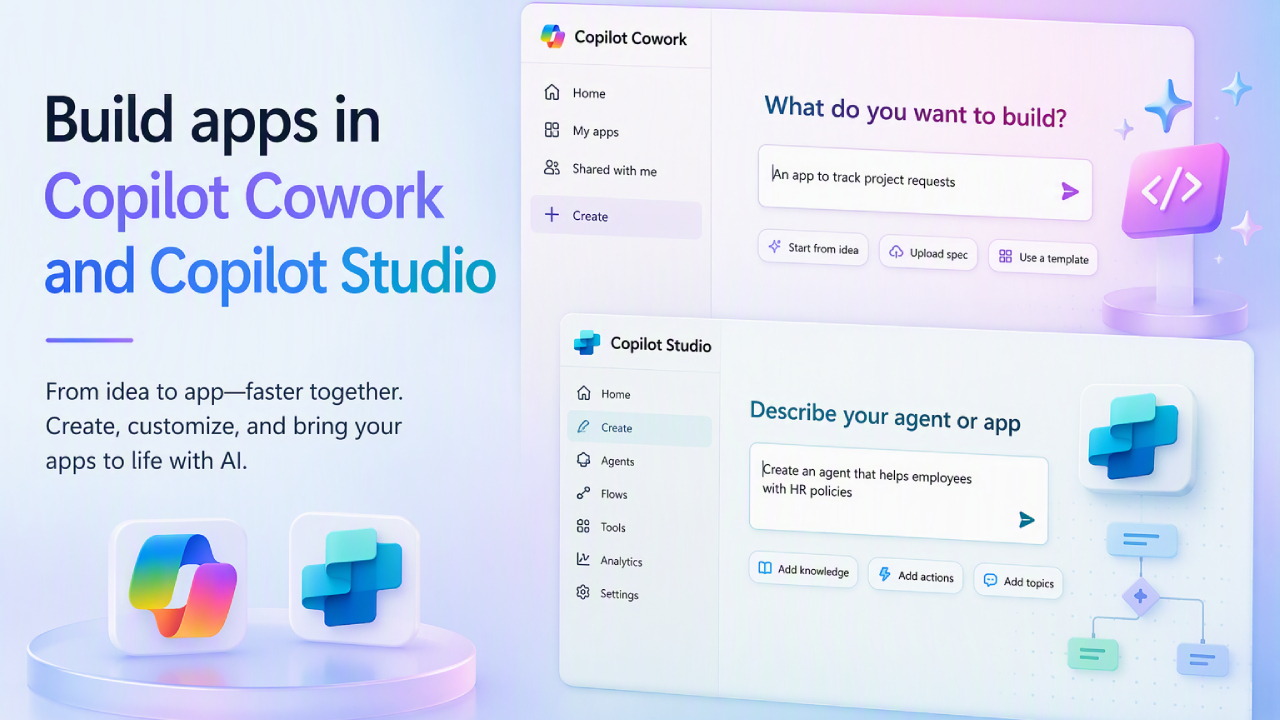
Traditional business application development typically demands significant development skills, technical resources, and time. However, this approach is shifting as Microsoft integrates AI, enabling users to describe their requirements using natural language and transform those concepts into fully functional applications.
With the new capabilities of Copilot Cowork and Copilot Studio, organizations can Build Apps in Copilot simply by describing desired business outcomes, users, data, and actions through conversation; the AI then generates the application structure, allowing users to further customize it to their needs.
This approach bridges AI-powered app creation with business data, connectors, workflows, and enterprise governance, ensuring that application development is no longer limited to developers alone.
What is Build Apps in Copilot?
Build Apps in Copilot is an approach to application development using natural language, allowing users to describe what they want instead of starting with traditional coding.
In Copilot Studio, users can select the App option. Copilot Cowork users can then invoke the /app skill and describe what the application should do, who will use it, and how the system should operate.
Copilot utilizes agentic coding to generate an initial application structure, after which users can interact with Copilot to further refine the application. Users can preview the results and inspect the underlying code whenever greater control over technical details is required.
This results in an application development experience that supports both business users (who are not developers) and professional developers.
Build Apps Using Natural Language
One interesting shift is that application development can begin with the desired business outcome, rather than starting with the code.
For example, the HR department might require an employee onboarding application capable of tracking onboarding tasks, displaying learning resources, and updating employee onboarding records.
Instead of building each component from scratch, users can explain their requirements to Copilot and have it generate an application scaffold as a starting point.
The team can then preview the application, test it out, and refine further details through conversation.
This approach helps bridge the gap between a business idea and a working prototype, making it easier for teams to experiment with and build solutions for specific organizational problems.
Connect Apps to Business Data
A good application does not merely display information; it should also be capable of integrating with the systems and data an organization already uses.
Copilot Cowork and Copilot Studio support connectors that enable applications to connect and work with business data from various systems. Additionally, Microsoft offers Work IQ to help AI better understand organizational context.
Consequently, the applications created can do more than just display data; they can retrieve data, execute workflows, and write results back to connected systems within the Microsoft 365 environment.
For example, a company might develop a field service application capable of retrieving technical information from other systems, displaying guided instructions to staff, and recording performance results back to a connected system—all without the need to switch between multiple applications.
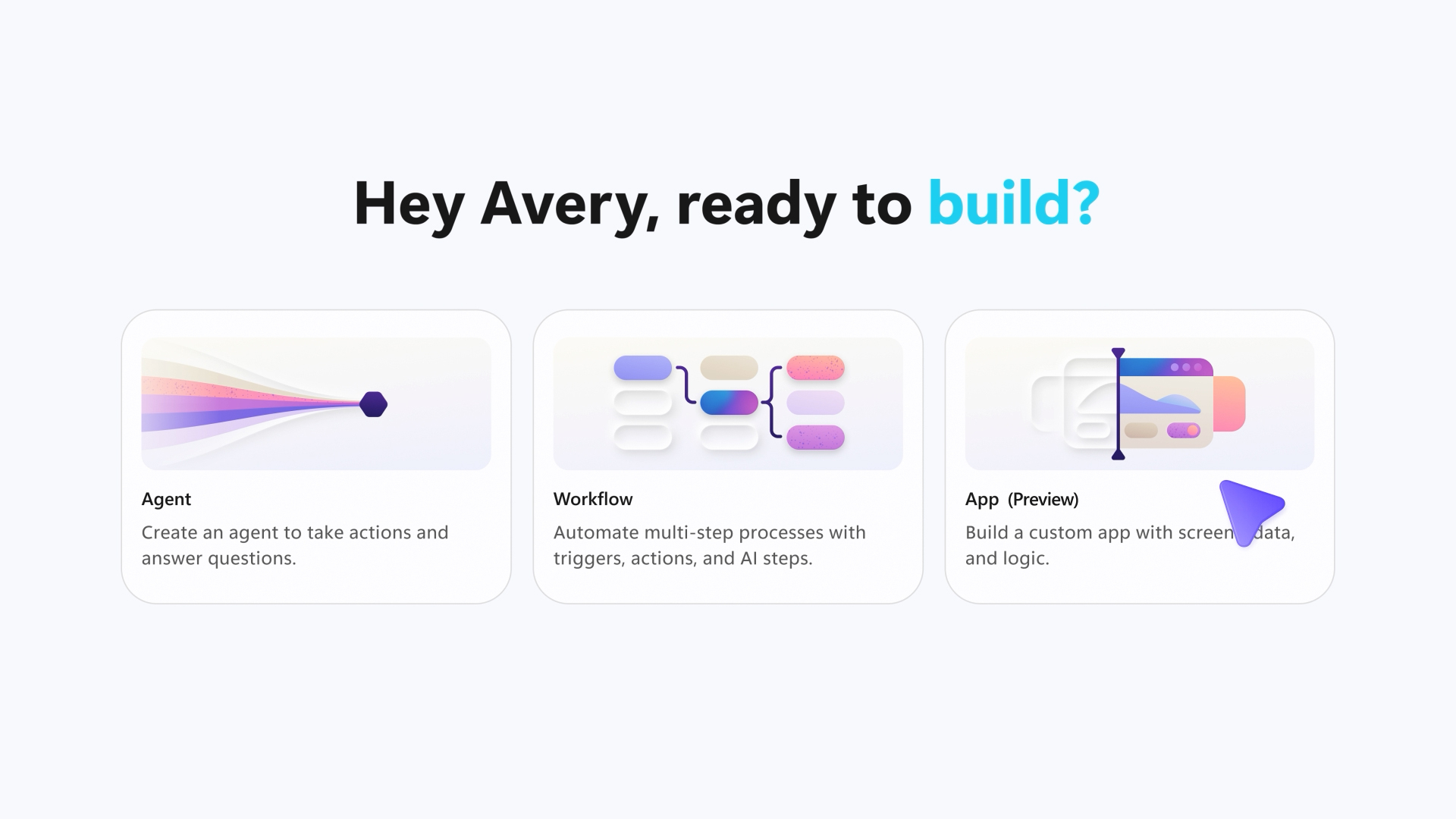
Build Apps in Copilot for Real Business Processes
The benefits of AI-powered app creation extend beyond merely building screens or forms; the technology can also be applied to an organization's actual business processes.
When applications can connect to agents and workflows, businesses can create solutions that integrate information, actions, and workflows into a single, unified experience.
For example, an organization might build an internal application for:
- Employee Onboarding
- Customer Service
- Field Operations
- Approval Processes
- Internal Requests
- Departmental Workflows
This approach enables organizations to create solutions that align with the specific business requirements of individual teams, without the need to launch a large-scale software development project every time a specific problem needs to be addressed.
Enterprise-Ready Security and Governance
One of the key issues regarding AI-generated applications is security and compliance.
As it becomes easier for employees to create applications, organizations need control systems that enable IT to properly manage identity, access, governance, and the application lifecycle.
Microsoft has therefore designed app creation capabilities to operate within the enterprise ecosystem, allowing applications built using "Build Apps in Copilot" to leverage Microsoft’s security and governance features.
Microsoft Entra Identity Integration
Applications can integrate with Microsoft Entra to support organizational identity and access policies.
This enables the organization to systematically manage user authentication and access controls in accordance with company policy.
Centralized Governance
For the IT department, the fact that business users can create more applications necessitates appropriate visibility and governance.
The Microsoft 365 admin center enables IT administrators to:
- View Published Applications
- Check App Inventory
- Define Governance policies.
- Manage Application Lifecycle
- Oversee operational controls
Centralized governance enables organizations to better support citizen development while maintaining security and compliance standards.
Open Standards and Developer Control
Although natural-language app creation simplifies the process of building applications, developers can still exercise control and develop the system at a more advanced level.
Microsoft states that applications created via Copilot Cowork and Copilot Studio are full-stack applications built on open standards.
It also supports workflows such as Git-backed source control, deployment stages, and version isolation.
This enables professional development teams to examine the application structure and further customize the system as business requirements become more complex.
The result is that AI-Assisted App Development caters to users across various levels—from business users looking to create solutions for their teams to developers seeking to build and control applications at an advanced level.
Why is building apps in Copilot important for business?
The key opportunity lies not merely in accelerating application development, but in empowering people within the organization to more easily transform business problems into digital solutions.
Employees and individual departments are often the ones who best understand actual work processes; they know which steps are time-consuming, which tasks require repetition, and which issues still rely on manual processes.
When these problems can be described using natural language and AI can assist in building applications, business users can begin developing solutions without having to wait for every requirement to turn into a traditional software development project.
At the same time, IT continues to play a role in managing security, governance, and centralized visibility.
This led to the establishment of a work process since then.
Idea → Application → Connected Business Process
More quickly and systematically.
From AI Conversation to Business Application
The integration of app-building capabilities into Copilot Cowork and Copilot Studio reflects a significant shift in the approach to software development.
AI is no longer used solely to assist developers in writing code; it is evolving into a tool that enables users to articulate business requirements and transform them into applications connected to organizational data and business workflows.
For organizations planning an AI-powered business transformation, "Build Apps in Copilot" offers a way to bring application development closer to the people who best understand the business problems.
Interestingly, while the process begins with a conversation with AI, the system still supports the data connectivity, developer capabilities, and IT governance essential for an enterprise environment.
Conclusion
The integration of natural language app creation, enterprise data connectivity, security, governance, and secure deployment enables organizations to transform business ideas into applications more rapidly, while also empowering business users to play a greater role in creating digital solutions.
การผสาน Natural Language App Creation, Enterprise Data Connectivity, Security, Governance และ Secure Deployment ช่วยให้องค์กรสามารถเปลี่ยน Business Ideas ให้กลายเป็น Applications ได้รวดเร็วขึ้น พร้อมเปิดโอกาสให้ Business Users มีส่วนร่วมในการสร้าง Digital Solutions มากขึ้น
Whether you are a business user looking to resolve operational challenges, a power user aiming to build departmental solutions, or a developer seeking to boost productivity, Copilot Cowork and Copilot Studio serve as a modern platform for creating intelligent, connected applications that meet enterprise-grade requirements.
As AI plays an increasingly significant role in software development, organizations can view "Build Apps in Copilot" not merely as a tool for creating applications, but as a means to transform business ideas into digital solutions and integrate them directly into actual organizational workflows.