AI coding assistants are constantly becoming more capable, but choosing the right AI model for each type of coding task remains challenging. One model may have better analytical capabilities, while another may be more efficient, or some models may perform better for specific types of software engineering problems.
Project HydraFusion offers a different approach. Instead of letting developers choose the best model themselves, HydraFusion dynamically orchestrates multiple AI models and automatically selects the most suitable workflow for each task.
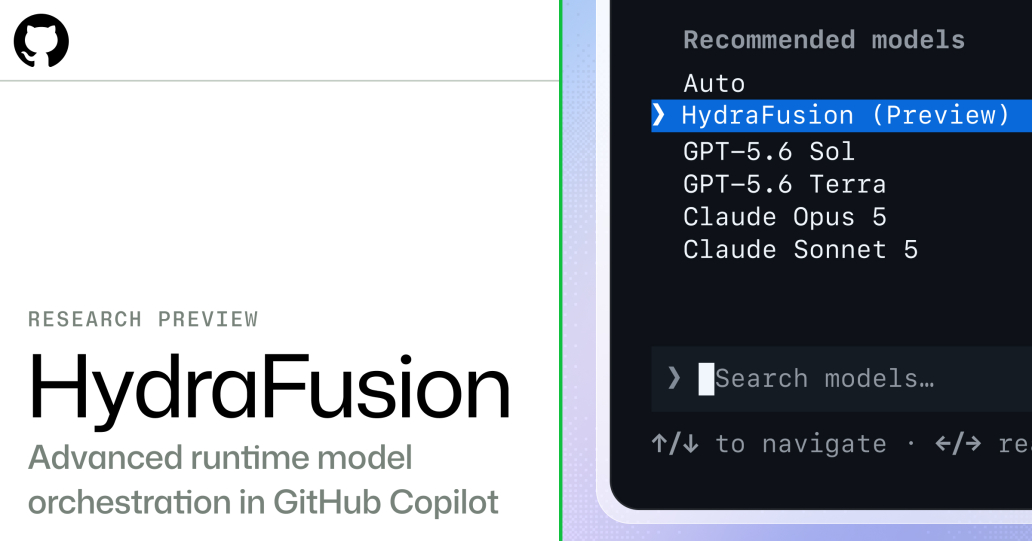
GitHub describes HydraFusion as a Research Preview designed to deliver frontier-level code quality while balancing performance, cost, and latency.
What is Project HydraFusion?
Project HydraFusion is a Research Preview on GitHub Copilot that uses the Multi-Model Orchestration concept to determine how each coding task should be executed.
Instead of sending every request to a single, predefined AI model, HydraFusion evaluates the nature of the task and selects the most appropriate strategy for executing it.
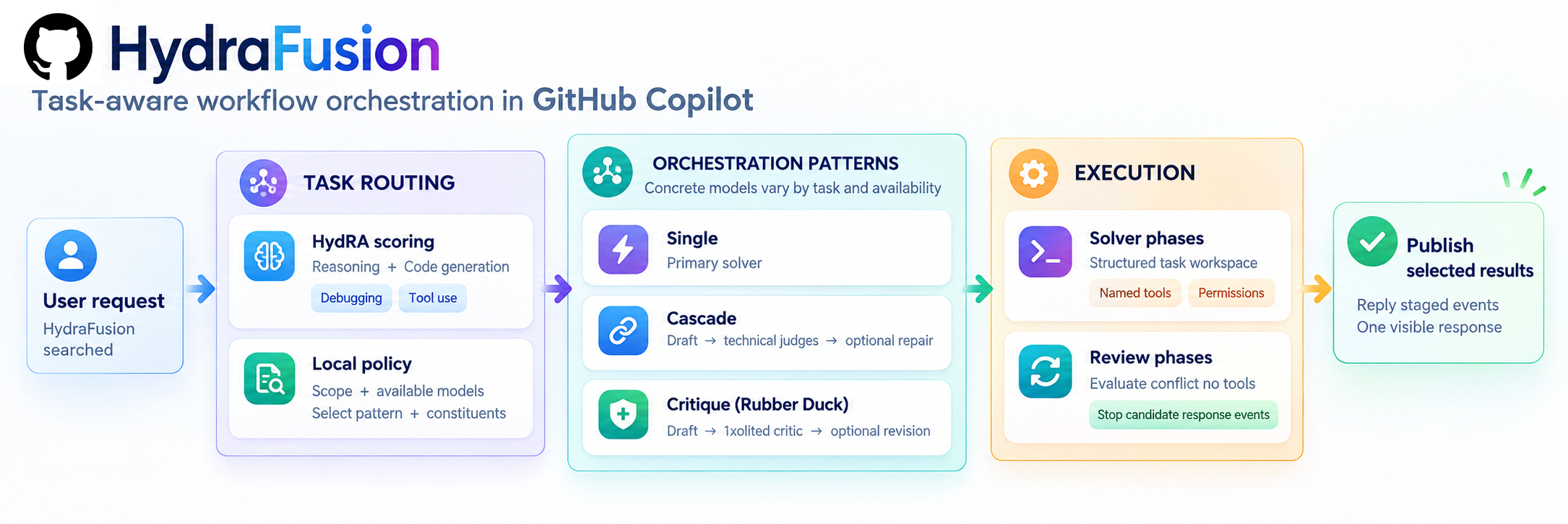
The system can use a single model, combine multiple models through a cascade process, or have one model generate a solution and then have another model independently test and critique that solution.
The complexity of selecting and coordinating models happens behind the scenes; developers simply select HydraFusion as the model they want to use.
Why did GitHub create HydraFusion?
Developers often need to switch between different AI models depending on the nature of the work.
One model might be high-speed and low-cost but unsuitable for complex debugging tasks, while another might have better analytical capabilities but require more resources.
In the traditional approach, the developer must make all the decisions themselves.
HydraFusion simplifies this by automatically determining the optimal workflow for each request.
Developers simply select HydraFusion as the desired model, and the Orchestration Layer will handle the rest in the background.
How does Project HydraFusion work?
Currently, HydraFusion uses three main operating modes.
- Single
The simplest workflow is Single.
HydraFusion selects a model that the system deems capable of solving the task efficiently, and then directly sends the task to that model.
This approach is suitable for tasks that do not require further verification or transfer to a more capable model.
The main advantage is efficiency, because fewer models are called.
- Cascade
A Cascade workflow starts with the model that is more efficient and uses fewer resources.
If the initial result meets the specified quality level, the workflow can terminate immediately. However, if the result fails the Quality Gate, HydraFusion can forward the task to a higher-performing model.
This approach helps strike a balance between cost and quality.
Instead of using an expensive model for every request, the system allows more cost-effective models to handle simpler tasks first, and only calls more capable models when necessary.
- Critique
A Critique workflow involves one model creating a solution and another model from a different Model Family verifying that solution.
The review model operates in a read-only context and provides feedback. The model that initially created the solution can then use this feedback to improve its own solution.
This approach is useful when an independent perspective from another model can help improve the quality of the final result.
The key principles behind HydraFusion
GitHub developed HydraFusion based on several key operational principles.
Complete Accounting
The platform will track every step of the operation, including:
- Creating a Draft
- Review process
- Escalation
- Retry
- Revision
This provides a complete view of the costs and performance of the workflow.
Bounded Execution
Setting timeout and cancellation controls helps prevent excessive costs and reduces unnecessary delays during processing.
Isolated Reviews
The review model operates in a separate environment and does not have permission to modify the content within the repository, allowing for objective analysis before changes are applied.
Fail-Safe Validation
HydraFusion validates the workflow before applying changes to prevent incomplete or incorrect updates from being sent to the production code.
Validated Routing
The system will check the availability of the model, workflow configuration, and logic for the fallback before proceeding.
Project HydraFusion vs. Manual Model Selection
The differences can be summarized as follows:
Traditional approach | HydraFusion |
The developer chooses the model. | HydraFusion selects the workflow. |
Generally, one model is used per task. | Multiple models can be used together. |
The developer decides when to escalate. | The system can escalate automatically. |
The review process may require additional manual prompts. | Critique workflow can be integrated into the workflow process. |
Most optimization needs to be done manually. | Routing considers quality, cost, and latency. |
Developers must manage the complexity of the model. | Model orchestration happens in the background. |
This approach allows developers to focus more on coding issues instead of constantly having to decide which AI model should handle each request.
The benefits of Project HydraFusion for developers
The primary goal of HydraFusion is to balance three conflicting factors:
- Quality — How accurately was the code executed?
- Cost — How many resources from the model are required?
- Latency How long does the workflow take?
Using the most capable model for every task can improve quality, but it may also increase costs and response times.
Conversely, using small-scale models for every task may reduce costs, but it could also compromise the quality of complex work.
HydraFusion strives to strike the right balance by using more complex workflows only when it is likely to add value to the outcome.
Benchmark results
GitHub has evaluated HydraFusion using three agentic coding benchmarks: TerminalBench 2.1, DeepSWE, and CheckpointBench.
Based on offline evaluations under controlled GitHub conditions, the optimally tuned HydraFusion configuration yields the following results when compared to Claude Opus 5:
Benchmark | Estimated cost | The quality of the work has been verified |
TerminalBench 2.1 | Decreased by 67% | +4.9 percentage points |
DeepSWE | Decreased by 36% | -1.5 percentage points |
CheckpointBench | Decreased by 65% | -0.1 percentage point |
These results are specific to the Benchmark Version, Workflow Configuration, Model Pool, pricing assumptions, and testing conditions used in the evaluation.
GitHub states that this Research Preview will be used to further evaluate how well the results can be translated into the actual developer workload.
Benefits of Project HydraFusion for Developers
Higher-Quality AI-Assisted Coding
By combining the strengths of multiple models, HydraFusion can help improve tasks such as:
- Code Generation
- Debugging
- Refactoring
- Problem-Solving
Developers can achieve more reliable results with less manual intervention.
Lower AI Costs
Instead of running costly models for every task, HydraFusion can intelligently allocate resources based on task complexity, enabling organizations to better control and optimize AI costs.
Better Productivity
Developers no longer need to decide:
- Which model should be used?
- When should the model be changed?
- How should the results from the model be combined?
HydraFusion automates the workflow, allowing teams to focus more on software development.
How to try out Project HydraFusion?
HydraFusion is currently available as a Research Preview via GitHub Copilot CLI.
GitHub states that this is available for all GitHub Copilot Plan users via the command /experimental
To try it out via Copilot CLI, do the following:
- Run /update to install the latest version.
- Run /experimental on
- Run /model
- Select HydraFusion (Research Preview).
Usage is charged based on the number of tokens used by the various models within the HydraFusion Workflow, with each model being charged at its standard rate.
Summary
Project HydraFusion introduces a new approach to software development with AI: Multi-Model Orchestration.
Instead of relying on a single model for all types of coding workflows, HydraFusion can select a workflow between Single, Cascade, and Critique based on the anticipated needs of each task.
The goal is to create a better balance between code quality, cost, and latency, while hiding the complexities of model coordination from developers.
As a Research Preview, HydraFusion remains under development, and its workflow model, performance, and availability may change in the future.
However, HydraFusion demonstrates an interesting approach to the next generation of AI coding assistants, which doesn't focus solely on selecting a "better model" but is shifting towards dynamically choosing "the best way to solve each task."