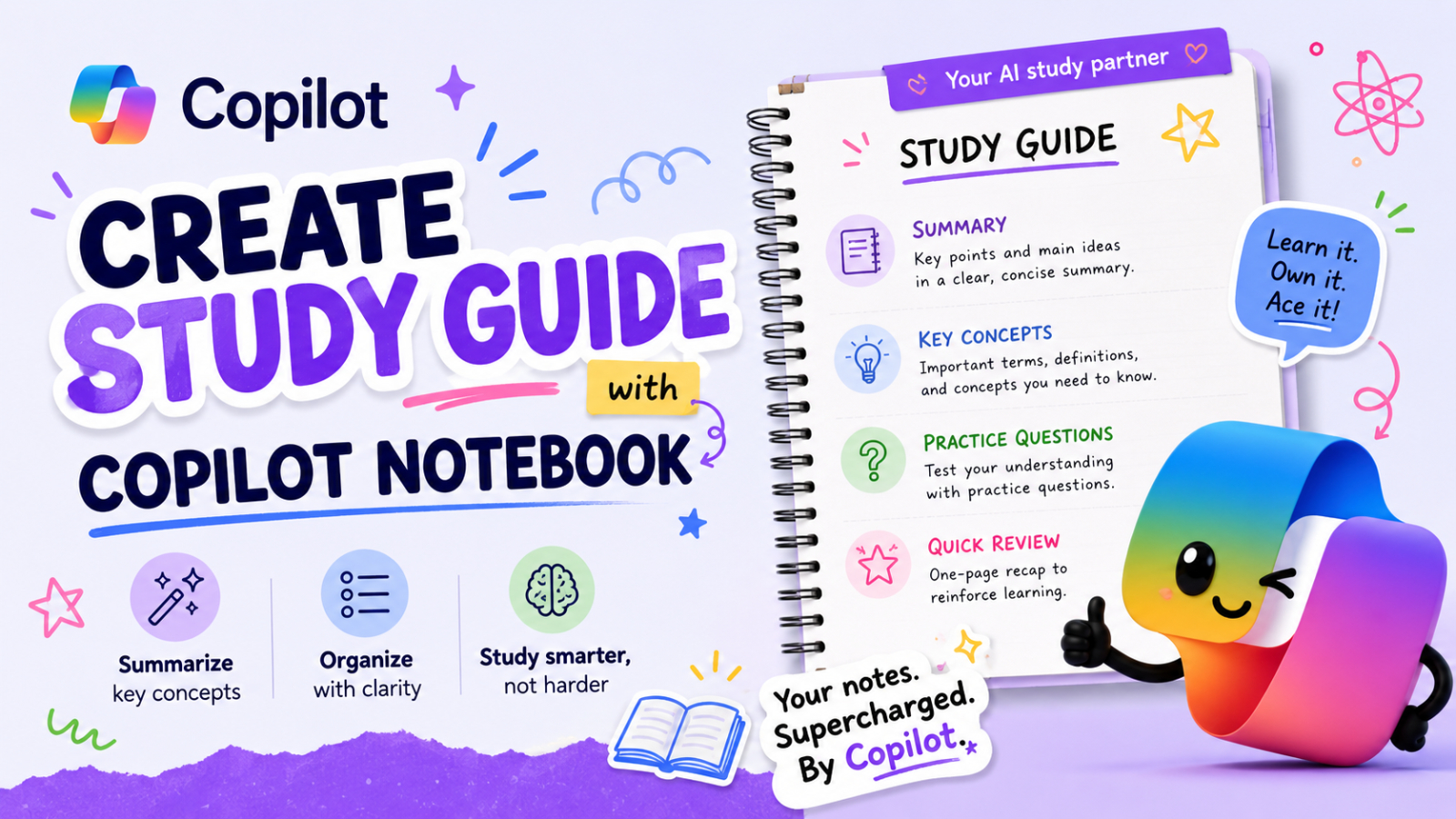
Artificial intelligence is transforming how people learn, organize information, and prepare for exams. One of the most useful features within Microsoft Copilot is the ability to create structured learning materials directly from uploaded documents. With the Study Guide feature in Copilot Notebook, students, teachers, and professionals can transform lengthy documents into well-organized learning resources in minutes.
Instead of manually summarizing dozens of pages of documents, Copilot Notebook can analyze uploaded files, identify key concepts, and automatically create a Study Guide that makes reviewing the material much easier.
What is a copilot notebook?
Microsoft Copilot Notebook is a workspace within Microsoft Copilot where users can upload files, organize data, and interact with AI using their own data.
This feature is very useful for:
- Students who are preparing for exams.
- Teachers who create teaching materials.
- Researchers who need to summarize papers.
- Experts who review training documents.
- The team that manages the knowledge base.
One of the most practical features is the ability to automatically create a Study Guide in Copilot Notebook from uploaded content.
Why should you use the Study Guide in your Copilot Notebook?
Traditional study preparation often takes a lot of time because users have to:
- Read a large number of documents.
- Highlight key concepts.
- Organize your notes yourself.
- Create your own summary of the content.
Copilot Notebook streamlines these processes by automatically creating structured learning materials from uploaded files.
Features | Benefit |
Summarize the content using AI | Saves time |
Organize the topics | Easier to review |
Extract key ideas | Faster understanding |
Generate automatic questions | Better exam preparation |
Structured record | Improved learning efficiency |
This makes Copilot Notebook an ideal productivity tool for both education and organizational training.
Steps for creating a Study Guide
Step 1: Open Microsoft Copilot
Go to the official Microsoft Copilot website and sign in with your Microsoft account.
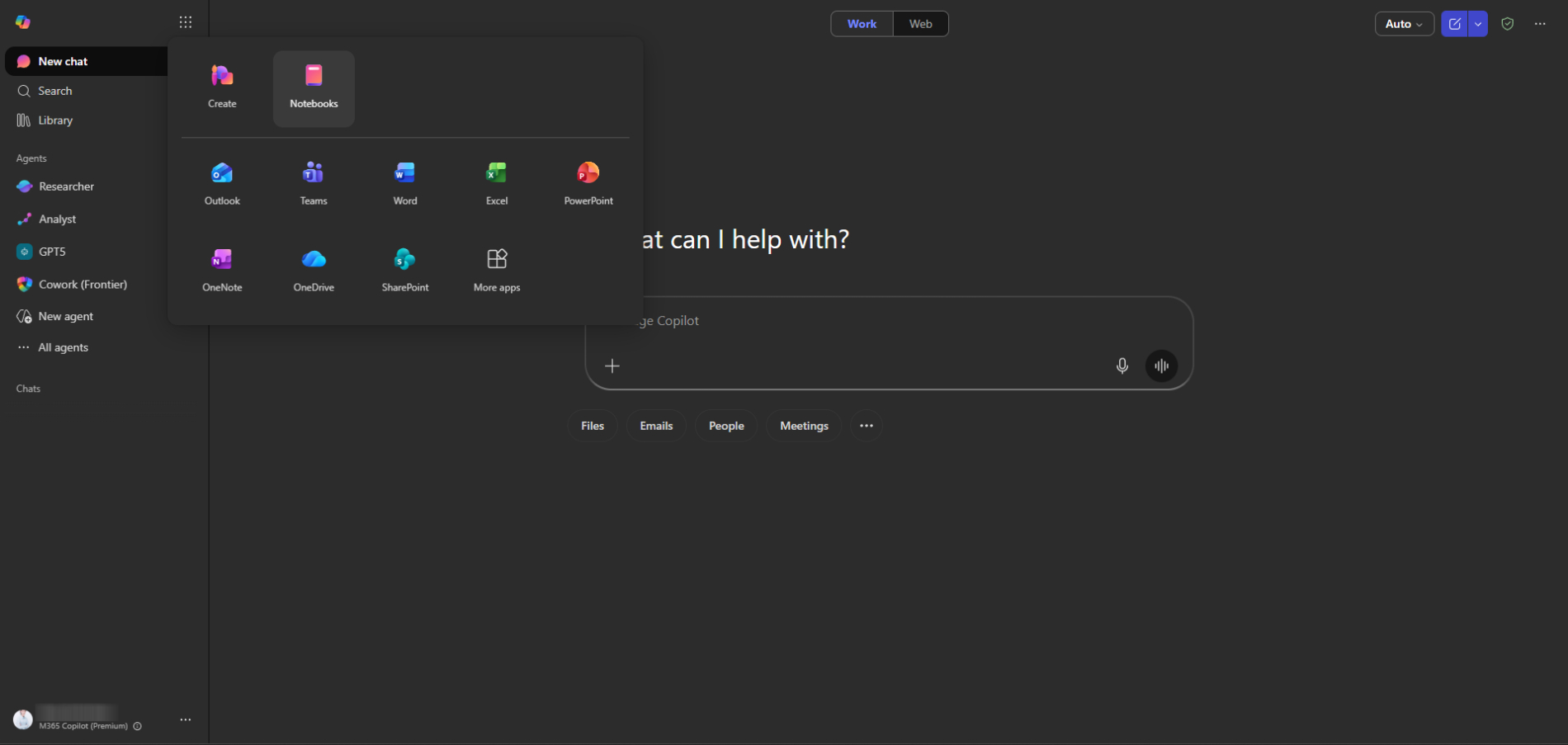
Step 2: Open Copilot Notebook
Within Copilot, go to the Notebook section.
This area allows you to:
- Upload documents
- Store research files
- Organize the records
- Create results with AI
The notebook serves as a centralized learning environment supported by AI.
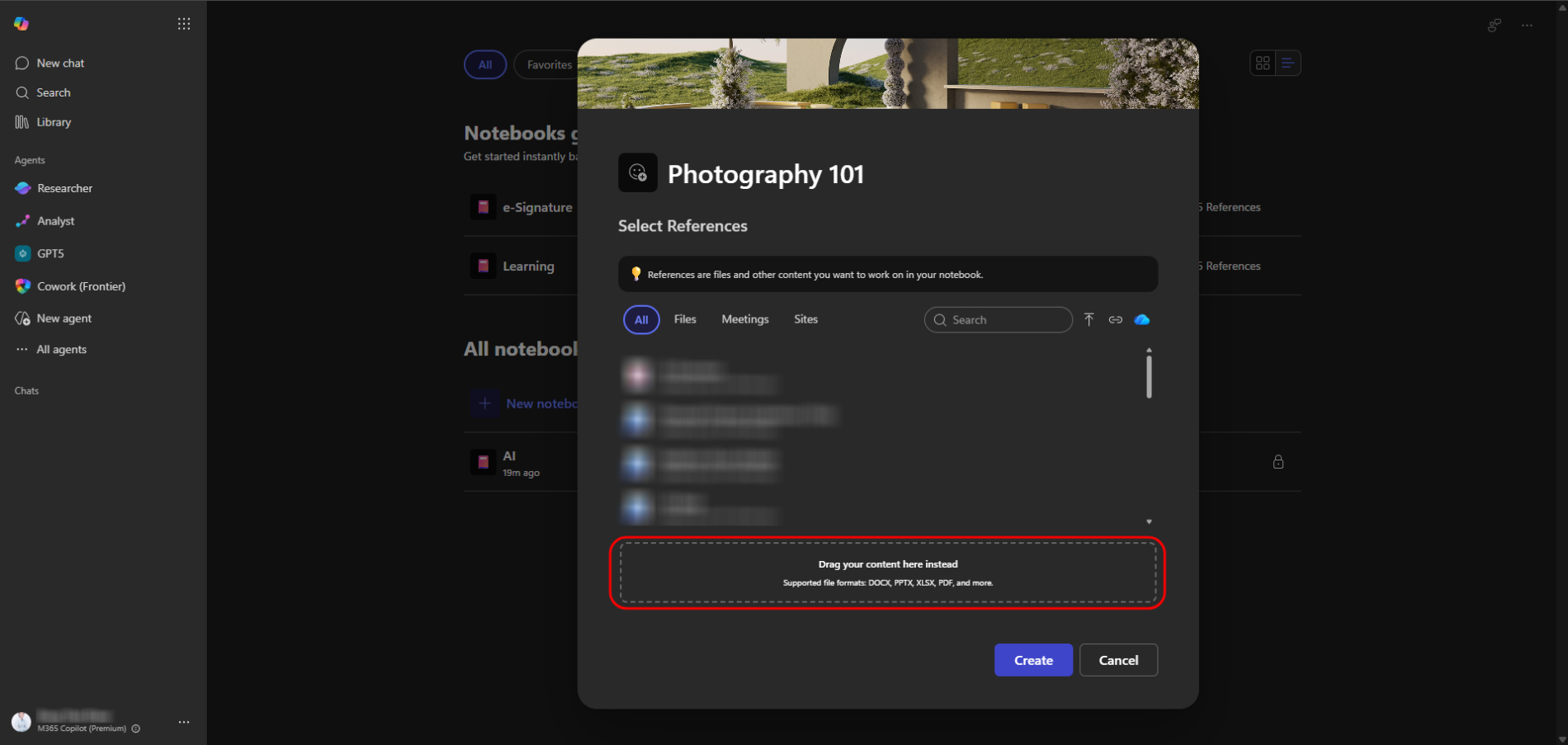
Step 3: Upload the file
Click the upload button and select your sample document. Supported file types include DOCS, PPTX, XLSX, PDF, and most text files.
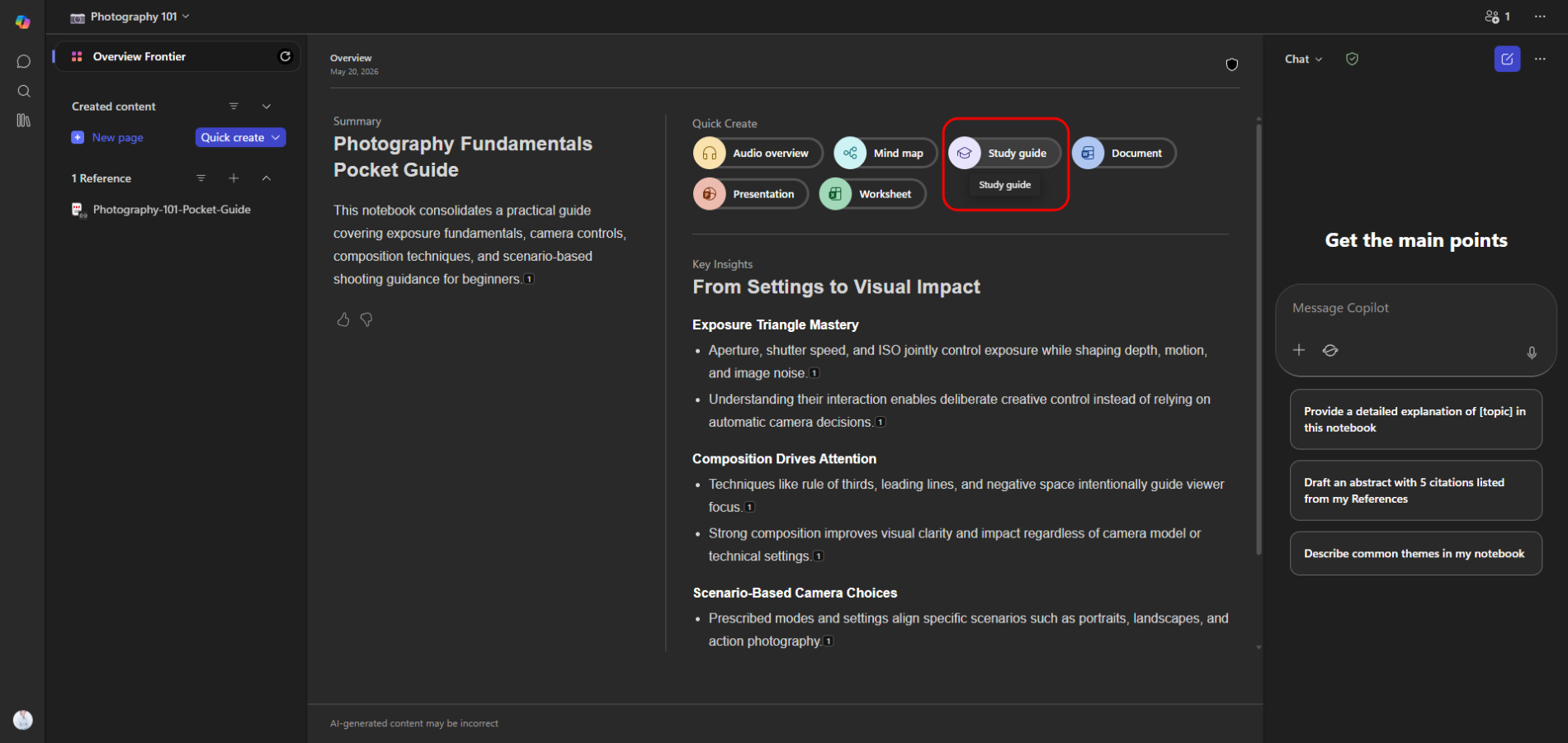
Step 4: Select “Study Guide”
Once processing is complete, select Study Guide on the Notebook screen.
This feature instructs Copilot to transform uploaded content into structured learning materials.
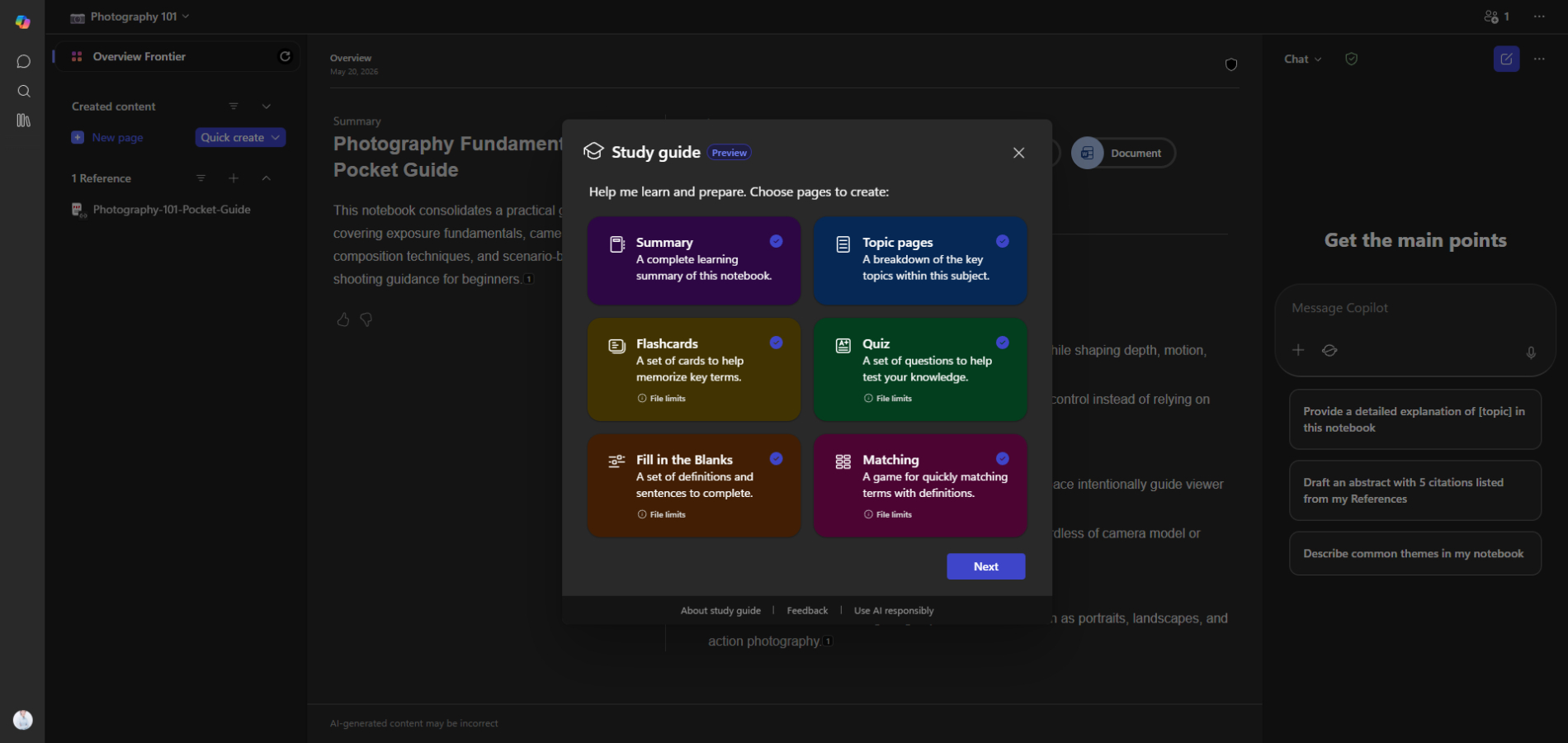
Step 5: Select all pages of the Study Guide
The options may include:
- Summary
- Topic Pages
- Flashcards
- Quiz
- Fill in the Blanks
- Matching
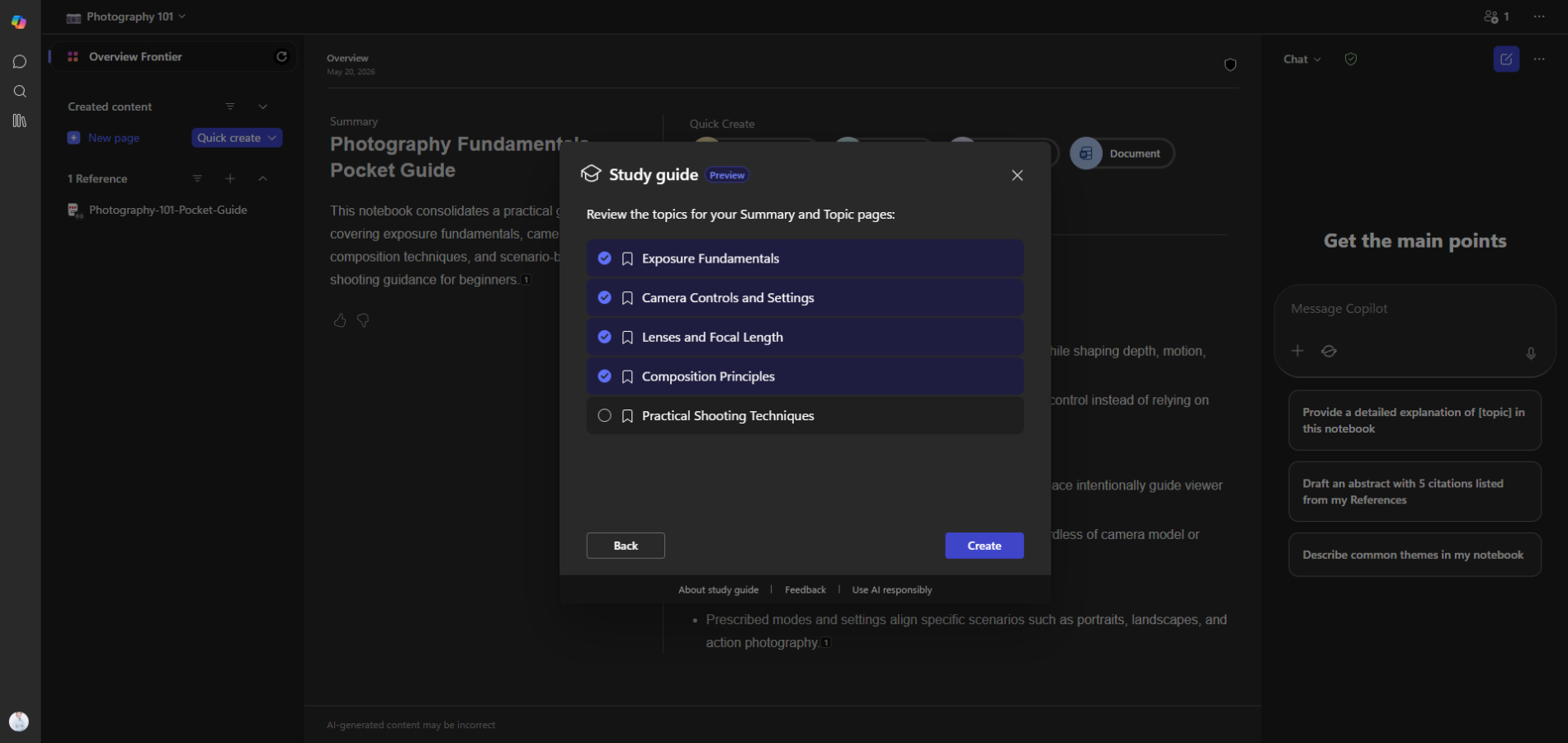
Once all pages are selected, click Create to have Copilot Notebook automatically create the learning materials.
Examine the pages created in the Study Guide
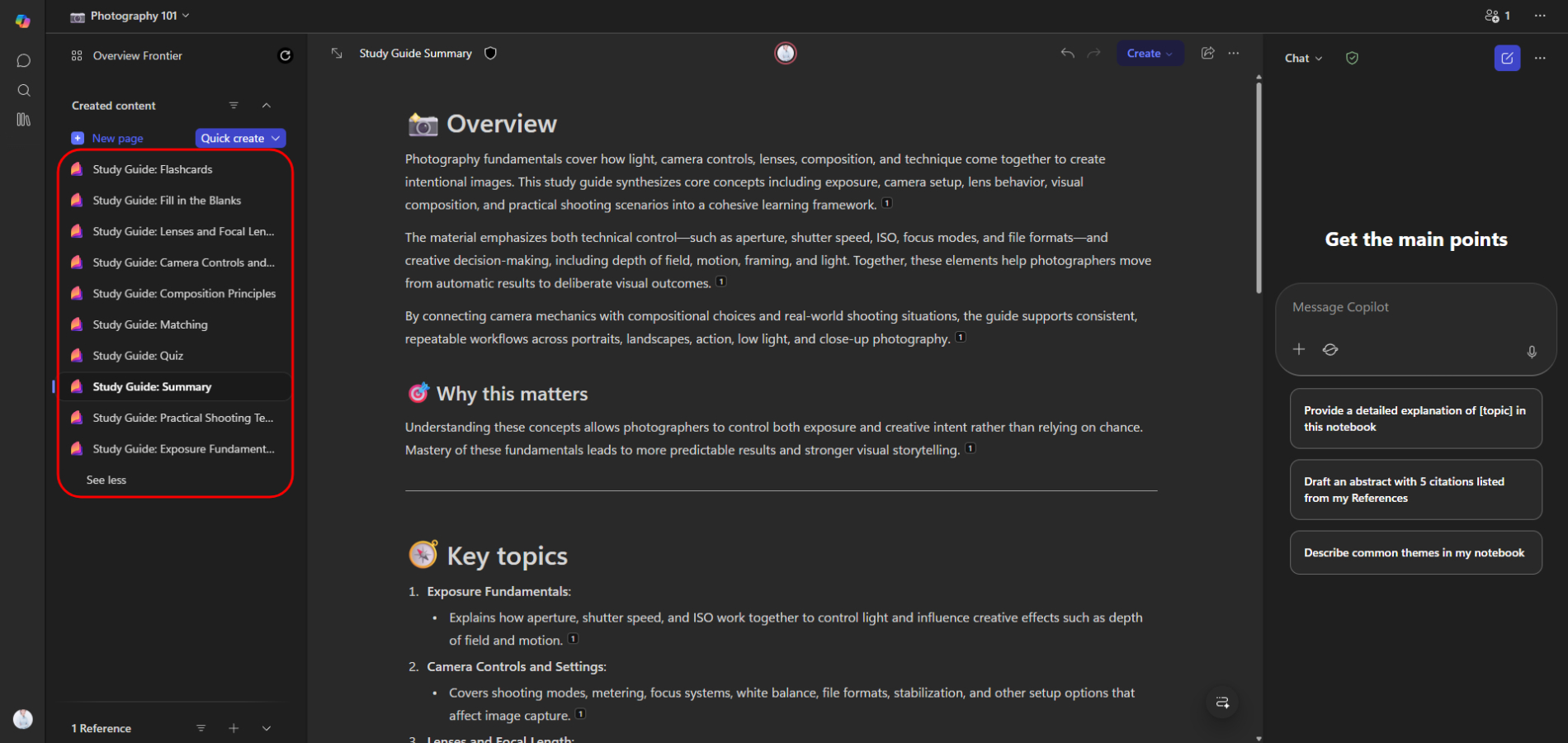
After processing the file, Copilot Notebook will generate several interactive learning pages based on the selected options.
- Topic Pages
Dividing the content into clearly organized sections makes learning easier by breaking down concepts into specific topics. - Flashcards
Create quick question-and-answer flashcards to help memorize important vocabulary and definitions. - Quiz
Create practice questions from uploaded content to help test users' understanding. - Fill in the Blanks
Create fill-in-the-blank exercises that require users to fill in missing words or ideas from the content. - Matching
Create activities that match vocabulary words with their correct descriptions or functions.
These AI-powered pages transform uploaded documents into a fully interactive learning experience within Microsoft Copilot Notebook.
Guidelines for using Copilot Notebook effectively
To help AI create better Study Guides, please do the following:
Guidelines | Reason |
Upload clear documents | Improves AI understanding |
Use structured content | Better organization |
Insert a title into the document | Easier topic extraction |
Select all pages | More complete summaries |
Check the results from AI | Ensures accuracy |
Although Copilot provides powerful automation, reviewing generated content is still recommended for accuracy and completeness.
Who Can Benefit Copilot Notebook?
The Study Guide in Copilot Notebook feature is useful across many industries and learning environments.
Students
- Prepare for exams faster
- Summarize textbooks
- Organize class notes
Teachers
- Create teaching materials
- Generate revision content
- Build study resources
Professionals
- Review training manuals
- Learn certifications
- Summarize technical documents
Researchers
- Analyze long reports
- Extract key findings
- Organize research materials
Summary
AI-powered learning tools are rapidly improving how people study and manage information. Using a Study Guide in Copilot Notebook allows users to transform lengthy documents into organized educational resources with minimal effort.
By uploading a file, selecting Create Study Guide, choosing All Pages, and letting Copilot process the content, users can quickly generate structured notes that simplify learning and improve productivity.
As AI-assisted education continues evolving, tools like Microsoft Copilot Notebook are becoming valuable companions for students, educators, and professionals alike.