In today's cloud-first world, securing data while maintaining compliance and operational efficiency is a key challenge for organizations. AvePoint is a leading data management and governance platform designed to help organizations effectively protect, manage, and optimize their digital environments.
AvePoint is widely known for its integration with cloud platforms, particularly within the Microsoft Ecosystem, as well as its capabilities in compliance, flexibility, and digital transformation.
What Does AvePoint Do?
At its core, AvePoint provides tools and services that enable organizations to:
- Protect critical business data
- Ensure compliance with regulations
- Manage cloud environments efficiently
- Migrate data securely between systems
- Optimize collaboration platforms
It acts as a central control layer for managing enterprise data across multiple platforms.
Core Pillars of the AvePoint Solution and Services
1. Data Protection and Resilience
AvePoint ensures business continuity by safeguarding data against loss, corruption, or cyber threats.
Key Capabilities
- Backup and recovery for cloud data
- Ransomware protection
- Automated data restoration
2. Operational Governance and Management
This pillar focuses on maintaining control over digital environments.
Key Capabilities
- Policy enforcement and compliance monitoring
- Access control and permission management
- Lifecycle management for content and data
3. Secure Migration and Modernization
AvePoint helps organizations transition to modern platforms without risk.
Key Capabilities
- Migration to cloud environments
- Data restructuring and optimization
- Minimal downtime during transitions

Supported Environments: Where Does AvePoint Work?
Microsoft 365 Ecosystem
AvePoint is deeply integrated with Microsoft 365, including:
- SharePoint
- Teams
- OneDrive
- Exchange
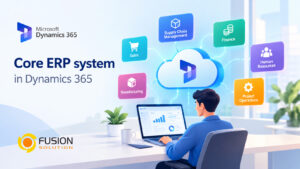
Salesforce and Dynamics 365
It supports CRM and ERP environments, enabling:
- Data protection
- Governance
- Migration across business applications
Google Workspace and Slack
AvePoint extends beyond Microsoft by supporting:
- Google Workspace tools
- Slack collaboration environments
Hybrid and On-Premises Environments
Organizations with mixed infrastructures can:
- Manage both cloud and on-prem systems
- Ensure consistency across environments
Why You Need AvePoint?
Modern organizations face increasing challenges such as:
- Data sprawl across multiple platforms
- Security threats and ransomware risks
- Compliance requirements (GDPR, etc.)
- Complex migration and digital transformation projects
AvePoint addresses these challenges by providing:
- Centralized control
- Enhanced security
- Simplified management
- Scalable solutions
This makes it an essential tool for organizations undergoing digital transformation.
Who is AvePoint For?
AvePoint is suitable for a wide range of users and organizations:
1. Enterprises
- Large-scale data management
- Compliance and governance requirements
2. IT Administrators
- Simplified system management
- Automation of policies and workflows
3. Growing Businesses
- Scalable solutions for expanding operations
- Easy migration to cloud platforms
4. Regulated Industries
- Healthcare
- Finance
- Government
These sectors benefit from AvePoint’s strong focus on security and compliance.
Summary
AvePoint is more than just a data management tool; it's a comprehensive platform that empowers organizations to effectively protect, govern, and improve their digital environments.
By supporting multiple ecosystems and focusing on security and compliance, AvePoint plays a vital role in helping organizations navigate the complexities of the modern workplace.
As organizations increasingly adopt cloud technology, solutions like AvePoint become essential for ensuring data is secure, accessible, and efficiently managed.