M365 Cloud Migration with AvePoint allows for secure and fast system migration
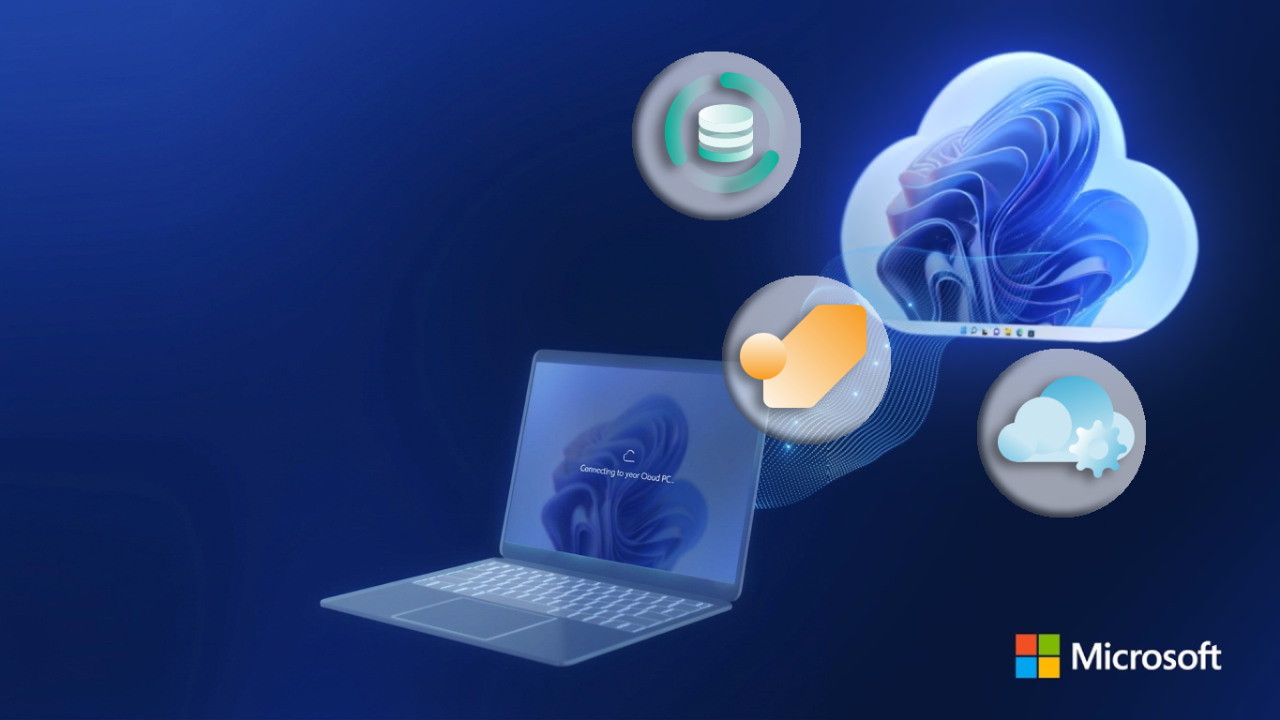
Migrating to the cloud is a critical step for organizations looking to modernize their operations. M365 Cloud Migration with AvePoint provides a comprehensive approach to moving data, systems, and workflows into Microsoft 365 securely and efficiently—while minimizing disruption and risk.
Introduction to M365 Cloud Migration with AvePoint
As businesses adopt Microsoft 365, migration becomes more than just transferring data—it’s about ensuring security, continuity, and optimization. AvePoint offers a complete solution that combines migration, data protection, and governance into a unified platform.
With its cloud-first capabilities, organizations can transition smoothly while maintaining control over their digital environment.
What Makes AvePoint Migration Different?
AvePoint is designed to support every stage of the migration journey, from planning to post-migration optimization.
Key Capabilities
- End-to-End Migration Support
Migrate data from legacy systems, on-premises environments, or other cloud platforms - Minimal Downtime
Ensure business continuity during the transition - Data Integrity and Accuracy
Maintain structure, permissions, and metadata throughout migration - Scalable solutions for expanding operations
Suitable for both SMBs and enterprise-level deployments
Core Benefits of M365 Cloud Migration
1. Comprehensive Data Protection
AvePoint ensures your data is protected before, during, and after migration.
- Backup and recovery for Microsoft 365 workloads
- Protection against ransomware and user errors
- Granular and flexible restore options
This guarantees business continuity even in worst-case scenarios.
2. Seamless Cloud Management
After migration, managing your environment is just as important.
- Centralized governance and administration
- Automated workflows and policy enforcement
- Improved collaboration across Microsoft 365 tools
This enables organizations to maintain control while scaling operations.
3. Rapid Migration and Optimization
AvePoint focuses not only on moving data but also optimizing it.
- Fast and efficient Migration tools
- Insights to improve performance post-migration
- Reduced complexity during transition
This ensures organizations get the most value from their Microsoft 365 investment.
What Can You Migrate?
AvePoint supports migration across a wide range of Microsoft 365 services:
- SharePoint Online
- Microsoft Teams
- OneDrive for Business
- Exchange Online
- Microsoft 365 Groups
It also supports migration from:
- On-premises systems
- Legacy platforms
- Other cloud environments
Why M365 Cloud Migration is Critical Today?
Many organizations underestimate the complexity of cloud migration. Without the right tools, risks include:
- Data loss or corruption
- Downtime and productivity disruption
- Security vulnerabilities
- Compliance issues
AvePoint addresses these challenges by providing a low-risk, structured migration framework.
Real Business Value
Benefit | Result |
Reduced Risk | Secure migration with backup and recovery |
Reduced Risk | เปลี่ยนผ่านสู่ Microsoft 365 ได้เร็วขึ้น |
Increase Productivity | การทำงานร่วมกันและ Workflow ดีขึ้น |
ลดต้นทุน | ลดค่าโครงสร้างพื้นฐานและการดูแลระบบ |
แพลตฟอร์มของ AvePoint ช่วยให้องค์กรใช้ศักยภาพของ Microsoft 365 ได้อย่างเต็มที่ พร้อมรักษาความปลอดภัยและการควบคุมระบบ
Best Practices สำหรับการใช้งาน
เพื่อให้ M365 Cloud Migration ประสบความสำเร็จสูงสุด ควร:
- ประเมินระบบและข้อมูลปัจจุบัน
- กำหนดขอบเขตและลำดับความสำคัญ
- สำรองข้อมูลก่อนเริ่ม Migration
- ใช้เครื่องมืออัตโนมัติเพื่อความแม่นยำ
- อบรมผู้ใช้งานหลังการย้ายระบบ
- ติดตามและปรับปรุงอย่างต่อเนื่อง
Summary
M365 Cloud Migration ไม่ใช่แค่กระบวนการทางเทคนิค แต่เป็นกลยุทธ์สำคัญในการเปลี่ยนผ่านสู่ดิจิทัล AvePoint ช่วยให้องค์กรสามารถย้ายระบบได้อย่างมั่นใจ ด้วยการผสานการปกป้องข้อมูล การจัดการที่มีประสิทธิภาพ และเครื่องมือ Migration ที่ทันสมัย
สำหรับธุรกิจที่ต้องการปรับปรุงการทำงาน เพิ่มประสิทธิภาพการทำงานร่วมกัน และรองรับการเติบโตในระยะยาว โซลูชันนี้ถือเป็นทางเลือกที่เชื่อถือได้และพร้อมสำหรับอนาคต
Interested in Microsoft products and services? Send us a message here.
Explore our digital tools
If you are interested in implementing a knowledge management system in your organization, contact SeedKM for more information on enterprise knowledge management systems, or explore other products such as Jarviz for online timekeeping, OPTIMISTIC for workforce management. HRM-Payroll, Veracity for digital document signing, and CloudAccount for online accounting.
Read more articles about knowledge management systems and other management tools at Fusionsol Blog, IP Phone Blog, Chat Framework Blog, and OpenAI Blog.
New Gemini Tools For Educators: Empowering Teaching with AI
If you want to keep up with the latest trending technology and AI news every day, check out this website . . There are new updates every day to keep up with!
Fusionsol Blog in Vietnamese
- What is Microsoft 365?
- What is Copilot?What is Copilot?
- Sell Goods AI
- What is Power BI?
- What is Chatbot?
- What is cloud storage?
Related Articles
Frequently Asked Questions (FAQ)
What is Microsoft Copilot?
Microsoft Copilot is an AI-powered assistant feature that helps you work within Microsoft 365 apps like Word, Excel, PowerPoint, Outlook, and Teams by summarizing, writing, analyzing, and organizing information.
Which apps does Copilot work with?
Copilot currently supports Microsoft Word, Excel, PowerPoint, Outlook, Teams, OneNote, and others in the Microsoft 365 family.
Do I need an internet connection to use Copilot?
An internet connection is required as Copilot works with cloud-based AI models to provide accurate and up-to-date results.
How can I use Copilot to help me write documents or emails?
Users can type commands like “summarize report in one paragraph” or “write formal email response to client” and Copilot will generate the message accordingly.
Is Copilot safe for personal data?
Yes, Copilot is designed with security and privacy in mind. User data is never used to train AI models, and access rights are strictly controlled.