Microsoft 365 Copilot Chat for App: Bring AI Conversations into Model-Driven Apps
Microsoft continues to expand the reach of AI across enterprise tools—and one of the most powerful integrations is Copilot Chat for App within model-driven applications built on Power Apps. This feature embeds a conversational AI assistant directly into your app interface, helping users interact with business data and navigate app screens using everyday language.
What Is Copilot Chat for App?
Copilot Chat for App is a preview feature that adds Microsoft 365 Copilot chat capabilities into model-driven apps in Power Apps. When enabled, users can ask natural language questions about the data stored in Microsoft Dataverse and receive intelligent responses directly within the app.
For example, instead of manually searching tables or records, users can simply type or speak questions like:
👉 “Show me all open support tickets assigned to John”
👉 “How many high-priority cases were logged last week?”
Copilot will provide answers using Dataverse data and even help navigate the app screens as needed.
Key Benefits of Copilot Chat for App
🤖 Boost Productivity with Natural Language
Users no longer need to remember table names or complex filtering logic. Copilot understands plain English and delivers insights swiftly, helping users focus on decisions—not queries.
📈 Navigate Apps Faster
Instead of clicking through menus, you can tell Copilot where to go. For instance, typing “Go to the Accounts screen” opens that section immediately, saving time and clicks.
🧠 Contextual Data Insights
Because Copilot is integrated with your app’s Dataverse data, it can provide context-aware responses about records, tables, and business logic without leaving the interface.
How to Enable Copilot Chat for App Users
To activate Copilot Chat for App in your model-driven environment:
- Go to the Power Platform admin center.
- Select the environment where your app lives.
- In Settings > Features, turn on Microsoft 365 Copilot Chat for Power Apps.
- Save and publish your app changes.
Once enabled, users will see a Copilot button (usually near the top-right) in the app to start a conversation anytime.
Copilot Chat vs Copilot Chat for Model-Driven Apps
During this transitional phase, you might see two options:
- Microsoft 365 Copilot chat — the next-generation AI experience powered by Microsoft’s cloud intelligence.
- Copilot chat in model-driven apps — legacy AI chat that will be deprecated in some environments after January 2026.
Both can be enabled simultaneously, and users can choose which experience to use from the Copilot menu.
Limitations to Know
While Copilot Chat for App offers powerful conversational insights, there are some current constraints:
- It performs read-only queries on Dataverse data (no updates or deletes).
- It’s a preview feature, meaning functionality may change and isn’t recommended for full production yet.
- Support for the Power Apps mobile app is limited in some environments.
These factors are typical for early preview releases and will improve with feedback and updates.
How Users Interact with Copilot Chat in Apps
Once enabled, users can:
- Open the Copilot pane with a click.
- Ask questions about specific records or tables.
- Use the record picker (slash /) to specify which dataset to query for more accurate responses.
- Benefit from suggested prompts to kick-start queries.
This conversational experience makes exploring data in complex model-driven apps much more intuitive.
Summary
Copilot Chat for App unlocks a new way to work with enterprise applications built on Power Apps. By blending natural language understanding with live access to Dataverse data, it allows users to:
✨ Ask questions in plain language
✨ Get context-aware insights instantly
✨ Navigate model-driven apps faster
✨ Boost productivity without training on query languages
As Microsoft continues to evolve this feature, organizations adopting Copilot Chat for App can expect increasingly powerful, conversational AI experiences within their business workflows.
Interested in Microsoft products and services? Send us a message here.
Explore our digital tools
If you are interested in implementing a knowledge management system in your organization, contact SeedKM for more information on enterprise knowledge management systems, or explore other products such as Jarviz for online timekeeping, OPTIMISTIC for workforce management. HRM-Payroll, Veracity for digital document signing, and CloudAccount for online accounting.
Read more articles about knowledge management systems and other management tools at Fusionsol Blog, IP Phone Blog, Chat Framework Blog, and OpenAI Blog.
New Gemini Tools For Educators: Empowering Teaching with AI
If you want to stay up-to-date with the latest technology and AI news, check out this website It's updated daily!
Fusionsol Blog in Vietnamese
- What is Microsoft 365?
- What is Copilot?What is Copilot?
- Sell Goods AI
- What is Power BI?
- What is Chatbot?
- What is cloud storage?
Related Articles
- What is Microsoft 365?
- What is Azure AI Foundry Labs?
- Power BI Free Plan: A Deep Dive into Microsoft’s BI Solution
- What is a Data Warehouse?
- What is Microsoft Fabric?
- Is GitHub Copilot worth it?
- Refine AI Image prompts: Enhance AI-generated images to perfection
- What is Nvidia PersonaPlex? NVIDIA’s new AI technology
Frequently Asked Questions (FAQ)
What is Microsoft Copilot?
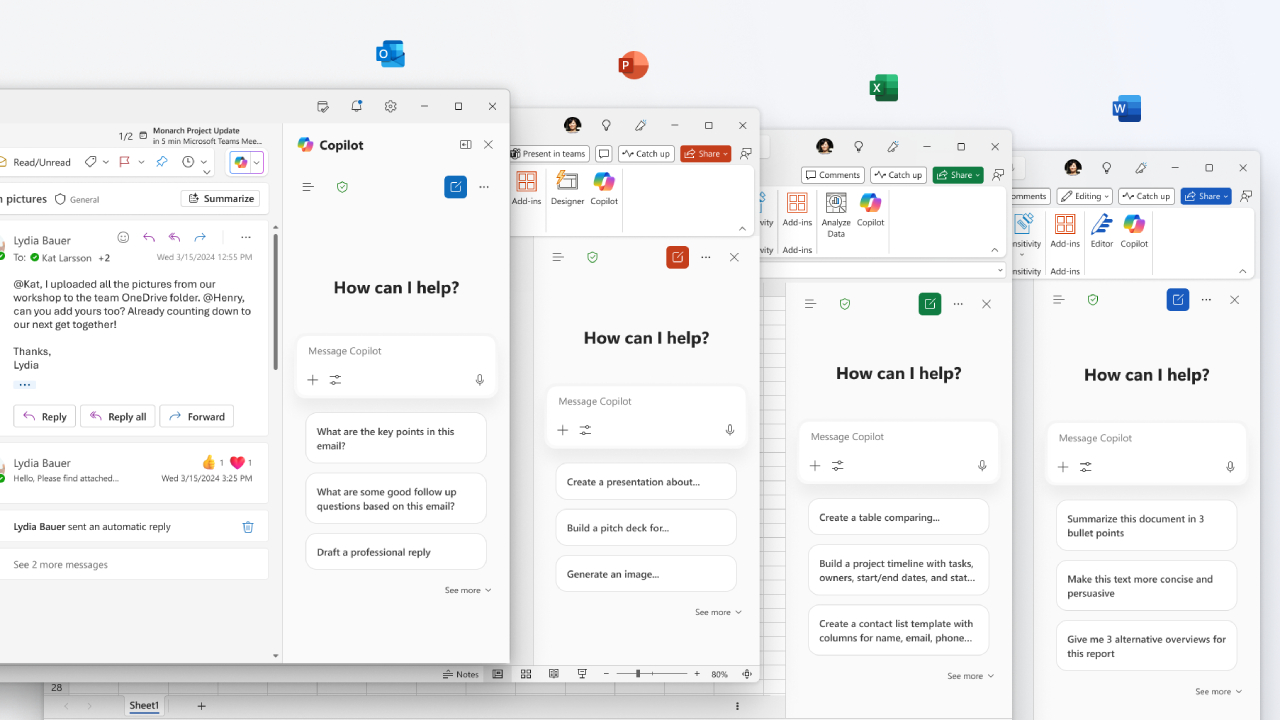
Microsoft Copilot is an AI-powered assistant feature that helps you work within Microsoft 365 apps like Word, Excel, PowerPoint, Outlook, and Teams by summarizing, writing, analyzing, and organizing information.
Which apps does Copilot work with?
Copilot currently supports Microsoft Word, Excel, PowerPoint, Outlook, Teams, OneNote, and others in the Microsoft 365 family.
Do I need an internet connection to use Copilot?
An internet connection is required as Copilot works with cloud-based AI models to provide accurate and up-to-date results.
How can I use Copilot to help me write documents or emails?
Users can type commands like “summarize report in one paragraph” or “write formal email response to client” and Copilot will generate the message accordingly.
Is Copilot safe for personal data?
Yes, Copilot is designed with security and privacy in mind. User data is never used to train AI models, and access rights are strictly controlled.