What is Sentinel? – Microsoft Sentinel is a platform... SIEM (Security Information and Event Management) and SOAR (Security Orchestration, Automation and Response) Running on Microsoft Azure, this system enables organizations to quickly and accurately detect, analyze, and respond to cyber threats. Leveraging AI and machine learning capabilities, it's highly popular among businesses seeking to enhance security in compliance with international standards such as GDPR, ISO/IEC 27001, and SOC 2.
With the ability to gather data from IT, Cloud, IoT, and SaaS systems across the organization, Sentinel reduces security event investigation time by up to 50% compared to using traditional SIEMs.
Key features of Microsoft Sentinel
- Cloud-Native Platform
It is a system developed on Microsoft Azure, making it easy to scale to meet the needs of organizations and handle large volumes of data without requiring investment in infrastructure.
- Threat Detection แบบ AI-Powered
Sentinel uses AI to analyze behavioral data and help identify sophisticated threats, such as zero-day attacks or Advanced Persistent Threats (APTs), that might be overlooked in typical systems.
- Automated Incident Response
Playbooks can be configured to allow the system to respond immediately to events, such as locking risky user accounts, notifying administrators, or blocking IP addresses.
- Threat Intelligence Integration
It supports connectivity with Microsoft's Threat Intelligence and third-party threat intelligence, allowing Sentinel to update the latest threat information in real-time.
- Visual Investigation Tools
Sentinel includes tools to analyze events and display a threat correlation graph (Investigation Graph), making it easier for system administrators to understand the context of attacks.
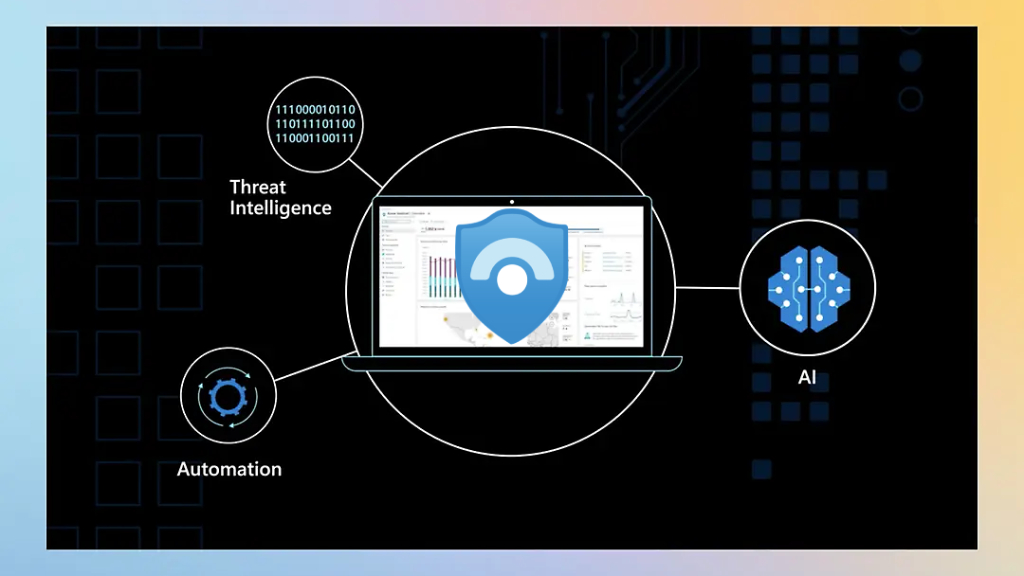
The advantages of Sentinel over conventional SIEMs.
- Reduce the time to detect and remediate threats by up to 50%.
- Reduce False Positives By using AI to analyze behavior.
- Integrates with Azure Security Center, Defender, and Microsoft 365.
- Save on system maintenance costs. Because there's no need to invest in additional hardware.
- It can connect to third-party systems. Examples include AWS, Google Cloud, Palo Alto, Cisco, etc.
Limitations of Sentinel
- The service fee depends on the amount of data imported (Log Ingestion).
- Requires Security Operations Center (SOC) skills for customization.
- Data retention needs to be managed appropriately within the budget.
ตารางเปรียบเทียบ Sentinel กับ SIEM อื่น ๆ
Feature | Microsoft Sentinel | Splunk Enterprise Security | IBM QRadar | Google Chronicle SIEM |
system | Cloud-Native (Azure) | On-Premise & Cloud | On-Premise & Hybrid | Cloud-Native (Google Cloud) |
Using AI/ML | Use AI for real-time analysis. | Machine learning is used in some features. | There is AI for specific use cases. | Use AI and BigQuery Analysis. |
Ability to respond automatically | There is a Playbook and a Logic App. | Has an Adaptive Response Framework | It has built-in SOAR. | There is an Incident Response Playbook. |
Ease of system connection. | It integrates well with Microsoft and third-party platforms. | Supports a variety of connections | Supports Legacy and Cloud systems. | Easy to integrate with Google Workspace & API. |
Pricing | Pay-as-you-go (based on GB/month) | Pricing is based on the amount of data and license. | Think according to License Model | Pay-as-you-go (based on Google Cloud usage) |
suitability | Suitable for organizations using Azure and Microsoft 365. | Suitable for organizations that require a high degree of customization. | Suitable for large organizations with data centers. | Suitable for businesses within the Google Ecosystem. |
Who is Sentinel suitable for?
- Organizations that are already using Microsoft 365 or Azure.: It will be able to integrate seamlessly with existing systems.
- Businesses that want to reduce the time spent on threat investigation and management.: Ideal for security teams requiring an all-in-one solution.
- Medium to large organizations that want to control costs.: Sentinel has no additional hardware costs and can scale the system according to actual usage.
- Businesses that need to respond to threats automatically.: Sentinel can create custom playbooks to automatically handle events.
A case study example of Sentinel usage.
- global technology company
A large tech company with over 10,000 employees uses Sentinel to detect anomaly in its cloud and on-premises systems, and connects to Microsoft Defender for Endpoint to protect against zero-day attacks.
- Financial organizations (Banking Sector)
The bank uses Sentinel in conjunction with Azure Logic Apps to enable it to respond immediately to phishing or ransomware incidents within minutes, minimizing damage from threats.
- large hospital
The hospital uses Sentinel to detect abnormal behavior on the EHR (Electronic Health Record) system, enabling the IT team to easily analyze events and generate reports for internal audits.
Summary
Now you probably understand what Sentinel is and why it has become an essential tool in the digital age. Whether you're a small or large organization, Sentinel can effectively strengthen your defenses against cyber threats, automate incident responses, reduce team workload, and increase confidence in managing data security.
To learn more about how to use Microsoft Defender to enhance security, you can read more details here. This article
Interested in Microsoft products and services? Send us a message here.
Explore our digital tools
If you are interested in implementing a knowledge management system in your organization, contact SeedKM for more information on enterprise knowledge management systems, or explore other products such as Jarviz for online timekeeping, OPTIMISTIC for workforce management. HRM-Payroll, Veracity for digital document signing, and CloudAccount for online accounting.
Read more articles about knowledge management systems and other management tools at Fusionsol Blog, IP Phone Blog, Chat Framework Blog, and OpenAI Blog.