Language barriers have long been one of the major challenges to global communication. Despite significant advancements in translation technology over the past decade, many real-time translation tools still have limitations in creating natural conversation. Translation delays, robotic-sounding voices, and interruptions during conversations all make cross-language communication feel choppy and unnatural.
Google is trying to change this with Gemini 3.5 Live Translate , the latest AI model for speech-to-speech translation, designed to provide near-real-time translation while preserving the speaker's tone, rhythm, and personality as close to the original as possible. This marks another significant step towards truly natural cross-language communication.
What is Gemini 3.5 Live Translate?
Gemini 3.5 Live Translate is Google's latest AI voice model, capable of live speech translation in over 70 languages.
Unlike traditional translation systems that wait for the speaker to finish speaking before beginning to translate, Gemini Live Translate can continuously translate speech while the conversation is in progress.
The result is a more fluid and natural conversation, feeling more like communicating through a professional interpreter than using a typical translation app.
Google states that this technology can create natural-sounding translated audio while preserving key characteristics of the speaker's voice, such as:
- Tone of voice (Intonation)
- Speaking Rhythm
- Pitch (High or Low Pitch)
- Conversational Flow
These elements help convey the emotion and context of the conversation better than a flat, emotionless robotic voice translation.
How does Gemini 3.5 Live Translate work?
Traditional speech translation systems typically operate in the following sequence:
- The speaker finished the sentence.
- Audio processing system
- Create a translation
- The listener has received the translation.
This process often results in waiting periods and leads to discontinuous conversations.
Gemini Live Translate uses a different approach, processing speech as the user speaks and continuously generating an audio translation.
The system will balance two key factors:
- Waiting for sufficient contextual information to improve translation accuracy.
- The translation should be delivered quickly enough to keep up with the user's speech pace.
This approach helps maintain a continuous conversation while preserving a high level of translation quality. The translated audio typically lags behind the original speaker by only a few seconds.
Key features of Gemini 3.5 Live Translate
Supports over 70 languages.
One of the key features of Gemini Live Translate is its support for over 70 languages, along with automatic language detection.
Users can start speaking immediately without having to manually select the source language, making it ideal for...
- International conference
- Travel
- Global collaboration
Preserving the speaker's unique voice.
Many translation systems focus solely on the spoken content, but Gemini Live Translate also prioritizes the way the speech is delivered.
The model attempts to preserve elements such as:
- The speaker's emotions.
- Tone of voice and emphasis.
- Speech style
- The rhythm of the conversation.
This helps make translated conversations sound more natural and engaging.
Noise Robustness
Real-life conversations don't always happen in a perfect environment.
Airports, conferences, restaurants, public transportation systems, or offices with large numbers of people—they all always have surrounding noise.
Google designed this model to function efficiently even in noisy environments, making it suitable for practical everyday use.
Available Across Google's Ecosystem
Google is rolling out Gemini Live Translate across its products and platforms.
Google Translate
Users can conveniently engage in real-time cross-language conversations through the Google Translate app on Android and iOS.
Google Meet
Google Meet will use this technology for live audio translation during meetings, supporting more than 70 languages and over 2,000 language pairs.
Gemini Live API
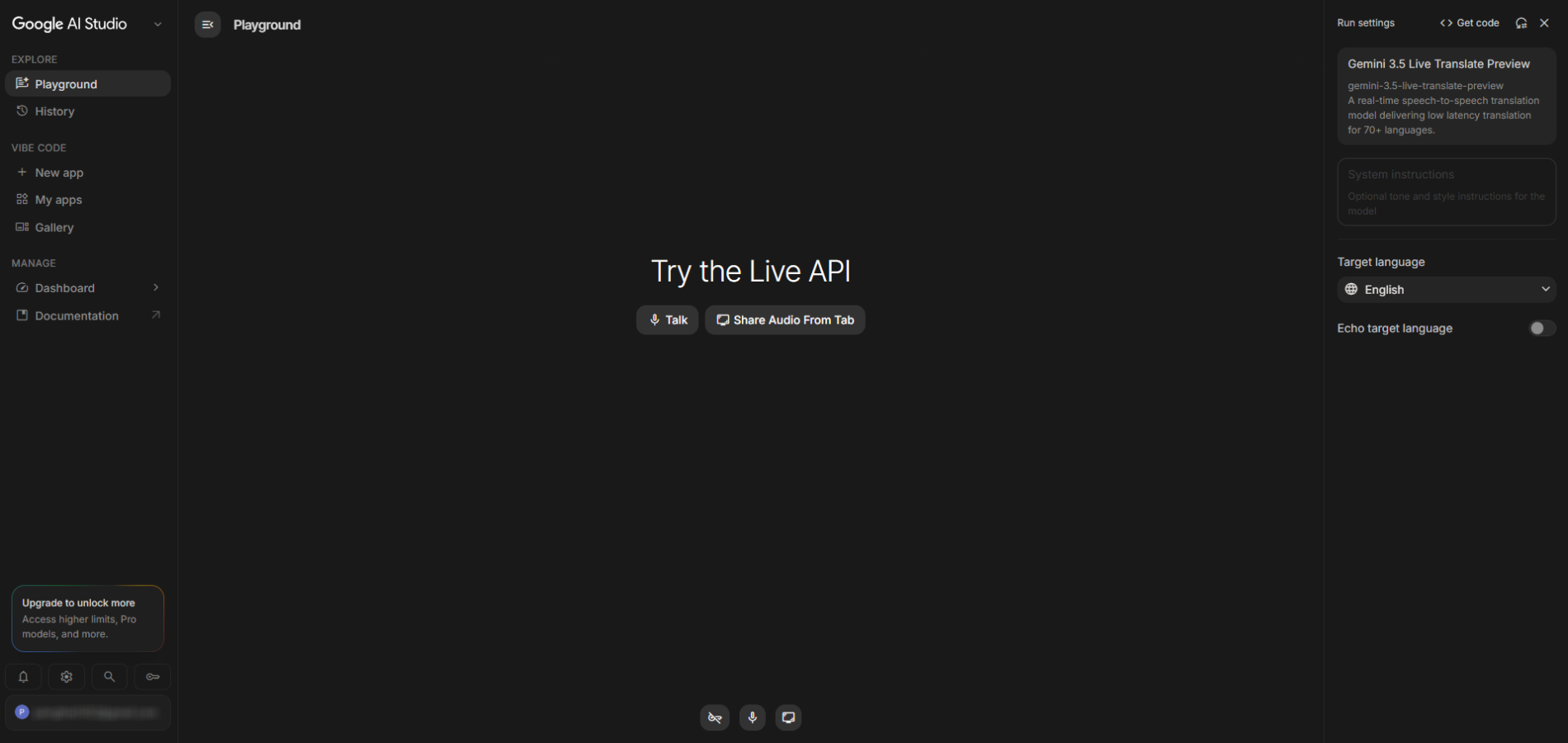
Developers can access this technology through the Gemini Live API and Google AI Studio.
It enables the development of a wide variety of applications, such as:
- Live translation system
- Multilingual customer service system
- International conference system
- Language learning tools
- Audio translation system for live broadcasts.
In addition, Google collaborates with various technology providers to help developers deploy the system more easily.
Real-world usage examples
Gemini Live Translate can help improve communication in a variety of situations, such as:
- Business meeting – It helps teams from multiple countries work together smoothly.
- Tourism and travel – It helps tourists communicate with locals naturally.
- Customer service - Supports multiple languages without language barriers.
- study – Increase access to learning in a multilingual environment.
- Transportation services – It helps drivers and passengers who speak different languages to communicate more easily.
Responsible security and AI
As AI-powered voice generation technology advances, concerns about misinformation and synthetic media also increase.
To address this issue, Google has embedded SynthID Watermarking technology into the audio generated by Gemini Live Translate.
This digital watermark is designed to be invisible to the naked eye, but can be used to identify it as AI-generated content when verification is required.
This approach promotes transparency and supports the widespread adoption of AI voice technology.
Why is Gemini 3.5 Live Translate important?
Translation technology has evolved from simply translating text to enabling people who speak different languages to converse in real-time.
The next challenge is to make those conversations feel as natural as possible.
Gemini Live Translate addresses several key limitations that previously prevented real-time translation from providing a truly conversational experience.
By combining
- Low Latency
- Automatic language detection
- Maintaining the speaker's tone of voice.
- Multilingual support
- Connecting with various Google platforms.
Google is moving closer to a future where language differences are no longer a barrier to communication.
Summary
The launch of Gemini Live Translate marks another significant step in AI technology for communication.
Instead of focusing solely on translating speech, this system prioritizes preserving the human characteristics that make conversation meaningful.
With support for over 70 languages, near-real-time audio generation, integration with Google Translate and Google Meet, and availability via the Gemini Live API, this technology has the potential to transform the way people communicate across languages and cultures.
As AI translation technology continues to evolve, tools like Gemini Live Translate may bring us closer to a world where language is no longer a barrier, but a bridge connecting people around the globe.