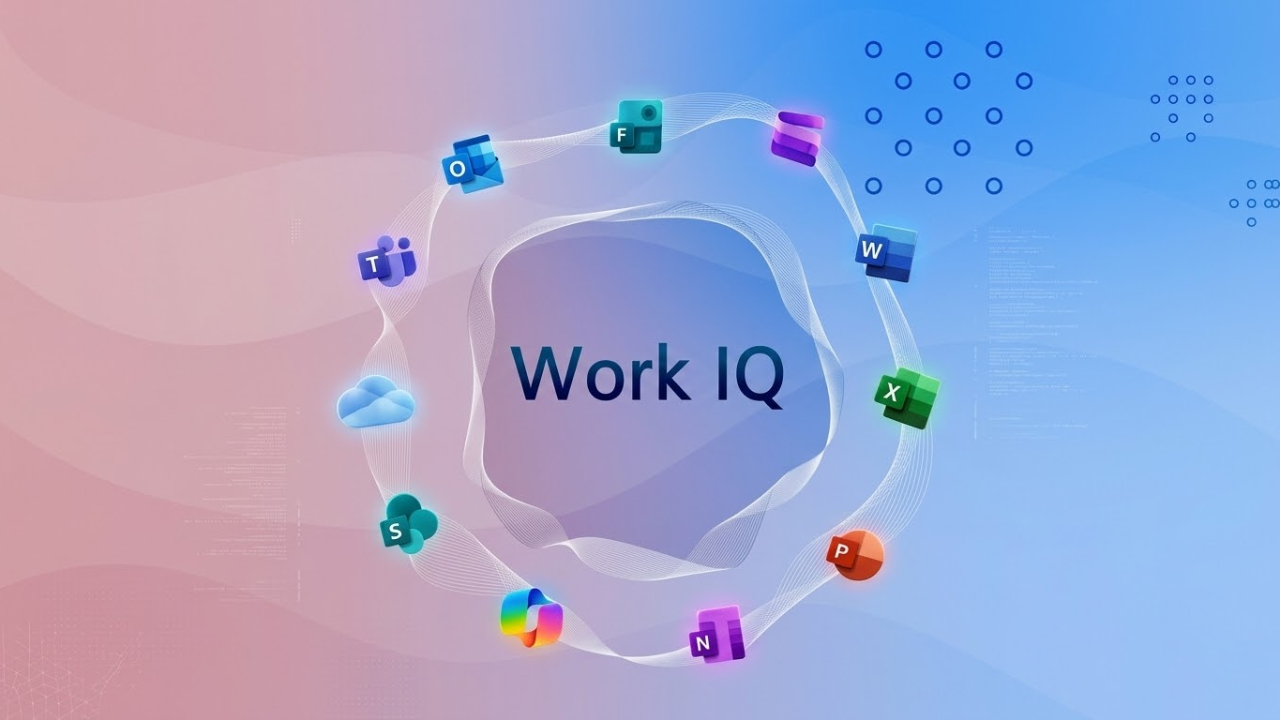
In the era of AI-driven work, Microsoft Work IQ represents a significant shift in how organizations understand and optimize their work. Beyond mere automation, Work IQ offers a deeper layer of intelligence that enables businesses to analyze workflows, identify inefficiencies, and support intelligent decision-making across the entire organization.
What is Microsoft Work IQ?
Microsoft Work IQ is the intelligence layer embedded in Microsoft 365 Copilot that helps understand how work happens within your organization. It acts as the "brain" behind Copilot, analyzing data, relationships, and context to provide AI-powered assistance that is more relevant, accurate, and secure.
Unlike traditional performance tools that focus on tracking activity, Work IQ shifts the perspective to truly “work intelligence,” helping organizations understand not just what employees do, but “how work flows” within the organization.
The architecture of Work IQ
The main structure of Work IQ
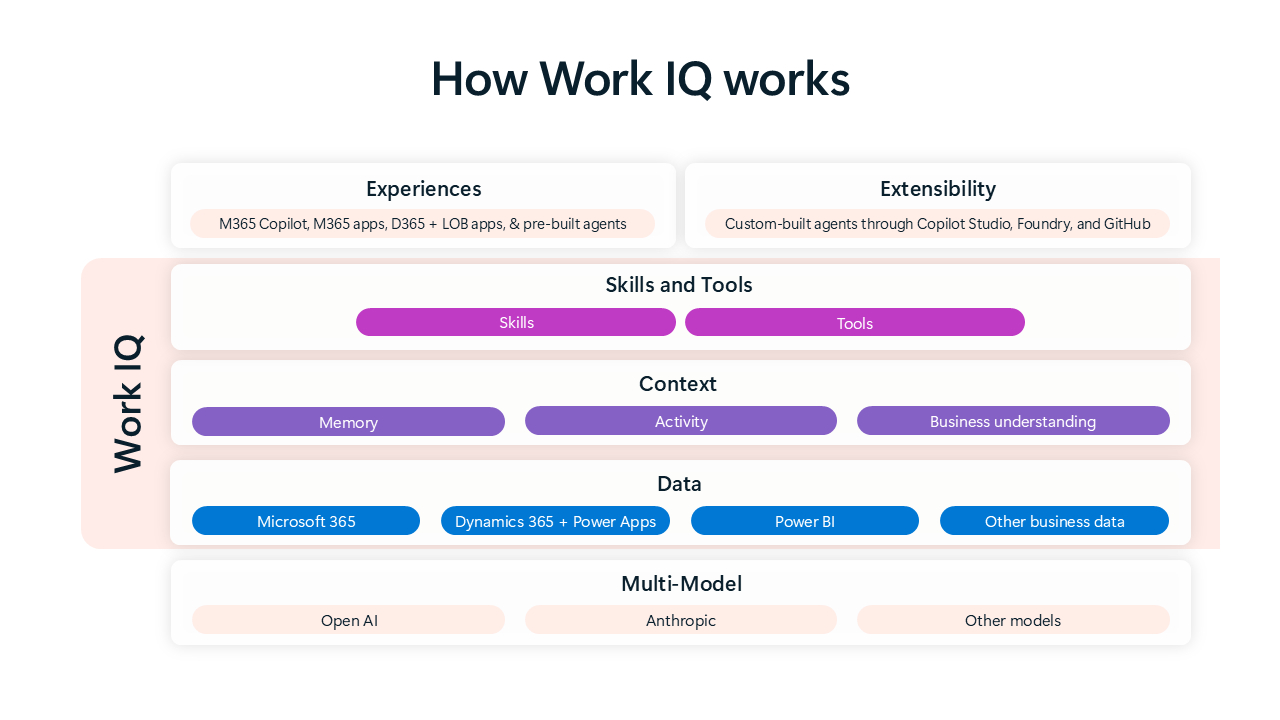
Work IQ is built on three core layers that work closely together to achieve deep contextual understanding.
1. Data Layer
- Connects structured and unstructured data across Microsoft 365
- Includes emails, documents, meetings, chats, and business applications
- Integrates with platforms like Dynamics 365 and Power Apps
This layer ensures Copilot has access to real-time organizational knowledge.
2. Context Layer
- Understands relationships between people, teams, and projects
- Identifies patterns in collaboration and communication
- Builds a dynamic model of how work flows across the organization
3. Skills & Tools (Inference Layer)
- Uses AI models, tools, and automation capabilities
- Enables reasoning, recommendations, and actions
- Powers intelligent agents that can execute tasks
Together, these layers allow Work IQ to deliver context-aware insights and actions, rather than generic AI responses.
Microsoft Work IQ in Action
How It Enhances Copilot
Work IQ enables Microsoft 365 Copilot to:
- Provide personalized responses based on your role and work history
- Suggest actions aligned with ongoing projects
- Surface relevant documents, conversations, and insights
- Automate multi-step workflows using AI agents
This means Copilot doesn’t just respond to prompts—it understands your work environment.
Key Benefits of Microsoft Work IQ
1. True Work Intelligence (Not Just Productivity Metrics)
Traditional tools measure activity (emails sent, meetings attended). Work IQ goes deeper by analyzing workflow patterns and inefficiencies.
2. Smarter Decision-Making
Leaders can:
- Identify bottlenecks in processes
- Understand team workload distribution
- Optimize collaboration across departments
3. Personalized AI Experiences
Every user gets AI assistance tailored to:
- Their role
- Their team
- Their organization’s data
4. Seamless Integration Across Microsoft Ecosystem
Work IQ connects:
- Microsoft 365 apps (Word, Excel, Outlook, Teams)
- Business systems (Dynamics 365, Power Platform)
- Organizational data and workflows
Microsoft Work IQ vs Traditional AI Tools
Feature | Traditional AI Tools | Microsoft Work IQ |
Context Awareness | Limit | Deep organizational context |
Data connection | External connectors | Native Microsoft 365 integration |
Insights | Generic | Personalized and role-based |
Workflow Understanding | Minimal | End-to-end workflow intelligence |
Safety | Varies | Permission-based enterprise security |
Microsoft Work IQ for Intelligent Agents
One of the most powerful aspects of Work IQ is its ability to power AI agents:
- Agents can understand business context before taking action
- They can automate complex workflows across multiple apps
- They operate within governance and compliance boundaries
This transforms AI from a passive assistant into an active collaborator.
Why Microsoft Work IQ Matters for the Future of Work
Work IQ represents a shift from:
- Task automation → Work intelligence
- Generic AI → Context-aware AI
- Data overload → Actionable insights
Organizations today struggle not with lack of data, but with lack of clarity. Work IQ solves this by turning everyday work signals into meaningful intelligence that drives better outcomes.
Summary
Microsoft Work IQ is not a standalone product—it’s a foundational capability that powers the next generation of AI-driven work. By combining data, context, and intelligent reasoning, it enables organizations to move beyond surface-level productivity and toward truly optimized work environments.