GPT-5.4 mini in GitHub Copilot: Faster and smarter coding with AI
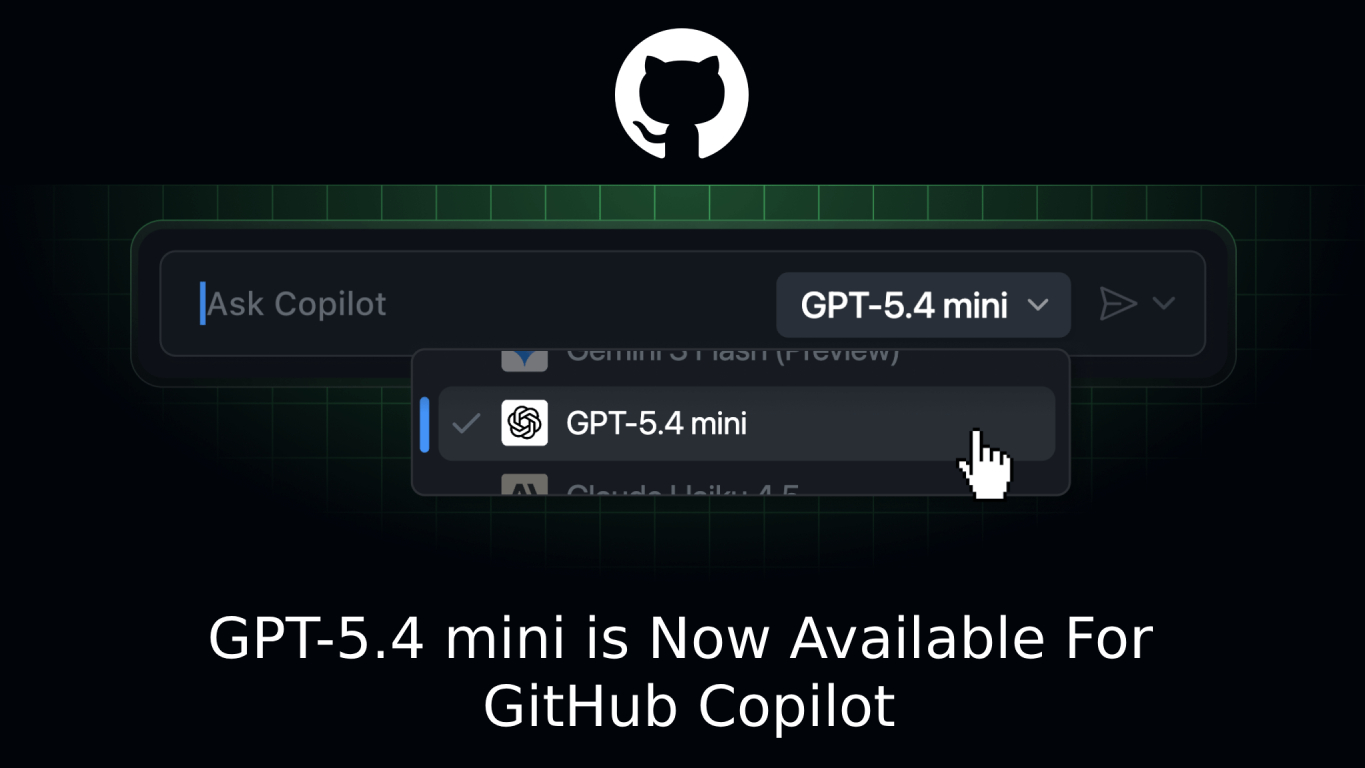
The arrival of GPT-5.4 mini in GitHub Copilot marks a significant upgrade in AI-assisted development. Designed as a fast and efficient version of OpenAI’s GPT-5.4 agentic coding model, this release focuses on delivering high performance while maintaining low latency—making it ideal for real-time coding workflows.
Early testing shows that GPT-5.4 mini is not just a lighter model—it is potentially the highest-performing mini model to date, especially when working with large codebases and developer tools.
GPT-5.4 mini in GitHub Copilot Availability
The rollout of GPT-5.4 mini in GitHub Copilot is expanding across multiple platforms and user tiers, making it widely accessible for developers.
Supported Plans
GPT-5.4 mini will be available for:
- Copilot Pro
- Copilot Pro+
- Copilot Business
- Copilot Enterprise
Supported Platforms & Tools
You can select the model directly from the model picker in:
- Visual Studio Code (chat, ask, edit, agent modes)
- Visual Studio (agent, ask)
- JetBrains IDEs (ask, edit, agent)
- Xcode (ask, agent)
- Eclipse (ask, agent)
- GitHub.com
- GitHub Mobile (iOS และ Android)
- GitHub CLI
For the best experience, using the latest version of each development environment is strongly recommended.
Key Performance Improvements
1. Fastest Time to First Token
GPT-5.4 mini delivers extremely fast response times, which is critical for:
- Inline code suggestions
- Real-time debugging
- Interactive coding sessions
This reduces waiting time and keeps developers in flow.
2. Stronger Codebase Exploration
One of the standout improvements is its ability to:
- Navigate large repositories
- Understand file relationships
- Identify relevant code quickly
This is especially valuable in enterprise environments with complex systems.
3. Optimized for Grep-Style Workflows
GPT-5.4 mini performs exceptionally well when paired with:
- Search-based tools
- Pattern matching workflows
- CLI-driven development
This makes it highly effective for developers who rely on terminal-heavy workflows.
Pricing and Performance Considerations
- The model launches with a 0.33x premium request multiplier
- Pricing is tentative and may change over time
This suggests that while GPT-5.4 mini is optimized for speed and efficiency, it still operates within a premium tier of AI capabilities.
Enabling GPT-5.4 mini in GitHub Copilot
For Enterprise & Business Users
- Admins must enable the GPT-5.4 mini policy in Copilot settings
- Once enabled, users will see the model in the picker (e.g., in VS Code)
Bring Your Own Key (BYOK)
- Open model picker → Manage Models
- Select GPT-5.4 mini
- Enter your API key when prompted
This flexibility allows organizations to control access while supporting custom configurations.
Why GPT-5.4 mini Matters
The release of GPT-5.4 mini highlights an important trend in AI development tools:
Trend | Effect |
Faster AI Models | Real-time coding becomes seamless |
Smarter Code Understanding | Less manual searching and debugging |
Agentic Capabilities | AI can assist across full workflows |
Lightweight Efficiency | Better performance with lower overhead |
Unlike larger models that prioritize depth, GPT-5.4 mini strikes a balance between:
- speed
- Intelligence
- Practical usability
Summary
GPT-5.4 mini in GitHub Copilot is not just an incremental update—it’s a meaningful step toward high-performance, real-time AI coding assistance. With faster responses, better codebase understanding, and strong integration across development tools, it empowers developers to work more efficiently and with greater confidence.
Interested in Microsoft products and services? Send us a message here.
Explore our digital tools
If you are interested in implementing a knowledge management system in your organization, contact SeedKM for more information on enterprise knowledge management systems, or explore other products such as Jarviz for online timekeeping, OPTIMISTIC for workforce management. HRM-Payroll, Veracity for digital document signing, and CloudAccount for online accounting.
Read more articles about knowledge management systems and other management tools at Fusionsol Blog, IP Phone Blog, Chat Framework Blog, and OpenAI Blog.
New Gemini Tools For Educators: Empowering Teaching with AI
If you want to keep up with the latest trending technology and AI news every day, check out this website . . There are new updates every day to keep up with!
Fusionsol Blog in Vietnamese
- What is Microsoft 365?
- What is Copilot?What is Copilot?
- Sell Goods AI
- What is Power BI?
- What is Chatbot?
- Lưu trữ đám mây là gì?
Related Articles
Frequently Asked Questions (FAQ)
What is Microsoft Copilot?
Microsoft Copilot is an AI-powered assistant feature that helps you work within Microsoft 365 apps like Word, Excel, PowerPoint, Outlook, and Teams by summarizing, writing, analyzing, and organizing information.
Which apps does Copilot work with?
Copilot currently supports Microsoft Word, Excel, PowerPoint, Outlook, Teams, OneNote, and others in the Microsoft 365 family.
Do I need an internet connection to use Copilot?
An internet connection is required as Copilot works with cloud-based AI models to provide accurate and up-to-date results.
How can I use Copilot to help me write documents or emails?
Users can type commands like “summarize report in one paragraph” or “write formal email response to client” and Copilot will generate the message accordingly.
Is Copilot safe for personal data?
Yes, Copilot is designed with security and privacy in mind. User data is never used to train AI models, and access rights are strictly controlled.