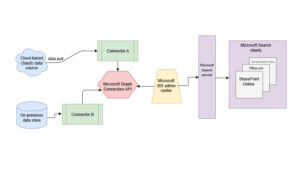
Modern enterprises run on data—but much of that data lives outside Microsoft 365. Business-critical information is often scattered across CRM systems, project management tools, knowledge bases, support platforms, and custom applications.
Copilot Connector changes that.
It enables organizations to ingest unstructured, line-of-business data into Microsoft Graph, allowing Microsoft 365 Copilot to reason across your entire enterprise content ecosystem—not just files stored in Microsoft 365.
What Is Copilot Connector?
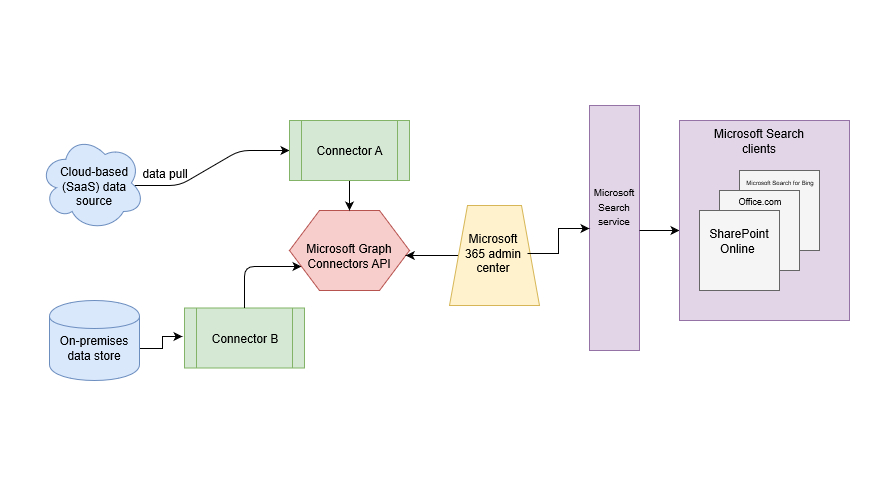
Copilot Connector is a platform that allows organizations to connect external data sources to Microsoft Graph.
Once connected:
- External content becomes part of Microsoft Graph.
- Microsoft 365 Copilot can access and reason over that data.
- Search, summarization, and AI-driven insights expand beyond Microsoft 365 documents.
Importantly, Copilot Connector content doesn’t only power Microsoft 365 Copilot—it also enhances other intelligent Microsoft experiences, including:
- Microsoft Search
- Context IQ
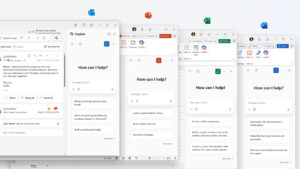
- The Microsoft 365 Copilot app
In other words, it acts as the bridge between your enterprise systems and Microsoft’s AI ecosystem.
How Copilot Connector Content Surfaces in Microsoft 365 Copilot
After ingestion into Microsoft Graph, connected content becomes discoverable through natural language prompts inside Microsoft 365 Copilot.
For example, users can:
- Ask Copilot to summarize content from external systems
- Retrieve documents from non-Microsoft services
- Generate insights from line-of-business platforms
- Learn from enterprise knowledge repositories
In-Text Citations for Transparency
When Copilot references external content in its response:
- Users can hover over the citation.
- A preview of the referenced external item appears.
This increases trust, transparency, and validation of AI-generated results.
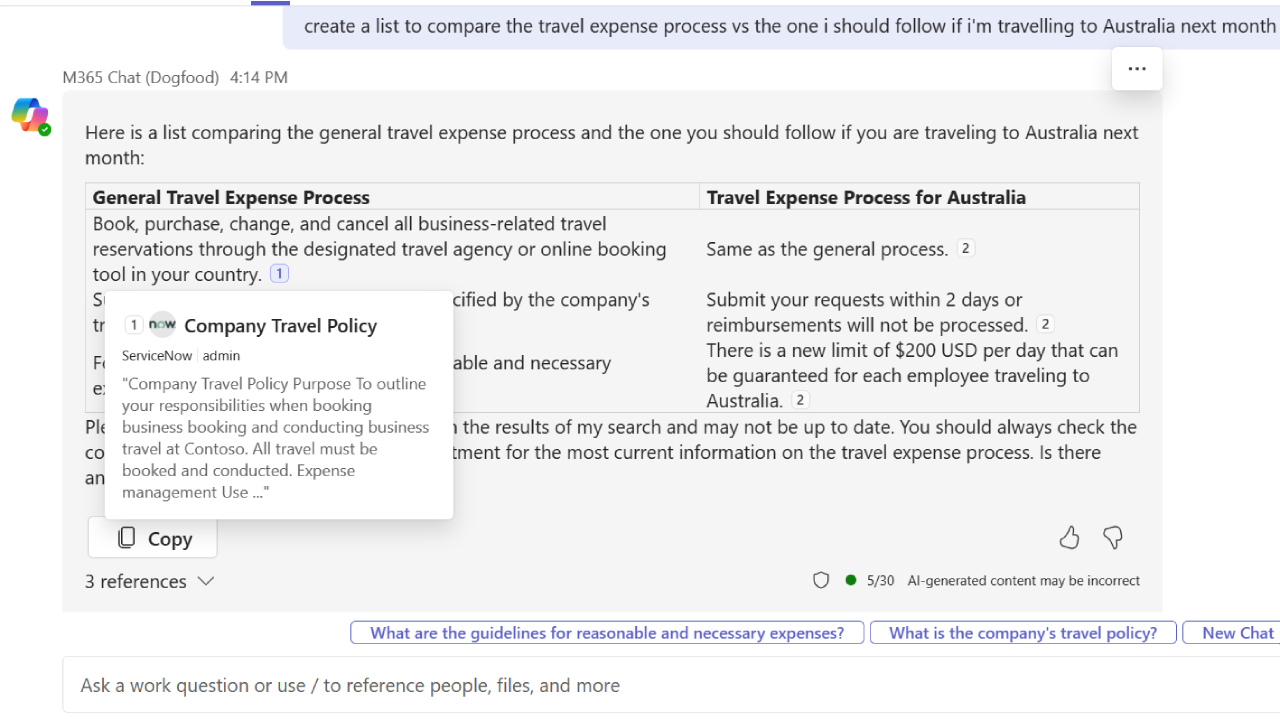
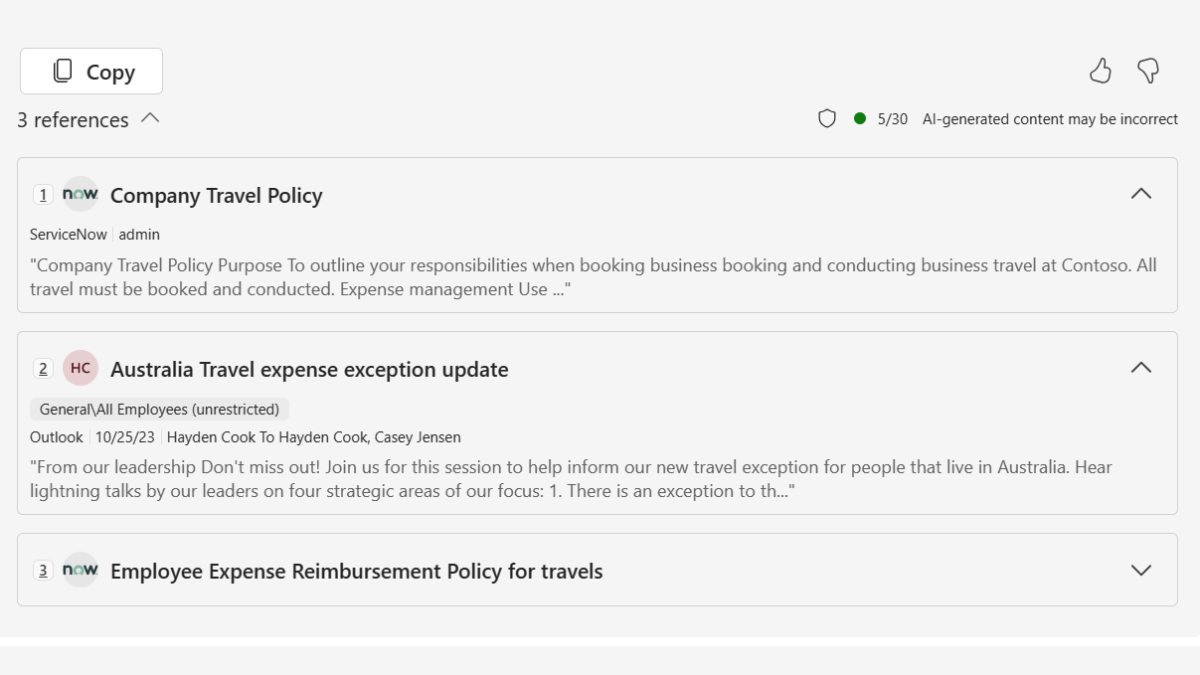
If users wish to further study the referenced content, they can select one of the reference links at the bottom of the answer.
Semantic Indexing in Copilot Connector
One of the most powerful features is semantic indexing.
Instead of relying on simple keyword matches, semantic indexing understands the meaning and context of your data.
What Semantic Indexing Enables
1️⃣ Improved Search Matching
Queries are matched based on meaning—not just exact word matches.
2️⃣ Approximate & Context-Aware Results
It can return content even if wording differs from the user’s query.
3️⃣ Contextual Relationship Understanding
It understands relationships between pieces of data to support more advanced queries.
Indexed Properties (Standard Across Connectors)
Currently, semantic indexing applies to 2 core properties:
- Title – The item’s title
- Content – The body or main content of the item
For custom connectors, it is critical to include meaningful information in both the title and content fields to maximize search effectiveness.
When Semantic Indexing Works Best
✔ Topic-based searches
✔ Keyword-based searches
✔ Approximate match queries
✔ Context-aware searches
✔ Relationship-based queries
However, it may be less effective for:
✘ Parameter-heavy queries (e.g., “Find bugs assigned to John about API errors”)
✘ Queries without topic keywords
✘ Requests for total result counts
This is because Copilot prioritizes relevance and synthesis over listing raw database outputs.
Copilot Connectors Gallery
Microsoft provides a broad ecosystem of connectors through the Copilot Connectors Gallery.
With more than 100 connectors available, organizations can integrate popular services such as:
- Azure services
- Box
- Confluence
- Google services
- MediaWiki
- Salesforce
- ServiceNow
- And many others
These connectors are developed by Microsoft and trusted partners, enabling rapid integration without building custom solutions.
Create Your Own Copilot Connector
If your organization uses proprietary systems or niche tools, you can build a custom Copilot Connector using APIs.
These APIs allow you to:
- Create and manage external connections
- Define and register external data schemas
- Ingest external content into Microsoft Graph
- Sync external groups for security trimming
Custom connectors enable Microsoft 365 Copilot to reason over virtually any business data source.
Requirements for Building Copilot Connector
Before deploying a Copilot Connector, specific administrative steps are required.
1️⃣ Microsoft Entra Registration
A Search Administrator must:
- Register an application in Microsoft Entra Admin Center
- Grant required Microsoft Graph permissions
Note: In production environments, approval workflows may limit deployment flexibility.
2️⃣ Tenant-Wide Accessibility Consideration
By default, deployed connectors may be accessible tenant-wide.
Organizations must:
- Configure appropriate security trimming
- Restrict external items where necessary
3️⃣ Enable Inline Results
To surface content in Microsoft 365 Copilot and Microsoft Search:
- Enable connector results via Agents and connectors
- Configure this in Microsoft 365 Admin Center
Correct settings will allow Copilot to display results from the inline connector completely.
Strategic reasons why Copilot Connector is important to the organization
Without Copilot Connector Microsoft 365 Copilot จะวิเคราะห์ได้เฉพาะข้อมูลใน Microsoft 365
With it, Copilot becomes:
- A cross-platform enterprise AI
- A unified search and intelligence assistant
- A knowledge discovery engine
- Cross-system contextual data research tools.
It eliminates silos and allows AI to synthesize insights across CRM, ticketing systems, document repositories, and more.
Conclusion
Copilot Connector is not just a connector—it’s a foundational layer for enterprise AI readiness.
It enables organizations to:
- Extend Microsoft 365 Copilot beyond Microsoft 365
- Improve search relevance through semantic indexing
- Integrate over 100 services
- Build custom connectors for proprietary systems
- Maintain enterprise-grade security and compliance
As organizations increasingly rely on AI-assisted workflows, Copilot Connector plays a crucial role in ensuring Microsoft 365 Copilot can reason over the full scope of enterprise knowledge—not just isolated data sources.