The future of intelligent browsing has begun. With ChatGPT Atlas, you can take ChatGPT with you across the web — to find answers instantly, analyze insights, and perform tasks seamlessly, all with full control over your own privacy.
OpenAI Agentkit คืออะไร?
OpenAI Agentkit เป็นเฟรมเวิร์กแบบครบวงจรที่ออกแบบมาเพื่อสร้างตัวแทน AI (AI-driven agents) ที่สามารถดำเนินงานที่ซับซ้อนและหลายขั้นตอนได้อย่างอัตโนมัติ ด้วยระบบสนับสนุนในตัวสำหรับการยืนยันตัวตน (authentication) การกำหนดสิทธิ์ (permissions) และการจัดการข้อมูล (data handling) นักพัฒนาสามารถเชื่อมต่อเอเจนต์ของตนเข้ากับเครื่องมือ API และระบบภายในองค์กรได้อย่างปลอดภัย
ซึ่งหมายความว่า AI จะไม่ถูกจำกัดแค่การสนทนาอีกต่อไป — แต่มันสามารถ “ลงมือทำ” ได้จริง ตั้งแต่การดึงข้อมูลเรียลไทม์ การจัดการฐานข้อมูล ไปจนถึงการเรียกใช้งานกระบวนการทางธุรกิจต่าง ๆ Agentkit ช่วยให้นักพัฒนาสามารถนำพลังของ AI มาประยุกต์ใช้ในระดับองค์กรได้อย่างมีประสิทธิภาพ
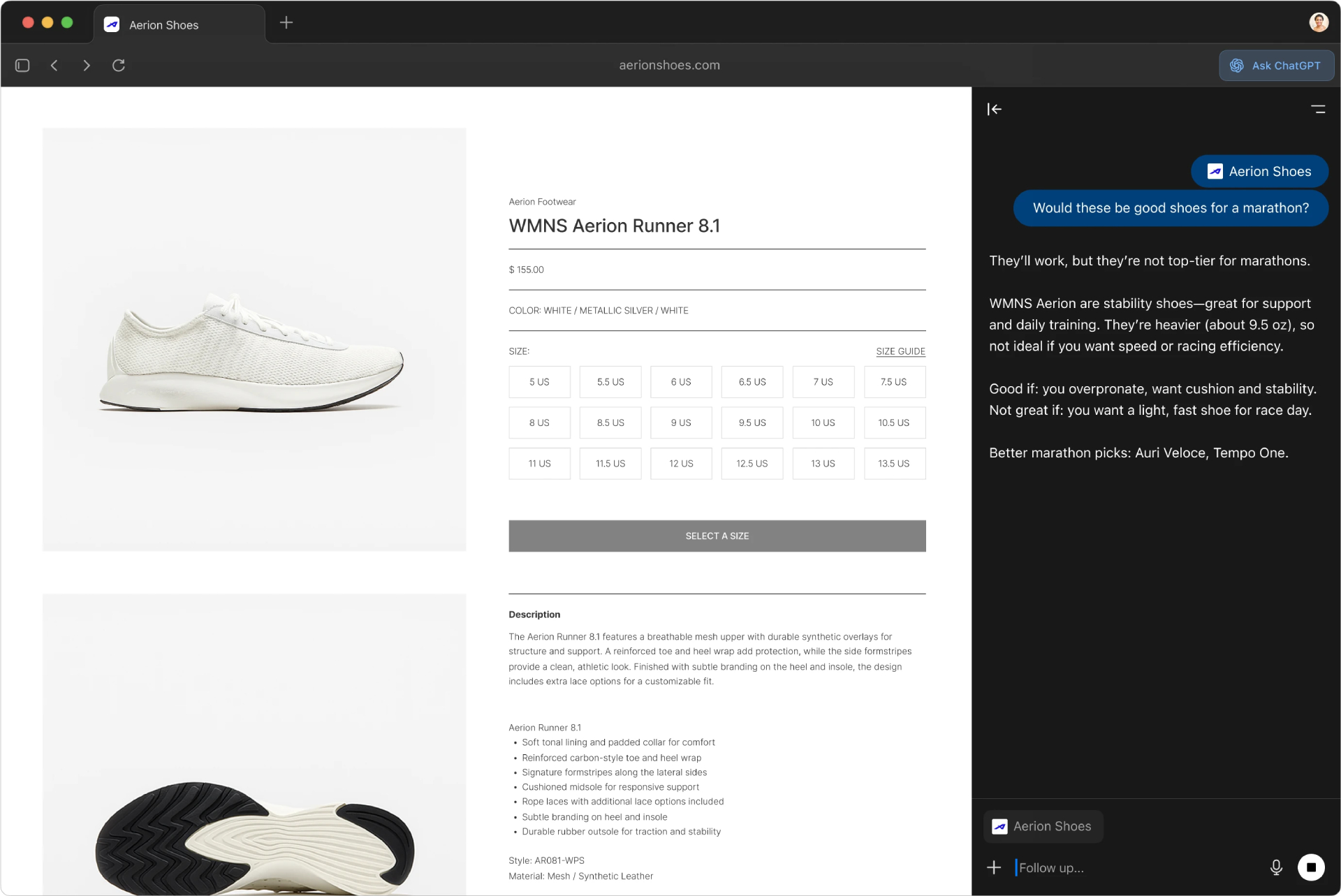
Unlock the potential of the web with ChatGPT Atlas
ChatGPT Atlas comes with a smart sidebar that follows you everywhere online. Whether you're reading articles, comparing products, or analyzing data, Atlas can summarize content, explain complex topics, and provide real-time help, all in one window.
This isn't just about surfing the web, it's about truly “understanding the web” — Atlas turns every web page into a contextually relevant, readily available resource.
Continue where you Left off
One of the key features of ChatGPT Atlas is its “intelligent memory,” which lets you choose what ChatGPT remembers so you can recall the same information whenever you need it.
For example, if you searched for a travel destination or wrote a business proposal last week, Atlas can instantly recall your previous notes, preferences, or conversations—allowing you to continue working without having to start over each time.
Takes Action for You
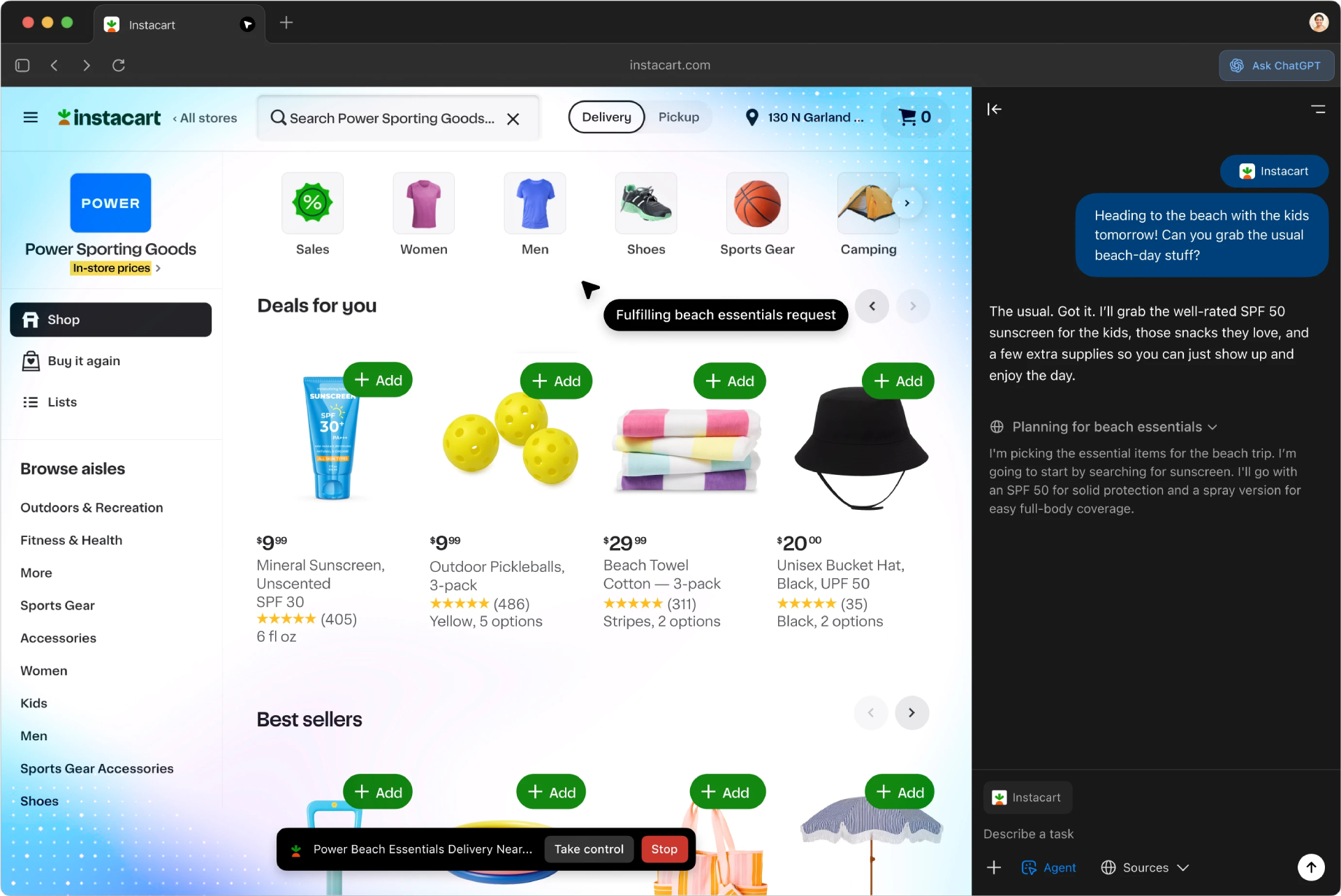
In Agent Mode, ChatGPT Atlas doesn’t just answer questions—it takes action. It can interact with websites directly on your behalf, such as filling out forms, comparing prices, or organizing research data.
Whether you're planning a trip, shopping online, or analyzing data, Atlas manages the entire process from start to finish — while keeping you in full control every step of the way.
This feature is available in preview for Plus, Pro, and Business accounts.
Assists You When and Where You Need It
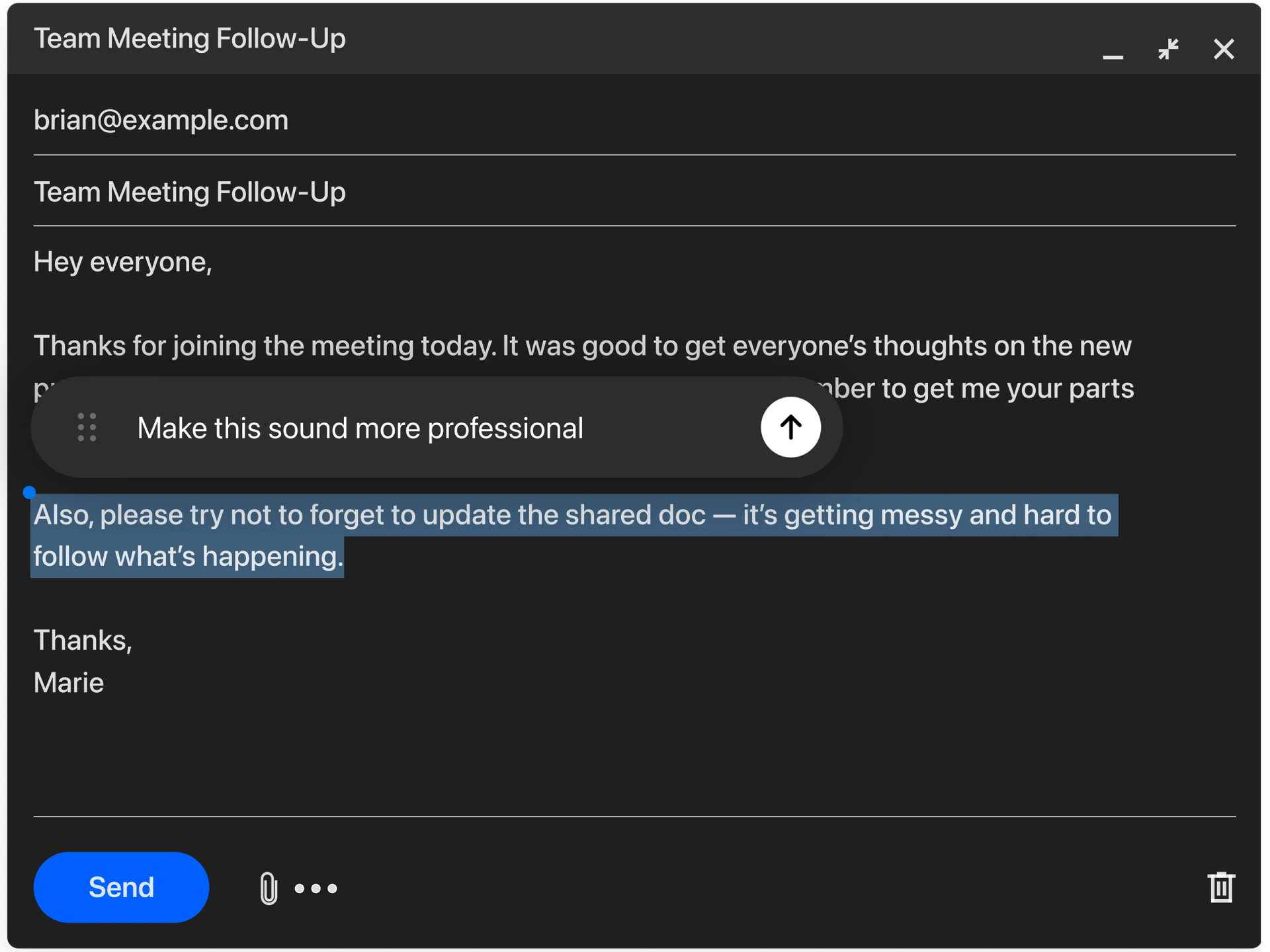
ChatGPT Atlas seamlessly integrates into your daily workflow. Simply highlight any text—be it an email, a meeting invite, or a document—and access ChatGPT instantly.
Turn your cursor into a collaborator. With a single click, you can summarize messages, refine your writing, or generate new ideas without switching tabs or applications.
You’re in Control
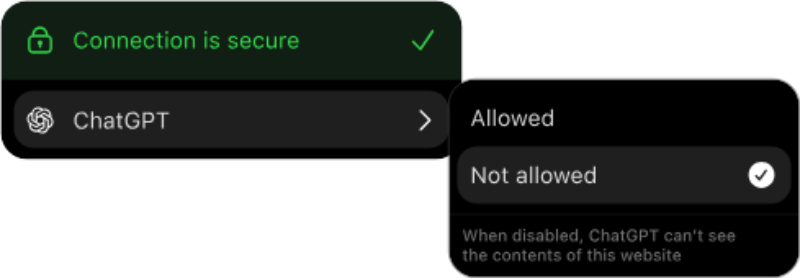
Privacy is at the heart of ChatGPT Atlas. You can control which websites ChatGPT can access, clear your browsing history, or enter Incognito Mode at any time.
You can also manage your browser's memory manually to ensure that your personal data is always kept safe and under your control.
More Features of ChatGPT Atlas
Features | Description |
Smart Search | Search for text, images, videos, or news directly from the sidebar. |
Easy Navigation | Use tabs, autocomplete, and bookmarks for smoother browsing. |
Personal Customization | Change your theme, colors, and browsing settings to suit your style. |
Cross-Site Integration | Summarize or interact with any webpage without leaving the current tab. |
Privacy First | Manage visibility, history, and access rights independently. |
GPT Atlas is currently only available on macOS, with plans to expand to other platforms in future updates.
เริ่มต้นใช้งาน Atlas
เพื่อเสริมศักยภาพของ OpenAI Agentkit ทาง OpenAI ยังได้เปิดตัว Atlas ซึ่งเป็นเบราว์เซอร์ที่ออกแบบมาเพื่อทำงานร่วมกับ ChatGPT และระบบนิเวศของมันอย่างราบรื่น Atlas ช่วยเพิ่มประสิทธิภาพการทำงานโดยเชื่อมโยงประสบการณ์การท่องเว็บของคุณเข้ากับเครื่องมือ AI ของคุณโดยตรง
ขั้นตอนการเริ่มต้นใช้งานมีดังนี้:
ลากไอคอน Atlas ไปยังโฟลเดอร์ Applications ของคุณ
เปิด Atlas และเข้าสู่ระบบด้วยบัญชี ChatGPT
นำเข้าข้อมูลจากเบราว์เซอร์อื่น (เช่น รหัสผ่าน บุ๊กมาร์ก และประวัติการท่องเว็บ)
อนุญาตการเข้าถึง Keychain เมื่อมีการร้องขอ
เลือกว่าคุณต้องการเปิดใช้งาน Browser Memories หรือไม่
ตั้งค่า ChatGPT เป็นเบราว์เซอร์เริ่มต้นของคุณ และรับสิทธิ์การใช้งานเพิ่มเติมเป็นเวลา 7 วัน
ด้วย Atlas คุณสามารถสำรวจ วิจัย และพัฒนาได้โดยตรงควบคู่ไปกับเอเจนต์ที่สร้างจาก ChatGPT ของคุณ — ทำให้การพัฒนาโดยใช้ OpenAI Agentkit รวดเร็วและใช้งานได้ง่ายยิ่งกว่าที่เคย
Summary
GPT Atlas represents a major leap forward in web productivity and intelligent browsing. It’s not just an assistant—it’s a co-pilot for the modern web experience.
By combining intelligent search, contextual understanding, automation, and robust privacy features, GPT Atlas helps users navigate the internet more efficiently, safely, and intelligently.
From students and researchers to business professionals, GPT Atlas empowers everyone to explore, learn, and create—anywhere on the web, all with the trusted intelligence of ChatGPT.