Azure Map Drive ง่ายๆ แค่ไม่กี่ Step
Azure Map Drive ง่ายๆ แค่ไม่กี่ Step มาลองดูวิธีการกันเลย
How to create storage account for sharedrive
- Create a resource ขึ้นมาก่อน จำนวนหนึ่ง Resource group
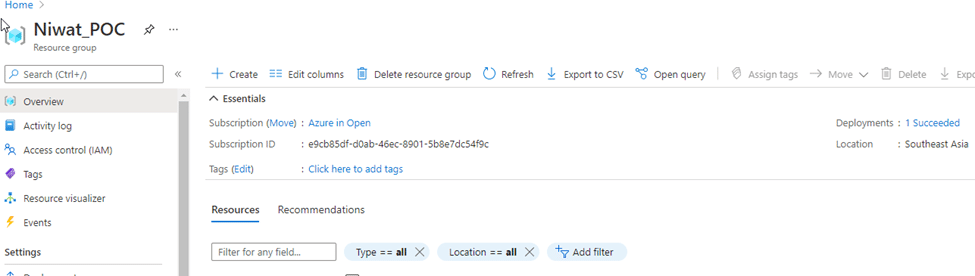
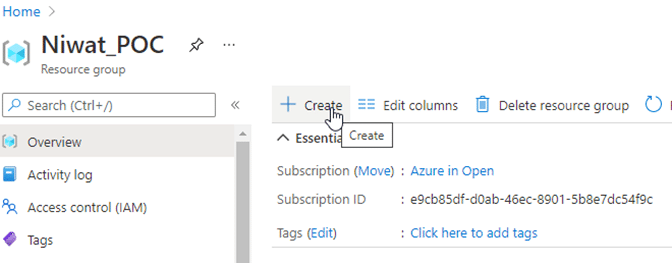
2. จากนั้นเลือก Create
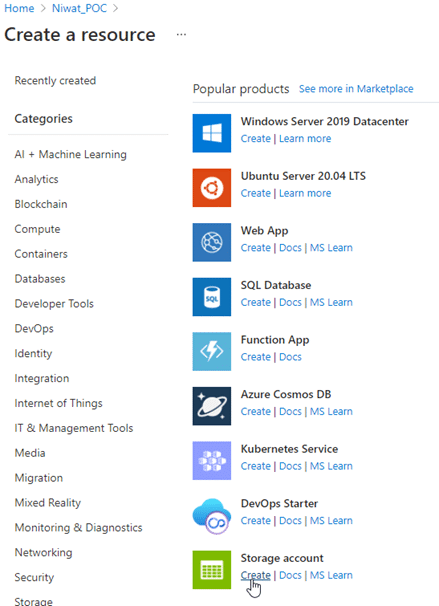
3. จะปรากฏหน้า Marketplace
4. จากรูปได้สร้าง storage account ไว้ในชื่อ testfilesshared
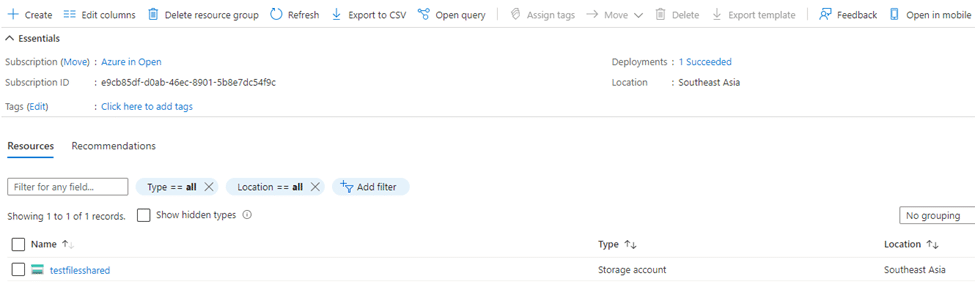
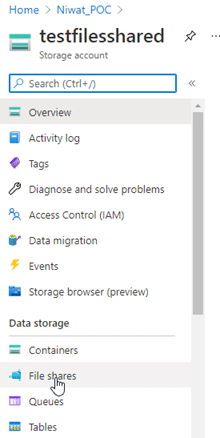
5. Click ที่ testfilesshared ปรากฏหน้าต่างดังรูปให้เลือกที่ file shared
6. Click + File share ในภาพได้สร้างชื่อ tammatest ไว้จากนั้นให้ Click ที่ tammatest เพื่อ upload files เลือก Upload และ files ที่ต้องการ upload

7. เมื่อ upload เสร็จแล้วจะดำเนินการ ทำ map drive ต่อไปโดยเลือก Connect ปรากฏตามรูป
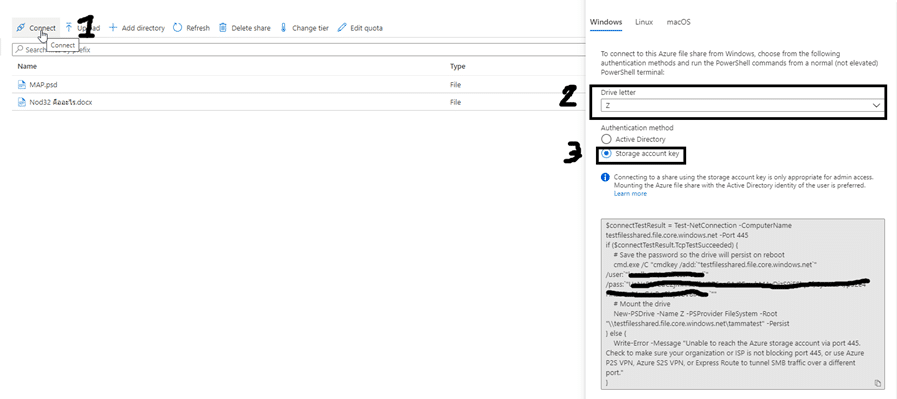
- 7.1 เลือก Connect
- 7.2 เลือก Drive ที่ต้องการ Shared
- 7.3 ส่วนของ Authentication method มีให้เลือก 2 แบบคือ
- Active Directory
- Storage account key
- ในส่วนนี้ได้เลือกใช้งานเป็น Storage account key เพื่อทดสอบใช้งาน
8. ดำเนินการ copy เพื่อสร้าง mapdrive ตรงนี้
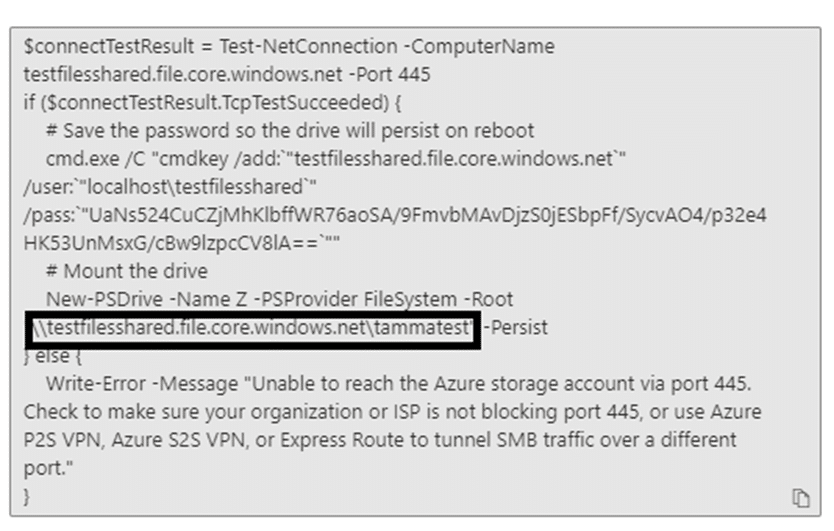
9. ได้ link ที่ต้องการแล้วไปที่ This pc ที่เครื่องเลือก Mapdrive และใส่ \\testfilesshared.file.core.windows.net\tammatest และกด Finish
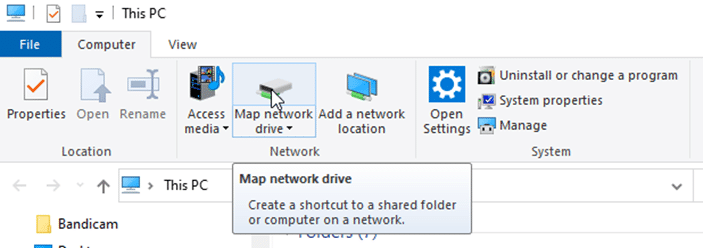
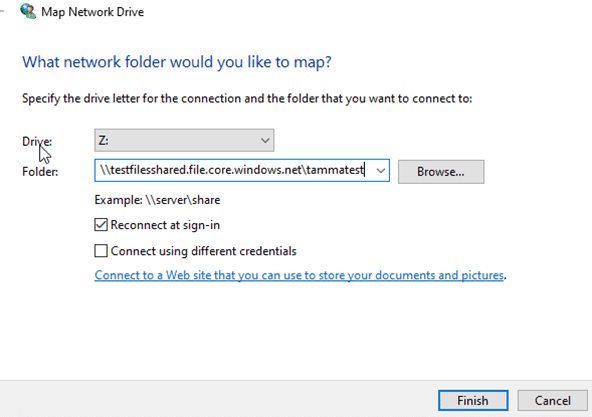
- กด Finish เพื่อ Add map drive จะขึ้น Pop – up ให้ใส่ user password เลือก Use a different account
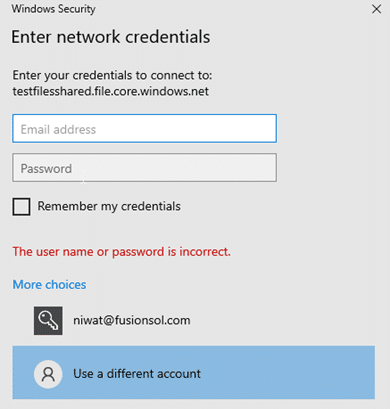
10. ใส่ User password ที่ได้แสดงในกรอบ
User : localhost\testfilesshared
pass: UaNs524CuCZjMhKlbffWR76aoSA/9FmvbMAvDjzS0jESbpFf/SycvAO4/p32e4HK53UnMsxG/cBw9lzpcCV8lA==
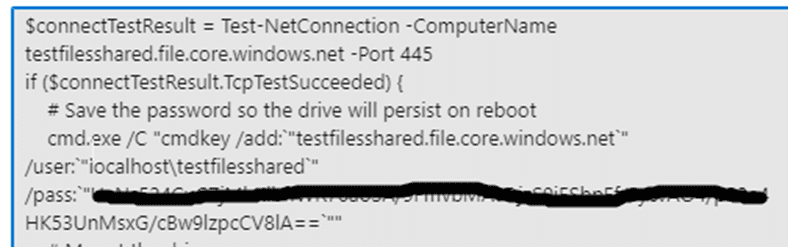
11. จะปรากฏ Mapdrive และสามารถใช้งานได้เลย
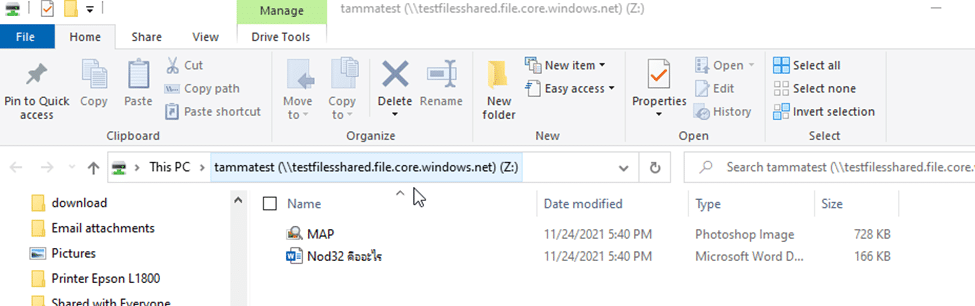
12. Test copy file แล้วใช้งานได้ปกติ

- Drive letter ที่เลือกใน page คือ ที่อยู่ของ folder นั้น ๆ ใน Storage account ไม่เกี่ยวข้องกับ Drive letter ใน PC แต่อย่างใด
Why Azure?
- It is cheaper than setting up your own server. This is the most important reason for choosing Azure.
- You can be sure that the system will continue to function because Fusion provides a Time Attendance application that must run 24×7. Therefore, hosting the service in Azure is the best choice.
- Easy to Manage: Software companies like Fusion offer a wide range of services, with rapid deployment and scalability. Therefore, easy management is essential for Fusion.
- Easy system expansion
- Can be applied to applications immediately.
- Create new application experiences such as face login systems.
- Has a world-class security system
- It can be deployed globally, which is an advantage compared to local cloud.

Service By Fusion Solution
- ย้ายระบบขึ้น Azure เช่น Web Application
- ประเมินค่าใช้จ่าย โดยผู้มีประสบการณ์ตรง
- ดูแลระบบที่อยู่บน Azure