AI has already dramatically changed the way people find information, generate ideas, and get answers. But now Microsoft is taking AI one step further—from “conversation” to “actual work,” and this concept is at the heart of Copilot Cowork on Mobile.
Instead of being just an AI that responds to prompts, Copilot Cowork is designed to help users delegate actual tasks and have the system automate them. Microsoft first launched this platform through the Frontier Program, and early usage patterns show that organizations are now using it for more than just traditional AI assistants.
Users can manage email workflows, conduct research, create structured business documents, or even build entire websites through AI-powered workflows. This change is significant because AI is no longer just an assistant, but is beginning to function as a "digital colleague" that can directly participate in business processes.
From information gathering to practical application
Traditional AI often focuses on answering questions or creating content, but Copilot Cowork takes a different approach, focusing on "operations" rather than just "responding."
This platform is powered by Microsoft's Work IQ system, which understands the context of an organization—including its data, tools, workflows, and business systems. This enables Cowork to produce results based on the organization's actual working methods, rather than relying solely on information from the public internet.
With a deeper contextual understanding, Cowork can plan tasks, coordinate workflows, and create outcomes that align with organizational processes more effectively. The result is a new form of AI that truly collaborates with employees, rather than just acting as an assistant providing step-by-step instructions.
Bringing Copilot Cowork from Mobile to Smartphones
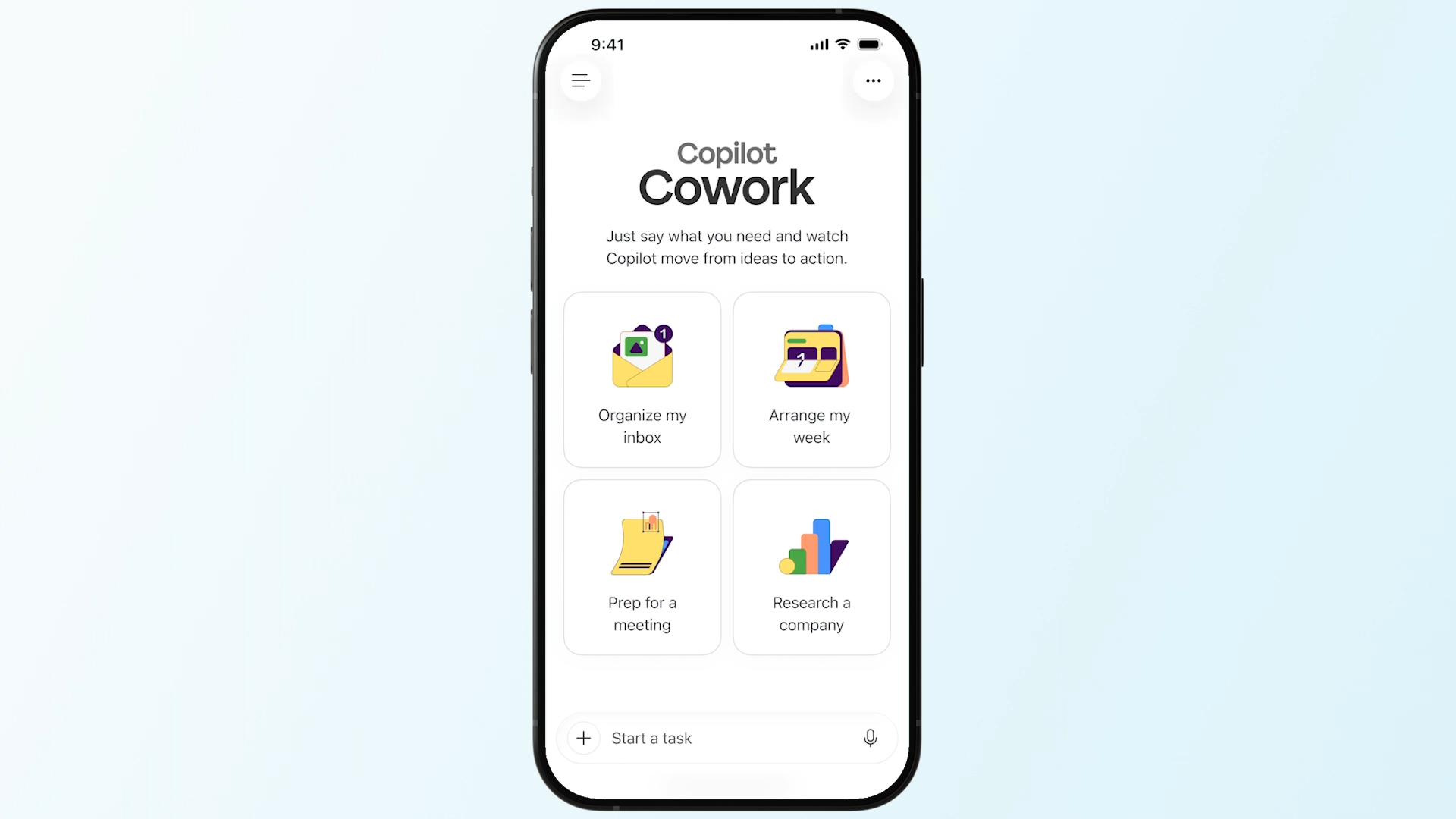
One of the most significant updates is the expansion of Copilot Cowork to iOS and Android devices. Microsoft's vision is to make AI a part of daily work, no matter where employees are located.
Because Cowork runs on cloud workflows, tasks can continue even if users close their laptops or are no longer at their desktops. And with mobile support, users can interact with AI while traveling, during meetings, or even outside the office.
This creates a new form of productivity. Instead of waiting to return to their desk to start work, users can begin tasks immediately via their mobile devices and return later to review the completed results, with the AI continuing to work in the background while employees focus on other important tasks.
The expansion to the mobile platform also reflects Microsoft's goal of making AI collaboration accessible at all times and across all work environments.
Transform repetitive workflows into skills
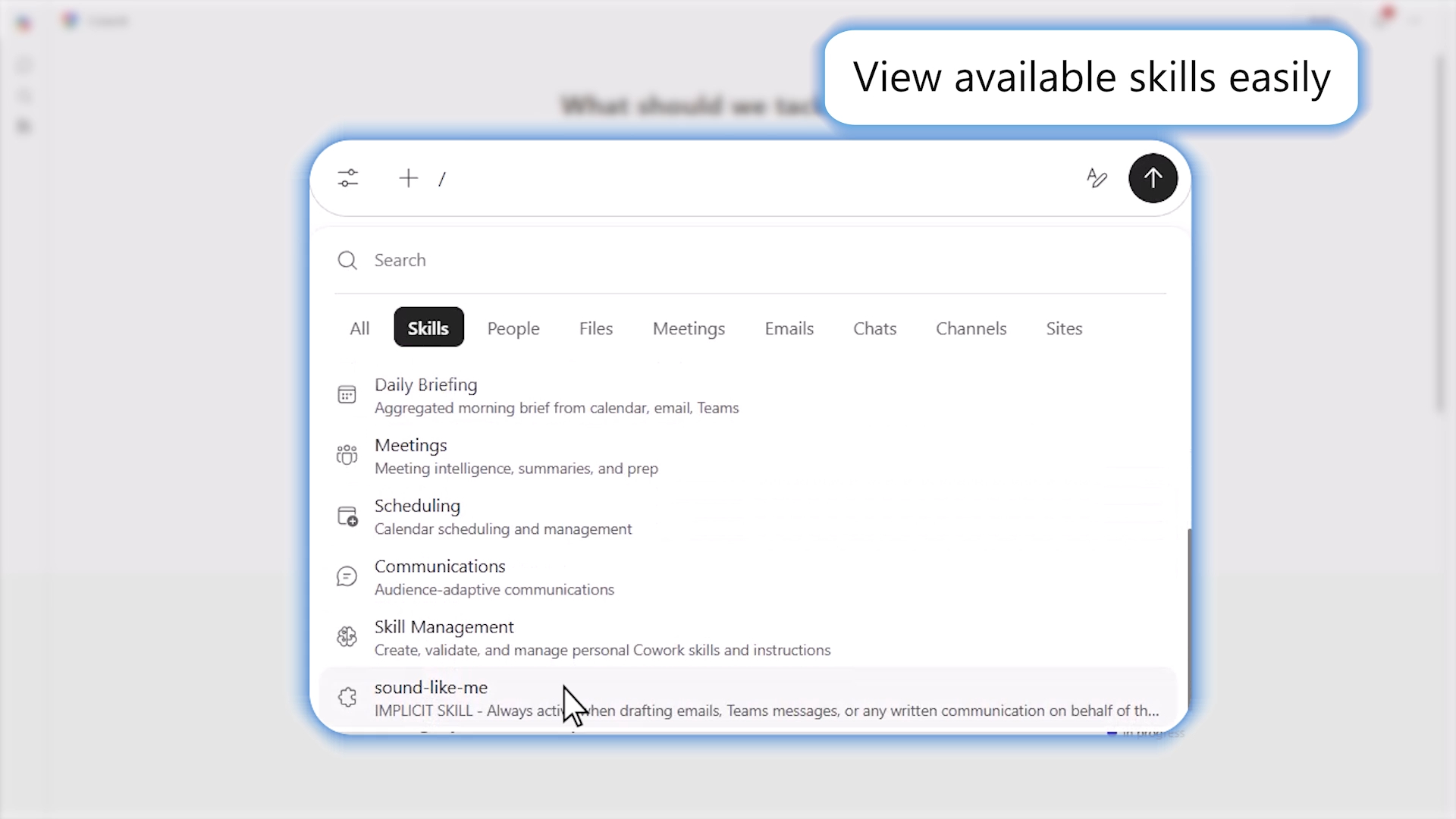
Another important feature added to Copilot Cowork is the concept of Skills. Microsoft explains that Skills are reusable sets of instructions that help teach coworkers how to perform specific workflows or business processes.
In many organizations, work processes often follow repetitive patterns. Instead of creating new prompts or workflows every time, users can save their preferred formats, structures, workflows, and communication styles, transforming them into reusable intelligence.
Microsoft is adding built-in skills to Microsoft 365 to support common workflows such as document creation, meetings, and research. At the same time, organizations can create their own custom skills to suit specific internal processes.
Over time, these skills will become a layer of Organizational Intelligence, standardizing workflows and making them easier to scale across teams. This approach allows AI to move beyond using fragmented prompts to an embedded, operational workflow within the actual organization.
Connect workflows across business systems
Microsoft also recognizes that today's organizational workflows are rarely confined to a single application. Modern workflows encompass documents, analytics systems, collaboration tools, CRM systems, and other business applications.
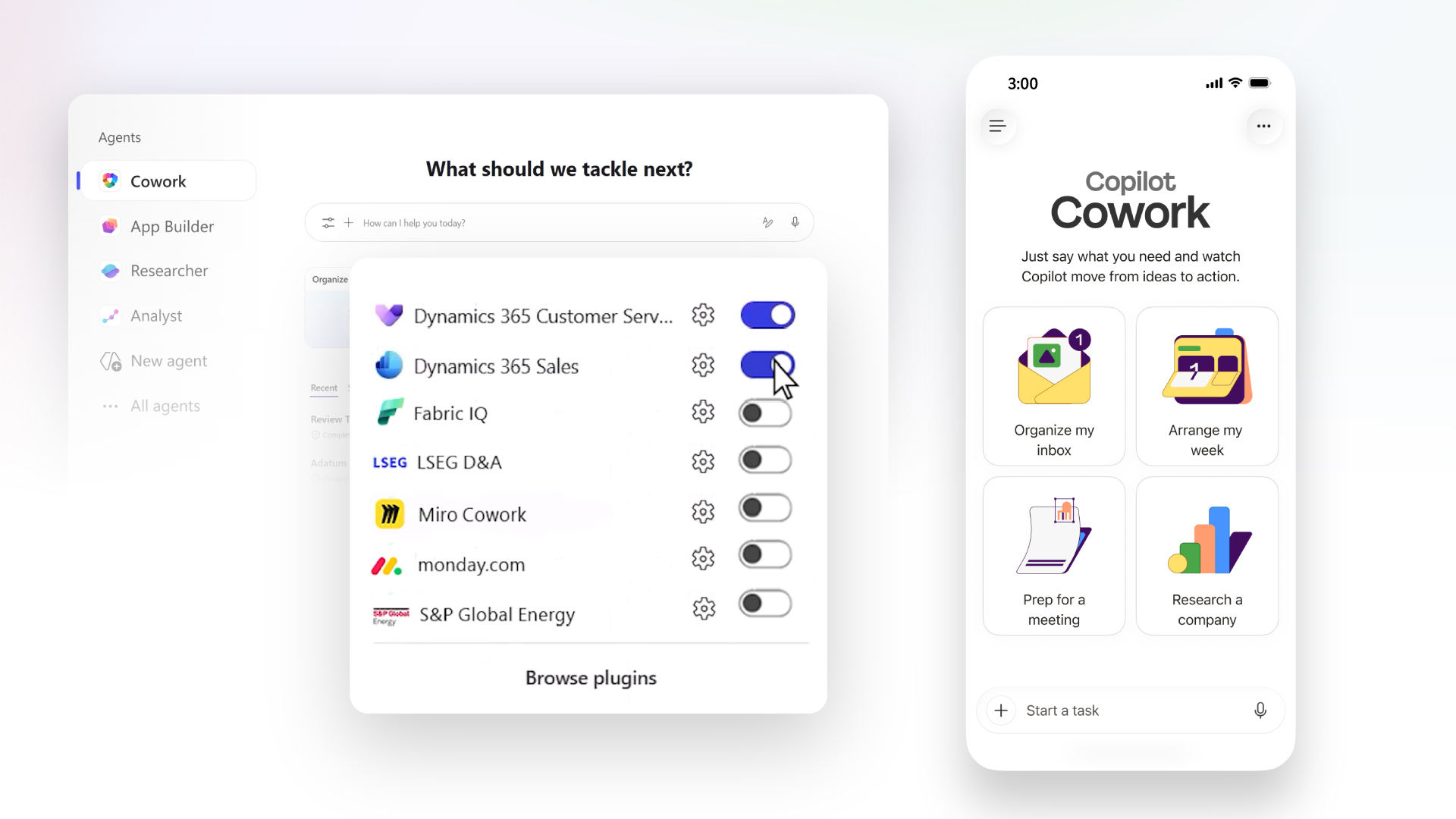
To support this, Copilot Cowork is expanding its integration capabilities with both Microsoft products and third-party platforms. The new Native Integration includes Fabric IQ with Microsoft Power BI, enabling business data to flow directly into the cowork workflow.
Microsoft is also deepening its connectivity with Dynamics 365 across Sales, Customer Service, and ERP, supporting workflows such as sales pipeline monitoring, case management, and approval processes.
Beyond Microsoft's own ecosystem, future connectors will support various platforms such as:
- LSEG (London Stock Exchange Group)
- Miro
- monday.com
- S&P Global Energy
Organizations can also create custom plugins to connect co-working spaces to specialized internal company systems.
This expanding Plugin ecosystem is crucial because it enables AI to work efficiently across the real-world systems that organizations use on a daily basis.
The new Enterprise AI model
The true significance of Copilot Cowork lies in transforming the relationship between employees and AI. From AI being just a standalone chatbot, Microsoft is positioning Cowork as an operational layer capable of managing multi-stage workflows autonomously.
This is a transition from AI that “answers questions” to AI that “does the job”.
As organizations increasingly adopt Agentic AI concepts, systems like Copilot Cowork could become key components of their future productivity strategies.
Instead of wasting time manually managing repetitive workflows, employees can focus on strategic thinking, decision-making, and collaboration, while AI handles the structural operations.
Continuous improvement through the Frontier Program
Microsoft stated that Copilot Cowork continues to evolve rapidly through the Frontier Program, and the company is continuously expanding the platform's capabilities based on real-world customer use cases.
New integration features and workflow improvements will be continuously rolled out to further enhance Cowork's ability to function in an enterprise environment.
This iterative development approach reflects Microsoft's view of Copilot Cowork not just as a temporary AI assistant, but as a long-term infrastructure for AI-driven work orchestration within the organization.
Summary
Copilot Cowork on Mobile marks another significant step for Enterprise AI, as Microsoft expands the role of AI from "conversation" to "action," with a system that can directly participate in workflows, rather than merely acting as an assistant for specific tasks.
The addition of mobile support, reusable skills, and deeper integration demonstrates Microsoft's commitment to making AI integration continuous, context-aware, and operational across all organizational levels.
As businesses increasingly explore agentic AI models, platforms like Copilot Cowork could fundamentally change the meaning of productivity. With the ability to delegate complex workflows directly to AI, it transforms “conversations” into “completed results.”