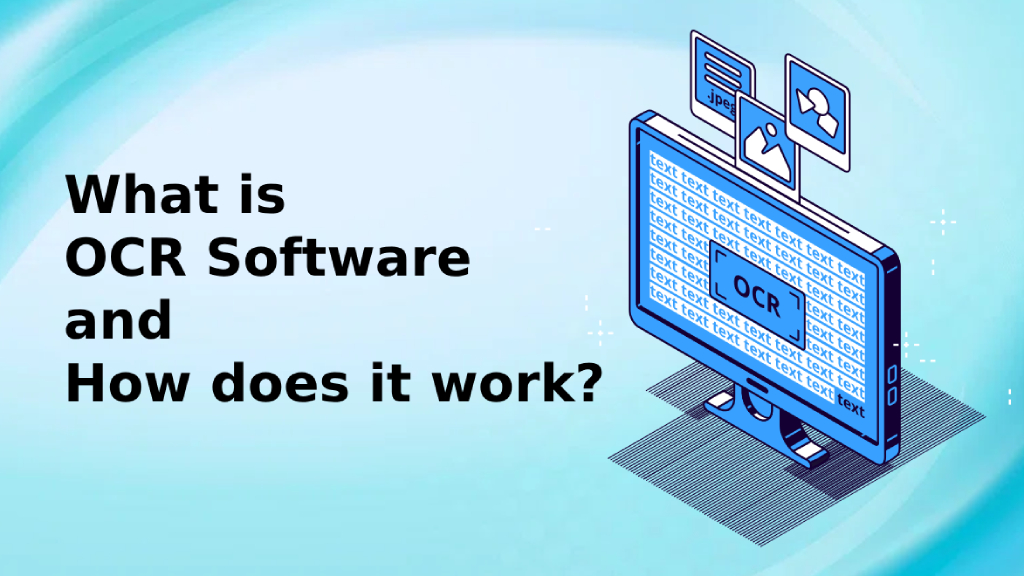
What is OCR software? OCR (Optical Character Recognition) is a technology that enables computers to read text from photos or scanned documents and convert it into digital text that can be edited, searched, or copied. This technology reduces the need for manual data entry and also improves accuracy in document storage.
OCR software plays a crucial role in many industries, including business, legal organizations, medical, and educational, which handle large volumes of documents daily.
What is OCR software and how does it work?
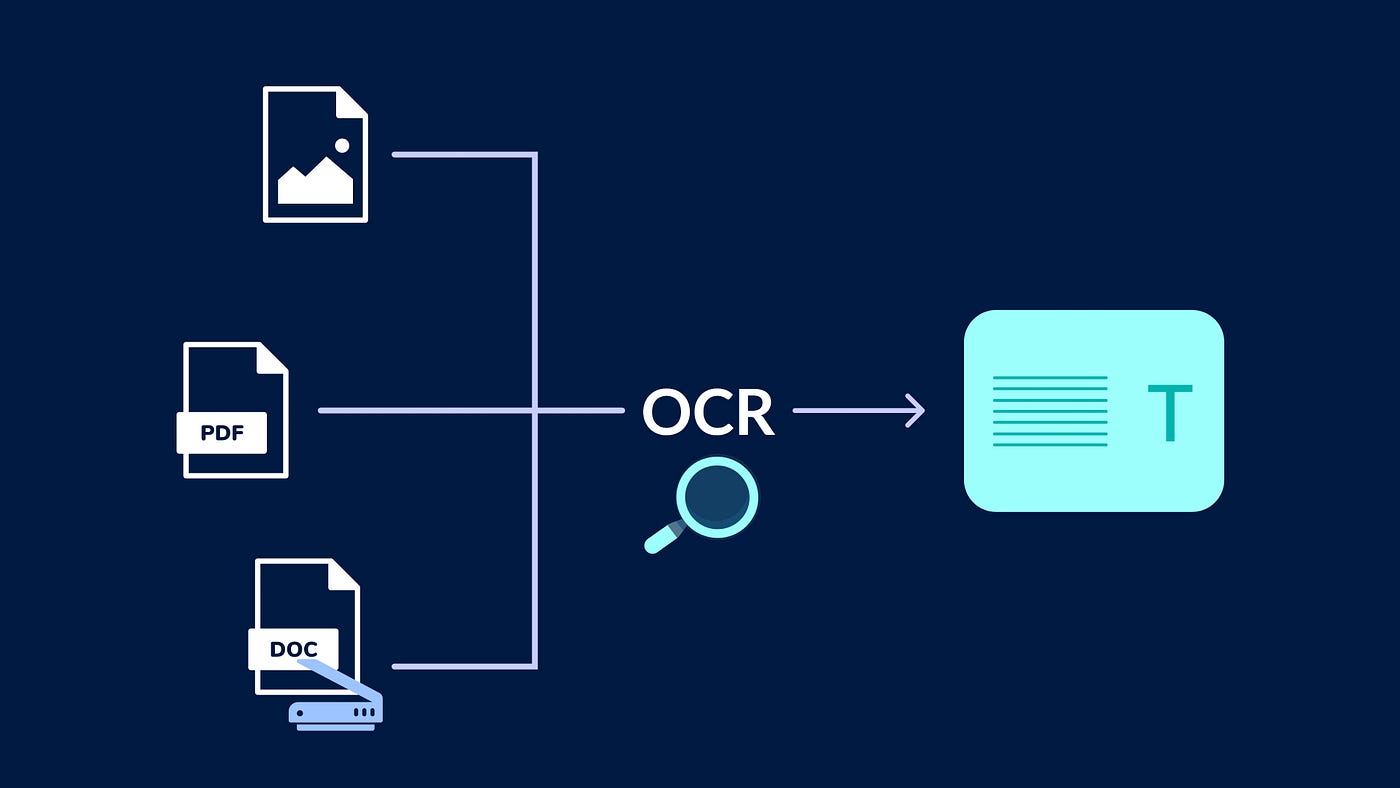
To understand that What is OCR Software? And how does it work? We can divide the OCR process into three main steps:
- Data import
- Users can upload image files, such as: JPG, PNG, TIFF, or PDF that has a message
- Some programs support scanning documents directly from a scanner.
- Some software can use a smartphone camera to take pictures of documents and then process them.
- Processing
OCR software uses several technologies to convert text in images into digital text, including:
- Document structure detection – To distinguish different parts, such as text, images, tables, or columns.
- character recognition – The software analyzes the character design and compares it to a database of existing fonts.
- Machine Learning & AI Modern OCR software uses artificial intelligence to learn character patterns that can be quite complex, such as: handwriting or blurred letters
- Multilingual OCR – Advanced software can distinguish and translate different languages in real time.
- Data export
After OCR analyzes the document, users can save the results in their desired format, such as:
- Text file (TXT) – For copying data.
- Word or Excel file – For editing and use in business documents.
- Searchable PDF – For documents that need to retain their original format but allow for searching and copying of text.
Top 5 OCR Software in 2025
Optical Character Recognition (OCR) software plays an important role in digitizing documents, extracting text from images, and automating data entry. In 2025, AI-powered OCR tools offer high accuracy, support multiple languages, and integrate seamlessly with various applications. Here are the top 5 OCR software options—both free and paid—to help you choose the one that best fits your needs.
Adobe Acrobat Pro DC (paid)
Suitable for: Professionals and businesses.
Key Features:
- Advanced OCR with high accuracy.
- Supports scanned PDF files, images, and handwritten files.
- Capable of processing a large number of documents simultaneously.
- Connect to cloud services such as Google Drive, OneDrive, and Dropbox.
price: start at $19.99/month
Why choose?
Adobe Acrobat Pro DC is ideal for businesses and professionals who need feature-rich OCR software with built-in PDF editing tools.
ABBYY FineReader PDF (paid service)
Suitable for: Large-scale OCR organizations and processing.
Key Features:
- Intelligent OCR that supports over 200 languages.
- Advanced document comparison and editing tools.
- Supports exporting to various formats such as Word, Excel, and PDF. Searchable.
- It has security features such as redaction.
price: start at $99 (one-time payment) or $16/month
Why choose?
ABBYY FineReader is ideal for organizations requiring high-performance OCR, along with document management capabilities and security.
Tesseract OCR (free and open source)
Suitable for: Developers and OCR customization.
Key Features:
- OCR is an open-source tool developed by Google.
- Supports multiple languages, including handwriting recognition.
- It works on Windows, macOS, and Linux.
- It can be integrated with Python and other programming languages.
price: Free
Why choose?
Tesseract OCR is the best choice for developers who want a customizable OCR tool at no cost.
Microsoft OneNote OCR (Free with Microsoft 365)
Suitable for: Note-taking and basic OCR usage.
Key Features:
- Built-in OCR for extracting text from images and handwritten notes.
- Sync data with OneDrive and Microsoft apps.
- Compatible with Windows, Mac, iOS, and Android.
- Free for Microsoft 365 users.
price: Free (included in the Microsoft 365 package)
Why choose?
Price: Free (included in the Microsoft 365 package)
Google Drive OCR (Free, with Google Drive)
Suitable for: Cloud-based OCR and Google Docs users.
Key Features:
- Extract text from scanned PDF files and images.
- Work directly within Google Docs.
- Supports multiple languages
- Free for Google Drive users.
price: Free (for Google account users)
Why choose?
Google Drive OCR is a great option for those who want a free, cloud-based OCR application that connects to Google Workspace.
Which OCR software is best for you?
software | Suitable for | Price |
Adobe Acrobat Pro DC | Business and professional work | $19.99/month |
ABBYY FineReader PDF | Organization and processing of large numbers of documents. | Starting at $99. |
Tesseract OCR | Developer and customization | Free |
Microsoft OneNote OCR | Basic note-taking and OCR. | Free (included in Microsoft 365) |
Google Drive OCR | Cloud-based OCR and Google users. | Free (included in Google Drive) |
If you want High accuracy and full features. Choose Adobe Acrobat Pro DC or ABBYY FineReader
If you are Developer Tesseract OCR is the best choice.
Free OCR or paid OCR: Which should you choose?
criterion | Free OCR | There is an OCR charge. |
Accuracy | Basic (there are errors with complex text) | Powered by highly accurate AI. |
Features | Limit (extract basic text) | Advanced (processing large volumes of documents, AI OCR) |
File format | Supports general image files | Supports PDFs and multi-page documents. |
speed | Slow processing | Fast and optimized for large files. |
Safety | Limited encryption | Highly secure and compliant with privacy requirements. |
connection | Limited (Google Docs, OneNote) | Supports APIs, business apps, and automation. |
Suitable for | For general users, basic OCR tasks. | Professional, business, high-volume work. |
expenses | Free | Subscribe or purchase outright. |
Who should use free OCR?
- Students and the general public who wish to. Extract basic text
- Users who want OCR Occasionally
- Developers looking for Open source solutions For example, the Tesseract.
Who should use OCR, and what are the costs involved?
- business desired Processing large volumes of OCR data automatically.
- professional who work with Scanned documents, complex layouts, and handwriting.
- organization to deal with Confidential or legal documents. which requires high security
Benefits of using OCR software.
Using OCR software has many advantages, not only reducing printing tasks but also making data storage and access more efficient.
- Reduce data entry errors.
Typing information from documents manually can easily lead to errors, but OCR reduces this problem by automatically converting text, resulting in higher data accuracy.
- Increase speed and performance
OCR software allows you to convert large numbers of documents into digital data in a short time, reducing working time.
- Search for documents more easily
When documents are in digital format, information can be easily found using keywords, instead of having to flip through paper documents page by page.
- Supports multiple languages
Advanced OCR software can read and convert documents in multiple languages, supporting business applications that work with data from multiple countries.
- Reduce paper usage and help protect the environment.
Converting paper documents to digital format reduces paper usage and waste, lowering printing costs and storage space.
The use of OCR software in various industries.
OCR software is not only used in offices but also in many industries to improve data management efficiency.
- Business and organization
- Convert invoices, contracts, and legal documents into digital format.
- Reduce the time spent entering data into accounting or ERP systems.
- study
- Scan and convert textbooks or study materials into searchable and editable files.
- Convert old documents or archives into digital data.
- medical
- Convert patient medical records from paper documents to digital files.
- Organize prescription and medical documents in an easily searchable format.
- Financial and banking industry
- OCR is used to read information from checks, identification cards, and financial documents.
- Simplify the Know Your Customer (KYC) verification process.
- Government agencies
- Convert household registration documents, national ID cards, and official documents into digital format.
- This makes information easier to search and access.
Examples of real-world OCR software usage.
OCR software is used in a wide range of industries and businesses to improve data management efficiency and reduce errors. Here are some real-world examples where OCR plays a crucial role.
Applications in business and organizations.
Document digitization
- Companies use OCR to convert paper documents, such as: Contracts, invoices, purchase orders, and financial reports. Save it as a searchable and editable digital file.
- Reduce the time spent storing and retrieving documents in the archive.
Document Management System (DMS)
- OCR is used in conjunction with automated document filing systems, making it easier for employees to find important documents simply by typing relevant keywords.
Convert business cards into digital information.
- OCR applications can read data from... card Then save it as a contact on your smartphone or in your organization's CRM system.
Applications in the financial and banking sector.
Processing checks and financial documents.
- Banks use OCR to read data from... Cash checks, credit cards, and financial documents. Various features help reduce the need for manual data entry.
Customer Identity Verification (KYC - Know Your Customer)
- OCR is used in scanning. National ID card, passport, and driver's license. To automatically verify customer identity.
- Reduce the time and errors in the new account registration process.
Automatic invoice scanning
- The company uses OCR for conversion. Invoices and receipts It's digital data that can be used in the accounting system without having to enter it manually.
Applications in the medical and hospital industries.
Digital medical records management
- OCR is used for conversion. Patient history, prescriptions, medical reports, and laboratory test results. To make it available in an easily searchable digital format.
Reading a prescription automatically.
- Some hospitals and pharmacies use OCR to read [the contents]. Doctor's handwriting on a prescription. Then, converting it into digital text reduces the risk of dispensing the wrong medication.
Converting health insurance documents
- Insurance companies use OCR to scan. Insurance claim form And it automatically retrieves data, speeding up the claims process.
Used in the public sector and government agencies.
Civil registration and national ID card management.
- OCR is used to convert data from... National ID card, household registration certificate, and official documents. Storing documents in digital format reduces the time spent searching for them.
Court and legal system
- Law enforcement agencies use OCR to convert documents related to cases, such as: Complaint, judgment, and evidence. To be easily searchable
Extracting data from surveys and official documents.
- OCR is used in scanning. Population surveys, ballot papers, and various government forms. It speeds up data processing.
Applications in the education sector and libraries.
Converting old books and documents into digital files.
- OCR is used in libraries and academic institutions to convert... Old books, textbooks, and research papers. Make it a file that can be searched and read on electronic devices.
Automatic examination
- OCR is used in the system. Grading multiple-choice exams (OMR answer sheets). To reduce the time required for grading exams.
Assisting the visually impaired.
- OCR applications can read text from books or signs and convert it into speech, helping visually impaired people access information more easily.
Applications in e-commerce and logistics.
Parcel tracking and tracking number.
- OCR is used in scanning. Shipping label and tracking number. To increase the accuracy of tracking and delivering products.
Reading barcodes and QR codes.
- Online stores and shipping companies use OCR for reading data. barcode or QR Code To import goods and verify order lists.
Converting receipts and delivery notes into digital data.
- OCR helps convert Receipts, tax invoices, and delivery notes. To be in digital format for easy verification and recording of information.
Usage in print media and marketing.
Converting printed documents into digital content.
- Publishers and news agencies use OCR for conversion. Magazines, newspapers, and old documents. To be in a digital format that can be distributed online.
Analyzing text from billboards and flyers.
- นักการตลาดใช้ OCR เพื่อดึงข้อความจาก Advertising signs, posters, and flyers. To be used for analyzing marketing data and measuring the effectiveness of advertising campaigns.
In summary: What is OCR software?
It is a technology that enables accurate and fast conversion of image-based documents into digital text. OCR software helps improve data management efficiency, reduce errors, and make document searching easier. Businesses and organizations that handle large volumes of data can use OCR to reduce costs and increase operational convenience.
Using OCR software not only improves efficiency but also helps reduce paper usage, which benefits the environment. If you want to improve your organization’s data storage system, OCR software is a tool you shouldn’t overlook.
You can learn more about OCR Software Microsoft Azure OCR is available here: Azure OCR – Intelligent Character Recognition Service
Interested in Microsoft products and services? Send us a message here.
Explore our digital tools
If you are interested in implementing a knowledge management system in your organization, contact SeedKM for more information on enterprise knowledge management systems, or explore other products such as Jarviz for online timekeeping, OPTIMISTIC for workforce management. HRM-Payroll, Veracity for digital document signing, and CloudAccount for online accounting.
Read more articles about knowledge management systems and other management tools at Fusionsol Blog, IP Phone Blog, Chat Framework Blog, and OpenAI Blog.